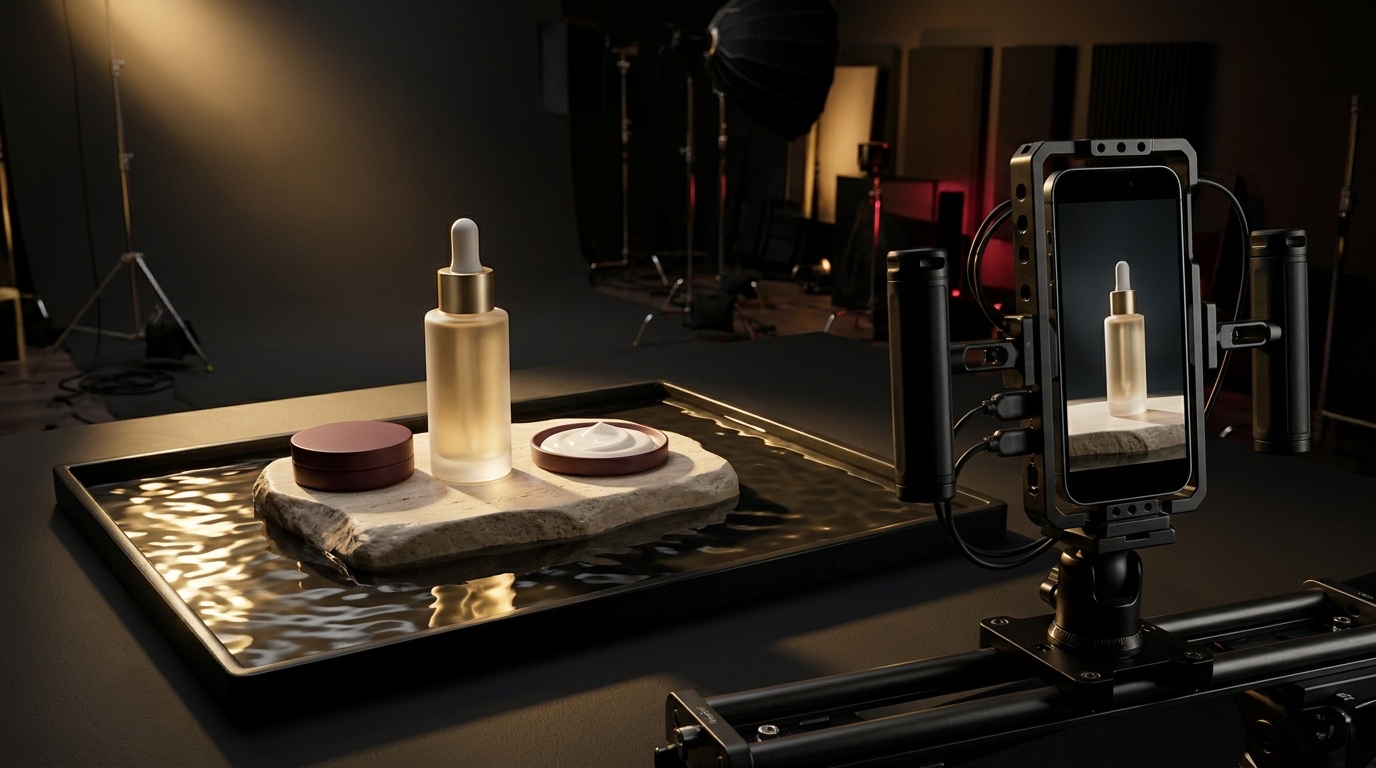
Creative architecture
Structure short-form AI video ads as modular 3–10 second shots
Effective short-form social ads rarely rely on a single 30-second AI generation to handle opening hook, product close-up, captions, price callout, and end card all at once. Generative video works far more reliably when you build modular 4–10 second visual beats—one clear hook shot, one clean product-texture shot, and one quiet background beat for your call to action—then cut them together in a standard video editor.
Keep every piece of readable text, brand logo lockup, price tag, and legal disclaimer outside the AI prompt. Leave intentional negative space at the top or bottom of your 9:16 frame (away from platform UI overlays) and layer sharp, accurate typography in post-production.
Three modular beats for a 12–20 second social ad
- Beat 1 (Opening hook, 2–4s): immediate visual movement, texture reveal, or lighting shift that stops scrolling.
- Beat 2 (Product showcase, 4–8s): slow, steady hero shot built from a real product photograph so shape and color remain faithful.
- Beat 3 (CTA end card, 2–4s): calm composition or subtle ambient motion with open room for real offer copy and logo.
Beauty & cosmetics workflow
How to build beauty and cosmetics short-form video ads without breaking product trust
Beauty, skincare, and fragrance ads live or die on surface texture, packaging accuracy, and believable lighting. Always start with a sharp, rights-cleared photograph of the actual serum dropper, lipstick tube, or compact rather than asking Text to Image to invent branded packaging from scratch.
First, stage the still in Image to Image (for example, Seedream 5.5 at 1.5K or 2K) on clean stone, frosted glass, or sunlit vanity marble—keeping props away from the label and checking every letter of the brand name before saving. Next, upload that verified still into Image to Video (such as Seedance 2.5, Wan 3.0, or MiniMax H3) and ask for a single subtle motion: slow sunlight sweeping across glass, gentle water ripples behind the jar, or a calm macro push-in while the bottle stays completely upright and stationary.
Avoid generating exaggerated 'before-and-after' skin transformations or complex hand-applying-makeup motions in a single pass. Hand-to-face contact frequently distorts fingertips or brush tips, and synthetic skin claims can violate advertising guidelines. Pair AI product atmosphere shots with real, authentic creator footage filmed on a phone for the human application beat.
Beauty ad quality checks before publishing
- Verify cap shape, shade color, glass transparency, and label spelling across the entire clip—not just frame 1.
- Keep the product upright and stationary; avoid asking the model to spin a labeled bottle 360 degrees.
- Reserve real human testimonials and skin-result demonstrations for genuine filmed footage.
- Check platform cosmetic advertising policies before launching paid spend.
Concept rewrite, not scraping
The rights-safe 'ad clone' and concept-rewrite workflow using existing studios
Many growth marketers search for an 'AI ad cloner' when they want to adapt a proven short-form ad format for their own product or spin five fresh visual angles from an existing winner. To be transparent: VideoAny does not include a one-click ad cloner, competitor URL scraper, or automated template copier.
Instead, you can run a clean, rights-safe concept-rewrite workflow using VideoAny's existing studios. Start by breaking a winning structure into an abstract shot list—pacing, framing (9:16), lighting contrast, and visual transition—never copying third-party brand footage, logos, voices, or copyrighted scripts. Then execute the rewrite through whichever VideoAny path matches your own assets:
1. Rewrite from your own filmed winner in Video to Video: trim a 5–10 second continuous clip you own and upload it to Video to Video (choosing among VideoAny, Wan 2.7 with 1 optional style reference image, Happy Horse 1.0 with up to 5 reference URLs, or Grok Imagine Video up to 8s) to test fresh lighting moods, seasons, or surface aesthetics without a full reshoot.
2. Rewrite a proven shot structure from stills in Image to Image + Image to Video: swap the backdrop and lighting on your own product photo in Seedream 5.5, then animate three hook variations in Image to Video.
3. Draft net-new B-roll hooks in Text to Video or extend a strong opening beat in Video Extend (Seedance 2.5 adds 4–30 new seconds to an existing clip).
Tool mapping
Match each short-form ad task to a real VideoAny studio
| Ad creative task | VideoAny studio & models | Key studio settings to check |
|---|---|---|
| Stage a real beauty/product photo in a new setting | Image to Image (Seedream 5.5) | 1–10 references, explicit 9:16 ratio, 1K / 1.5K / 2K, PNG or JPEG; audit packaging shape and label text. |
| Animate a 9:16 product hero or beauty texture still | Image to Video (Seedance 2.5, Wan 3.0, or MiniMax H3) | Seedance 2.5: 4–30s, 480p–4K, optional audio + optional last frame. Wan 3.0: 2–30s up to 1080p with audio. MiniMax H3: 3–15s at 480p/768p. |
| Restyle your own filmed ad clip for fresh hook variants | Video to Video (VideoAny, Wan 2.7, Happy Horse 1.0, Grok Imagine Video) | Max 1080p (no 4K in V2V); Wan 2.7 fits 2–10s with 9:16 + 1 ref image; Grok fits up to 8s; check live credit rate. |
| Draft unbranded B-roll or concept hooks from script | Text to Video (Seedance 2.5, Wan 3.0, MiniMax H3) | Select 9:16 aspect ratio in studio controls before generating; describe one clear action per take. |
| Continue a strong opening clip into the next beat | Video Extend (Seedance 2.5) | Upload your clip and generate 4–30s of continuation footage; inspect seam continuity before cutting. |
Untested starting prompts
Starting prompts for beauty ads and concept rewrites
These are illustrative prompt frameworks, not verified ad outputs. Replace placeholder product traits with your actual product and always review every frame.
Image to Video · Beauty serum hero beat
Slow sunlit shimmer on a stationary skincare bottle
Upload a verified 9:16 still of your own skincare bottle on travertine stone.
Animate this uploaded vertical skincare still with warm morning sunlight slowly gliding across the frosted glass bottle and stone pedestal, creating soft shifting caustics and subtle ripples in a shallow water tray behind it. Keep the bottle completely upright, stationary, and recognizable with crisp silhouette edges. Very slow gentle push-in, one continuous shot, no rotation, no hands, no added text.
- Inspect the front label at the start, middle, and final second for warping.
- Add product name, price, and CTA overlay in your external video editor.
Video to Video · Ad concept restyle on your own clip
Shift daytime product footage into golden-hour editorial light
Upload a 5–8 second trimmed continuous shot you filmed yourself.
Restyle the lighting and color atmosphere of this clip into warm golden-hour editorial studio light with soft amber rim highlights and clean creamy shadows. Keep the main product placement, silhouette, and camera framing readable from start to finish. Avoid extra objects, flickering textures, or overlaid typography.
- Wan 2.7 (2–10s, 720p/1080p, 25 credits/s) lets you set 9:16 and attach 1 optional palette reference image.
- Remember that video-to-video does not guarantee locked motion or exact label preservation—watch the full clip.
Text to Video · 9:16 abstract B-roll hook
Tactile cosmetic cream swirl opening hook (unbranded)
Create an unbranded 3–5 second visual hook to cut before real filmed product footage.
Vertical 9:16 macro studio shot of glossy pearl-tinted moisturizing cream forming a smooth slow swirl across cool pale ceramic tile under soft diffused beauty lighting. Clean minimal composition with generous open space in the upper third for ad captions added later. Smooth slow motion, crisp specular highlights, no logos, no words, no hands.
- Select 9:16 explicitly in Text to Video controls.
- Cut from this tactile opening hook directly into genuine filmed footage of your real product.
Common questions
AI short-form video ads: practical questions
Does VideoAny have a one-click AI ad cloner tool?
No. VideoAny does not scrape competitor ads or offer an automated ad-cloner button. Instead, you rebuild a proven shot structure using your own rights-cleared assets across Image to Image, Image to Video, Text to Video, Video to Video, and Video Extend.
Can I generate vertical 9:16 video ads directly?
Yes. Text to Video models such as Seedance 2.5, Wan 3.0, and MiniMax H3 support 9:16 aspect ratios, Wan 2.7 in Video to Video supports 9:16, VideoAny's video-to-video model offers Portrait 16:9 (720x1280), and Image to Video animates 9:16 source stills you prepare.
Will AI preserve exact lipstick shades or tiny skincare label fonts?
No exact color or label fidelity is guaranteed. Always start from a clear photograph of the real product, keep the item stationary during animation, inspect every second of playback, and reject shots where packaging or shades drift.
Should I generate captions, prices, and CTA buttons inside the AI video?
No. Leave clean negative space in the upper or lower safe zone of your 9:16 shot and add final captions, pricing, disclaimers, and voiceover in your regular video editor.
How is this guide different from the Black Friday or Christmas Commercial guides?
This guide focuses on evergreen 9:16 short-form performance ads, beauty and cosmetics fidelity workflows, and rights-safe concept rewrites. Visit the Black Friday guide for 10 promotional campaign ideas or the Christmas Product Commercial guide for a dedicated holiday tabletop shot walkthrough.
Test one 9:16 ad beat
Build your next short-form ad hook from a real product still or clip
Stage one clean vertical product visual in Image to Image, animate a controlled hero beat in Image to Video, or restyle your own filmed clip in Video to Video.
- Modular 4–10s beats cut cleanly in any editor
- Visible credit quotes before every generation
- Keep copy, pricing, and logos crisp in post