AI Storm II
Become the calm center of a dusk crowd scene, with a still pose and a short coordinated dance behind you.
Use a sharp, front-facing photo with space around the shoulders. The prompt asks you to stay still while the background crowd moves.
568 credits per 5-second video
External visual references, not VideoAny-generated results. They illustrate the setting or style; the generated 5-second clip may differ.
Explore the crowd-dance mood
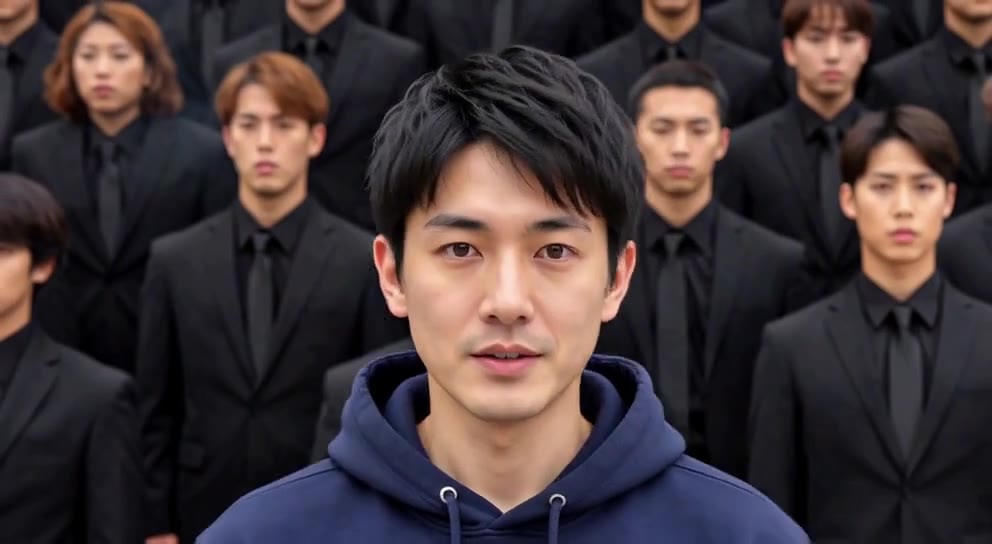
These references show a centered main subject against orderly rows of people, illustrating the contrast behind the crowd-dance concept.
Centered crowd composition
A person in a navy hoodie stands in the center, with rows of people in dark suits behind them. The image is a reference for the main-subject and crowd framing.
GoEnhance ↗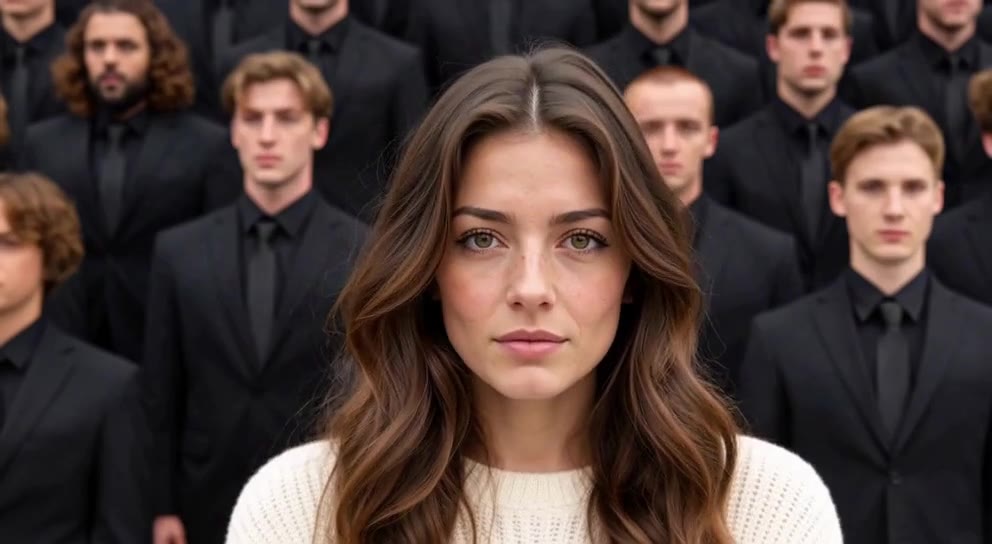
Front-facing subject reference
A person in a cream sweater faces the camera while rows of people in dark suits fill the background.
GoEnhance ↗External visual references, not VideoAny-generated results. They illustrate the setting or style; the generated 5-second clip may differ.
Upload your photo
Choose one clear photo of one person with the face and upper body visible. A simple front-facing pose gives the scene a calm focal point.
Generate your video
Sign in, check that you have 568 credits and select Generate. Allow several minutes for the 5-second video.
Preview and download
Watch the contrast between the main subject and the background dancers, then download the clip.
AI Storm II FAQ
The prompt places you on broad steps at dusk, holding a still pose as a crowd performs a brief coordinated dance behind you. It is a compact interpretation of the trend.
No. A clear, relaxed pose is suitable. The intended contrast is a calm main subject against moving background dancers; exact stillness and synchronization can vary.
No. This is an independent effect inspired by a crowd-dance trend, with no affiliation to the film or its performers.
Each generation costs 568 credits. You need at least 568 credits in your account to start.
No. The output is silent. You can add audio in your editor after downloading.
Blurred images, complex poses, content checks or temporary service issues can affect generation. AI may alter facial details, clothing and motion. If progress cannot be checked, review your generation history before starting again.
One photo is used for image-to-video generation with Seedance 2.5: 5 seconds, 720p, 568 credits, no audio. The aspect ratio follows the source photo. Generation can take several minutes; 5 seconds is the clip length.
Ready to create your next release?
Upgrade for faster queues, higher resolutions, and expanded usage options.