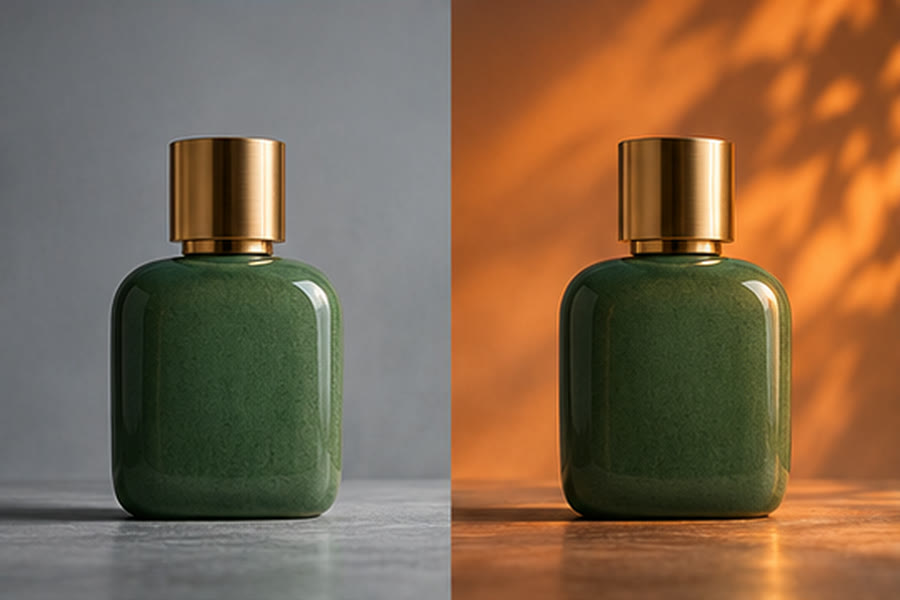
Prepare the reference before writing the edit
Open Image to Image with model=seedream-5.5 and confirm the selected model. The existing editor accepts uploaded images or HTTP(S) image URLs, with up to 10 references in either input mode. An edit requires at least one reference. A link to this guide or to the editor does not upload a file for you.
Begin with one clear, rights-cleared source. Check that the image opens correctly and that the important object is visible at a useful size. If using a URL, it needs to point to an image the service can retrieve; a private gallery page is not a substitute for an accessible image URL.
Give every reference a job
Use one reference as the main subject and add others only when they provide necessary information. Explain which reference supplies the product shape, which supplies the lighting and which supplies the intended palette. Remove contradictory references instead of using all 10 slots by default.
Write the requested change first: replace the plain background, adjust the lighting or restyle the illustration. Follow it with the details to preserve, such as the number of objects, the silhouette and the viewing angle. Preservation instructions guide generation; they do not lock the source image.
Choose the editor’s existing output controls
| Control | Choices | Practical check |
|---|---|---|
| Aspect ratio | Auto or 15 explicit ratios | Use the target composition and check that the subject is not cropped. |
| Resolution | 1K / 1.5K / 2K | Review the setting in the editor before submission. |
| Background | Auto / Transparent / Opaque | Transparent requests still need edge and shadow review. |
| Output format | PNG / JPEG | Transparent forces PNG and disables JPEG. |
| References / output | 1–10 reference images / one output image | More references do not guarantee stronger consistency. |
Edit, inspect and refine
1. Load the source through one of the existing input modes. Check the preview and remove any accidental or unrelated references. 2. Enter one focused editing instruction. 3. Choose output controls and review the current quote. 4. Submit deliberately, then inspect the result against the source.
Check contours, repeated details, labels, reflections and background boundaries. For a transparent asset, place the downloaded PNG over both a light and a dark background in your normal editor. Reject missing details or unwanted changes before using it in a campaign.
When a result drifts, simplify the requested transformation or reduce conflicting references. If an image URL cannot be read, use an accessible source you control or the existing upload mode. Do not assume repeatedly resubmitting the same request will resolve it.
Seedream 5.5 editing questions
Can I use more than one reference?
Yes. The current editor accepts up to 10 references through upload or image URL mode. Use a small, relevant set and describe the role of each image.
Can I export a transparent JPEG?
No. The Transparent background setting uses PNG. JPEG is disabled for that background choice.
Are exact source details guaranteed?
No. Inspect identity, geometry, text and edges after each edit. Prompt instructions do not guarantee exact preservation.
Open the existing Seedream 5.5 workflow
Choose the model, inspect the current options and displayed quote, then submit only when the brief and inputs are ready.