AI Ozil Goal
Create a close-range football moment: chip the keeper, pause briefly, then tap into the empty net.
Use a sharp full-body photo with both feet in frame. The short sequence focuses on the finish rather than a long run across the pitch.
568 credits per 5-second video
External visual references, not VideoAny-generated results. They illustrate the setting or style; the generated 5-second clip may differ.
Explore the close-range finish
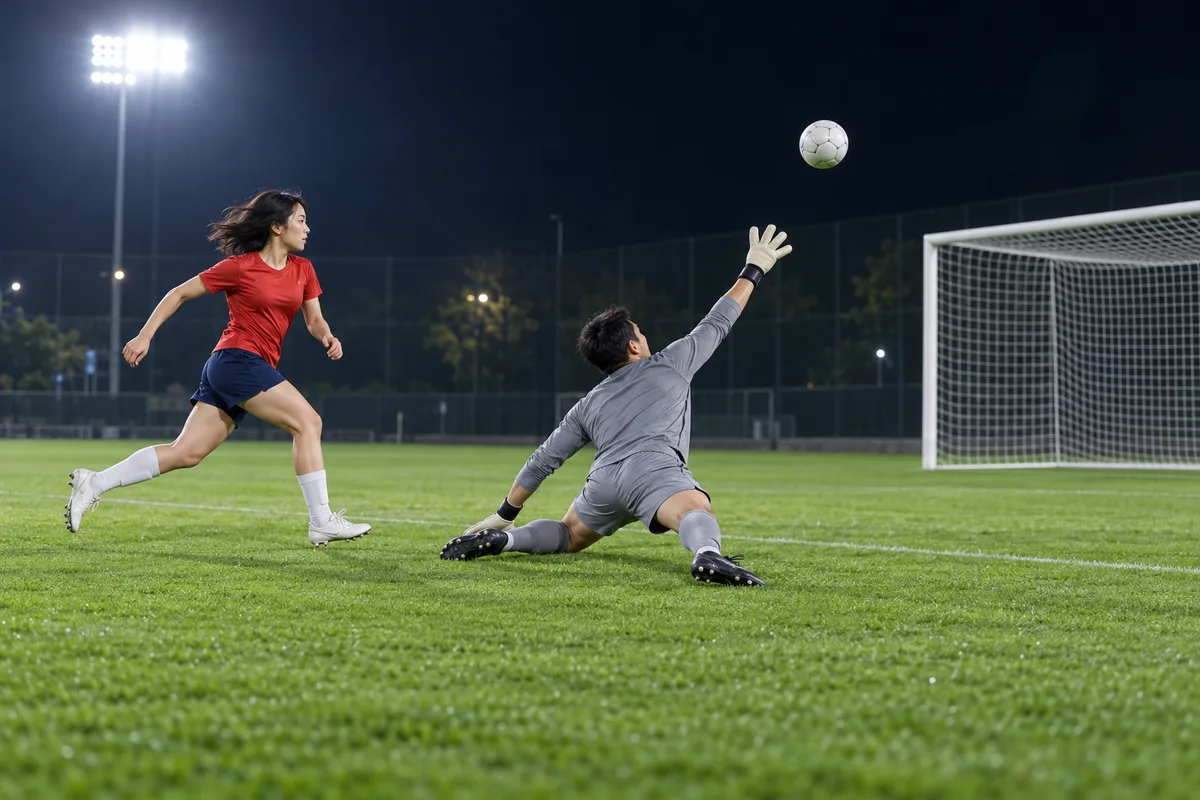
These football references show a chipped ball above a goalkeeper and a close-range finish with defenders behind the player.
Chip-over-the-keeper reference
A red-shirted football player watches a chipped ball pass above the reaching goalkeeper on a floodlit pitch.
AI Effects ↗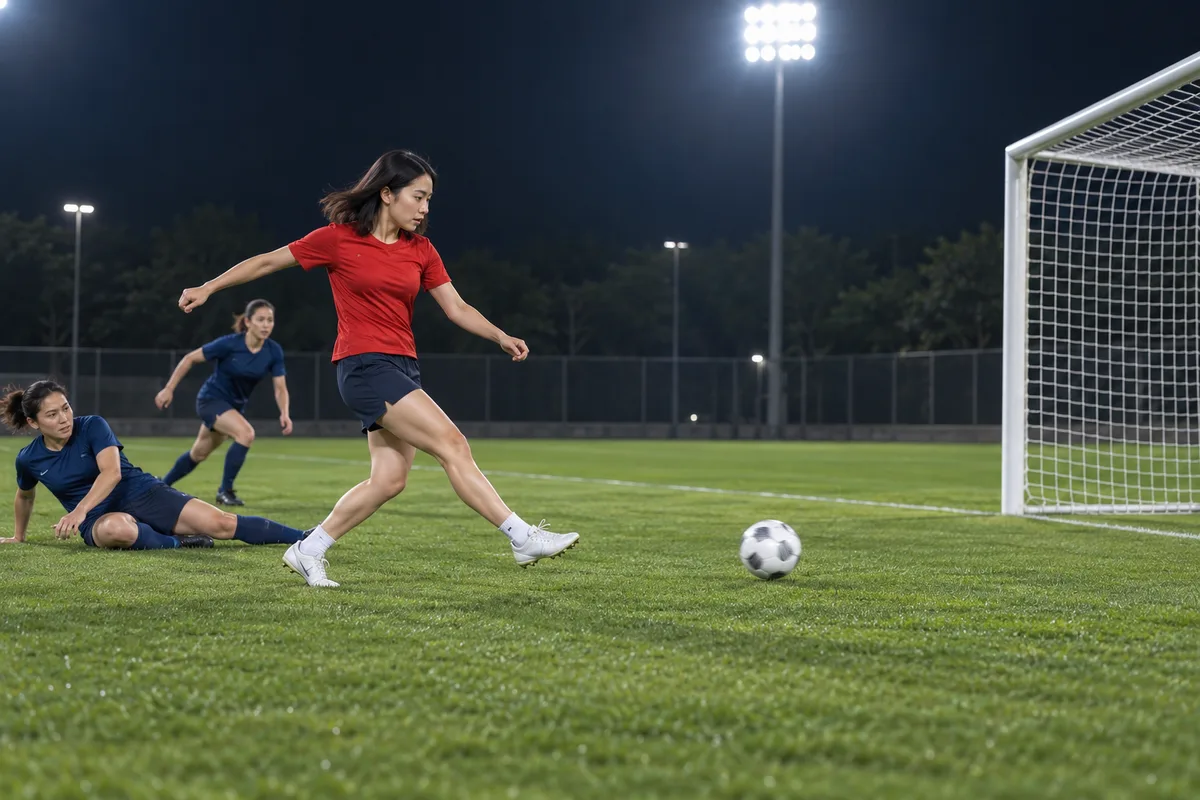
Close-range finish reference
A red-shirted player finishes toward the goal, with two blue-shirted defenders trailing behind.
AI Effects ↗External visual references, not VideoAny-generated results. They illustrate the setting or style; the generated 5-second clip may differ.
Upload your photo
Upload one clear full-body photo of one person with both feet visible and room around the legs.
Generate your video
Sign in, check that you have 568 credits and select Generate. Allow several minutes for the 5-second video.
Preview and download
Check the chip, brief pause and final tap-in as one short sequence, then download the result.
AI Ozil Goal FAQ
The prompt asks for a short chip over the goalkeeper, a brief pause as defenders move past, then a nearby tap into the open goal. The five-second scene is inspired by a famous finish rather than an exact match replay.
No. This is an independent football-inspired effect, with no affiliation to any player, club or league.
The intended player is the person in your photo. The prompt uses your appearance and outfit as a reference rather than asking for a celebrity likeness; AI can still change details.
Each generation costs 568 credits. You need at least 568 credits in your account to start.
No. The output is silent. Add commentary or crowd sound in your editor if you want audio.
Blurred images, complex poses, content checks or temporary service issues can affect generation. AI may alter facial details, clothing and motion. If progress cannot be checked, review your generation history before starting again.
One photo is used for image-to-video generation with Seedance 2.5: 5 seconds, 720p, 568 credits, no audio. The aspect ratio follows the source photo. Generation can take several minutes; 5 seconds is the clip length.
Ready to create your next release?
Upgrade for faster queues, higher resolutions, and expanded usage options.