An original urban poster, then optional motion
Use this guide to plan an original urban action-poster illustration and, optionally, a short video made from that still. The existing GTA effect remains the starting page; this guide adds file preparation, a review checklist and troubleshooting for the same two-tool workflow.
This is an unofficial style exercise. VideoAny is not affiliated with GTA or its publishers, and provides no official game artwork, characters, titles or logos. The goal is an original city portrait with bold outlines and warm colors, not a reproduction of a game scene.
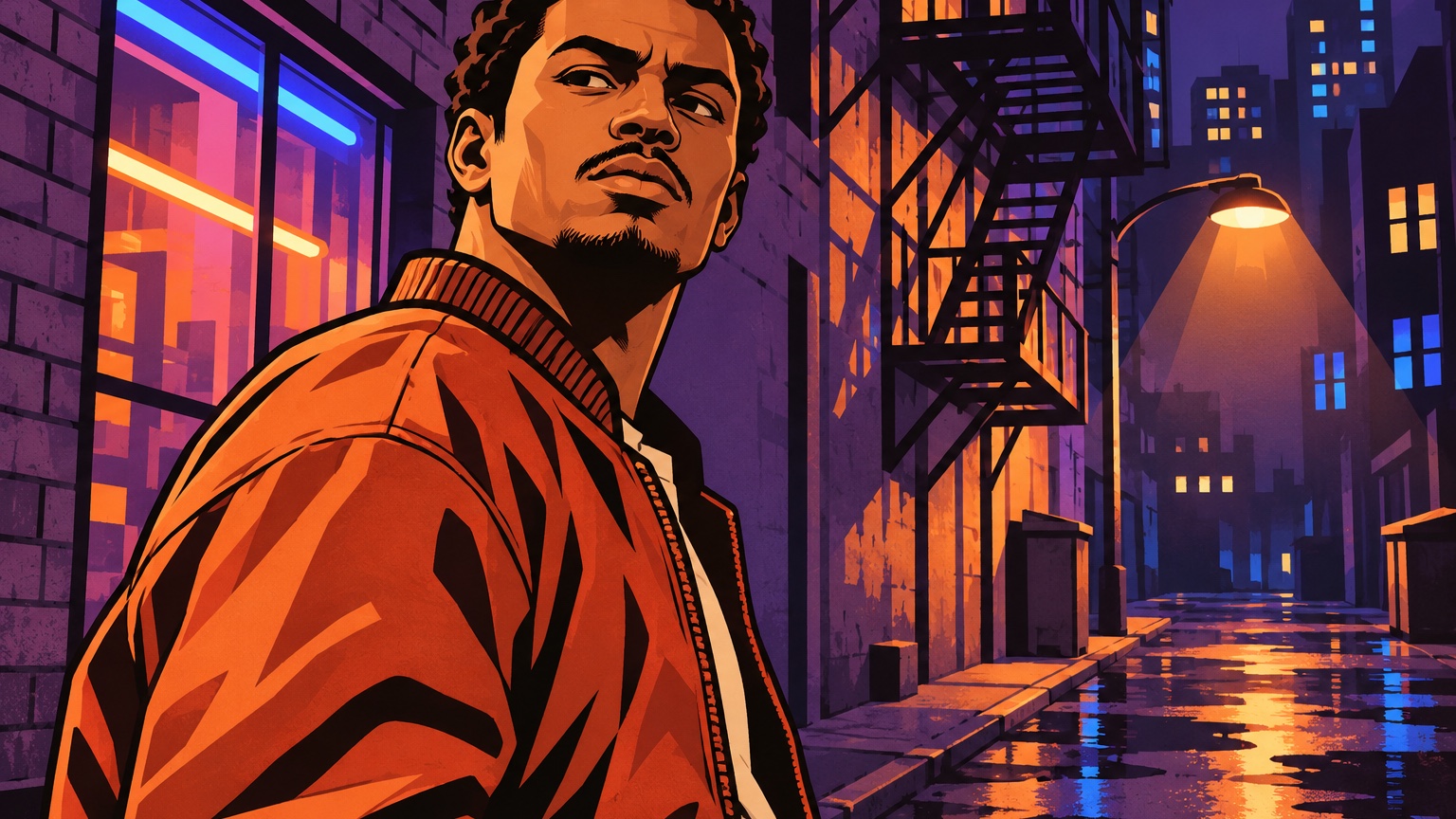
The cover is concept artwork. The English prompt suggestions below have not been tested through paid generation.
Prepare the portrait and the saved still
Choose a photo of one fully clothed adult whose likeness you have permission to edit. Use a clear, unobstructed face, even light and a simple background. A head-and-shoulders or waist-up portrait with room around the subject is easier to inspect than a crowded scene.
The linked Nano Banana Pro image editor uses model pro and a 4 MB input limit. Prefer a readable JPG, PNG, WebP or BMP. Convert HEIC or an unusual encoding to a still JPEG or PNG and open the exported file locally before uploading. A valid local file does not guarantee provider acceptance.
For the optional video step, download the chosen illustration to your device. Use a readable JPG, PNG, WebP or BMP within the current 10 MB image upload limit. Inspect the whole saved image, not only its thumbnail, before uploading it to the video studio.
Create, download, inspect and manually upload
1. Open the existing GTA effect or the portrait prompt link. The link selects Nano Banana Pro (model pro) and fills the existing prompt. Upload your own portrait and adjust the fictional city, colors or framing to suit it.
2. Review the selected model, displayed settings and cost before deliberately submitting. Request one fully clothed adult and a simple composition first. Prompt wording cannot lock a face, pose or illustration style.
3. Inspect the generated still at a useful size: face, eyes, hands, clothing edges and background. Reject distorted anatomy, unwanted text, logos or extra people. Choose an acceptable still, download it to your device, then open and inspect the local file.
4. Open the motion prompt link and manually upload that downloaded, inspected still in Image to Video. Confirm the preview shows the correct illustration. Opening a link does not carry an image, upload a file or start generation.
5. The existing link selects Wan 2.5 (wan2.5-i2v-preview), 5 seconds and 480P with the motion prompt. Review the studio settings and cost before submitting. Watch the entire clip for face drift, flickering outlines and changing objects before downloading or sharing.
Copy the existing starting prompts
These are the same English prompts used by the existing effect. They are editable, untested starting suggestions, not proof of results.
Image to Image · Nano Banana Pro
Original illustrated city portrait
Begin with a simple composition and an unobstructed face.
Restyle the uploaded adult portrait as an original illustrated urban action poster: bold ink contours, warm sunset light, saturated teal and orange color blocks, a fictional palm-lined city street and a calm confident pose. Keep one fully clothed adult and try to retain the reference facial features. Keep the face unobstructed and the composition simple. No game characters, weapons, official artwork, titles, text or logos.
- Keep ordinary clothing and remove requests for official characters or logos.
- Simplify the background if details compete with the face.
Image to Video · Wan 2.5
Optional restrained portrait motion
Use the downloaded and inspected illustration as the uploaded input.
Animate this illustrated portrait with subtle breathing, a small head turn and a very slow camera push-in. Keep the ink outlines and flat color blocks as consistent as possible. One adult, one continuous shot, calm background, no scene cuts, no speaking and no text.
- Download and inspect the still before manually uploading it.
- If turns change the face, reduce the requested movement.
Open the supported workflow
Common failures and practical adjustments
| Problem | Likely cause | Next adjustment |
|---|---|---|
| Upload is rejected | File exceeds the size limit, uses unusual encoding or is damaged. | Export a fresh supported still, check the relevant 4 MB or 10 MB limit and open it locally. |
| Face no longer resembles the portrait | Unclear facial reference, strong stylization or too many requested changes. | Use a sharper source, simplify the scene and reduce stylization. Likeness is not guaranteed. |
| Hands or clothing edges are distorted | Small details, complex gestures or overlapping objects. | Use simpler framing and relaxed hands; reject the still before adding motion. |
| Outlines flicker or the background changes | Fine linework and competing motion are difficult to keep consistent. | Use a calmer background and reduce motion; inspect every part of the clip. |
| Wrong image appears in the video preview | The illustration was not transferred manually or a different local file was chosen. | Download the chosen still, inspect it, then upload that exact file and check the preview. |
Understand the limits before submitting
Recognizable identity, anatomy, clothing details, exact pose and style consistency are not guaranteed. An acceptable still can still change between video frames. Review the whole output rather than treating a prompt as a preservation control.
This workflow does not recreate official gameplay, a specific game character, exact camera sequences or a playable scene. It supplies no official assets, licensed soundtrack, speech or lip-sync.
Prompts and concept artwork are planning aids. Generation may fail or need a different approach, and another submission can use credits without fixing the issue. Check current availability, settings and displayed cost in the existing studio.
GTA filter guide questions
Is this an official GTA filter?
No. This is an independent guide to an original illustrated city portrait. VideoAny has no official affiliation and supplies no official game artwork, characters or logos.
Will my image automatically move into Image to Video?
No. Generate the still, download it, open and inspect the saved file, then manually upload it in Image to Video. The links fill prompts and supported settings only.
Can this guarantee the same face and style in every frame?
No. Both image editing and animation can change the face, clothing or outlines. Use a clear portrait and restrained motion, then inspect the full result.
Are the prompts or cover verified generation results?
No. The prompts are untested suggestions and the cover is concept artwork. No paid-generation result or performance claim is presented.
Start with a clear portrait
Open the existing effect, keep the illustration simple and inspect your downloaded still before any optional animation.