A duet workflow, with room for both people
The existing Trouble Maker effect opens Image to Video with Veo 3.1 and an editable prompt. This guide helps you choose a suitable shared photo, simplify the requested motion and inspect both dancers. It does not introduce a separate dance engine.
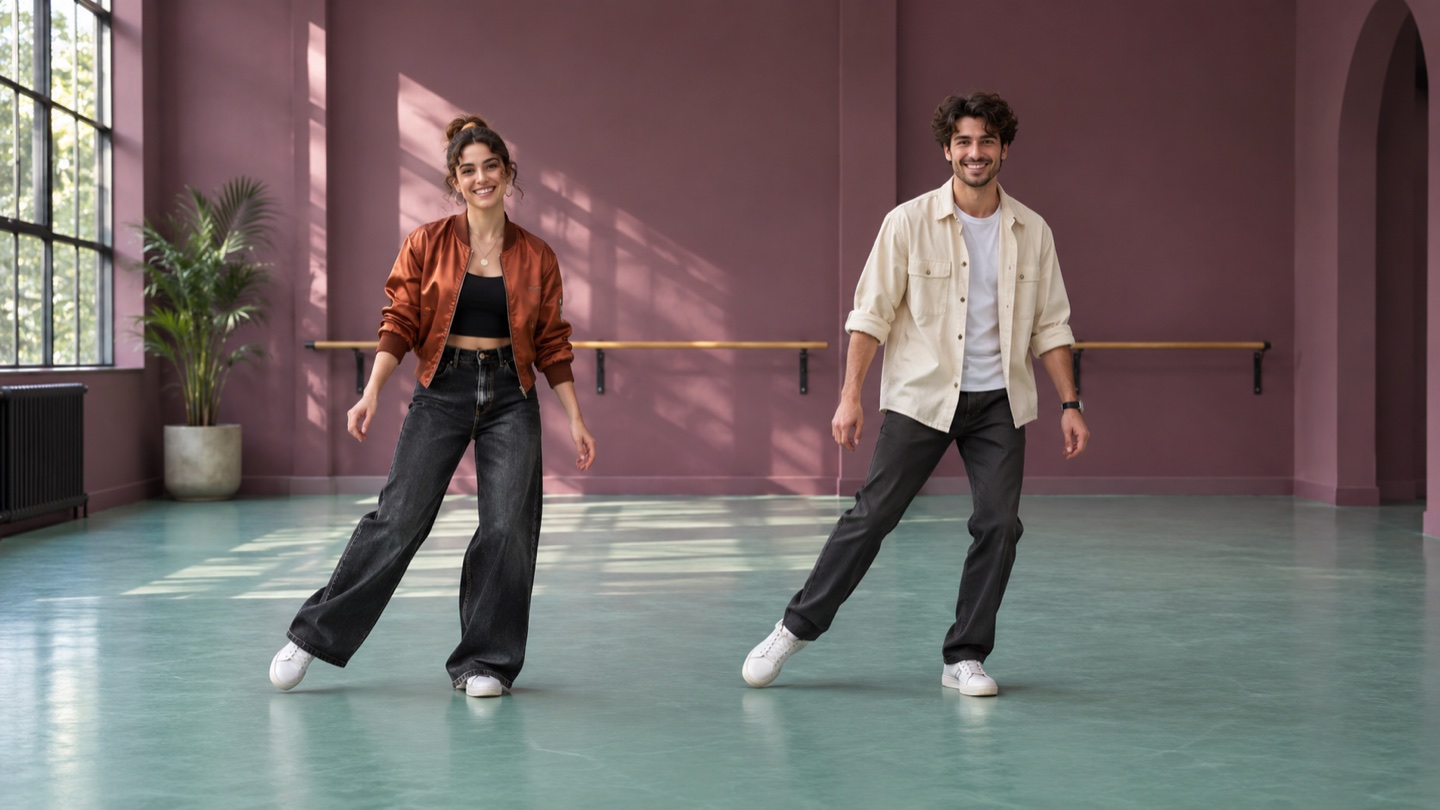
The goal is a short, original two-person routine with side steps and shoulder movement. It does not reproduce a copyrighted song or a specific performance. The existing effect gallery and this guide’s cover are concept artwork or style references, not verified successful outputs of this workflow. The prompts below have not been generation-tested.
Prepare one clear shared photo
Use one photograph showing two adults whose likenesses you have permission to use. Keep both people visible from head to shoes, with clear faces, relaxed hands and a visible gap between their bodies. Leave space beside their feet and above their heads for small movements.
Choose a simple background and similar lighting across both people. Overlapping arms, cropped shoes, tiny faces, heavy filters and strong motion blur make the reference harder to interpret. Two separate portraits are not the input used by this guide.
The current Image to Video upload accepts JPEG/JPG, PNG, WebP and BMP up to 10 MB. Export unusual formats such as HEIC to a fresh JPEG or PNG, open the file locally, and check the entire frame. A valid local file does not guarantee acceptance by the generation provider.
Open, adjust, generate and inspect
1. Open the existing Trouble Maker effect or the duet prompt link. The direct prompt link selects Veo 3.1 and fills text only. Manually upload the shared photo and confirm that the preview shows both people completely.
2. Keep the original left/right arrangement and request a few small moves. Adjust the words to fit the visible starting pose. Instructions to preserve faces and positions are requests, not identity controls.
3. Review the model, displayed settings and credit cost before submitting. The existing Veo 3.1 entry uses an 8-second clip and offers 16:9 or 9:16 in the studio. Match the framing to your source. These links do not set a duration or resolution.
4. Generate only after checking the input and settings. Watch the complete clip, pausing to inspect both faces, hands, feet and the space between them. Reject clips with identity swaps, merged limbs or cropped bodies.
5. Download the chosen clip after review. If the movement is too complex, reduce it with the restrained fallback prompt below. Do not assume another attempt will fix every problem; each submission can use credits.
Copy an original movement prompt
English starting suggestions, identical to their linked prompt text. They have not been tested by generating a result.
Image to Video · Veo 3.1
Small side-step duet
Use a shared full-body photo with clear space between the two adults.
Animate the two adults in the uploaded shared full-body photo into an original upbeat duet dance. Preserve each person's face, hairstyle, outfit, body proportions, and left/right position. Keep both dancers visible from head to shoes in one steady shot. They take two small side steps right, then left, add gentle shoulder bounces, briefly look at each other, and finish in a matching pose. Keep hands and feet natural and avoid crossing paths, extra people, logos, or on-screen text. Make a new routine rather than copying a specific performance. No soundtrack.
- Keep the two people on their original sides.
- Remove the glance if head turns change either face.
Image to Video · Veo 3.1
Lower-motion fallback
Use planted feet and shoulder movement if steps distort bodies or shoes.
Animate the two adults in the uploaded shared full-body photo with very restrained movement. Keep both people in their original left and right positions, visible from head to shoes, with a clear gap between them. Ask each person to make one small shoulder sway and a gentle smile while both feet stay planted and hands remain relaxed. Keep the camera fixed in one continuous shot. Try to retain each person's facial features, hairstyle and outfit. No turns, crossing paths, jumps, touching, extra people, text or soundtrack.
- Reduce movement before adding more instructions.
- Inspect both identities even when motion is minimal.
Open the existing workflow
Common problems and likely causes
| Problem | Likely cause | Next adjustment |
|---|---|---|
| Faces change or swap | Two identities, head turns and small facial references compete. | Use clearer faces, remove turns and reduce motion. Stable two-person identity is not guaranteed. |
| Arms merge or one person disappears | Bodies overlap or the prompt asks them to touch or cross. | Start with a visible gap; avoid touching and changing sides. |
| Feet slide, multiply or leave the frame | Cropped shoes, little floor space or large steps. | Show both shoes with spare floor space; use planted feet. |
| Heads or bodies are clipped | Tight framing or a mismatched aspect ratio. | Choose a wider source composition and check the studio preview before submitting. |
| Upload is rejected | Unsupported encoding, damaged file or excessive size. | Export a fresh supported still within 10 MB and check that it opens locally. |
What the workflow cannot guarantee
Two faces, anatomy, clothing and left/right positions can change between frames. A shared photo and restrained actions provide a clearer request, but do not guarantee stable identity, exact timing, synchronized movement or a usable result.
The prompt does not attach a song, copy an existing routine or synchronize movement to music. Audio availability depends on the selected tool and output; no soundtrack is promised here. Add only music you own or have permission to use in your own editor.
The cover and prompts are examples, not proof of performance. No success rate, tested output or production saving is claimed. Review current availability, settings and cost in the studio before each deliberate submission.
Trouble Maker guide questions
Can I use two separate portrait files?
This workflow uses one photo that already contains both adults. It does not combine separate portraits or promise consistent identities.
Does the effect recreate the original dance?
No. The supplied prompts request an original simple sequence. They do not include a song, licensed choreography or exact performance timing.
Is the cover a tested video result?
No. It is a style reference. The guide’s prompts are untested suggestions, and your own output needs a full review.
Start with a clear shared photo
Open the existing Trouble Maker effect, keep the movement simple and review both dancers before sharing.