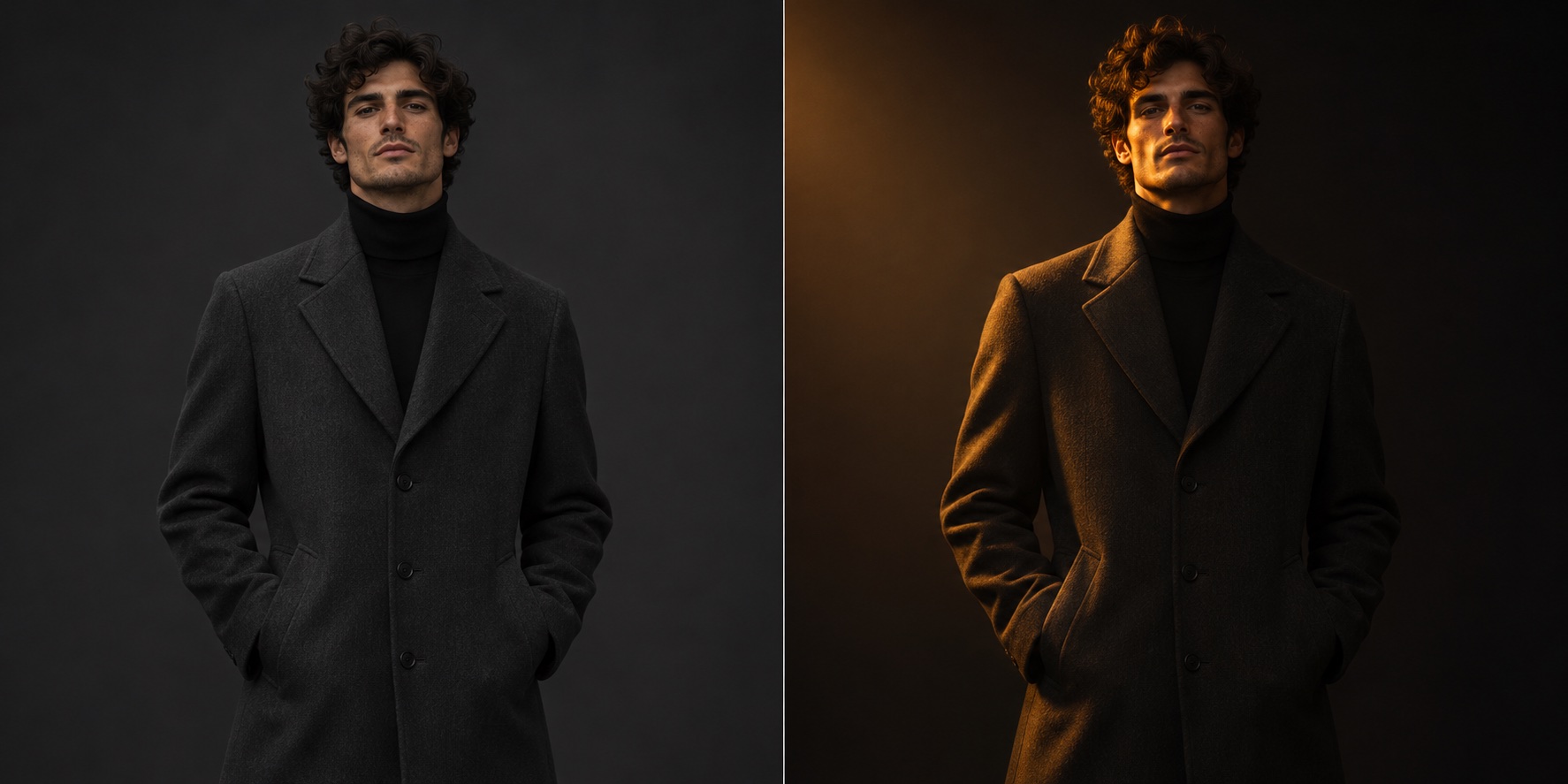
Relight a low-key portrait
Add a soft amber key light from camera left and deepen the background shadows. Preserve the subject, clothing, pose, and skin texture.
Compare facial detail and shadow edges with the original.
Image to image
Start with a source image you have permission to edit. Adjust light, framing, or styling in a mature editorial scene while preserving the details that make the source recognizable.
Sign-in and credits required. The studio opens with Wan 2.7 Image at 10 credits per output. Model content rules apply.
Upload a permitted source, describe one change, and state what should stay the same. Compare the result with your original before refining the prompt.
Add a soft amber key light from camera left and deepen the background shadows. Preserve the subject, clothing, pose, and skin texture.
Compare facial detail and shadow edges with the original.
Extend the background into a foggy stone corridor and leave room for a title above the subject. Preserve the face, costume, and silhouette.
Check that the expanded canvas keeps the original framing and costume details readable.
Reframe to a vertical magazine composition and replace the background with charcoal paper. Keep the garment coverage, fabric, and pose unchanged.
Compare coverage, seams, and the original proportions before exporting.
For product photos or everyday retouching, see the AI image editor and model comparison. To start from a written brief, use the uncensored AI image generator.
Use Image to Image for supported changes to an existing source, such as relighting a portrait, changing a background, or reframing an editorial still. The examples on this page use non-explicit images.
Model providers apply their own content rules and can decline an upload or prompt. Use only lawful material you have permission to edit. Sexual content involving minors, exploitation, and non-consensual intimate edits are prohibited.
Editing requires an account and credits. Wan 2.7 Image starts at 10 credits per output in Image to Image. The studio displays the cost for the current model and output count before you generate.
Get explicit permission from every identifiable adult for the intended mature context, the specific edit, and how you will use or share it. Permission to take or possess a photo does not grant those rights.