
Quick answer
Choose Venice for private multi-model AI; choose VideoAny for media production
Both platforms now cover images and video, but the buying reason is different.
Venice AI currently positions itself as private AI for unlimited creative freedom. Its official pages list text, image, video, audio, code, search, custom characters, OpenAI-compatible API access, and models from providers such as OpenAI, Google, DeepSeek, Mistral, Meta, Qwen, Black Forest Labs, Runway, Kling, PixVerse, and Vidu.
VideoAny is more focused on media production: generating images, editing images, animating stills, creating text-to-video clips, transforming video, adding audio, face swapping, lip syncing, using model-specific pages, and packaging assets through effects workflows.
The right comparison is not 'which has more models.' Venice is strong when privacy, chat, developers, API access, and multi-model exploration matter. VideoAny is strong when the end goal is a publishable media asset built through a simpler creator workflow.
The practical split
- Venice AI: private or anonymous text, image, video, audio, code, search, characters, and API access
- VideoAny: image generation, image editing, image-to-video, text-to-video, video-to-video, audio, face swap, lip sync, models, and effects
- Venice AI: better for privacy-first AI use, developer API workflows, and multi-model exploration
- VideoAny: better for repeatable visual/audio production and publishing-oriented media workflows
Venice homepage, features, and pricing pages were checked on June 30, 2026 at https://venice.ai/, https://venice.ai/features, and https://venice.ai/pricing.
VideoAny's Venice comparison was used for search intent only. Its no-video framing was not reused because Venice's current official pages list video generation.
Side-by-side
Venice AI vs VideoAny feature comparison
Compare privacy/API breadth against media-production workflow depth.
| Decision factor | Venice AI | VideoAny |
|---|---|---|
| Core positioning | Private AI studio for chat, images, video, audio, code, search, characters, and API access | Browser-based AI creation workspace for image, video, audio, models, editing, face swap, lip sync, and effects |
| Privacy focus | Official pages emphasize private or anonymous usage, prompts staying private, and encrypted chat backup on paid plans | Focused on creator workflow; users should still review source-file rights, account privacy, and publishing policy |
| Text and API | Strong fit for AI chat, reasoning, writing, coding, agent stacks, OpenAI-compatible API, LangChain, Vercel AI, CrewAI, Claude Code, and Codex CLI | Not positioned as a general LLM/API platform; VideoAny focuses on media generation and editing routes |
| Image generation | Generate, edit, upscale, remove backgrounds, create variants, negative prompts, aspect ratio, seed, steps, adherence, and high-res options appear in official feature pages | Text-to-image, image-to-image editing, unfiltered image generator, no-restrictions editor, model pages, and image-to-video follow-up |
| Video generation | Current homepage lists text/image video generation with models such as Sora, Kling, Runway, Veo, PixVerse, and Vidu; pricing uses credits for video and premium models | Image-to-video, text-to-video, video-to-video, video extender, lip sync, model-specific video pages, and effects workflows |
| Audio and music | Official pages list text-to-speech voices, music generation, sound effects, and credits for music/video/premium usage | Text/audio/music tools, image-to-audio, video-to-audio, audio-to-video, sound effects, lip sync, and dubbing workflows |
| Pricing shape | Current pricing shows Free, Pro, Pro Plus, and Max tiers; Free includes daily text/image prompts, Pro starts at $18/month with 100 credits/month, Plus at $68/month with 7,500 credits/month, Max at $200/month with 22,500 credits/month | Free credits are available; paid usage uses one-time credit packs with per-job cost depending on model and settings |
| Best fit | Privacy-conscious users, developers, researchers, and multi-model AI power users | Creators who want a direct workflow for publishable image, video, audio, face swap, lip sync, model, and effects assets |
Venice credits are a universal currency for premium features and API access; current pricing says 100 credits = $1.
For VideoAny, calculate cost per accepted output after retries, not just first-generation cost.
Best-fit summary
Choose by privacy/API needs or publishing workflow
Venice and VideoAny are not identical competitors. They overlap around media generation but solve different primary jobs.
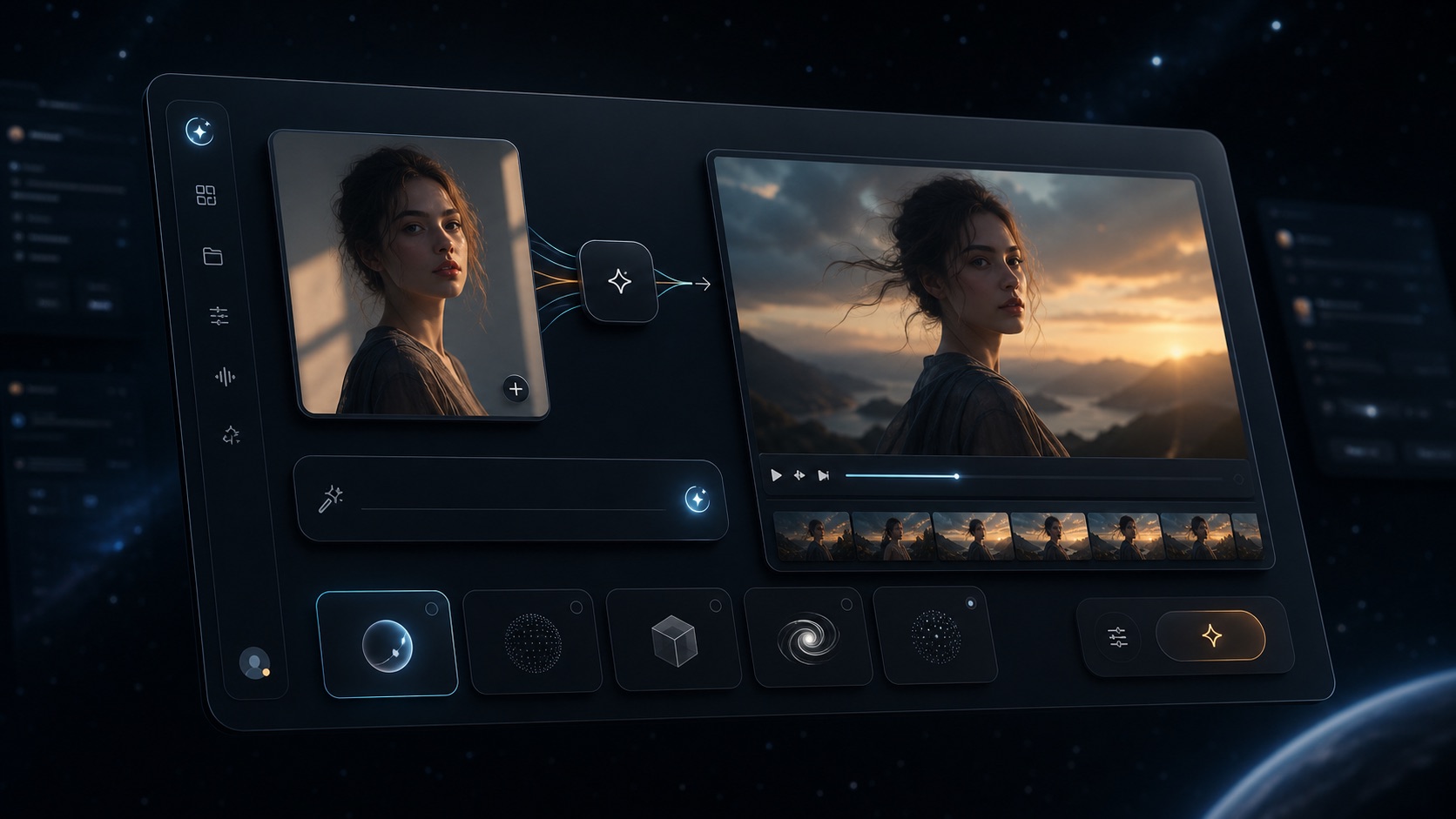
VideoAny browser workspace for image, video, audio, models, and effects
VideoAny
A browser workflow for creating and refining images, videos, audio, face swaps, lip sync clips, model outputs, and effects.
Where VideoAny fits
- Move from source image or text prompt into image editing, image-to-video, text-to-video, video-to-video, and effects
- Use face swap, lip sync, audio, and model pages when the final asset needs more than one generation step
- Avoid the decision overhead of a broad AI assistant/API platform when the job is media production
- Scale from free credits into one-time credit packs instead of a recurring subscription tier
- Pricing model
- Free credits are available. Paid usage uses one-time credit packs, with per-job cost depending on selected model, duration, resolution, and tool.
- Trade-offs
- VideoAny is not a general private LLM/API studio. If privacy-first chat, code, agents, and API access are the main need, Venice is a better category fit.
- Best fit
- Creators shipping repeatable visual, video, audio, lip sync, face swap, and effects assets.

VideoAny image editing workflow for refining multi-model visual outputs
Venice AI
A privacy-first AI platform for chat, images, video, audio, code, search, characters, and developer/API workflows.
Where Venice fits
- Use private or anonymous AI chat, writing, research, coding, and reasoning
- Access many model providers and premium models through plan credits
- Use image, video, audio, music, and character tools when privacy and model breadth are priorities
- Build with an OpenAI-compatible API when developer integration matters
- Pricing model
- The current pricing page lists Free, Pro, Pro Plus, and Max tiers, monthly credit allowances, and credit-based access to video, music, premium models, and API usage.
- Trade-offs
- Venice is broad. If your only goal is quickly publishing image/video/effects content, the multi-model and API surface may add decision overhead.
- Best fit
- Privacy-conscious users, developers, and multi-model AI power users.
Before switching
Run separate privacy/API and media-production tests
A Venice alternative test should not collapse chat/API value into media output value.
For Venice, test private chat, document or code workflows, API access, image generation, video credits, and model selection. Record whether privacy, model breadth, and monthly credits justify the recurring plan.
For VideoAny, test one source image, one image edit, one image-to-video clip, one text-to-video clip, and one lip sync or effects workflow. Record accepted-output cost, retries, export readiness, and publishing time.
If your team needs both private AI research and media production, you may use both. If the goal is SEO, social, product, or creator content, prioritize the platform that shortens the media production loop.
Recommended scorecard
- Is the primary job private chat/API work or publishable media output?
- How many retries are needed before the image or video is accepted?
- Can the platform handle editing, lip sync, face swap, audio, and effects without tool-hopping?
- Do monthly credit allowances match your actual video/model/API usage?
- Does the workflow meet privacy, rights, and publishing requirements?
- How much time passes from prompt/source upload to final usable asset?
FAQ
Venice AI alternative questions
Short answers based on Venice's current official pages and VideoAny's current creator workflow.
What is the best Venice AI alternative?
VideoAny is a strong Venice AI alternative when your goal is publishable image, video, audio, face swap, lip sync, model, and effects output. Venice remains a better category fit for private AI chat, multi-model exploration, API access, coding, and agent workflows.
Does Venice AI have video generation?
Yes. Venice's current official homepage and pricing pages list video generation and credit-based access to video models. Older comparison pages that say Venice has no video should be treated as outdated.
Is Venice AI private?
Privacy is a core Venice positioning point. Its official pages describe private or anonymous AI usage, prompts staying private, and encrypted chat backup/restore on paid plans.
Can I try VideoAny for free?
Yes. VideoAny provides free credits so you can test image, video, audio, editing, face swap, lip sync, and effects workflows before buying more credits.
Which is better for AI video creators?
Venice is useful if you want access to many video-capable models inside a privacy-first AI studio. VideoAny is usually better when you want a simpler creator workflow around image-to-video, text-to-video, video-to-video, audio, face swap, lip sync, and effects.
Which platform is cheaper?
There is no stable single answer. Venice uses recurring tiers and monthly credits for premium features/API access, while VideoAny uses free credits and one-time credit packs. Compare accepted-output cost after retries.
Test with one asset
Run your image-to-video workflow in VideoAny
Use the same source image, prompt, and output criteria, then compare accepted-output cost and publishability.
- Start with free credits
- Create or refine a source image
- Animate it with image-to-video or text-to-video