


Home/Guides/Pixverse AI vs VideoAny: AI Video Generator Comparison 2026
AI University Guide

Pixverse AI vs VideoAny: AI Video Generator Comparison 2026

Pixverse AI or VideoAny for AI video? Side-by-side comparison of features, video engines, character consistency, and pricing models for creators in 2026.

VideoAny TeamPublished 2026-05-25Updated 2026-05-258 min read
  • Social media managers who want quick text-to-video clips for TikTok or Reels without learning a complex platform
  • Creators who need native audio — V6 generates sound effects, music, and dialogue synced to video automatically
  • Mobile-first users — Pixverse has a native Android and iOS app

Guide type

Head-to-head comparison

Source updated

2026-05-25

Primary focus

2-Minute Answer

Pixverse source preview frame from the reference page

Pixverse source preview frame from the reference page

Pixverse source video frame captured from the reference page

Pixverse source video frame captured from the reference page

Second Pixverse source video frame captured from the reference page

Second Pixverse source video frame captured from the reference page

Hailuo comparison cover referenced by the Pixverse source page

Hailuo comparison cover referenced by the Pixverse source page

a2e comparison cover referenced by the Pixverse source page

a2e comparison cover referenced by the Pixverse source page

Overview

2-Minute Answer

This section follows the source page's opening logic and reframes it for VideoAny creators.

Pixverse AI or VideoAny for AI video? Side-by-side comparison of features, video engines, character consistency, and pricing models for creators in 2026.

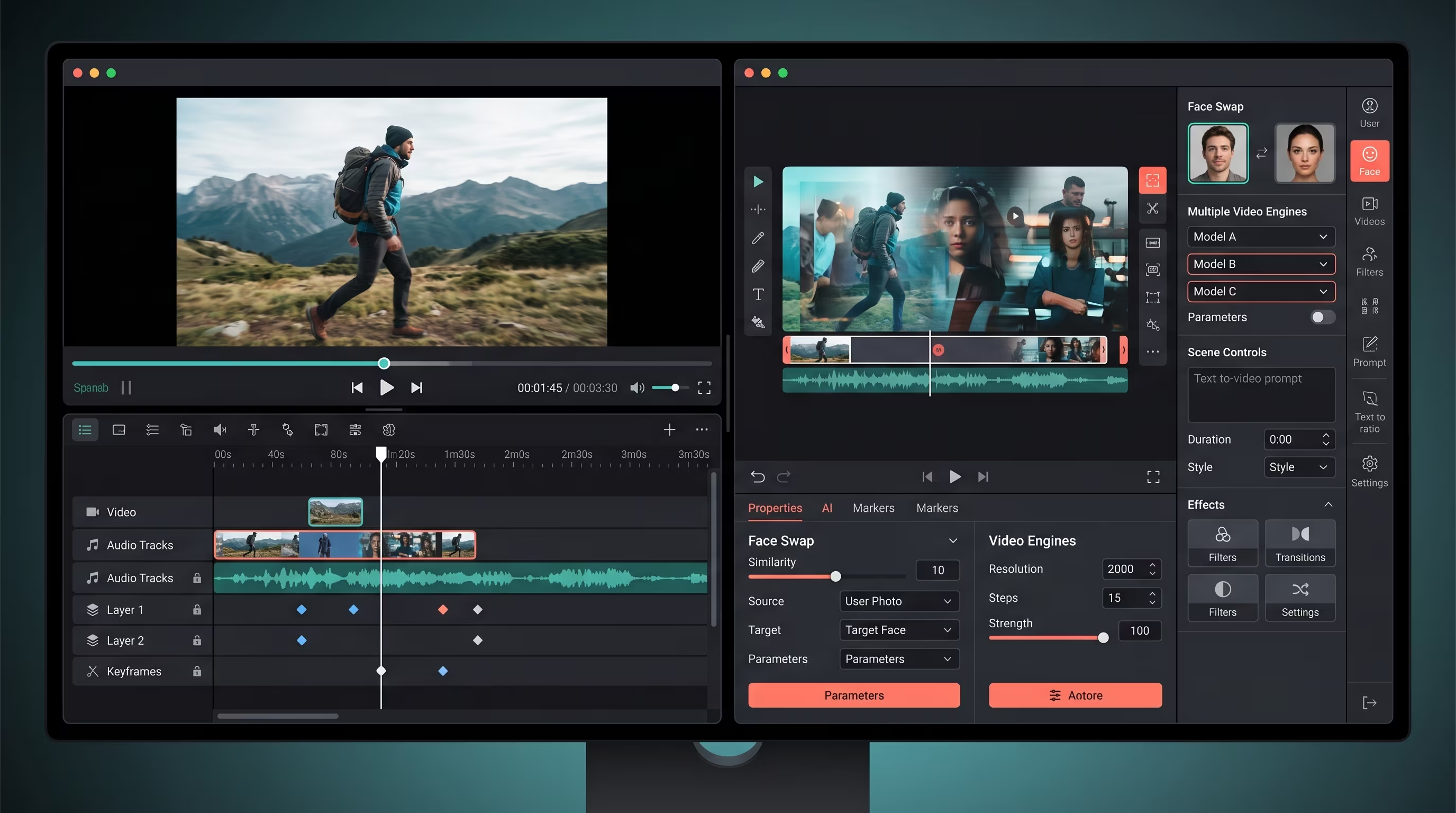
Pixverse AI is a dedicated AI video generator backed by Alibaba. VideoAny is a comprehensive AI content platform featuring three distinct video engines, alongside tools for face swapping, image generation, and direct social publishing. If your primary need is rapid text-to-video clips with integrated audio, Pixverse is a strong contender. However, if you require consistent character appearances across images and video, the ability to generate unrestricted content, or a complete content creation pipeline without relying on multiple applications, VideoAny offers a more robust solution.

Both platforms are capable of transforming text and images into AI-generated video, but they are designed to address different creative challenges and operational scales.

Key decision points

  • Social media managers seeking quick text-to-video clips for platforms like TikTok or Reels, without the need for a complex learning curve.
  • Creators who require integrated audio, as Pixverse V6 automatically generates sound effects, music, and dialogue synchronized with the video.
  • Users who prefer mobile-first workflows, given Pixverse's native Android and iOS applications.
  • Casual hobbyists, as the free tier provides 60 daily credits for experimentation (with watermarked output).
  • AI influencer creators who need to maintain a consistent character face across a large volume of images and videos, a capability supported by VideoAny's Face Swap feature.
  • Creators who demand unrestricted content generation, as VideoAny's WAN engine operates without content filters, a feature entirely blocked by Pixverse.

Primary source URL: https://zencreator.pro/ai-university/guides/pixverse-ai-vs-zencreator

Copy is rewritten for VideoAny while preserving the source page's argument structure.

Snapshot

How do Pixverse AI and VideoAny compare at a glance?

Use this table to map the source page's tradeoffs to a practical creator workflow.

CategoryPixverse AIVideoAny
Core positioningSpecialized AI video generator with mobile app support and integrated audio features.Integrated AI content platform offering image, video, face swap, and publishing tools for a complete workflow.
Best fitQuick social media clips, experimental video effects, and audio-synced video content.AI influencer content creation, maintaining consistent character identities, and establishing reusable production workflows.
Character consistencyEffective reference system for maintaining character appearance within individual video clips.Face Swap functionality ensures character identity is reusable and consistent across diverse images and videos.
Workflow depthStrong capabilities as a video generator, but with a more focused toolset.End-to-end creation, from initial character generation and image creation to motion animation and content distribution.

Evaluate quality, workflow depth, content policy, and scaling cost together.

Options

Who should choose Pixverse AI?

These options mirror the source page's recommended paths and comparison categories.

#1Best for full creator pipeline
Pixverse source preview frame from the reference page

Pixverse source preview frame from the reference page

VideoAny

VideoAny is included because the source page frames this topic around best for full creator pipeline and practical creator outcomes.

Why it matters

  • VideoAny is ideal for creators who require a comprehensive suite of tools that extend beyond simple video generation, enabling a full content creation pipeline.
  • It helps creators transition from isolated tests to a streamlined, repeatable production process for diverse content needs.
  • The platform supports clear tradeoffs by offering advanced control over quality, content policy, and cost-effective scaling for complex projects.
  • VideoAny workflows are particularly suited when the goal is to produce a wide range of visual output, not just a single video clip.
Pricing model
Compare current pricing, credits, and usage limits before scaling.
Trade-offs
The optimal choice depends on whether your needs are for quick, experimental content or a robust, full-scale production workflow.
Best fit
Best for full creator pipeline
#2Best for quick clips and native audio
Pixverse source video frame captured from the reference page

Pixverse source video frame captured from the reference page

Pixverse AI

Pixverse AI is included because the source page frames this topic around best for quick clips and native audio and practical creator outcomes.

Why it matters

  • Pixverse AI aligns with the decision point for users needing fast, standalone video clips, as highlighted in the '2-Minute Answer' section.
  • It helps creators achieve quick, high-quality video outputs, especially for social media, without requiring extensive setup or multiple tools.
  • The platform offers a focused solution for specific needs like native audio generation and mobile-first content creation.
  • Pixverse is a strong option when the primary goal is rapid video production with integrated sound, rather than a multi-stage content workflow.
Pricing model
Compare current pricing, credits, and usage limits before scaling.
Trade-offs
The right choice depends on whether you need quick experiments or a full production workflow.
Best fit
Best for quick clips and native audio

Workflow

Who should choose VideoAny?

A practical workflow section based on the source page's how-to and decision logic.

Pixverse AI excels as a standalone tool for generating quick video clips. If your content needs are limited to this specific function, it performs admirably.

Pixverse is highly effective at its core task: transforming a text prompt into a short video. For users whose requirements don't extend beyond this, it serves its purpose well.

VideoAny becomes the more appropriate choice when video creation is an integral part of a broader content strategy, rather than an isolated deliverable.

Implementation checklist

  • AI influencer creators who need the same character face across hundreds of images and videos — Face Swap keeps identity locked.
  • Creators who want unrestricted output — the WAN engine generates content without content filters. Pixverse blocks this entirely.
  • Anyone tired of subscription fatigue — buy credits once, use them whenever. No monthly renewals, no expiring balances.
  • Multi-format creators who need images, videos, carousels, lipsync, and upscaling from one dashboard — VideoAny has 12 specialized tools.
  • VideoAny's Kling 1.6 engine offers fast generation with stylized motion, ideal for social content where speed is crucial.
  • VideoAny's Kling 2.0 engine provides photorealistic quality with natural movement, best suited for character-driven content.

Use VideoAny when the final deliverable needs images, motion, identity consistency, or repeatable publishing.

FAQ

Common questions

Is Pixverse AI worth it?

The value of Pixverse AI depends on your specific needs. It's a strong option for quick, standalone video clips with native audio. However, if your workflow requires consistent character identity across multiple assets, unrestricted content generation, or a comprehensive suite of tools for a full production pipeline, VideoAny might offer better value.

Is PixVerse a Chinese company?

Yes, Pixverse AI is backed by Alibaba, a Chinese multinational technology company. When comparing tools, it's important to consider factors like quality, control, pricing models, content policy limitations, and their ability to support visual output at scale, regardless of their origin.

Is the app PixVerse AI free?

Pixverse AI offers a free tier that provides daily credits for testing, though the output is watermarked. Paid plans unlock higher resolutions and more concurrent generations. VideoAny, conversely, uses pay-once credit packs that never expire, offering a different approach to cost and usage.

Can I use Pixverse AI for commercial content?

Pixverse AI's terms of service generally allow commercial use, but it enforces content filters across all plans, including paid tiers, blocking prompts involving NSFW themes, adult content, or explicit scenarios. VideoAny's WAN engine, however, has no content restrictions, which is a critical consideration for creators whose commercial content might fall outside these limitations. Always ensure your usage complies with legal standards, respects rights and consent, and choose a workflow that aligns with the content you are authorized to publish.

Next Step

Build the workflow in VideoAny

Use the source-backed decision framework, then test the VideoAny workflow that fits your output goal.

  • Start from the relevant tool instead of a generic prompt box.
  • Compare quality, speed, and content policy before scaling.
  • Use image, video, and face tools together when consistency matters.