Schnelle Antwort
Wie die KI-Frisurenänderung funktioniert
Der Arbeitsablauf ist einfach: Laden Sie ein klares Porträt hoch, beschreiben Sie die gewünschte Haarbearbeitung und generieren Sie eine neue Version, wobei das Gesicht erhalten bleibt.
Ein KI-Frisurenwechsler nutzt anweisungsbasierte Bildbearbeitung. Sie laden ein frontales Foto hoch und beschreiben Schnitt, Farbe, Länge, Textur und Finish in einem Prompt. Das Modell bearbeitet anschließend den Haarbereich und versucht, Identität, Hautton, Gesichtsstruktur und Ausdruck möglichst stabil zu halten.
Dies ist vor einem Friseurbesuch nützlich, da es eine riskante Entscheidung in eine schnelle visuelle Vorschau verwandelt. Sie können einen kinnlangen Bob, einen Pixie-Schnitt, Beach Waves, Curtain Bangs, Platinblond, Kupferrot und vieles mehr vergleichen, ohne vorher einen Friseurtermin buchen zu müssen.
Die besten Ergebnisse erzielen Sie mit Prompts, die das Haar so beschreiben, wie es ein Stylist tun würde: Länge, Form, Scheitel, Textur, Bewegung, Glanz und Farbtemperatur. Ein vager Prompt wie "VideoAny soll mein Haar kurz machen" gibt dem Modell weniger Anleitung als eine vollständige Anweisung im Salon-Stil.
Warum dies generische Porträtgenerierung übertrifft
- Behält das Originalgesicht bei, anstatt eine neue Person zu erfinden
- Benötigt ein einziges, klares Foto anstelle mehrerer Trainingsbilder
- Ermöglicht den Vergleich mehrerer Schnitte, bevor eine Auswahl getroffen wird
- Unterstützt sowohl Haarschnitt- als auch Haarfarbenexperimente
Verwenden Sie diesen Workflow nur für Fotos, an denen Sie Bearbeitungsrechte besitzen, und vermeiden Sie die Bearbeitung von Porträts ohne Genehmigung der abgebildeten Person.
Prompt-Bibliothek
10 Copy-Paste-Prompts für beliebte Frisuren
Diese quellenausgerichteten Prompt-Muster decken den gleichen praktischen Bereich ab: Schnitte, Ponys, Farbe, natürliche Textur, zurückgebundene Frisuren, fransige Stufen und formelle Hochsteckfrisuren.
| Stil | Prompt | Ideal für | Fotonotiz |
|---|---|---|---|
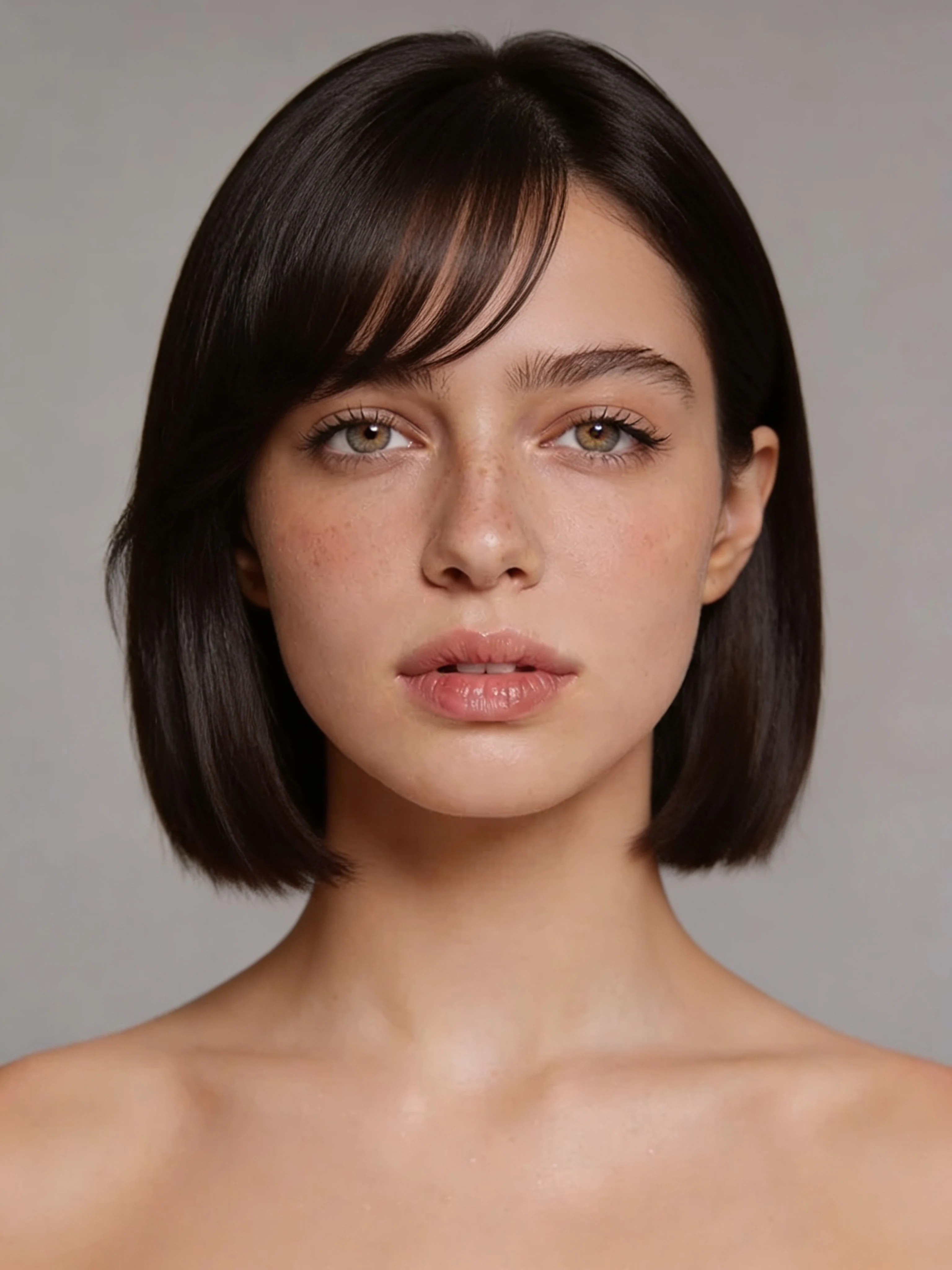
| Klassischer Bob | Ändern Sie die Frisur zu einem eleganten, kinnlangen Bob mit weichen Seitenfransen, glattem Salon-Finish, natürlicher Textur und dem gleichen Gesicht, Ausdruck und Hautton. | Test eines saubereren, kürzeren Schnitts | Funktioniert am besten, wenn das Haar um die Kieferpartie vollständig sichtbar ist |
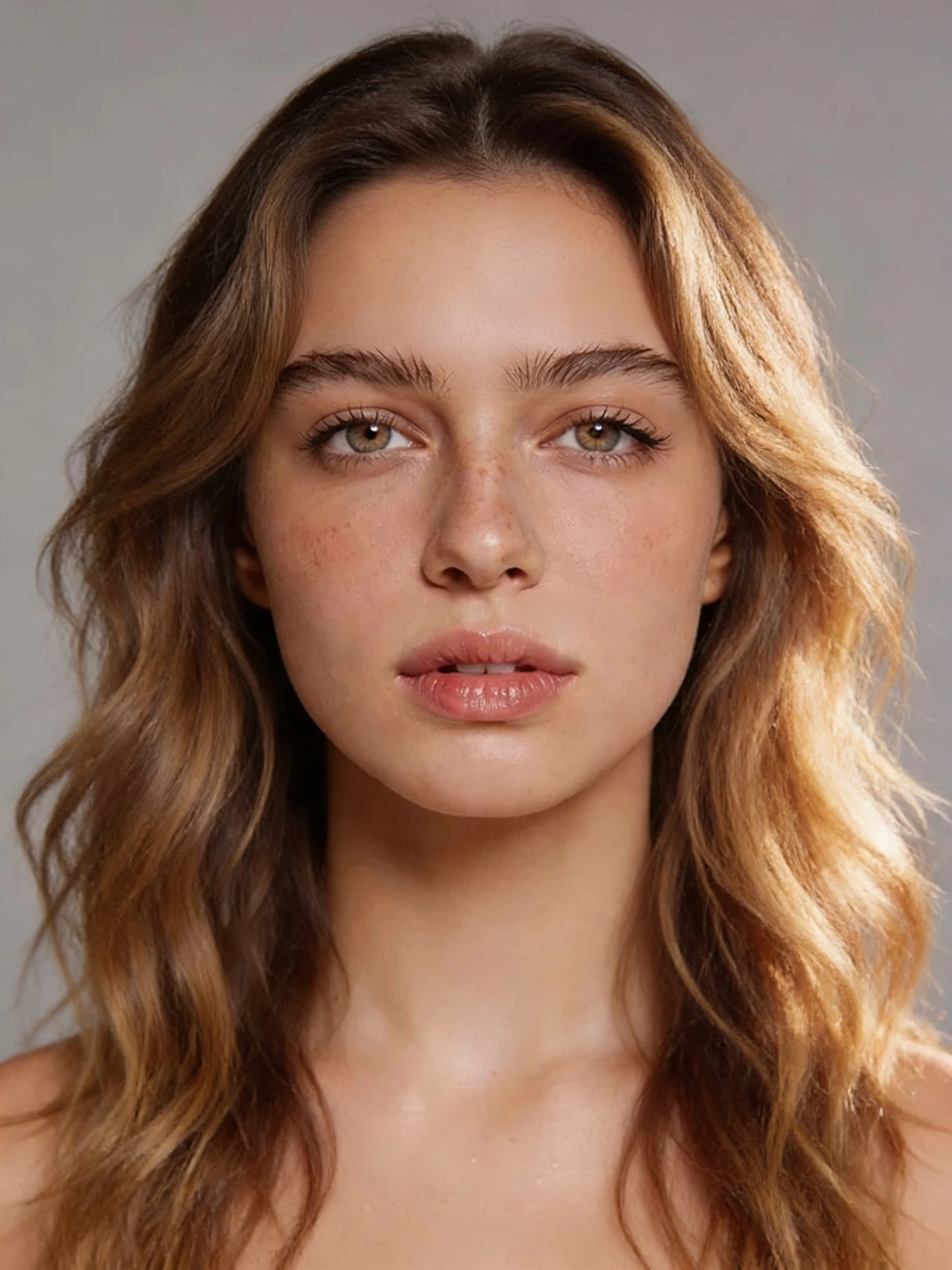
| Lange Strandwellen | Verwandeln Sie das Haar in lange, lockere Strandwellen unterhalb der Schultern, luftige Bewegung, subtile sonnenbeschienene Highlights und bewahrte Gesichtszüge. | Länge und entspannte Textur hinzufügen | Vermeiden Sie Fotos, bei denen die Schultern stark beschnitten sind |
| Pixie-Haarschnitt | Kreieren Sie einen modernen, kurzen Pixie mit texturiertem Volumen am Oberkopf, sauber zulaufenden Seiten, natürlicher Farbe und ohne Veränderung der Identität der Person. | Vorschau eines dramatischen Kurzhaarschnitts | Verwenden Sie ein Frontalbild, bei dem Ohren und Haaransatz frei sichtbar sind |
| Vorhangpony | Fügen Sie weiche, mittig gescheitelte Curtain Bangs hinzu, die das Gesicht umrahmen, sich in die aktuelle Länge einfügen und die ursprüngliche Farbe sowie Gesichtsstruktur beibehalten. | Fransen ohne Längenänderung ausprobieren | Wählen Sie ein Foto, auf dem die Stirn sichtbar ist |
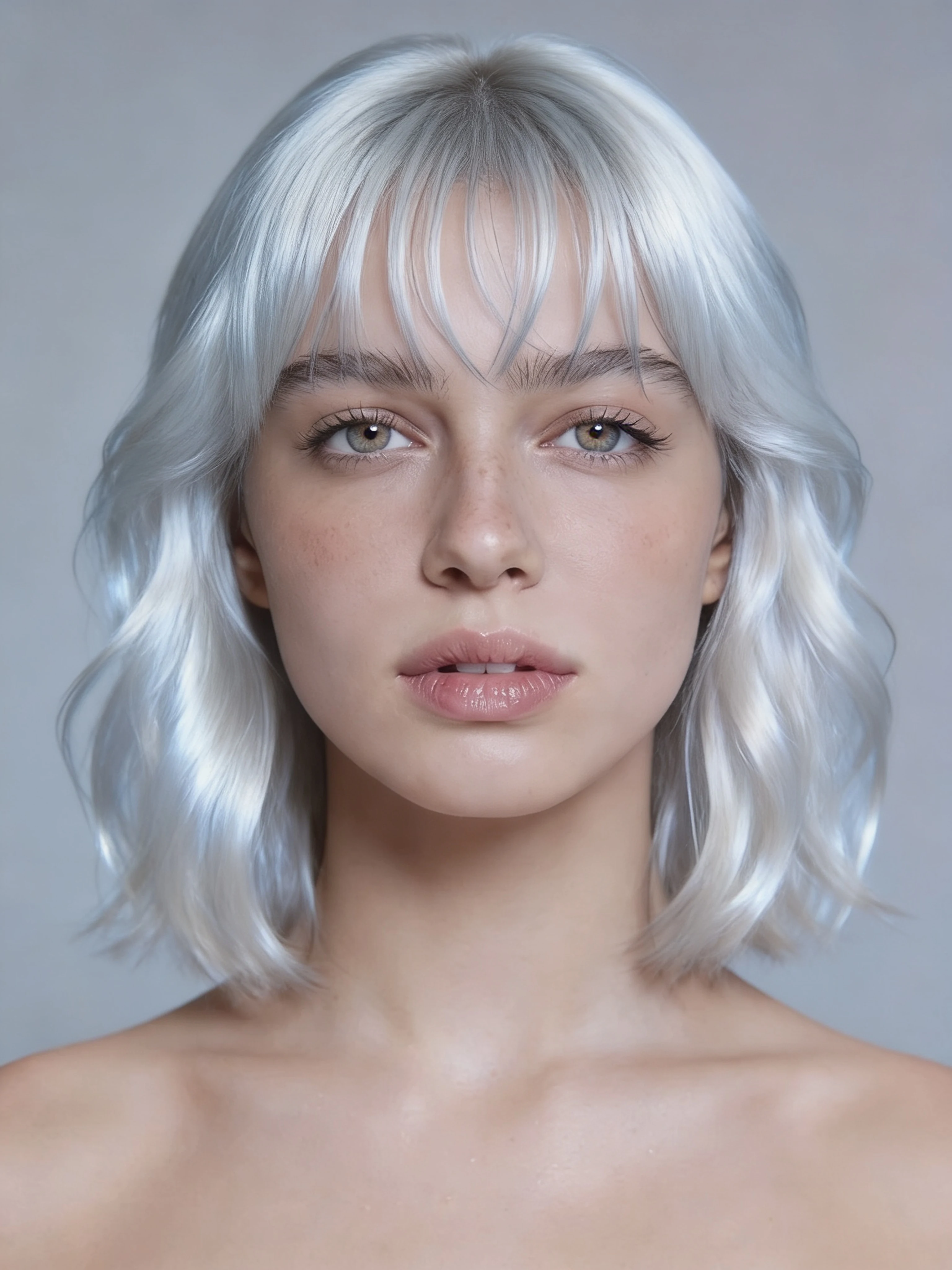
| Platinblond | Ändern Sie nur die Haarfarbe zu einem kühlen Platinblond mit eisiger Silberdimension, glänzendem Finish, gleichem Haarschnitt, gleicher Länge und gleichen Gesichtszügen. | Überprüfung einer starken Farbverschiebung | Eine gleichmäßige Beleuchtung hilft, graue oder fleckige Ergebnisse zu vermeiden |
| Kupferrot | Färben Sie das Haar in ein sattes Kupferrot mit warmer Kastanientiefe, natürlichem Glanz, gleichem Schnitt und gleicher Länge, und gleichem Gesicht. | Test wärmerer Farbe | Verwenden Sie ein Foto ohne stark farbiges Licht auf dem Haar |
| Natürlicher Afro | Ändern Sie die Frisur zu einem vollen, runden Afro mit definierten Locken, sanftem Volumen, natürlichem dunklem Farbton und unveränderten Gesichtszügen. | Lockenvolumen und -form entdecken | Ein zentriertes Porträt hilft dem Modell, die Silhouette auszubalancieren |
| Eleganter Pferdeschwanz | Das Haar zu einem hohen, glatten Pferdeschwanz stylen, geschmeidig zurückgezogen mit geraden, glänzenden Strähnen, in natürlicher Farbe und mit bewahrter Identität. | Einen eleganten, zurückgebundenen Look ausprobieren | Entfernen Sie zuerst Mützen, Kapuzen und voluminöse Kragen |
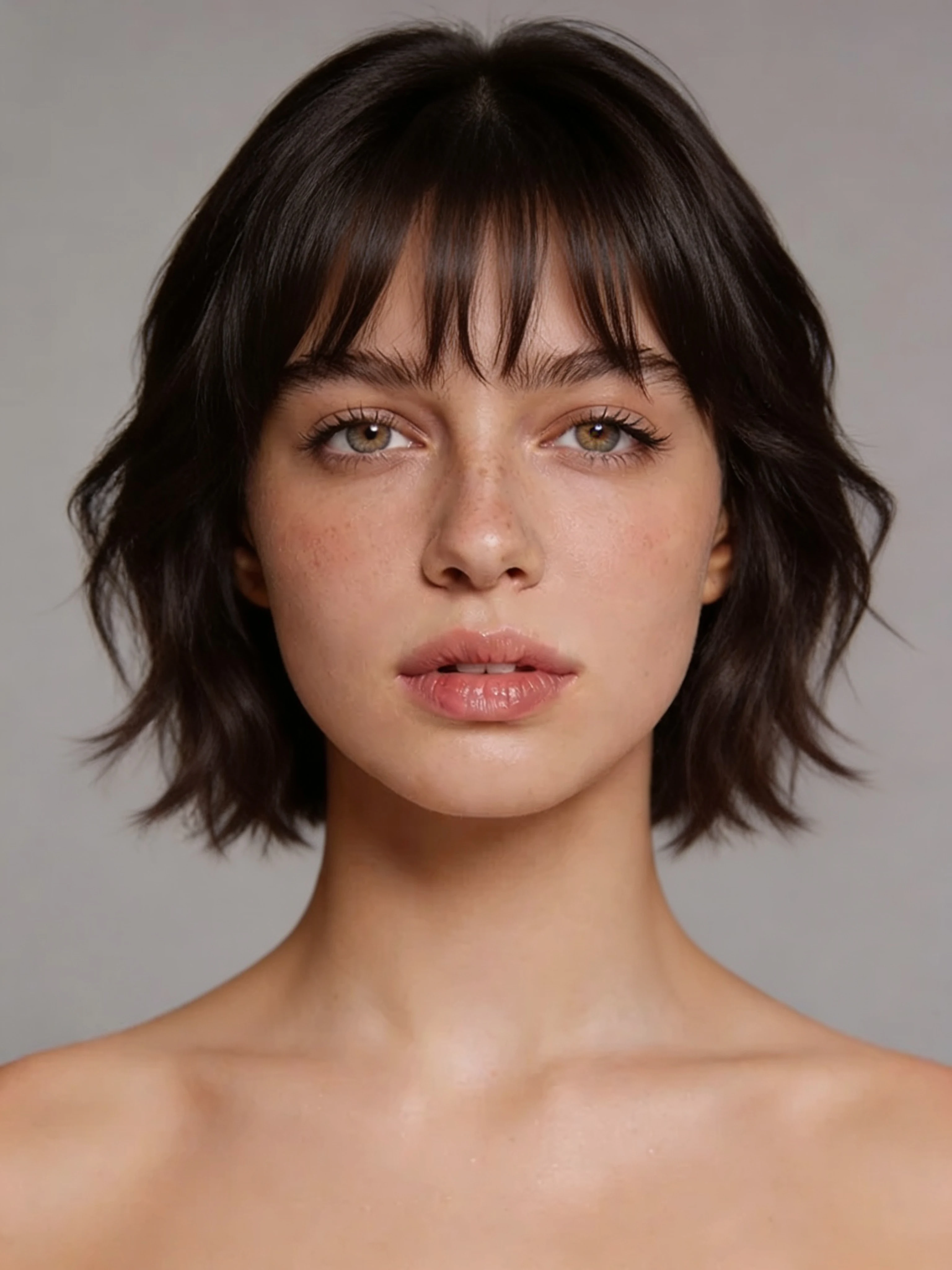
| Gestufter Wolfsschnitt | Ändern Sie das Haar zu einem zotteligen, gestuften Wolfsschnitt mit fransigen, gesichtsumrahmenden Partien, sanften Wellen, lebendiger Textur und ohne Veränderungen am Gesicht. | Einen trendigen Stufenschnitt testen | Textur-Wörter sind wichtiger als die bloße Benennung des Trends |
| Geflochtene Hochsteckfrisur | Kreieren Sie eine elegante geflochtene Hochsteckfrisur mit zurückgeflochtenen Zöpfen, einer festgesteckten Struktur, locker fallenden Strähnen, die das Gesicht umrahmen, einer natürlichen Farbe und demselben Gesicht. | Vorschau eines formellen Veranstaltungsstils | Verwenden Sie ein klares Porträt (Kopf und Schultern) |
Führen Sie zwei oder drei Prompt-Variationen für jede wichtige Stilentscheidung aus. Kleine Wortänderungen wie „elegant“, „luftig“, „abgehackt“ oder „glänzend“ können das Ergebnis erheblich beeinflussen.
Visuelle Stile
Frisurenideen zum ersten Ausprobieren
Verwenden Sie diese Karten als praktische Auswahlliste, wenn Sie Form-, Textur- und Farbänderungen vom selben Basisfoto vergleichen möchten.
Klassischer Bob-Schnitt
Eine strukturierte, kinnlange Option, um zu sehen, ob ein kürzerer Haarschnitt zur Gesichtsform passt.
Fokus des Prompts
- Geben Sie die Kinnlänge an, anstatt nur von kurzen Haaren zu sprechen
- Fragen Sie nach einer glatten Textur und weichen Seitenfransen
- Kieferlinie und Gesichtszüge unverändert beibehalten
- Vergleichen Sie mit einem längeren Stil, bevor Sie sich entscheiden
- Pricing model
- Führt durch den normalen VideoAny Bildbearbeitungs-Workflow.
- Trade-offs
- Starke Schatten um den Kiefer können die Schnittkante weniger sauber erscheinen lassen.
- Best fit
- Benutzer, die einen präzisen, pflegeleichten Kurzhaarschnitt in Betracht ziehen.
Lange Strandwellen
Leichte Wellen verleihen Bewegung und können dazu beitragen, einen weicheren Look im Kontrast zu schärferen Schnitten zu erzielen.
Fokussierung des Prompts
- Beschreibung von Wellenlockerheit und Schulterlänge
- Fügen Sie bei Bedarf eine sonnige oder subtile Hervorhebungssprache hinzu
- Gesicht und Ausdruck fixieren
- Vermeiden Sie Prompts, die Kleidung oder Hintergrund ändern
- Pricing model
- Führt durch den normalen VideoAny Bildbearbeitungs-Workflow.
- Trade-offs
- Haare, die außerhalb des Bildausschnitts abgeschnitten sind, geben dem Modell weniger Längenkontext.
- Best fit
- Testen einer entspannten, längeren, social-media-tauglichen Frisur.
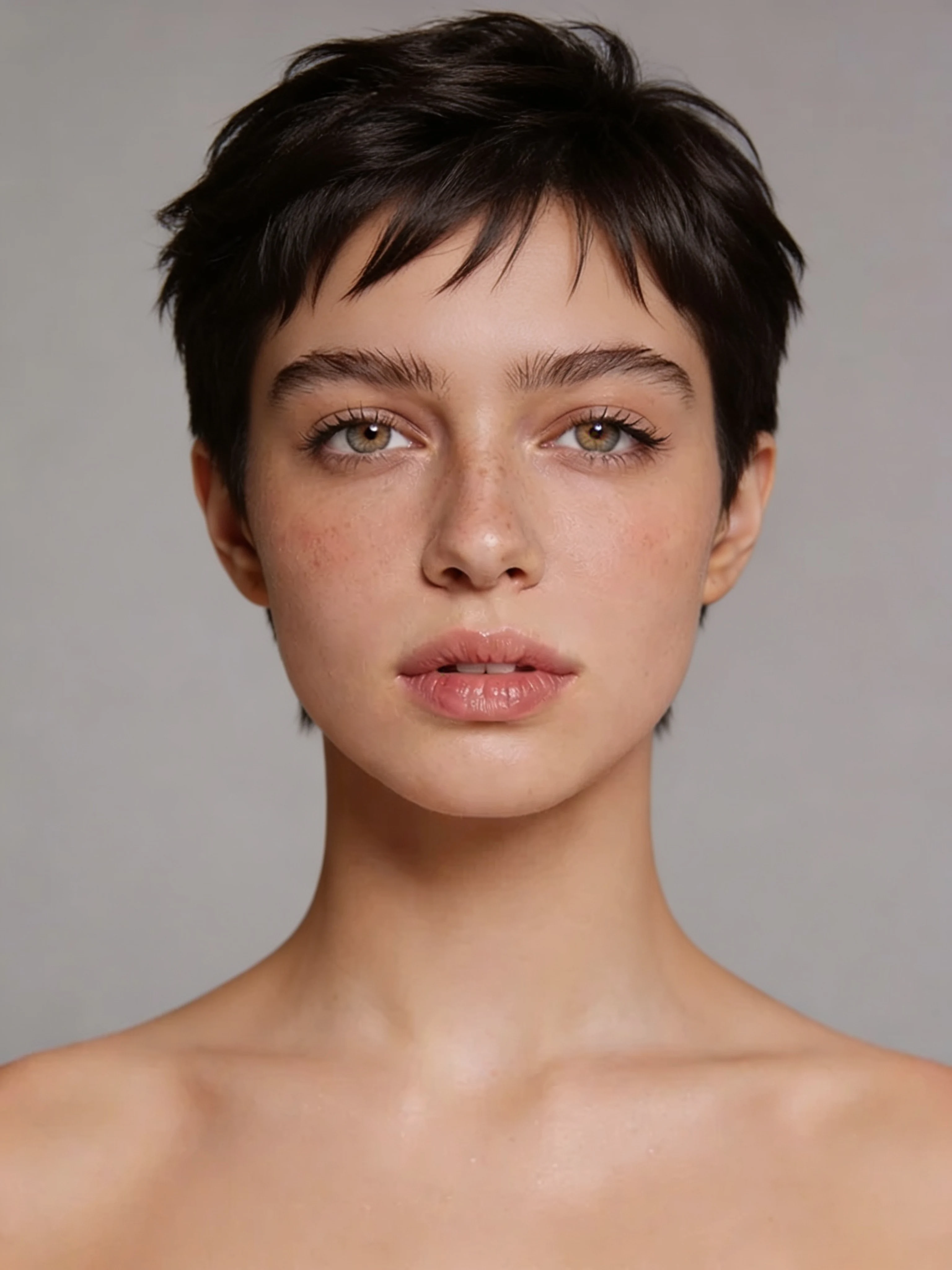
Pixie cut hairstyle change output from the source guide
Pixie-Haarschnitt
Ein Pixie-Schnitt ist ein starker Test für die Gesichtserhaltung, da Haaransatz und Ohren sichtbarer werden.
Fokus des Prompts
- Betonen Sie strukturierte Deckschichten und zulaufende Seiten
- Weisen Sie das Modell an, die Identität explizit zu bewahren
- Verwenden Sie ein gut beleuchtetes Bild ohne Kopfbedeckung
- Vergleichen Sie mehrere Versionen, bevor Sie diese als Salonreferenz verwenden
- Pricing model
- Durchläuft den normalen VideoAny Bildbearbeitungs-Workflow.
- Trade-offs
- Seitenprofile können die neue Silhouette weniger zuverlässig machen.
- Best fit
- Vorschau eines größeren Schnitts vor der Bestätigung.
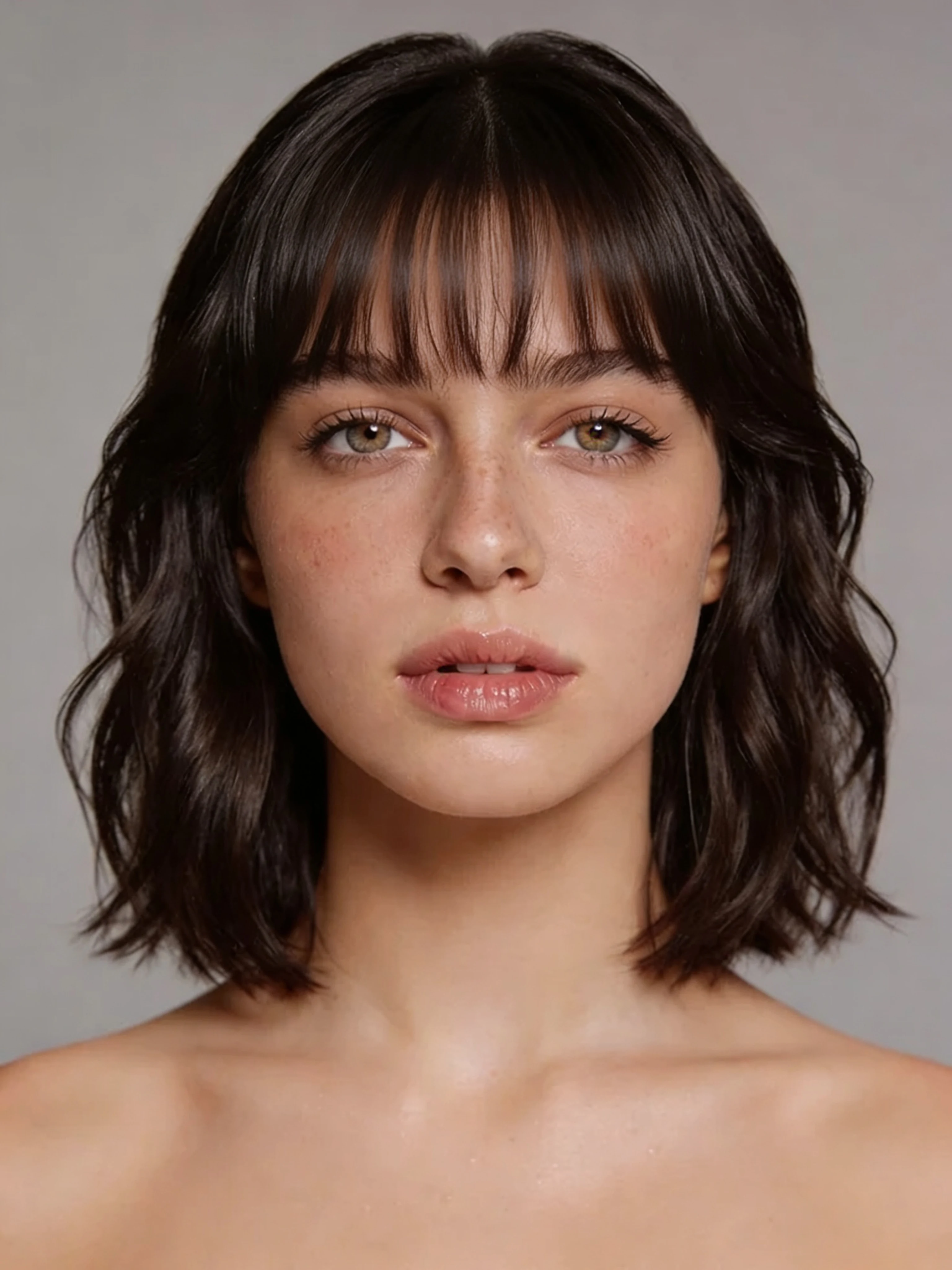
Curtain bangs hairstyle change output from the source guide
Vorhang-Pony
Eine kleinere Bearbeitung, die den Gesichtsrahmen ändert, ohne eine vollständige Längenänderung zu erfordern.
Fokus des Prompts
- Einen weichen Mittelteil erwähnen
- Bitten Sie den Pony, sich in die aktuelle Länge einzufügen
- Behalten Sie die aktuelle Haarfarbe bei, es sei denn, Sie testen auch die Farbe
- Verwenden Sie ein Foto, auf dem die Stirn sichtbar ist
- Pricing model
- Durchläuft den normalen VideoAny Bildbearbeitungs-Workflow.
- Trade-offs
- Haare, die bereits die Stirn bedecken, können die Bearbeitungsgrenze irritieren.
- Best fit
- Fransen, gesichtsrahmende Schnitte und subtile Stil-Updates ausprobieren.
Platinblond
Eine reine Farbkorrektur, die testet, wie ein kühler, heller Farbton mit dem Hautton und der Beleuchtung harmoniert.
Fokus des Prompts
- Wählen Sie kühles Platin statt generisches Blond
- Behalten Sie den vorhandenen Schnitt und die Länge bei
- Fügen Sie Glanz oder silberne Dimension für mehr Realismus hinzu
- Vermeiden Sie es, mehrere Farbziele in einer einzigen Anweisung zu mischen
- Pricing model
- Durchläuft den normalen VideoAny Bildbearbeitungs-Workflow.
- Trade-offs
- Warme Innenbeleuchtung kann Platin-Ergebnisse ungleichmäßig erscheinen lassen.
- Best fit
- Überprüfung einer starken Farbveränderung vor dem Bleichen.
Gestufter Wolfsschnitt
Eine gestufte Shag-Frisur, ideal zum Testen von gesichtsrahmenden Partien, Textur und Bewegung.
Fokus des Prompts
- Beschreiben Sie gestufte Haarschnitte und gesichtsumrahmende Strähnen
- Fügen Sie sanfte Wellen oder eine natürliche Textur hinzu
- Die Farbe natürlich belassen, es sei denn, es wird ein Farbstofftest durchgeführt
- Führen Sie eine sauberere und eine unordentlichere Version aus
- Pricing model
- Führt durch den normalen VideoAny Bildbearbeitungs-Workflow.
- Trade-offs
- Wenn das Originalhaar verdeckt ist, wird die Platzierung der Schichten weniger vorhersehbar.
- Best fit
- Nutzer vergleichen trendige Schnitte mit natürlicher Textur.
Qualitätstipps
Wie Sie sauberere Frisurenvorschauen erhalten
Der Quell-Workflow macht eines deutlich: Das Eingabefoto ist genauso wichtig wie der Prompt.
Verwenden Sie ein Frontalporträt mit gleichmäßiger Beleuchtung. Seitenansichten, tiefe Schatten und starke Farbstiche erschweren es dem Modell, Haare, Haut und Gesichtsstruktur zu trennen.
Beschreiben Sie die Textur, nicht nur den Frisurennamen. Wörter wie glatt, gefedert, lockig, zerzaust, glänzend, gestuft und poliert geben der Bearbeitung eine klarere visuelle Richtung.
Führen Sie mehrere Prompt-Versionen aus. Wenn die erste Ausgabe nah dran, aber nicht ganz richtig ist, ändern Sie ein beschreibendes Wort, anstatt den gesamten Prompt neu zu schreiben.
Entfernen Sie, wenn möglich, Accessoires. Hüte, Kapuzen, Schals und schwere Kopfbedeckungen können als Teil der Haare interpretiert und in das neue Ergebnis eingearbeitet werden.
Bevor Sie generieren
- Wählen Sie ein scharfes Kopf-Schulter-Bild
- Haaransatz und Stirn beim Testen von Ponys sichtbar lassen
- Sonnenbrillen, Masken und starke Schatten vermeiden
- Schreiben Sie pro Prompt ein Frisurenziel
Für Farbtests fixieren Sie den vorhandenen Schnitt und die Länge in des Prompts, damit das Modell nicht zu viele Änderungen auf einmal vornimmt.
Nächste Bearbeitungen
Mehr als nur Frisuren: Erstellen Sie eine vollständige visuelle Neugestaltung
Sobald der Haarschnitt oder die Farbe passt, nutzen Sie angrenzende VideoAny-Workflows, um den restlichen Look zu testen.
Das gleiche Muster zur Porträtbearbeitung funktioniert auch für Schönheits- und Styling-Entscheidungen. Nach der Auswahl einer Frisur können Sie Make-up-Richtungen, Garderobenwechsel und kurze **VideoAny**-Animationen testen, ohne ein neues Fotoshooting arrangieren zu müssen.
Für einen realistischen Planungsablauf halten Sie jeden Schritt getrennt: zuerst der Haarschnitt, dann die Haarfarbe, dann das Make-up, dann das Outfit, dann die Animation. Dies erleichtert die Beurteilung, welche Änderung das Ergebnis verbessert oder verschlechtert hat.
Ersteller können das final bearbeitete Porträt auch in einen Bild-zu-Video-Clip umwandeln, um eine Enthüllung, einen Produkt-Teaser oder einen Vorher-Nachher-Social-Media-Beitrag zu erstellen.
Nützliche Folge-Workflows
- Probieren Sie Make-up, nachdem Sie sich für die Frisur entschieden haben
- Outfit oder Styling für einen kompletten Look ändern
- Animieren Sie das finale Porträt zu einem Enthüllungsvideo
- Speichern Sie Prompt-Versionen, die die realistischste Gesichtserhaltung ermöglichten
Vermeiden Sie es, zu viele identitätssensible Bearbeitungen in einer einzigen Prompt zu kombinieren. Getrennte Bearbeitungen sind einfacher zu steuern.
Häufig gestellte Fragen
Fragen zum KI-Frisurenwechsler
Kann KI meine Frisur anhand eines Fotos ändern?
Ja. Die instruktionsbasierte Bildbearbeitung kann Frisur, Farbe, Pony, Textur oder hochgesteckte Frisuren von einem klaren Porträt aus ändern, während das ursprüngliche Gesicht erhalten bleibt. Das Ergebnis ist am besten bei einem frontal aufgenommenen, gleichmäßig beleuchteten Bild.
Wie formuliert man am besten eine Anfrage an einen KI-Frisurenwechsler?
Beschreiben Sie den gewünschten Stil wie in einem Salon-Briefing: Länge, Form, Scheitel, Textur, Volumen, Farbton und Finish. Geben Sie auch an, was gleich bleiben soll, wie Gesicht, Ausdruck, Hautton, Pose und Hintergrund.
Kann KI die Haarfarbe ändern, ohne den Haarschnitt zu verändern?
Ja. Weisen Sie das Modell an, nur die Farbe zu ändern und Schnitt und Länge beizubehalten. Nennen Sie den genauen Farbton, z. B. kühles Platinblond, warmes Kupferrot, dunkles Brünett, Balayage oder Ombre.
Benötige ich mehrere Fotos für Frisurenvorschauen?
Nein. Ein einziges hochwertiges Frontalbild reicht in der Regel für einmalige Frisurenvorschauen aus. Mehrere Bilder sind nützlicher, wenn ein konsistenter Charakter über viele Szenen hinweg aufgebaut werden soll.
Verwandte Anleitungen
Weiter am Erscheinungsbild arbeiten
Jetzt erstellen
Frisurenvorschau vor dem Termin
Laden Sie ein klares Porträt hoch, fügen Sie eine Frisuren-Prompt ein, vergleichen Sie Variationen und behalten Sie die Version, die einem realistischen Friseursalon-Ergebnis am nächsten kommt.
- Beginnen Sie mit einem einzigen Frontalfoto
- Testen Sie Schnitt, Farbe, Textur und Styling separat
- Animieren Sie das Endergebnis, wenn Sie bereit sind