Overview
Photo Restoration: What this guide covers
This guide provides a straightforward, step-by-step process for restoring old or damaged photos using VideoAny's AI capabilities.
Whether you're dealing with cracked surfaces, faded colors, torn sections, or blurred faces, VideoAny allows you to repair images quickly and effectively. Our AI tools ensure that facial features are preserved accurately, details are maintained, and the overall image quality is significantly improved without requiring advanced editing skills.
You can bring cherished memories back to life, preparing them for saving, printing, or sharing with family and friends. The process is designed to be intuitive, eliminating the need for complicated software or manual adjustments.
Use this guide as a practical playbook to achieve professional-grade photo restoration with minimal effort.
What you will get from this guide
- A clear, step-by-step workflow for photo restoration
- Options for clean or full restoration with color correction
- Techniques for preserving high-detail facial features
- Guidance on upscaling for maximum quality
The final copy will be rewritten from source-page headings, paragraphs, and list logic via LLM.
Restoration Features
What VideoAny's AI Restoration Offers
VideoAny's AI is designed to address common forms of photo damage while maintaining authenticity and detail.
| Feature | Benefit | Outcome | Example Damage |
|---|---|---|---|
| Clean Facial Features | No 'AI smoothing' or distortion | Authentic, high-detail faces | Blurred or missing facial details |
| Damage Repair | Rebuilds damaged areas and fragments | Complete and coherent images | Torn fragments, cracks, folds |
| Color Correction | Restores natural, modern colors | Vibrant and lifelike images | Faded or washed-out colors |
| High Resolution | Upscales for maximum clarity | Sharp, print-ready photos | Low resolution, poor quality |
VideoAny excels in producing high-quality, consistent video clips with advanced motion control.
Workflow Options
Choose Your Restoration Approach
VideoAny offers flexible options to match your restoration needs, from simple cleaning to full color enhancement.
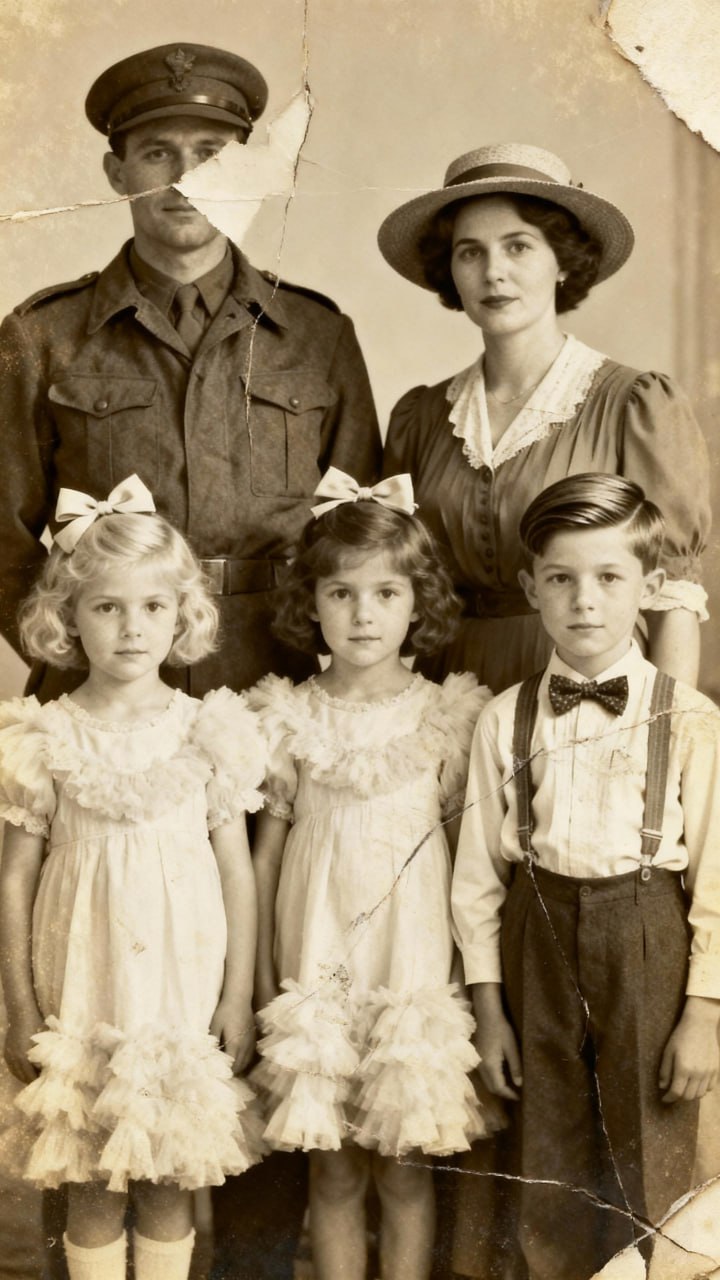
Source visual 1 from restore-old-photos guide
Option 1 — Clean Restoration
Focuses on repairing physical damage and cleaning the image without altering existing colors.
Why it works
- Preserves original color palette
- Rebuilds damaged areas accurately
- Removes cracks, folds, and scratches
- Ideal for historical accuracy
- Pricing model
- Included with standard credits.
- Trade-offs
- Does not enhance faded colors.
- Best fit
- Images where original colors are important or already good.
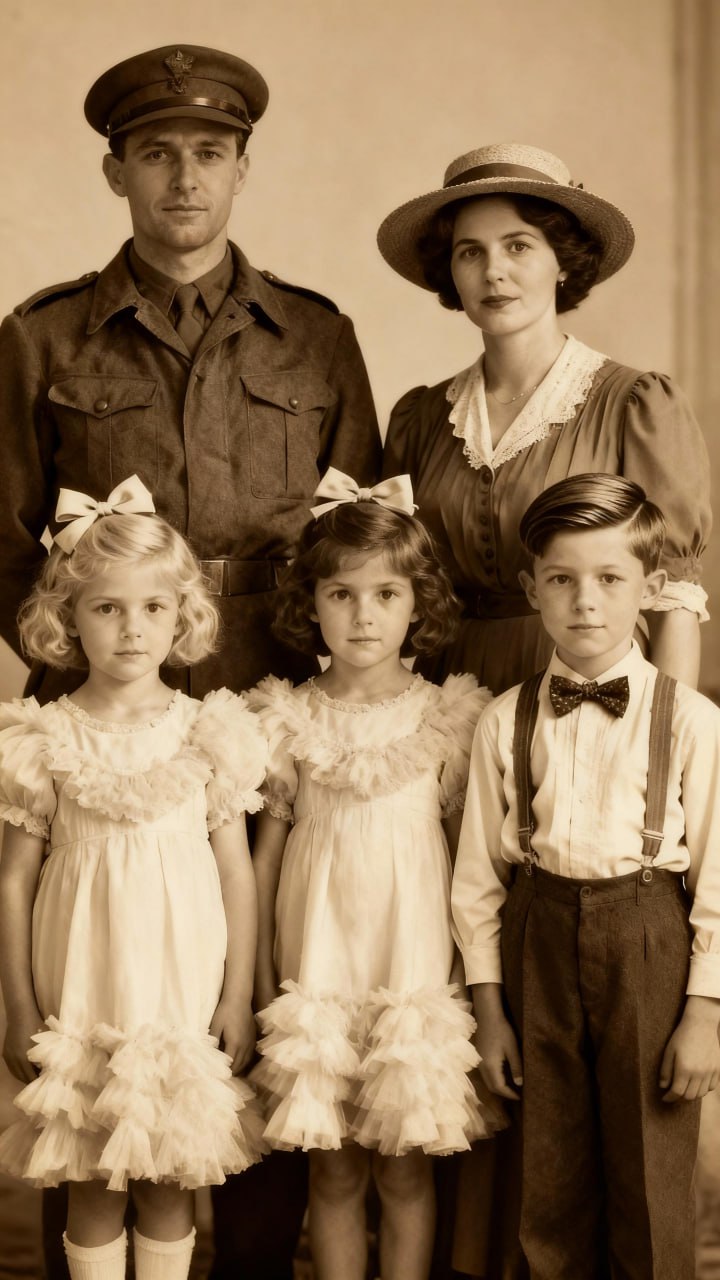
Source visual 2 from restore-old-photos guide
Option 2 — Full Restoration + Modern Natural Colors
Repairs damage and intelligently re-colors the image for a vibrant, natural appearance.
Why it works
- Repairs physical damage and missing fragments
- Restores faded or washed-out colors
- Applies modern, natural color grading
- Enhances overall visual appeal
- Pricing model
- Included with standard credits.
- Trade-offs
- May subtly alter original color tones.
- Best fit
- Faded photos needing a complete refresh and modern look.

Source visual 3 from restore-old-photos guide
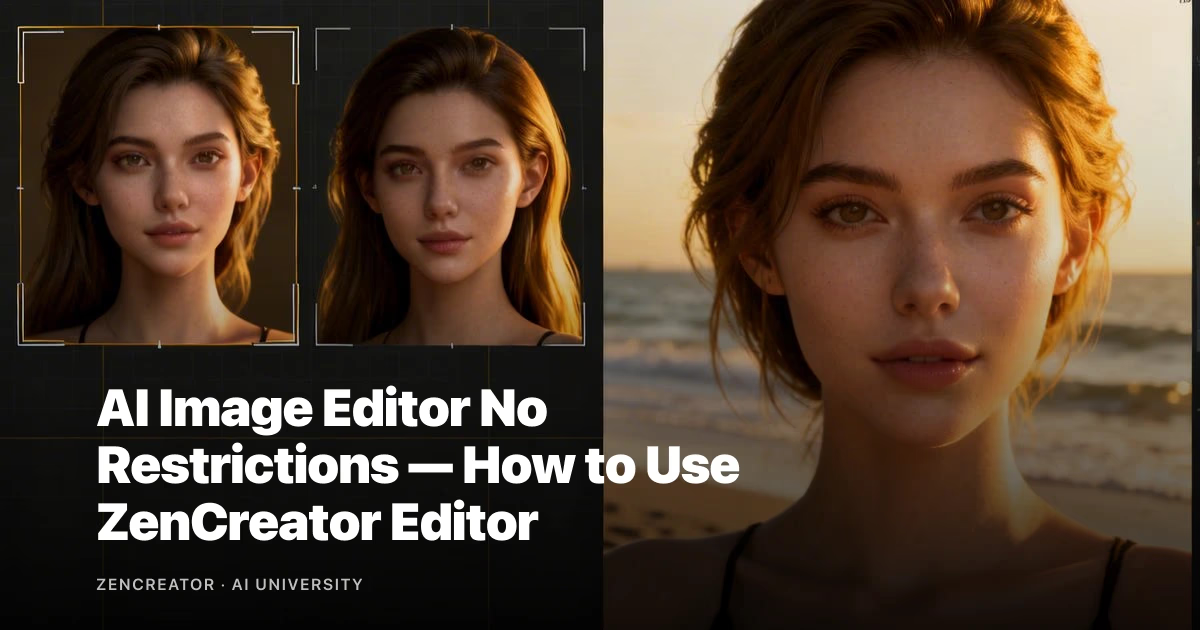
Premium Safe Face — High-Detail Face Preserve
A specialized setting to ensure maximum realism and detail in restored faces, avoiding 'AI smoothing'.
Why it works
- Maintains accurate facial features
- Prevents artificial 'smoothing' effects
- Ensures maximum photo realism for portraits
- Crucial for preserving identity in old photos
- Pricing model
- May incur additional credit usage.
- Trade-offs
- Primarily focused on faces, not general image quality.
- Best fit
- Portraits or images where facial details are paramount.
Source visual 4 from restore-old-photos guide
Hybrid production workflow
Start from templates for speed, then tune prompts for quality and consistency.
Why it works
- Combines speed with iterative control
- Improves consistency over time
- Scales across content formats
- Reduces wasted generation cycles
- Pricing model
- Moderate to high depending on volume.
- Trade-offs
- Needs clear internal process standards.
- Best fit
- Teams balancing quality and publication cadence.
Step-by-Step Guide
How to Restore Your Photos on VideoAny
Follow these simple steps to bring your old or damaged photos back to life using VideoAny's AI editor.
The process is designed to be quick and intuitive, allowing you to achieve professional results without any complex editing knowledge. You'll start by uploading your image, then select a restoration prompt, and finally upscale the best result.
Our AI handles the intricate details of rebuilding damaged areas, restoring missing fragments, and cleaning the entire image, ensuring a natural and accurate outcome.
Here’s how to do it:
Your Restoration Workflow
- Step 1: Open the VideoAny Editor and upload your photo.
- Step 2: Select your image and enter a restoration prompt (choose clean or full restoration).
- Step 3: Review the generated variations and select the best result.
- Step 4: Open the Upscaler tool and click 'Generate' to enhance the chosen image.
VideoAny thrives on cinematic language, producing highly polished and intentional video outputs.
Content Guidelines
Content Policy for Photo Restoration
VideoAny is committed to ethical AI use. Please ensure your content adheres to our guidelines.
You may only upload or process materials for which you have all necessary rights, permissions, and consents. Content involving minors or non-consensual sexual content is strictly prohibited. For detailed information, please refer to our Content Policy.
Our AI tools are designed to enhance and restore, not to generate or facilitate harmful content. Adherence to these policies ensures a safe and responsible environment for all users.
If you have any questions regarding content suitability, please consult our documentation or contact support.
Key Content Considerations
- Ensure you have all necessary rights and permissions for uploaded materials.
- Content involving minors or non-consensual sexual content is strictly prohibited.
- Refer to the full Content Policy for comprehensive details.
- Use AI tools responsibly and ethically.
Always be aware of content policies and choose the appropriate engine for your creative needs.
Quick Settings
Photo Restoration FAQs
Can I restore photos with free credits?
Yes, VideoAny offers free credits to get started. You can test the restoration process and validate the quality before committing to a paid plan for larger volumes.
How do I ensure the best facial detail preservation?
When selecting your restoration prompt, consider using the 'Premium Safe Face' option. This setting prioritizes accurate facial features and avoids artificial 'AI smoothing' for maximum realism.
What if my photo is severely damaged?
VideoAny's AI is highly capable of rebuilding damaged areas, restoring missing fragments, and cleaning severe imperfections. For best results, ensure the damaged areas are still somewhat discernible.
Can I restore multiple photos at once?
While the guide focuses on single-image restoration, VideoAny's editor allows for efficient processing. For bulk operations, you may need to process images individually or explore advanced features if available.
What's the difference between 'Clean Restoration' and 'Full Restoration + Modern Natural Colors'?
Clean Restoration focuses solely on repairing physical damage and cleaning the image, preserving original colors. Full Restoration also repairs damage but intelligently re-colors the image to restore faded hues and apply modern, natural tones.
Next Steps
Ready to Start Restoring Your Photos?
Begin your photo restoration journey with VideoAny and bring your cherished memories back to life.
The power of AI makes it easier than ever to repair and enhance old or damaged photographs. With VideoAny, you have access to tools that deliver professional results quickly and efficiently, preserving the integrity and detail of your images.
Don't let faded colors, cracks, or tears diminish the value of your memories. Follow the steps in this guide to transform your old photos into vibrant, high-quality images ready for sharing or printing.
Start experimenting with different restoration prompts and see the remarkable difference AI can make.
Recommended next steps
- Upload your first damaged photo to the VideoAny Editor.
- Experiment with both 'Clean Restoration' and 'Full Restoration' prompts.
- Utilize the 'Premium Safe Face' option for portraits.
- Upscale your best results for maximum clarity and detail.
Consistent production systems outperform one-off prompt experiments over time.
Conclusion
Start Your Photo Restoration Today
Experience the ease and power of AI-driven photo restoration on VideoAny. Repair, enhance, and preserve your precious memories with just a few clicks.
- Repair cracked, faded, and torn photos effortlessly
- Restore missing details and clean facial features
- Upscale images for stunning, high-resolution results