
빠른 답변
아이디어를 실제 활용 가능한 미디어로 만들어야 할 때 VideoAny는 훌륭한 Perchance 대안입니다
Perchance와 VideoAny는 일대일 대체재가 아닙니다. 두 서비스는 크리에이터 워크플로우의 서로 다른 지점에 위치합니다.
낮은 진입 장벽의 브레인스토밍을 원할 때 Perchance를 선택하세요: 빠른 텍스트-이미지 실험, 캐주얼한 캐릭터 채팅, 역할극 스타일의 프롬프트, 또는 복잡한 제작 계정 워크플로우 없이 만드는 거친 컨셉 아트 등에 적합합니다.
다음 단계가 중요할 때 VideoAny를 선택하세요: 소스 이미지 다듬기, 캐릭터 참조 유지, 이미지를 비디오로 변환, 텍스트에서 직접 비디오 생성, 모델별 페이지 사용, 결과물 저장, 또는 반복 게시를 위한 에셋 준비 등에 적합합니다.
이 비교는 VideoAny가 모든 Perchance 사용 사례를 대체한다고 주장하지 않습니다. VideoAny는 일반적인 AI 채팅이나 역할극 제품으로 포지셔닝하지 않습니다. VideoAny의 강점은 첫 아이디어 이후의 시각적 파이프라인(생성, 편집, 애니메이션, 스왑, 립싱크, 오디오 추가, 명확한 제작 제어 기능을 통한 게시)에 있습니다.
실용적인 구분
- Perchance: 빠른 무료 아이디어 구상, 이미지 프롬프트, 캐주얼 채팅 및 브라우저 실험
- VideoAny: 이미지 생성, 이미지 편집, 비디오 생성, 모델 페이지, 오디오, 페이스 스왑, 립싱크 및 효과
- Perchance: 비용과 가입 절차가 주요 걸림돌일 때 유용
- VideoAny: 일관성, 비디오, 작업 저장 및 결과물 워크플로우가 중요할 때 유용
Perchance의 라이브 페이지는 본 감사 시점에 Cloudflare 챌린지가 발생했으므로, 제작 계획에 반영하기 전에 브라우저에서 기능 세부 사항을 다시 확인해야 합니다.
접근 가능한 VideoAny 비교 페이지를 사용하여 검색 의도와 비교 구조를 파악했습니다. 영구적인 무제한 제공과 같은 검증되지 않은 주장은 보장 사항으로 반복하지 않았습니다.
측면 비교
Perchance AI vs VideoAny 기능 비교
표를 사용하여 각 플랫폼을 실제 완료해야 할 작업에 맞춰보세요.
| 결정 요인 | Perchance AI | VideoAny |
|---|---|---|
| 핵심 포지셔닝 | 빠른 텍스트-이미지 변환, 채팅, 역할극 및 프롬프트 실험을 위한 커뮤니티 스타일의 브라우저 생성기 | 이미지, 비디오, 오디오, 모델, 편집 도구, 페이스 스왑, 립싱크 및 효과를 위한 브라우저 기반 크리에이티브 워크스페이스 |
| 최적의 첫 단계 | 최소한의 설정으로 거친 이미지 아이디어를 브레인스토밍하거나 캐주얼한 프롬프트를 테스트 | 텍스트-이미지, 이미지-이미지, 이미지-비디오, 텍스트-비디오 또는 모델과 같은 제작 도구 선택 |
| 계정 및 진입 장벽 | 계정 없이 낮은 진입 장벽으로 실험하는 것으로 유명함; 실시간 제한 사항은 현재 인터페이스에서 확인 필요 | 무료 크레딧, 저장된 기록 및 대규모 작업을 위한 유료 크레딧 팩을 제공하는 계정 기반 워크플로우 |
| 이미지 워크플로우 | 일회성 아이디어 구상 및 빠른 컨셉 이미지에 적합 | 편집, 모델 비교, 소스 에셋 보관 및 다른 미디어 워크플로우로 이미지를 이동하는 데 더 적합 |
| 비디오 워크플로우 | 접근 가능한 비교 소스상 완전한 비디오 생성 워크플로우로 포지셔닝되지 않음 | 이미지-비디오, 텍스트-비디오, 비디오-비디오, 모델별 페이지 및 시각 효과가 주요 기능 |
| 채팅 및 역할극 | 접근 가능한 비교 소스에 따른 관련 Perchance 사용 사례 | 챗봇이나 역할극 제품이 아님; VideoAny는 시각 및 오디오 제작에 집중 |
| 가격 구조 | 기본적인 실험이 무료이고 부담이 적어 선택되는 경우가 많음; 라이브 사이트의 현재 제한 사항 및 광고 확인 필요 | 무료 로그인 크레딧 및 일회성 종량제 크레딧 팩; 모델, 지속 시간, 해상도 및 출력 유형에 따라 비용이 다름 |
| 최적의 사용자 | 취미 사용자, 프롬프트 브레인스토밍, 빠른 컨셉 아트, 캐주얼 채팅 및 초기 아이디어 구상자 | 프롬프트나 소스 이미지를 반복 가능한 이미지 및 비디오 에셋으로 변환하는 크리에이터 및 팀 |
Perchance의 제로 진입 장벽 아이디어 구상과 VideoAny의 유료 제작 워크플로우를 동일한 문제를 해결하는 것처럼 비교하지 마십시오.
아이디어가 Perchance에서 시작되었다면, 실용적인 연결 고리는 사용 권한이 있는 이미지를 내보내거나 저장한 다음 VideoAny에서 다듬거나 애니메이션화하는 것입니다.
최적의 요약
작업 단계에 맞는 도구를 선택하세요
가장 강력한 워크플로우는 거친 아이디어 구상에는 Perchance를 사용하고, 이미지를 편집, 애니메이션화 또는 게시해야 하는 단계 이후에는 VideoAny를 사용하는 것입니다.
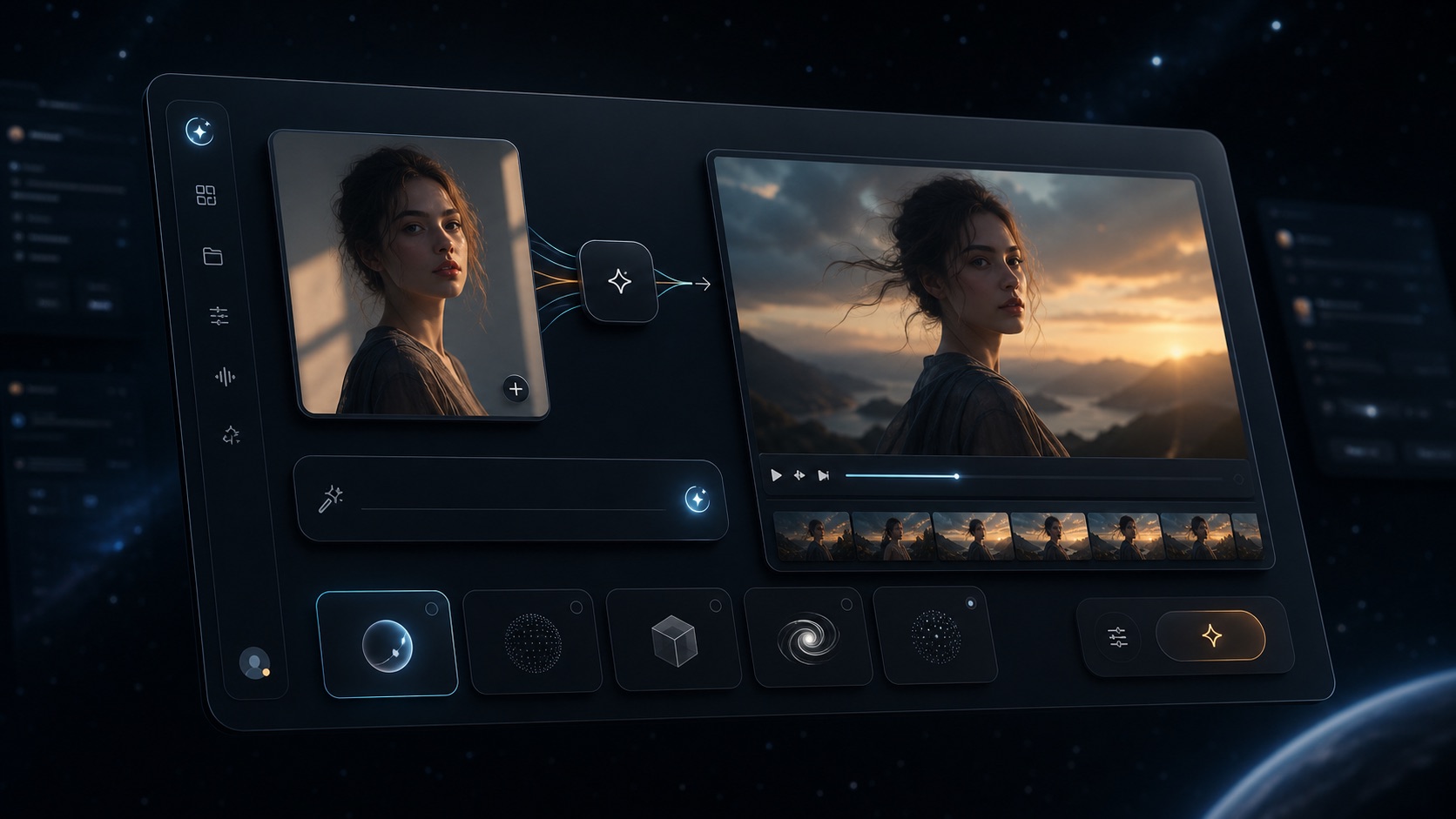
VideoAny browser workflow for image, video, and model-based creation
VideoAny
이미지 생성에서 편집, 비디오, 페이스 스왑, 립싱크, 오디오, 모델 선택 및 효과로 이동하기 위한 브라우저 기반 워크스페이스입니다.
VideoAny의 적합한 용도
- 프롬프트에서 소스 이미지를 생성한 다음 이미지-이미지 변환으로 다듬기
- 저장되거나 업로드된 이미지를 이미지-비디오 변환으로 애니메이션화하기
- 정적인 컨셉 대신 프롬프트에서 움직임을 원할 때 텍스트-비디오 변환 사용
- 이미지, 비디오, 오디오, 모델 및 효과 워크플로우를 하나의 계정에서 관리
- Pricing model
- VideoAny는 무료 크레딧으로 시작하여 일회성 크레딧 팩으로 확장됩니다. 크레딧 사용량은 선택한 모델 및 출력 설정에 따라 다릅니다.
- Trade-offs
- VideoAny는 무료 무제한 채팅이나 역할극 사이트가 아닙니다. 제작 중심의 시각 및 오디오 생성 워크플로우입니다.
- Best fit
- 아이디어를 편집된 이미지, 비디오 또는 반복 가능한 게시용 에셋으로 변환해야 하는 크리에이터.
Example AI image concept used as a visual reference for ideation workflows
Perchance AI
어떤 결과물을 개발할 가치가 있는지 결정하기 전, 빠른 이미지 프롬프트, 캐주얼 채팅 및 거친 창의적 탐색을 위한 낮은 진입 장벽의 옵션입니다.
Perchance의 적합한 용도
- 복잡한 제작 설정 없이 빠른 프롬프트 실험
- 거친 컨셉 아트 및 브레인스토밍 방향 설정에 유용
- 캐주얼한 AI 채팅이나 역할극 스타일의 생성기를 원하는 사용자에게 관련성 높음
- 사용 권한이 있는 이미지를 저장하면 이후 워크플로우로 연결 가능
- Pricing model
- Perchance는 일반적으로 무료 브라우저 실험용으로 사용됩니다. 라이브 Perchance 인터페이스에서 현재 제한 사항, 광고 및 사용 약관을 확인하세요.
- Trade-offs
- 접근 가능한 비교 소스들은 비디오, 편집, 저장된 제작 기록, 캐릭터 일관성 및 상업적 워크플로우 명확성 측면에서 적합성이 낮다고 설명합니다.
- Best fit
- 다른 곳에서 다듬을 아이디어를 선택하기 전에 많은 거친 아이디어를 테스트하는 취미 사용자 및 크리에이터.
워크플로우 연결
Perchance 컨셉을 VideoAny 제작 에셋으로 변환하는 방법
이 페이지의 가장 높은 의도는 단순히 “어느 것이 더 나은가”가 아니라 “거친 이미지가 유망해 보일 때 무엇을 해야 하는가”입니다.
Perchance 컨셉이 유용하다면, 결과물을 저장하고 프롬프트, 이미지, 유사성 및 스타일 방향을 재사용할 권한이 있는지 확인하세요. 그런 다음 VideoAny의 이미지-이미지 워크플로우에 업로드하여 구도를 다듬거나, 아티팩트를 제거하거나, 더 제어된 변형을 만드세요.
정지 이미지가 완성되면 이미지-비디오 변환을 사용하여 특정 카메라 이동과 피사체 움직임을 추가하세요. 첫 애니메이션 프롬프트는 간단하게 유지하세요: 하나의 움직임 아이디어, 하나의 카메라 방향, 하나의 타이밍 지침. 이는 경쟁적인 지침으로 가득 찬 긴 프롬프트보다 더 디버깅하기 쉬운 결과를 생성합니다.
반복되는 캐릭터의 경우, 거친 아이디어 구상 도구가 전체 캠페인에서 정체성을 유지할 것이라고 기대하지 마십시오. 이미지 편집, 페이스 스왑 및 모델 선택을 사용하여 VideoAny에서 참조 세트를 구축한 다음, 게시하기 전에 여러 장면에서 일관성을 테스트하세요.
권장 핸드오프 체크리스트
- 소스 이미지를 저장하고 생성된 프롬프트를 기록하세요
- 재사용 전 권리, 유사성 동의 및 사용 약관을 확인하세요
- 처음부터 다시 생성하는 대신 이미지-이미지 변환으로 이미지를 다듬으세요
- 가장 강력한 정지 프레임만 이미지-비디오 변환으로 애니메이션화하세요
- 재시도를 포함하여 허용된 이미지 또는 비디오당 비용을 측정하세요
- 캐릭터나 브랜드 에셋을 위한 작은 참조 세트를 유지하세요
FAQ
Perchance AI 대안 관련 질문
빠른 무료 아이디어 구상과 제작 중심의 시각적 워크플로우를 비교하는 크리에이터를 위한 짧은 답변입니다.
최고의 Perchance AI 대안은 무엇인가요?
이미지 편집, 이미지-비디오 변환, 텍스트-비디오 변환, 저장된 결과물, 모델 페이지, 오디오, 페이스 스왑, 립싱크 및 효과가 필요할 때 VideoAny는 실용적인 Perchance 대안입니다. Perchance는 빠르고 낮은 진입 장벽의 아이디어 구상 및 캐주얼한 실험에 여전히 유용합니다.
Perchance AI는 무료인가요?
Perchance는 무료 계정 없는 브라우저 생성기로 널리 사용되지만, 제작 작업을 계획하기 전에 라이브 인터페이스에서 현재 제한 사항, 광고 및 약관을 확인해야 합니다.
VideoAny가 Perchance 채팅을 대체하나요?
아니요. VideoAny는 AI 채팅이나 역할극 제품으로 포지셔닝되지 않습니다. 이미지 아이디어, 소스 프레임 또는 프롬프트 방향이 있는 경우 다음 시각적 제작 단계로 처리하는 것이 더 좋습니다.
Perchance 이미지를 비디오로 변환할 수 있나요?
Perchance 자체는 여기서 비디오 워크플로우가 아닙니다. 사용 권한이 있는 이미지를 저장하고, 정리가 필요하면 VideoAny 이미지-이미지 변환에 업로드한 다음 이미지-비디오 변환으로 애니메이션화하세요.
VideoAny를 무료로 시작할 수 있나요?
네. VideoAny는 워크플로우를 테스트할 수 있도록 무료 크레딧을 제공합니다. 더 큰 이미지, 비디오 및 모델 작업은 모델, 설정, 해상도, 지속 시간 및 출력 유형에 따라 크레딧을 사용합니다.
대량 게시에는 어떤 플랫폼이 더 나은가요?
저장된 결과물, 반복 워크플로우, 이미지 편집, 비디오 생성, 오디오, 효과 또는 다중 제작 형식이 필요한 대량 게시에는 VideoAny가 더 적합합니다. Perchance는 거친 컨셉의 양을 늘리는 데 더 좋습니다.
어떤 플랫폼이 더 저렴한가요?
거친 아이디어 구상의 경우 Perchance가 일반적으로 무료로 사용되므로 더 저렴할 수 있습니다. 완성된 에셋의 경우 재시도, 편집 시간, 해상도, 비디오 지속 시간 및 권리 요구 사항을 포함하여 허용된 결과물당 비용을 비교하세요.
다음 단계
거친 아이디어에서 편집된 이미지 또는 비디오로 이동
프롬프트 실험에 다듬기, 움직임, 모델 선택, 저장된 결과물 또는 반복 가능한 제작 워크플로우가 필요할 때 VideoAny를 사용하세요.
- 무료 크레딧으로 시작
- 애니메이션화 전 이미지 다듬기
- 이미지, 비디오, 오디오 및 효과를 하나의 계정에서 관리