
Two-minute answer
JoyFun removes the entry barrier; VideoAny reduces production handoffs
The source page's central distinction is convenience for one-off clips versus depth for repeatable content production.
The May 2026 source page describes JoyFun AI as a browser-based video generator that can be opened without creating an account. It reports free access, text-to-video, image-to-video, basic face swap, one-click effects, output up to 1080p, and clips up to 10 seconds. That makes JoyFun attractive when the goal is to try a prompt or effect with almost no setup.
VideoAny is the stronger fit when the job moves beyond a single isolated clip. The current project exposes dedicated text-to-video, image-to-video, image-generation, face-swap, lip-sync, editing, effects, and model routes, so a creator can test a broader sequence without treating every step as a separate tool search.
This adaptation preserves the source page's comparison structure and JoyFun claims, but it does not blindly transfer every ZenCreator claim to VideoAny. Product access, model catalogs, generation limits, pricing, content policies, and commercial terms can change, so confirm both live products before committing a production budget.
The practical split
- JoyFun AI: fast, reported free access for short, casual experiments
- VideoAny: a connected set of image, video, audio, editing, effects, and model workflows
- JoyFun AI: useful when no account and zero upfront cost matter most
- VideoAny: useful when model choice and downstream production steps matter more
Primary source reviewed: https://zencreator.pro/ai-university/guides/joyfun-ai-vs-zencreator
Source published May 2, 2026 and updated May 4, 2026. JoyFun details below are attributed to that snapshot unless stated otherwise.
Platform profile
What the source page says JoyFun AI offers
JoyFun's appeal is immediate browser access to a narrow set of short-video tools.
According to the source, JoyFun AI requires no sign-up, subscription, or credit balance before starting. It combines prompt-based video generation with simple image animation, basic face swap, and preset effects such as dance, kiss, and style transformations.
The same source lists Kling 2.1, Runway Gen-3, and a claimed Sora Engine integration, but says users do not explicitly choose which engine handles each request. It also reports a 10-second clip ceiling and output up to 1080p. Those live details should be rechecked on JoyFun because model access and limits can change after publication.
This compact product surface is a real advantage for first experiments. The trade-off appears when a project needs reusable characters, still-image creation, synchronized dialogue, longer clips, explicit model control, or a repeatable multi-step pipeline.
JoyFun capabilities highlighted by the source
- Text-to-video for short clips from written prompts
- Image-to-video for animating an uploaded still
- Basic face swap for images and short videos
- One-click dance, kiss, and style effects
- Reported output up to 1080p and 10 seconds
- Reported access without registration or a credit system
Source-led scorecard
JoyFun AI vs VideoAny: feature-by-feature
The JoyFun column reflects the May 2026 source page. The VideoAny column is mapped to capabilities visible in the current project and avoids unsupported guarantees.
| Decision factor | JoyFun AI in the source | VideoAny current workflow |
|---|---|---|
| Price and access | Reported free and no sign-up required | Account and credit requirements vary by tool; review the current pricing page |
| Text-to-video | Yes, for short prompt-driven clips | Dedicated Text to Video route plus model-specific video workflows |
| Image-to-video | Yes | Dedicated Image to Video route and related model workflows |
| Model control | Source lists Kling 2.1, Runway Gen-3, and claimed Sora access without explicit routing control | Dedicated Kling, Seedance, Wan, and other model pages expose model-specific choices |
| Video duration | Source reports up to 10 seconds | Model- and mode-dependent; some current workflows expose longer limits |
| Video resolution | Source reports up to 1080p | Model- and setting-dependent; verify the selected workflow before purchase |
| Face swap | Basic upload-and-swap workflow | Dedicated image and video face-swap routes that can sit inside a broader workflow |
| Recurring identity | Source reports no cross-session face-consistency system | Use consented reference assets and current character, face-swap, and editing tools; test continuity across real jobs |
| Image generation | Source says no native image generator | Text-to-image, image-to-image, editing, and model-specific image routes |
| Lip sync | Source says no lip-sync tool | Dedicated Lip Sync and related audio/video routes |
| Effects and editing | One-click effects with a narrower standalone workflow | Effects studio plus image, video, audio, and editing routes |
| API, rights, and policy | Source says no API, unclear or limited commercial terms, and some filtering | Do not infer rights or unrestricted use from a route name; check current terms, consent rules, API access, and policy |
The source contains additional ZenCreator-specific claims such as 40+ PhotoShoot templates, a 60-second maximum, expiring rules, API access, watermarks, and commercial rights. They are not automatically presented as VideoAny facts here.
Run the same prompt and source asset on both live services because a feature list cannot measure accepted-output quality.
Best-fit summary
Choose based on the workflow you actually need
JoyFun wins on immediate access in the source narrative; VideoAny fits creators who need connected production steps and visible model choices.
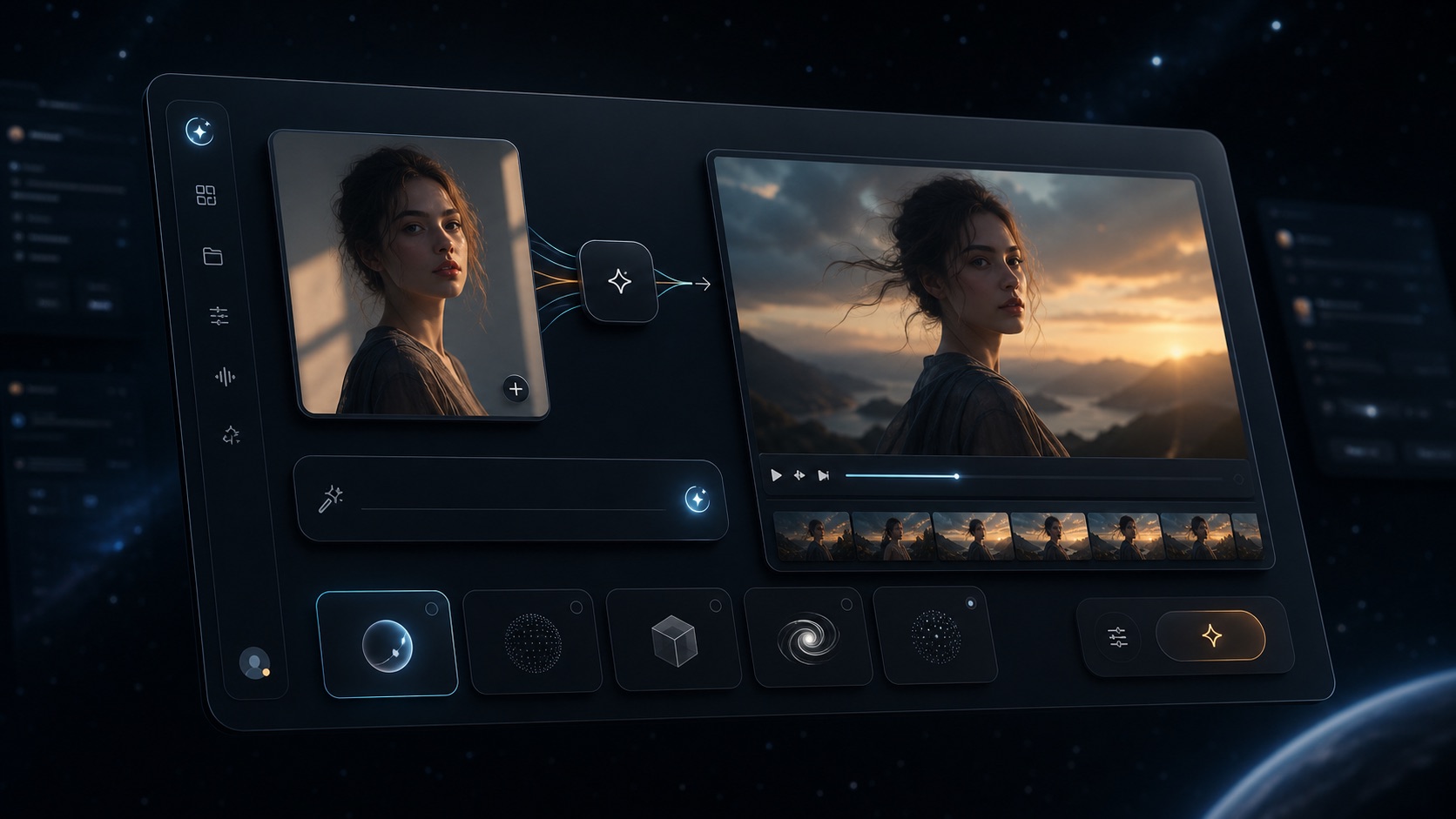
VideoAny connected image, video, editing, and model workspace
VideoAny
A broader browser workflow for moving between image generation, video generation, model selection, face swap, lip sync, effects, and editing.
Where VideoAny fits
- Choose from dedicated Kling, Seedance, Wan, and other model routes
- Move from a still image into image-to-video and later editing steps
- Add face swap or lip sync when the deliverable needs identity or speech
- Keep related generation and utility tools in one product surface
- Pricing model
- Check the current pricing page and model-specific credit cost before scaling.
- Trade-offs
- A broad toolset still requires controlled testing. Output limits, availability, credit use, and quality vary by model and mode.
- Best fit
- Creators building repeatable image-and-video workflows rather than a single disposable clip.
JoyFun AI
A reported free, no-sign-up playground for quick text-to-video, image-to-video, face-swap, and preset-effect experiments.
Where JoyFun may fit
- Start without creating an account according to the source
- Try short text-to-video or image-to-video jobs quickly
- Use simple face swaps and one-click effects
- Avoid upfront cost when evaluating a one-off idea
- Pricing model
- The May 2026 source describes JoyFun as free with no credit system; verify its current live terms.
- Trade-offs
- The source reports 10-second clips, no image generation, no lip sync, no cross-session identity system, and limited or unclear commercial rights.
- Best fit
- Casual experiments where speed and zero commitment matter more than workflow depth.
Feature breakdown
Video quality depends on control, duration, and repeatability
Both products can start from text or an image, but the source argues that their operating models are different.
The source presents JoyFun as a black-box convenience layer: submit a prompt, let the service route it, and receive a short clip. That is efficient for casual testing, but it gives the creator less information about which engine produced the result and fewer levers for matching a model to a particular visual brief.
VideoAny exposes distinct model pages and workflows, including Kling, Seedance, and Wan families. That does not guarantee that every output will be better, but it makes model choice part of the production decision. A cinematic motion brief, a detailed realism test, and a stylized scene can be evaluated through separate model-specific routes.
The fair benchmark is not one attractive demo. Use the same lawful prompt, aspect ratio, source image, duration target, and acceptance criteria. Record generation time, failed attempts, artifacts, prompt adherence, and credits consumed until you reach an output you would actually publish.
Video benchmark checklist
- Prompt and motion adherence
- Subject, anatomy, and background stability
- Maximum useful duration for the selected model
- Resolution and export options
- Retries required for one accepted clip
- Total time and credits per accepted result
Face swap and continuity
A one-off face swap is not the same as a repeatable identity workflow
The source treats face consistency as the largest practical gap for creators building a recurring persona.
JoyFun's face swap is described as a simple source-face and target-image operation. That can work well for a meme, an isolated effect, or a quick concept, but the source says each generation remains independent and there is no cross-session identity anchor.
VideoAny provides dedicated face-swap, video face-swap, image-generation, image-editing, and character-related routes that can be combined into a longer workflow. Because cross-job identity stability is highly model- and input-dependent, test several scenes with the same consented reference instead of assuming perfect persistence.
Only process a person's likeness when you have the necessary permission. Compare consent rules, data retention, deletion, privacy, and publishing rights before moving real client or creator assets into either service.
Continuity test
- Use the same approved reference face across multiple scenes
- Vary lighting, camera angle, expression, and wardrobe
- Score facial structure, skin detail, hairline, and distinctive features
- Check whether later face swap, animation, and editing steps preserve identity
Pipeline depth
Image creation and lip sync decide whether the workflow stops at a silent clip
The source says JoyFun does not compete in native image generation or synchronized speech.
If a project begins with a recurring character still, the source says JoyFun requires another image tool before its image-to-video step. VideoAny has text-to-image, image-to-image, editing, and model-specific image routes, which can reduce that handoff and keep the source image closer to the later motion workflow.
The source also reports that JoyFun has no lip-sync feature. VideoAny exposes a dedicated Lip Sync route plus audio and dubbing workflows, making it possible to test a talking-character pipeline after the visual has been approved.
Resolution and voice quality remain model- and settings-dependent. Verify the output options that matter to your channel, and use audio, faces, and source footage only when you have the required rights and consent.
A practical VideoAny sequence
- Create or approve a source image
- Refine the still with image editing if needed
- Animate it through Image to Video or a model page
- Add synchronized speech through Lip Sync
- Apply effects or edits after the core motion is accepted
- Export only after checking rights, resolution, and channel requirements
Cost decision
JoyFun leads on stated entry cost; compare total accepted-result cost for production
Free access is JoyFun's strongest differentiator in the source page, while broader workflows should be measured by successful outputs rather than a headline price.
The source reports that JoyFun is free and does not require sign-up or credits. For a first experiment or a single short effect, that makes the barrier essentially zero. Confirm the current live service, because free access, queues, watermarks, and export rules can change.
VideoAny uses tool- and model-specific credit workflows. Review the current pricing page rather than importing the source's ZenCreator pricing claims. For production, calculate the cost of failed attempts, retries, external tools, image preparation, lip sync, editing, and the time required to reach an approved deliverable.
Also compare commercial-use terms, privacy, support, and content policies directly. Neither a free label nor an unrestricted route name automatically grants rights to source material, a person's likeness, or generated output.
Cost questions worth answering
- Can you test the exact model before buying credits?
- How many attempts produce one accepted output?
- Do failed generations consume or refund credits?
- Will another service be needed for images, lip sync, or editing?
- What are the current watermark and export rules?
- Do the live terms support your intended commercial use?
Choose by use case
Choose JoyFun for immediacy; choose VideoAny for a longer production chain
The source page's recommendation becomes useful when translated into concrete jobs rather than a universal winner.
Choose JoyFun AI when you want a quick one-off video, do not want to create an account, are experimenting with AI video for the first time, only need a short clip or basic effect, and treat zero upfront cost as the deciding constraint.
Choose VideoAny when you need to move between image and video work, explicitly compare model families, add face swap or lip sync, edit or extend a result, create several related deliverables, or keep more of the production chain inside one browser workspace.
For recurring characters, brand content, or client work, run a small controlled benchmark before scaling. Use three to five representative jobs and score continuity, prompt adherence, duration, output quality, rights, retries, and total accepted-result cost.
Good starter jobs on VideoAny
- Animate a portrait with restrained camera movement
- Build a city or travel scene from an approved still
- Create a night-out or lifestyle clip with consistent styling
- Test an office or social talking-character scene with lip sync
- Compare the same brief across Kling, Seedance, and Wan routes
- Use face swap only with consented source and target likenesses
These starter jobs adapt the source page's Amsterdam, city-elegance, night-out, portrait, and office template ideas to current VideoAny workflows without claiming identical templates.
FAQ
JoyFun AI vs VideoAny: common questions
Answers distinguish source-page claims from capabilities visible in the current VideoAny project.
Is JoyFun AI completely free?
The source page, updated May 4, 2026, describes JoyFun as free with no sign-up or credit system and output up to 1080p for clips up to 10 seconds. Verify the live service because queues, effects, watermarks, limits, and terms can change.
What does VideoAny add beyond JoyFun's short-video workflow?
The current VideoAny project exposes image generation and editing, text-to-video, image-to-video, model-specific routes, face swap, lip sync, effects, audio, and related utilities. Availability, output limits, and credit use still depend on the chosen workflow.
Can JoyFun maintain the same character across multiple videos?
The source says JoyFun has no cross-session face-consistency system and treats each generation independently. For either product, test the same consented reference across multiple scenes before relying on identity continuity for a campaign.
Is VideoAny better for social media content?
VideoAny is a stronger candidate when a social workflow needs reusable images, model choice, animation, face swap, lip sync, editing, or several related deliverables. JoyFun may be faster for one disposable short clip. Test both with the same channel-ready brief.
Which platform is cheaper?
JoyFun wins on stated entry price in the source because it is described as free. For ongoing production, compare current credits, retries, failed attempts, external-tool handoffs, export rules, and the total cost of one accepted result.
Does VideoAny guarantee commercial rights or unrestricted use?
No comparison page should make that guarantee. Check the current terms, content policy, consent requirements, model-specific rules, and the rights attached to every source asset before publishing or selling output.
Run one real benchmark
Test a complete short-form workflow in VideoAny
Use one approved brief to compare a source image, a short motion clip, a model-specific variation, and an optional lip-sync pass before deciding which platform fits your production process.
- Keep prompts and source assets consistent
- Compare several current model routes
- Score accepted outputs, retries, time, and credits
Sources and next steps