
Overview
Crafting Fashion Reels with AI: A Modern Approach
This guide details the process of generating high-quality fashion brand promotional videos using AI, covering everything from model creation to final animated sequences.
Historically, producing a compelling promotional reel for a clothing line involved extensive resources: models, photographers, stylists, makeup artists, lighting crews, location scouting, and a lengthy post-production phase.
Today, the same professional outcome can be achieved in minutes, entirely within the VideoAny platform, leveraging a unified suite of AI tools.
This streamlined process utilizes VideoAny's Editor Combiner, Prompt Generator, Carousel feature, and Video Generator to deliver stunning results.
Key steps in this guide
- Generate or upload model images.
- Outfit models in your brand's apparel.
- Combine multiple subjects into a single frame.
- Develop cohesive family-style promotional shots.
For optimal realism, natural lighting, and refined skin textures, consider using advanced generative models within the platform.
Step by step
Step 1: Prepare Your Models and Wardrobe
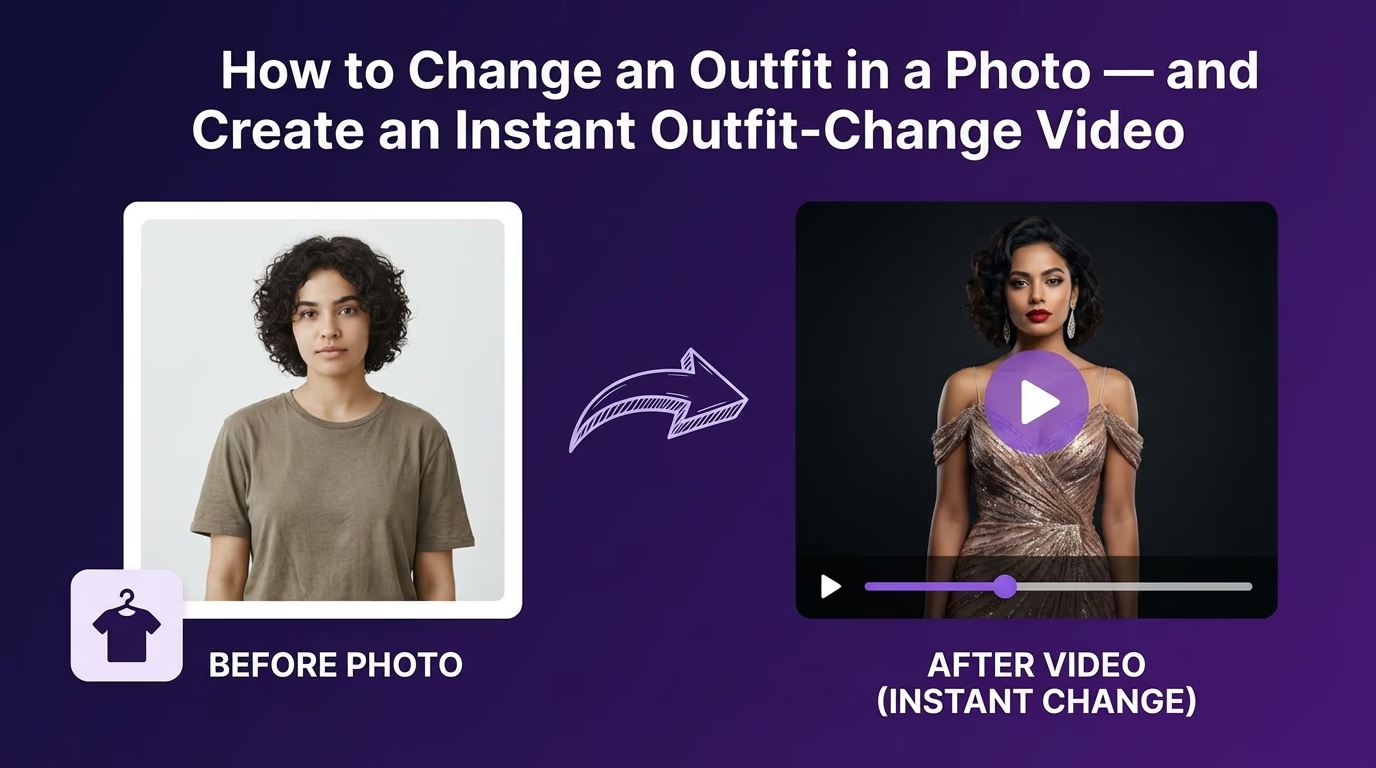
The initial phase involves either generating new models or preparing existing images, then digitally dressing them in your brand's clothing.
To digitally outfit a model, you will need two distinct images: one of the individual and one of the clothing item from your collection.
Upload both the model's photo and the apparel image. Apply a consistent 'Image 1 + Image 2' prompt. This will yield a standalone advertising image of the model wearing your brand's outfit.
To efficiently create a combined promotional shot, such as a father-son duo, upload three images simultaneously: the man's photo, the boy's photo, and a single image representing the clothing set for both.
Input requirements
- Image 1: The model (person).
- Image 2: The specific clothing item from your brand.
- For combined shots, Image 1: Man, Image 2: Boy, Image 3: Clothing set for both.
- Decide which photo corresponds to each character.
This method results in a ready-to-use image featuring both individuals dressed in your brand's attire, eliminating the need for subsequent merging.
Step by step
Step 2: Assemble Group Portraits
Once individual models are dressed, the next step is to integrate them into unified, emotionally resonant group portraits.
If you require a series of photos with a consistent aesthetic, mood, and setting, upload a final image (e.g., the dressed woman or the father+son portrait).
The tool will then generate multiple consistent shots without requiring additional prompts, ideal for creating a comprehensive brand gallery.
Step by step
Step 3: Animate Your Images into a Promo Video
With your final group photos complete, it's time to transform them into a polished, engaging promotional video.
FAQ
Frequently asked questions
Can I create a fashion promo reel for free?
VideoAny offers introductory options and free credits, allowing you to begin generating fashion promo reels without an initial investment.
What level of realism can I expect from the AI models?
You can expect highly realistic models with fashion-friendly proportions, clean skin textures, and natural lighting, especially when utilizing advanced generative models within VideoAny.
How long does it take to produce a full promo reel?
Once your images are prepared, the video generation process typically takes only a few minutes to produce a polished promo reel.
Do I need professional design skills to use VideoAny?
No, VideoAny is designed for intuitive use, requiring no prior experience in video editing or AI generation. The platform guides you through each step.
Can I use my own models or only AI-generated ones?
You have the flexibility to either generate new AI models or upload your own existing model photos to dress in your brand's clothing.
Next step
Ready to launch your fashion promo reel?
Apply the steps outlined in this guide to create stunning, professional promotional videos for your fashion brand today. Experiment with different styles and animations to find your perfect brand narrative.
- Start by preparing your models and wardrobe images.
- Combine characters into compelling group portraits.
- Animate your final images into a dynamic promo video.