
Overview
What is an Unrestricted AI Image Generator?
An unrestricted AI image generator allows you to create visuals from text or photos without aggressive content filters often found in other tools.
Tools like Midjourney, DALL-E, and Leonardo AI frequently block certain styles, poses, and scenarios, leading to valid prompts being rejected without explanation. VideoAny, however, avoids these strict filters, enabling you to generate precisely what you describe, as long as it adheres to legal guidelines (e.g., no minors, real figures without consent, or graphic violence).
VideoAny offers two primary methods for image generation, tailored to your desired level of control:
This guide provides real prompts from popular VideoAny templates, which you can use directly or modify. These prompts generally perform better in English, as the underlying AI models are primarily trained on English descriptions—a common characteristic across most AI generators, not just VideoAny.
Generation methods
- **Text-to-Image:** You input a text prompt and receive an image. This method offers complete control over the scene, pose, lighting, and style, but requires you to craft the prompt yourself.
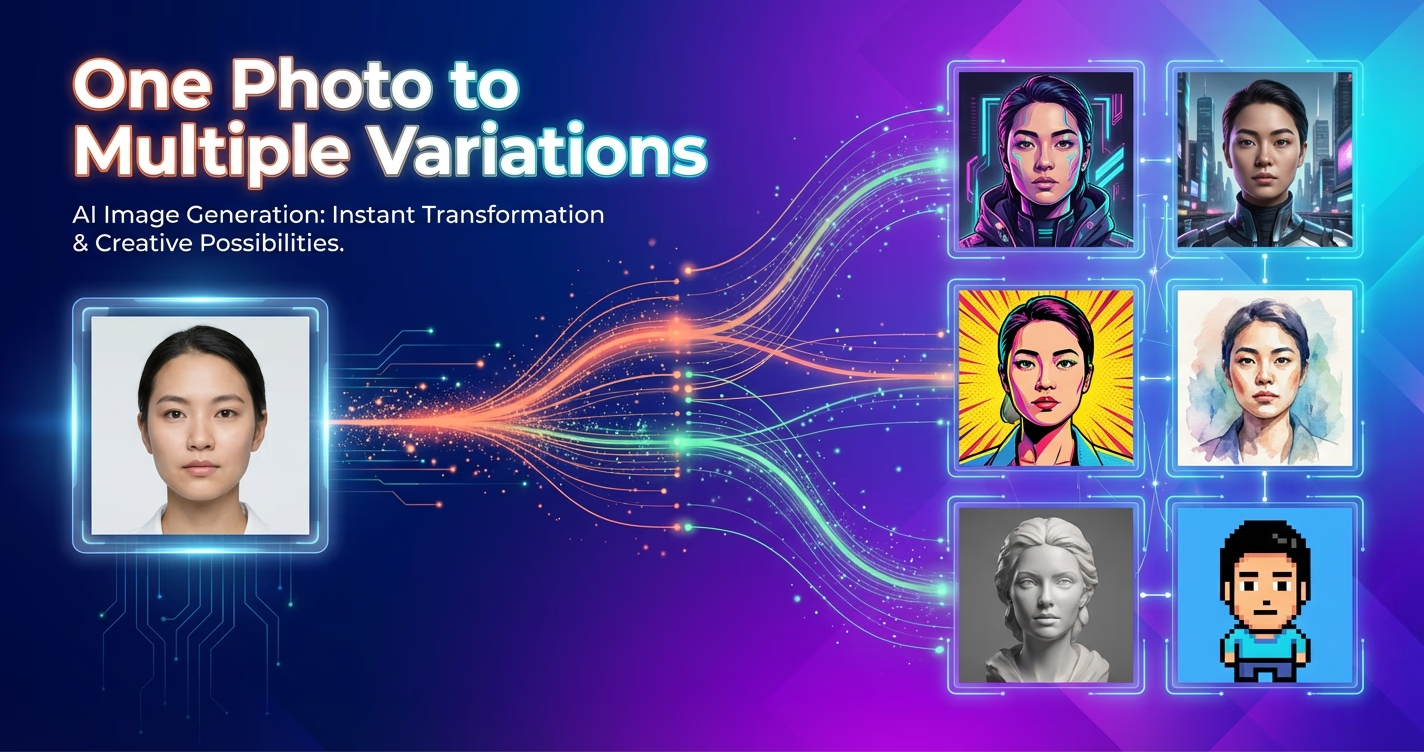
- **PhotoShoot:** You select from over 40 thematic templates, and the system automatically generates a complete set of consistent photos featuring the same person, without requiring any prompt writing.
- Approximately 2-5 minutes of your time.
- A VideoAny account.
Try Text-to-Image for free →
Real Examples
Prompt to Result: Three Practical Examples
Explore real-world examples from VideoAny's most used templates, showcasing how prompts translate into stunning visuals. You can copy these prompts directly or adapt them to your creative vision.
These examples highlight the power and flexibility of VideoAny's generation capabilities. Remember, while the models understand other languages, English prompts generally yield superior results due to the training data.
For entirely fictional scenarios involving AI characters, imaginary people, or fantasy settings, you can generate characters from scratch.
Finalize with motion or post-processing only after you lock character consistency and scene intent.
Example 1: Editorial Portrait with Dominant Color
- **Template:** Cupid's Red Satin Arrow (396 uses, most popular)
- **Prompt:** A portrait with a strong geometric composition and a unified color palette.
- **Customization Tip:** To personalize, change the dominant color (e.g., red → emerald, cobalt, burgundy), hair style, or dress type. The core prompt structure (geometric background + cutout + matching dress) remains effective.
- Decide which photo corresponds to each character.
This template constructs a portrait with a strong geometric composition and a unified color palette.
Real Examples
Example 2: Urban Night Street Aesthetic with Flash
This example demonstrates how to achieve a popular social media style from 2025-2026, mimicking an iPhone direct flash look.
The trick here is using specific phrases like 'direct flash iPhone night street photo' and 'harsh shadows.' These activate the raw, unedited aesthetic that many generators typically try to smooth out by default.
For PhotoShoot templates, the prompt format expects 'RAW photo a woman, [pose] + [clothing] + [gaze] + [environment],' separated by commas. This format is crucial for maintaining facial consistency when combined with Face Swap.
More Templates
Ready-to-Use Templates for Instant Generation
VideoAny offers a wide array of ready-to-use templates. Simply click on any card to load the prompt, then hit 'generate' to see your creations come to life.
Why VideoAny
What Makes VideoAny Different?
Tips for Better Results
Maximizing Your AI Image Generation: Expert Advice
Achieve superior results with VideoAny by following these expert tips, focusing on prompt crafting, specific details, and leveraging platform features.