Übersicht
Uneingeschränkte KI-Chatbots: Von Text-zu-Bild mit VideoAny
Dieser Leitfaden untersucht die besten uneingeschränkten KI-Chatbots des Jahres 2026 und bietet einen Schritt-für-Schritt-Workflow zur Umwandlung ihrer Textausgaben in überzeugende KI-Bilder und -Videos mit VideoAny.
Uneingeschränkte KI-Chatbots bieten eine unvergleichliche Freiheit für kreativen Ausdruck, indem sie es Benutzern ermöglichen, Inhalte ohne die typischen Einschränkungen gängiger Modelle zu generieren. Oft reicht Text allein jedoch nicht aus, um eine kreative Vision vollständig zu verwirklichen.
Das wahre Potenzial entfaltet sich, wenn Sie diese Textbeschreibungen nahtlos in dynamische visuelle Medien umwandeln können. Dieser Leitfaden bewertet nicht nur die führenden uneingeschränkten Chatbots, sondern beschreibt auch einen praktischen Workflow zur Integration dieser mit den Bild- und Videoerzeugungsfunktionen von VideoAny.
Sie erfahren, wie Sie die beschreibende Kraft dieser Chatbots nutzen, um detaillierte Prompts zu erstellen, erste Bilder zu generieren und diese dann in ansprechende Videosequenzen zu animieren, einschließlich fortschrittlicher Funktionen wie Gesichtskonsistenz und Gesichtstausch mit **VideoAny**.
Was Sie aus diesem Leitfaden lernen werden
- Eine kuratierte Liste der besten uneingeschränkten KI-Chatbots im Jahr 2026.
- Wesentliche Unterschiede zwischen verschiedenen uneingeschränkten Chatbot-Optionen.
- Ein umfassender Workflow zur Umwandlung von Chatbot-Text in KI-Bilder und -Videos.
- Praktische Tipps zur Optimierung Ihres kreativen Prozesses mit VideoAny.
Prüfen Sie neben der Antwortqualität auch Datenaufbewahrung, Exportmöglichkeiten, Kosten und die Kontrolle über verwendete Modelle.
Momentaufnahme
Schneller Vergleich: Führende uneingeschränkte KI-Chatbots (2026)
Ein direkter Vergleich der besten uneingeschränkten KI-Chatbots, der ihre Kernstärken und idealen Anwendungsfälle hervorhebt.
| Chatbot | Hauptvorteile | Hauptmerkmale | Am besten geeignet für |
|---|---|---|---|
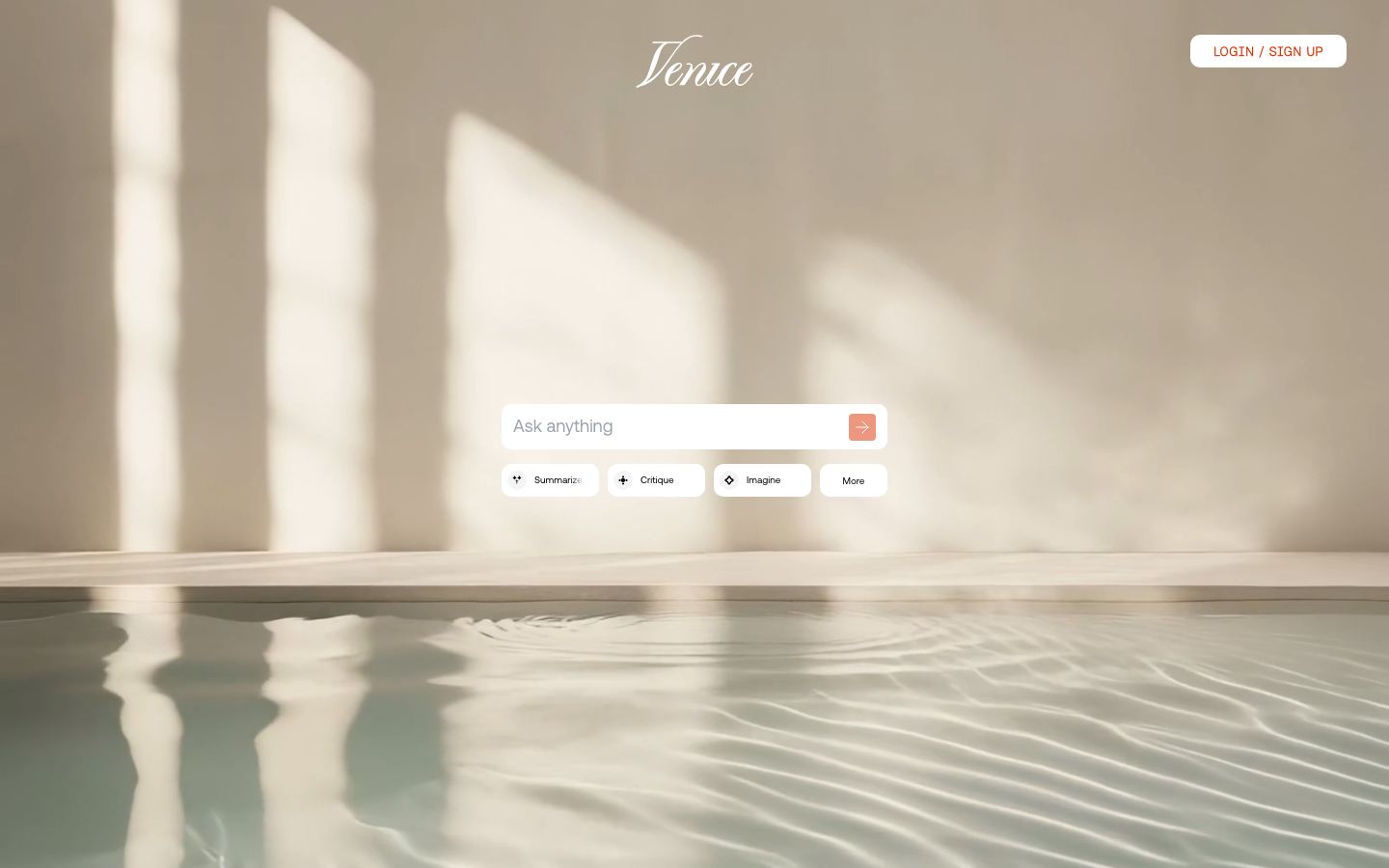
| Venice AI | Datenschutz und Modellauswahl | Datenschutzorientierter Ansatz laut Anbieter; Protokollierung und Aufbewahrung in der aktuellen Datenschutzerklärung prüfen | Datenschutzbewusste Nutzer, die Modellfreiheit benötigen |
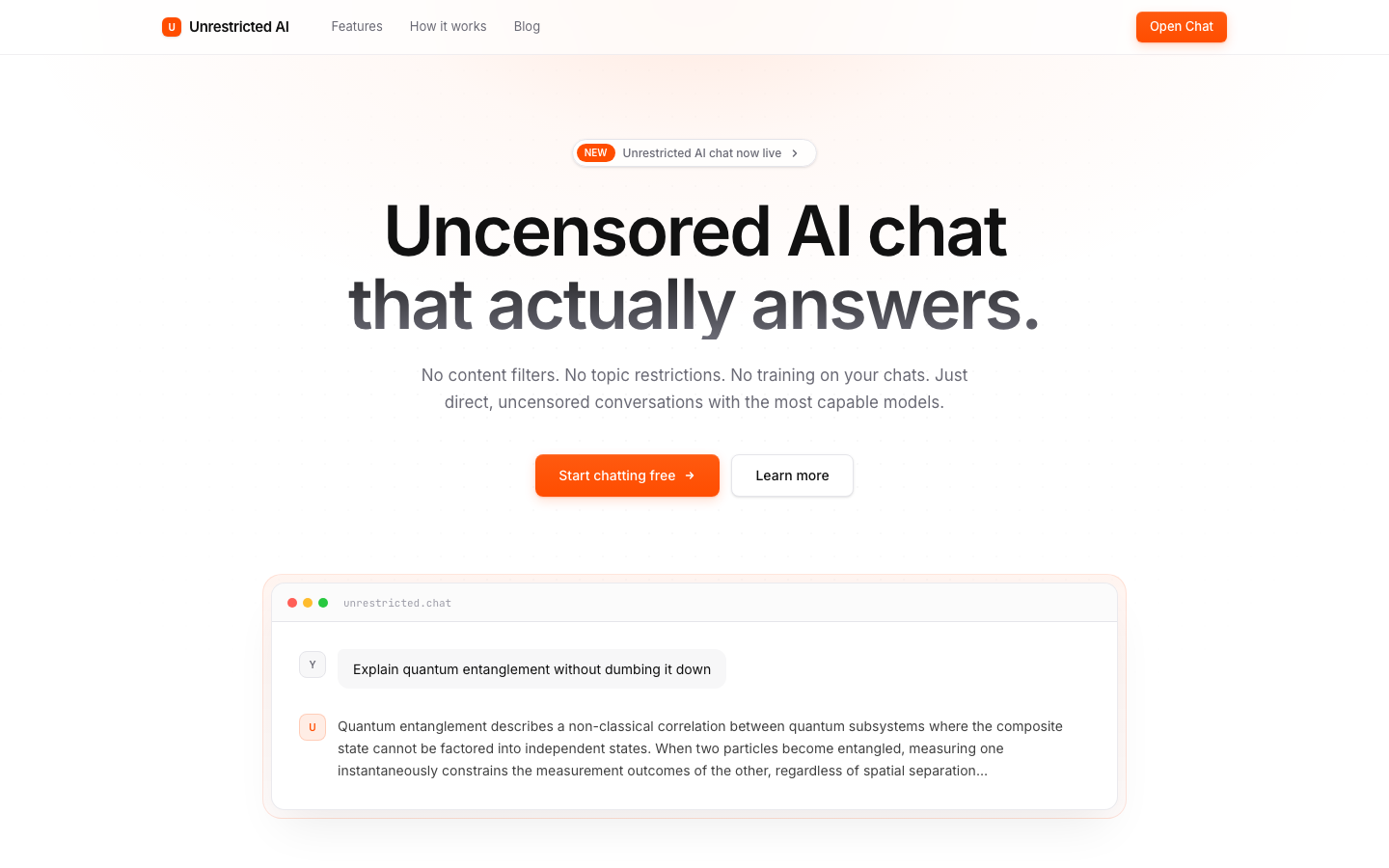
| Unzensiert.chat | Umfassendes, unzensiertes Erlebnis | Konsistente Inhaltsfreiheit, integrierte Bildgenerierung | Nutzer, die eine einzige Plattform für unzensierte Chats und grundlegende visuelle Inhalte suchen |
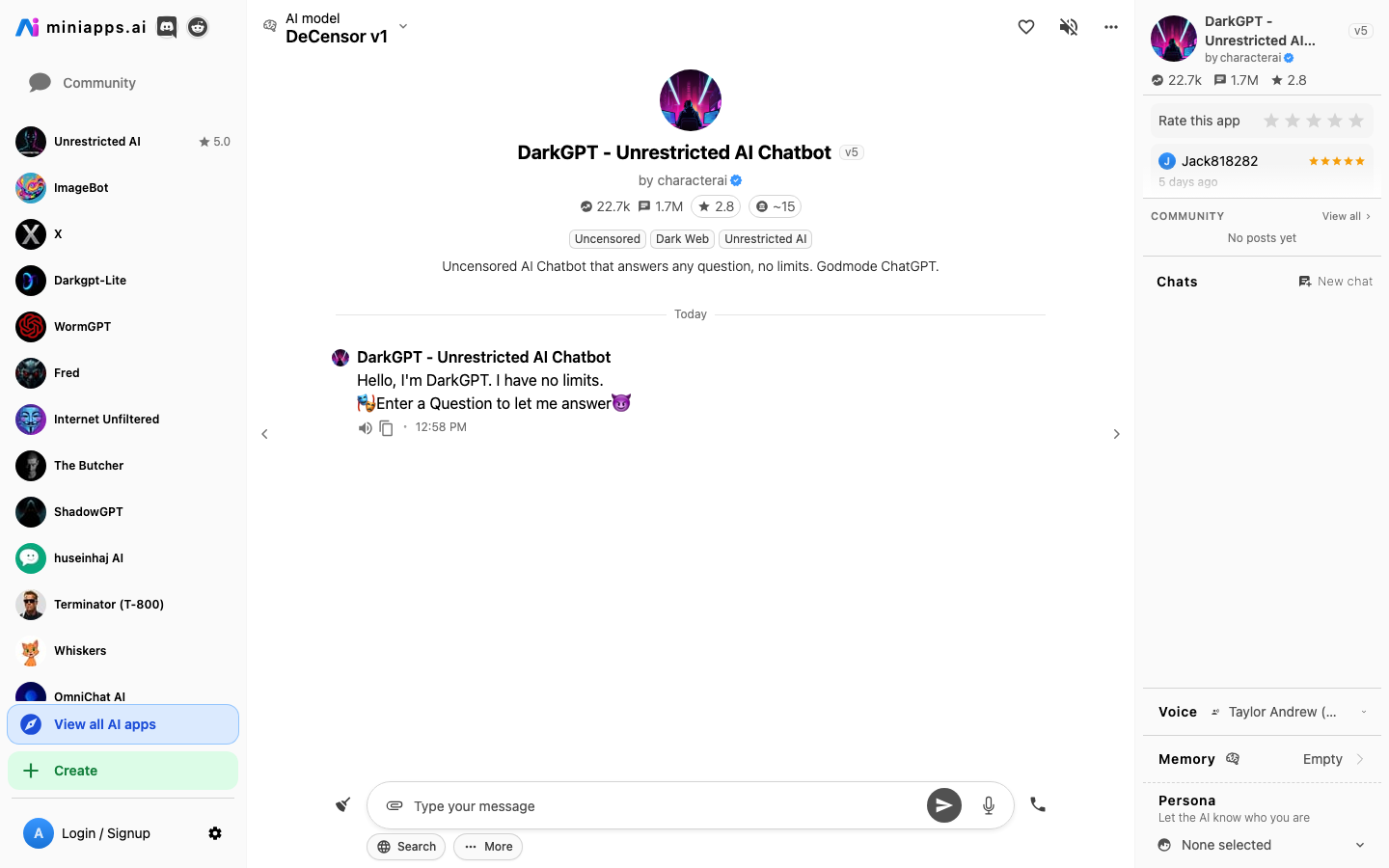
| DarkGPT (Minianwendungen) | Filterfreies kreatives Schreiben | Behandelt explizite/kontroverse Themen, stark für narrative Inhalte | Kreative Autoren, die breite kreative Flexibilität benötigen |
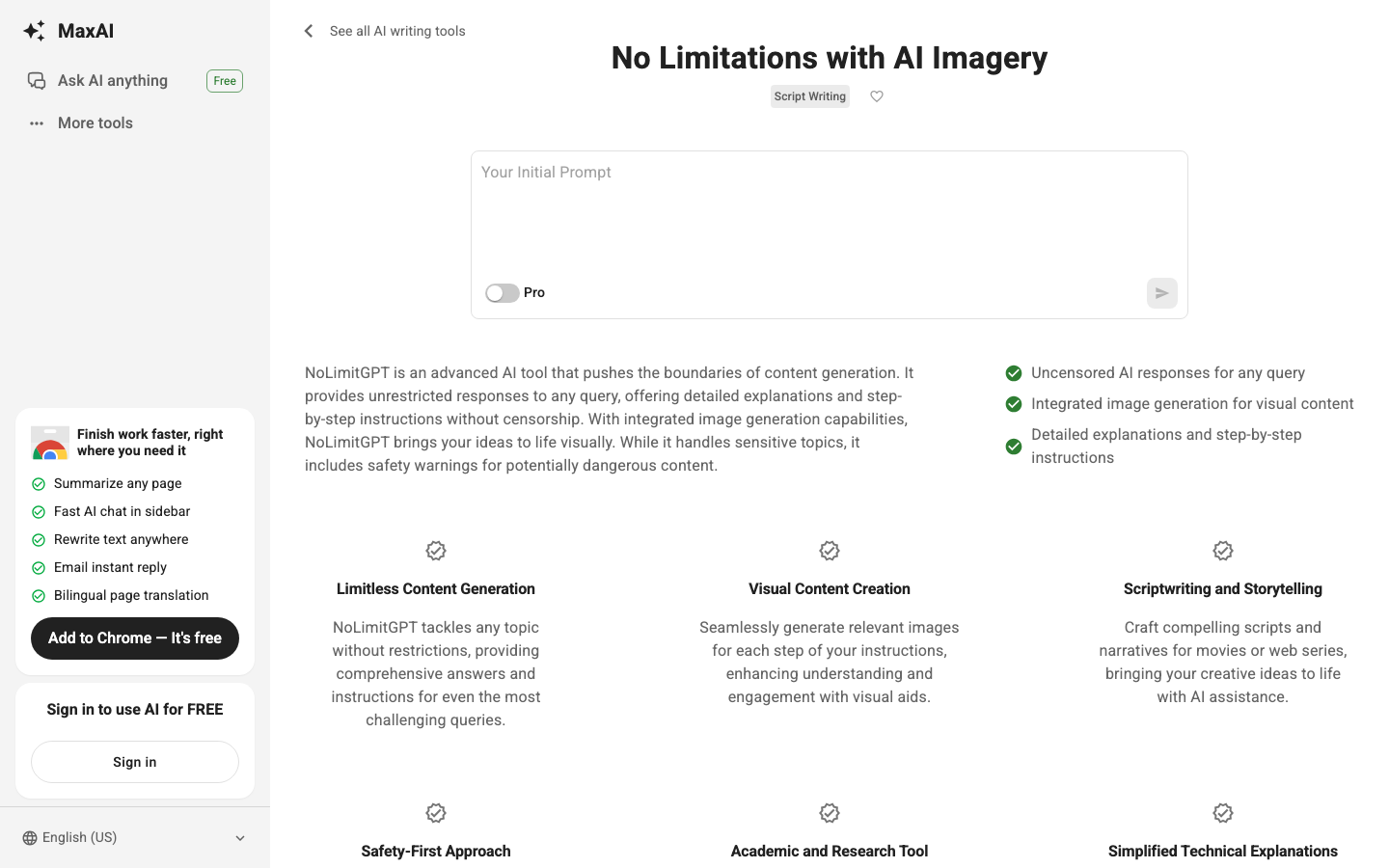
| NoLimitGPT (MaxAI) | Kostenloser Tarif für die gelegentliche Nutzung | Kostenlose und einfache Nutzung, ideal für erste Erkundungen | Gelegenheitsnutzer erkunden uneingeschränkte KI unverbindlich |
Diese Tabelle konzentriert sich auf die praktischen Anwendungen und die spezifischen Vorteile der einzelnen Plattformen.
Detaillierte Analyse
Detaillierte Analyse: Die besten uneingeschränkten KI-Chatbots für 2026
Entdecken Sie die spezifischen Funktionen, Vorteile und Einschränkungen jedes Top-bewerteten unbeschränkten KI-Chatbots.
Venice AI
Venice AI bietet einen datenschutzorientierten Ansatz mit dezentraler Verarbeitung und ohne Gesprächsprotokollierung, sodass Benutzer aus verschiedenen Open-Source-Modellen wählen können.
Warum es herausragt
- Priorisiert den Datenschutz der Nutzer durch dezentrale Architektur.
- Bietet die Flexibilität, aus mehreren Open-Source-Modellen (Mistral, LLaMA 3) zu wählen.
- Polierte und reaktionsschnelle Benutzeroberfläche.
- Keine Datenprotokollierung oder Schulung anhand von Benutzergesprächen.
- Pricing model
- Kostenlose Stufe mit täglichen Limits; Pro-Version für 18 $/Monat oder 149 $/Jahr für unbegrenzten Zugang.
- Trade-offs
- Die Modellqualität kann variieren; die integrierte Bilderzeugung ist im Vergleich zu spezialisierten Tools rudimentär.
- Best fit
- Benutzer, die Wert auf Datenschutz legen und Modellflexibilität für uneingeschränkte Inhaltserstellung benötigen.
Unzensiert.chat
Uncensored.chat wurde speziell für uneingeschränkte Interaktion entwickelt und bietet konsistente Inhaltsfreiheit sowie eine integrierte Bilderzeugung.
Warum es herausragt
- Besteht durchweg Tests zur Inhaltsfreiheit.
- Von Grund auf für unzensierte Interaktionen entwickelt.
- Überdurchschnittliche Antwortqualität für diese Kategorie.
- Inklusive funktionaler integrierter Bildgenerierung.
- Pricing model
- Kostenlose Testversion ohne Registrierung verfügbar; kostenpflichtige Pläne beginnen ab 9,99 $/Monat.
- Trade-offs
- Die kostenlose Testversion hat schnelle Nutzungslimits; die integrierte Bildgenerierung ist nicht fotorealistisch.
- Best fit
- Nutzer, die eine zuverlässige, einzige Plattform für unzensierte Chats und grundlegende visuelle Kreationen suchen.
DarkGPT (Miniapps)
DarkGPT, über Miniapps.ai, integriert unzensierte LLaMA-Feinabstimmungen in eine minimalistische Oberfläche, ideal für kreatives Schreiben und Rollenspiele ohne inhaltliche Einschränkungen.
Was es besonders macht
- Hervorragend in charakterorientierten Erzählungen und kreativer Fiktion.
- Behandelt explizite, gewalttätige und kontroverse Themen mit weniger pauschalen Ablehnungen.
- Browserbasiert, keine Installation erforderlich.
- Konsistenter Null-Filter-Ansatz.
- Pricing model
- Kostenlos mit Nutzungseinschränkungen; Premium-Pläne über Miniapps erhältlich.
- Trade-offs
- Kleinere Modelle bedeuten geringere faktische Genauigkeit; eine rudimentäre Benutzeroberfläche; ein begrenztes Kontextfenster.
- Best fit
- Kreative Autoren und Rollenspieler, die hohe lokale Kontrolle von Inhaltsbeschränkungen benötigen.
NoLimitGPT (MaxAI)
NoLimitGPT, integriert mit MaxAI, bietet einen soliden kostenlosen Zugang für die gelegentliche Erkundung uneingeschränkter KI, wodurch es für neue Benutzer zugänglich wird.
Was es besonders macht
- Großzügiger kostenloser Tarif für gelegentliche Experimente.
- Gut geeignet zur Erkundung vielfältiger, uneingeschränkter Themen.
- Benutzerfreundliche Oberfläche durch MaxAI-Integration.
- Zugänglich für Nutzer, die neu in der Welt der unzensierten KI sind.
- Pricing model
- Kostenlose Stufe verfügbar; Premium-Funktionen über MaxAI-Abonnements.
- Trade-offs
- Die kostenlose Version könnte im Vergleich zu kostenpflichtigen Optionen strengere Nutzungsbeschränkungen aufweisen.
- Best fit
- Gelegenheitsnutzer, die uneingeschränkte KI ohne sofortige finanzielle Verpflichtung erleben möchten.
Arbeitsablauf
Uneingeschränkte Chatbots mit VideoAny für visuelle Kreation integrieren
Verwandeln Sie detaillierte Textbeschreibungen aus uneingeschränkten Chatbots in dynamische KI-Bilder und -Videos mit den integrierten Tools von VideoAny.
Die wahre Stärke uneingeschränkter Chatbots zeigt sich, wenn ihre Ausgaben visualisiert werden können. Dieser Workflow führt Sie durch die Nutzung der reichhaltigen, ungefilterten Erzählungen Ihres gewählten Chatbots und deren Umwandlung in hochwertige visuelle Inhalte mit VideoAny.
Von der Erstellung erster Szenenbeschreibungen über die Animation von Charakteren bis hin zur Sicherstellung der Gesichtskonsistenz ermöglicht dieser Prozess, selbst die fantasievollsten oder kontroversesten Texte visuell zum Leben zu erwecken.
Befolgen Sie diese Schritte, um überzeugende KI-generierte Bilder und Videos zu erstellen, die perfekt zur Ausgabe Ihres Chatbots passen.
Schritt-für-Schritt-Workflow zur visuellen Erstellung
- Schritt 1: Erstellen Sie Ihre Szenenbeschreibung im Chatbot
- Schritt 2: Beschreibung in einen Bild-Prompt für VideoAny umwandeln
- Schritt 3: Bild mit VideoAny animieren
- Schritt 4: Gesichts-Konsistenz oder Gesichtstausch hinzufügen
Dieser Workflow ist für die nahtlose Integration zwischen Textgenerierung und visueller Produktion konzipiert.
Schritt 1
Erstellen Sie Ihre Szenenbeschreibung im Chatbot
Nutzen Sie Ihren bevorzugten, uneingeschränkten Chatbot, um eine detaillierte, lebendige Beschreibung der Szene, des Charakters oder der Aktion zu erstellen, die Sie visualisieren möchten.
Die Qualität Ihrer finalen Bilder und Videos hängt stark von der Präzision Ihrer anfänglichen Textbeschreibung ab. Uneingeschränkte Chatbots sind hierfür ideal, da sie Ihre kreative Vision nicht zensieren oder verändern. Dies ermöglicht die detaillierte Beschreibung expliziter Details, komplexer Emotionen oder kontroverser Elemente für **VideoAny**.
Konzentrieren Sie sich auf sensorische Details: Wie sieht die Szene aus, wie fühlt sie sich an, was tun die Charaktere, wie ist die Stimmung? Je beschreibender Sie sind, desto besser wird der VideoAny Bildgenerator im nächsten Schritt abschneiden.
Dokumentieren Sie alle Prompt- und Einstellungsentscheidungen, um die Reproduzierbarkeit hochwertiger Ergebnisse bei zukünftigen Projekten zu gewährleisten.
Tipps für effektive Chatbot-Beschreibungen
- Seien Sie sehr spezifisch bezüglich Charaktere, Einstellungen und Handlungen.
- Fügen Sie Details zu Beleuchtung, Farben und Atmosphäre hinzu.
- Beschreiben Sie Emotionen und Interaktionen klar und deutlich.
- Scheuen Sie sich nicht vor expliziten oder kontroversen Elementen, wenn dies Ihrer Absicht entspricht.
Hier entfaltet sich die „uneingeschränkte“ Natur Ihres Chatbots in vollem Glanz.
Schritt 2
Beschreibung in einen Bild-Prompt für VideoAny umwandeln
Kann ich diesen Workflow zuerst mit kostenlosen Credits testen?
Absolut. Beginnen Sie mit einer kleinen Testcharge, um die Qualität zu validieren, und skalieren Sie erst dann auf die kostenpflichtige Nutzung, wenn die Ergebnisse Ihre Ziele konstant erfüllen.
Wie kann ich die Konsistenz über mehrere **VideoAny**-Varianten hinweg verbessern?
Legen Sie eine einzige validierte Basislinie fest, erhalten Sie eine stabile Kern-Prompt-Struktur und ändern Sie bei iterativen Anpassungen immer nur eine Variable.
Was sollte ich priorisieren: Generierungsgeschwindigkeit oder Ausgabequalität?
Konzentrieren Sie sich auf die Optimierung des Faktors, der Ihren Veröffentlichungsprozess derzeit am stärksten behindert. Für viele ist das Erreichen einer stabilen Qualitätsgrundlage wichtiger als reine Geschwindigkeit.
Wann ist es angebracht, zu einem anderen Workflow zu wechseln?
Ein Wechsel sollte nur in Betracht gezogen werden, wenn Ihre aktuelle Konfiguration die primären Anforderungen an Qualität, Geschwindigkeit oder Zuverlässigkeit dauerhaft nicht erfüllt.
Ist dieser Workflow für die Teamproduktion skalierbar?
Ja. Implementieren Sie explizite QA-Prüfpunkte, standardisierte Prompt-Konventionen und ein festes Übergabeformat, um eine konsistente Ausgabe in Ihrem Team zu gewährleisten.
Schritt 3
Bildanimation durch Videogenerierung
Verwandeln Sie Ihr generiertes Bild mit den Videogenerierungsfunktionen von VideoAny in ein lebendiges Video.
Sobald Sie Ihr perfektes Standbild haben, ermöglicht VideoAny Ihnen, Bewegung hinzuzufügen und kurze Videoclips zu erstellen. Dies kann von subtilen Kamerabewegungen bis hin zur Animation spezifischer Elemente innerhalb der Szene reichen, was Ihrer kreativen Arbeit eine neue Dimension verleiht.
Überlegen Sie, welche Art von Bewegung die ursprüngliche Erzählung des Chatbots am besten vermittelt. Ist es ein langsamer Schwenk, ein dynamischer Zoom oder eine spezifische Charakteraktion? Experimentieren Sie mit verschiedenen Animationsstilen, um das wirkungsvollste Ergebnis zu erzielen.
Behalten Sie eine stabile kreative Ausrichtung bei, während Sie systematisch nur jene Variablen iterieren, die nachweislich die Ergebnisse verbessern.
Bilder in VideoAny animieren
- Wählen Sie aus verschiedenen Animationsstilen und Kamerabewegungen.
- Geben Sie Dauer und Intensität der Bewegung an.
- Vorschau und Anpassung zur Erzielung des gewünschten Effekts.
- Konzentrieren Sie sich darauf, die Erzählung durch Bewegung zu verbessern.
Die Tools von VideoAny machen die Animation von Standbildern intuitiv und effektiv.
Schritt 4
Gesichtskonsistenz oder Gesichtstausch hinzufügen
Gewährleisten Sie die Charakteridentität und steigern Sie den Realismus mit den Funktionen zur Gesichtskonsistenz und zum Gesichtstausch von VideoAny.
- In einer einzigen Browser-Oberfläche Inhalte generieren und verfeinern
- Gleichbleibende Ausgabequalität über mehrere Chargen hinweg gewährleisten
- Mühelos skalieren von ersten Tests bis zum vollständigen Produktionsvolumen
Zusammenfassung