
Overview
Why choose Nano Banana 2 for your projects
Nano Banana 2, powered by Google DeepMind's Gemini 3.1 Flash Image, offers web grounding and inline reference editing. It's the top choice on VideoAny for precise instruction execution, accurate in-image text, and realistic depictions of real-world subjects.
Nano Banana 2, developed by Google DeepMind, utilizes the Gemini 3.1 Flash Image model, incorporating web grounding and direct reference editing. It stands out on VideoAny for its ability to follow explicit instructions, render precise in-image text, and accurately represent real-world entities.
This model, based on Google Gemini's image-editing capabilities within VideoAny, is exceptionally adept at interpreting reference images and executing editing commands. Its unique handling of references—accepting them as inline base64 data—ensures that your image data remains private, never exposed to third-party hosts via signed URLs. This privacy-first approach is a significant advantage for sensitive client projects.
Nano Banana 2 supports up to four reference images per request, alongside editing instructions. It generates results rapidly and produces high-resolution, 4K-quality outputs. Its core strength lies in precision rather than unconstrained creativity; it makes exact changes as instructed, preserving the rest of the scene untouched.
Key considerations
- Content with NSFW or suggestive themes will be blocked, as Google's safety filters are non-negotiable. For unrestricted creative work, explore alternatives like Flux Klein NSFW or SDXL NSFW.
- Output reproducibility is not guaranteed due to the absence of seed control. For workflows requiring consistent results, consider seedable models such as WAN 2.7.
- There's a strict limit of four reference images. For projects demanding a broader range of visual inputs, WAN 2.7 Pro offers extended reference capabilities.
- Open the Text-to-Image generator (or the Image Editor for reference-driven work).
Use this as a practical checkpoint: compare outputs with the same prompt before you scale the workflow.
Model fit
Nano Banana 2 in action: When to use it
This comparison helps determine if Nano Banana 2 aligns with your production needs and where other models might be more suitable.
| Decision area | Why it matters | Practical signal | VideoAny action |
|---|---|---|---|
| Why pick Nano Banana 2 | Primary lesson from the source guide | Nano Banana 2 by Google DeepMind — Gemini 3.1 Flash Image with web grounding and inline reference editing. Best on the platform for instructions, in-i | Use it when this trade-off matters in production. |
| What is Nano Banana 2? | Primary lesson from the source guide | Nano Banana 2 is Google Gemini's image-edit model on VideoAny — exceptional at understanding reference images and following editing instructions. The | Use it when this trade-off matters in production. |
| See Nano Banana 2 in action | Primary lesson from the source guide | The model supports up to 4 reference images per call alongside the editing instruction, generates fast, and renders at 4K-class output. The strength i | Use it when this trade-off matters in production. |
| Nano Banana 2 vs other VideoAny models | Primary lesson from the source guide | The important caveat: Nano Banana 2 is the only censored model in the platform's image lineup. Google safety filters cannot be disabled at any level — | Use it when this trade-off matters in production. |
The strongest results come from testing one visual job at a time instead of mixing multiple goals into a single prompt.
Workflow
Understanding Nano Banana 2's capabilities
A practical guide to leveraging Nano Banana 2's features for optimal output within VideoAny.
It's crucial to note that Nano Banana 2 is the only image generation model on VideoAny with enforced content filters. Google's safety protocols are immutable; any content hinting at nudity, suggestive themes, or sensitive subjects will result in an empty output. Additionally, the model lacks seed control, meaning outputs are not reproducible across different runs, and it has a hard limit of four reference images. While these constraints are negligible for brand-safe commercial editing, creative projects requiring unrestricted content or reproducibility should opt for a different model. Nano Banana 2 is accessible via both Text-to-Image and the Image Editor.
Below are six example prompts and their corresponding results, providing a starting point for your own creations.
Nano Banana 2 excels in specific areas. For other types of projects, an alternative model might be a better fit:
To maximize Nano Banana 2's potential, consider these five prompting strategies:
Production checklist
- Select Nano Banana 2 from the available model options.
- Craft your prompt with explicit detail. Nano Banana 2 interprets instructions literally, so vague inputs will yield generic results.
- When using the Image Editor, attach up to four reference images, clearly defining their roles (e.g., "subject reference," "color palette reference," "outfit style"). Then, initiate generation.
- Google DeepMind — Gemini Flash Image (Nano Banana 2): deepmind.google/models/gemini-image/flash
Short, concrete prompts are easier to compare than broad creative briefs.
Use cases
Nano Banana 2 compared to other VideoAny models
These examples illustrate practical applications inside VideoAny's production environment.

Nano Banana 2: Precision AI Image Editing on VideoAny source gallery visual 1
Why is Nano Banana 2 the only filtered model on VideoAny?
Nano Banana 2 is unique on the platform for its strict content filtering. Google's safety protocols are deeply integrated and cannot be bypassed, meaning any prompt with even a hint of sensitive content will be rejected.
What to watch
- Align your model selection with the specific visual task at hand.
- Formulate prompts that are concise, concrete, and easily testable.
- Prioritize reviewing elements like identity, lighting, anatomy, and text before scaling production.
- Utilize VideoAny's subsequent tools for motion or further editing if the initial output requires refinement.
- Pricing model
- Standard VideoAny credits are determined by the chosen model and output configurations.
- Trade-offs
- The quality of the output remains dependent on the clarity of the prompt, the quality of source images, and the allocated iteration budget.
- Best fit
- Creators seeking consistent AI visuals without the need to re-establish workflows for each asset.
Nano Banana 2: Precision AI Image Editing on VideoAny source gallery visual 2
Can I disable the content filters?
No, the safety filters cannot be disabled. Any prompt containing suggestive or explicit material will result in an empty response. For unrestricted creative freedom, consider alternative models.
What to watch
- Align your model selection with the specific visual task at hand.
- Formulate prompts that are concise, concrete, and easily testable.
- Prioritize reviewing elements like identity, lighting, anatomy, and text before scaling production.
- Utilize VideoAny's subsequent tools for motion or further editing if the initial output requires refinement.
- Pricing model
- Standard VideoAny credits are determined by the chosen model and output configurations.
- Trade-offs
- The quality of the output remains dependent on the clarity of the prompt, the quality of source images, and the allocated iteration budget.
- Best fit
- Creators seeking consistent AI visuals without the need to re-establish workflows for each asset.

Nano Banana 2: Precision AI Image Editing on VideoAny source gallery visual 3
What does "web grounding" mean?
Web grounding enables Nano Banana 2 to draw upon Google's vast knowledge base when real-world subjects are specified in your prompt. This ensures factual accuracy rather than generative invention.
What to watch
- Align your model selection with the specific visual task at hand.
- Formulate prompts that are concise, concrete, and easily testable.
- Prioritize reviewing elements like identity, lighting, anatomy, and text before scaling production.
- Utilize VideoAny's subsequent tools for motion or further editing if the initial output requires refinement.
- Pricing model
- Standard VideoAny credits are determined by the chosen model and output configurations.
- Trade-offs
- The quality of the output remains dependent on the clarity of the prompt, the quality of source images, and the allocated iteration budget.
- Best fit
- Creators seeking consistent AI visuals without the need to re-establish workflows for each asset.
Nano Banana 2: Precision AI Image Editing on VideoAny source gallery visual 4
What is the limit for reference images?
Nano Banana 2 allows for a maximum of four reference images per request. These are embedded directly, ensuring privacy. For projects needing more references, other models are available.
What to watch
- Align your model selection with the specific visual task at hand.
- Formulate prompts that are concise, concrete, and easily testable.
- Prioritize reviewing elements like identity, lighting, anatomy, and text before scaling production.
- Utilize VideoAny's subsequent tools for motion or further editing if the initial output requires refinement.
- Pricing model
- Standard VideoAny credits are determined by the chosen model and output configurations.
- Trade-offs
- The quality of the output remains dependent on the clarity of the prompt, the quality of source images, and the allocated iteration budget.
- Best fit
- Creators seeking consistent AI visuals without the need to re-establish workflows for each asset.
FAQ
Common questions before using this workflow
Why is Nano Banana 2 the only censored model on VideoAny?
Nano Banana 2 is built directly on Google's Gemini API, where safety filters are enforced at the API level and cannot be disabled. Unlike other models on VideoAny that run on private deployments or use providers allowing filter deactivation, Nano Banana 2 adheres strictly to these content guidelines.
Can I disable the safety filters?
No, it's not possible to disable the safety filters. Any prompt that suggests nudity, explicit content, or sensitive themes will result in an empty output. For unrestricted creative work, consider models like Flux Klein NSFW, SDXL NSFW, or the photoreal NSFW-capable WAN 2.7 family.
What is "web grounding"?
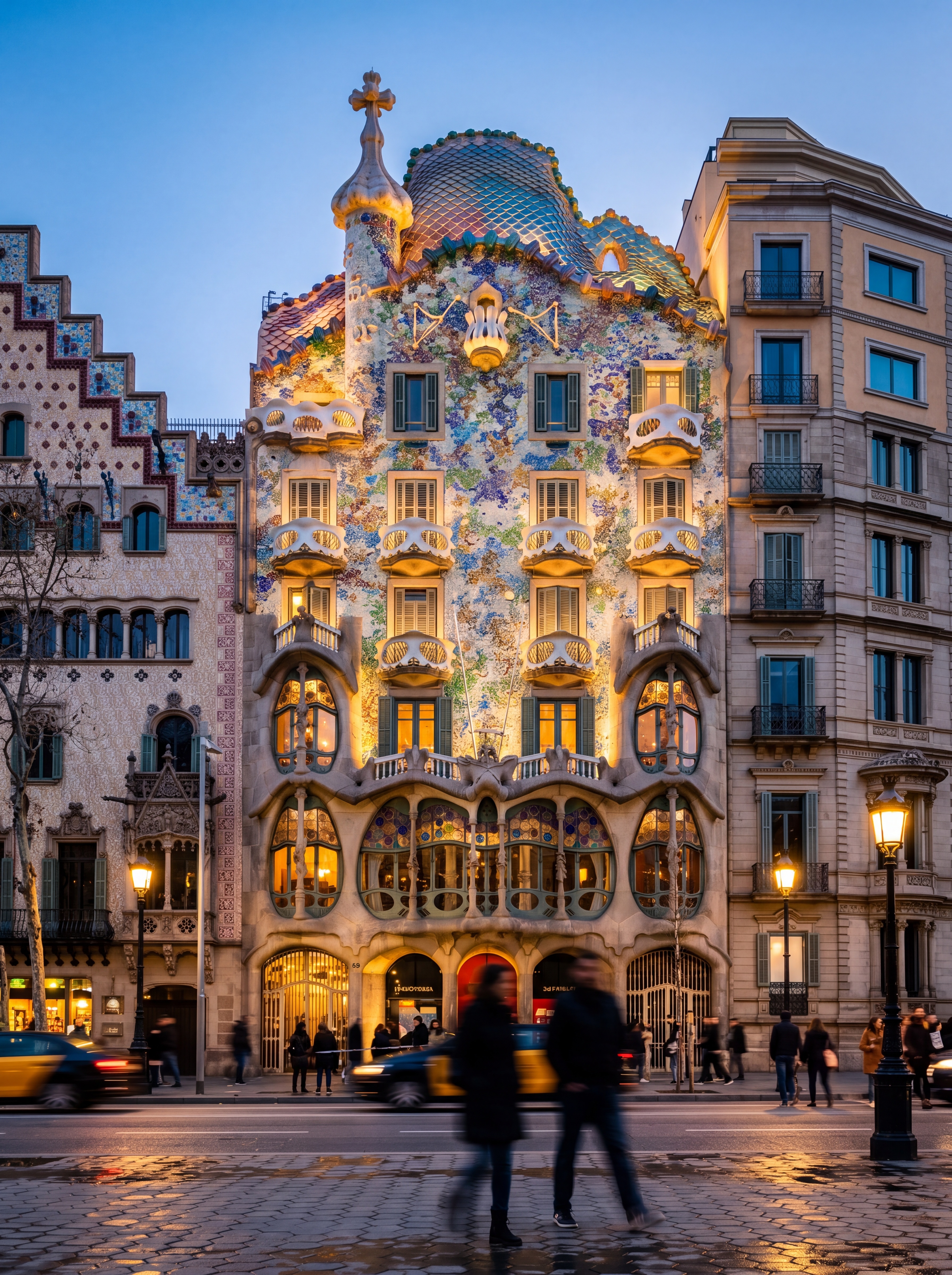
Web grounding means that when Nano Banana 2 encounters a real-world subject in your prompt—such as a specific landmark, product, brand, or individual—it retrieves factual references from Google's knowledge base instead of generating an imagined version. For example, specifying "Casa Batlló in Barcelona" will produce an accurate depiction of the building, whereas "a famous Barcelona building" would result in a generic, Gaudí-inspired creation.
How many reference images can I attach?
You can attach up to four reference images. These images are sent inline as base64 data within the request, ensuring they are never exposed through signed URLs to third-party hosts. For projects requiring more than four references, such as extensive mood boards, WAN 2.7 Pro supports a larger reference window.
What's SynthID and why does it matter?
SynthID is an invisible watermark developed by Google that is embedded into every image generated by Nano Banana 2. This watermark is resilient to compression and minor edits. For brand-safety teams, SynthID provides a verifiable chain of custody for AI-generated assets, allowing them to confirm the origin of images even after they have undergone further processing.
Can I use Nano Banana 2 for fast batch generation?
Yes, speed is one of Nano Banana 2's key advantages. The model is optimized for low-latency, high-volume generation. It is an excellent choice for quickly producing large batches (e.g., 50 images) of brand-safe content.
Create
Build a Nano Banana 2 precision image editing workflow in VideoAny
Start with this model guide, then generate, refine, animate, and publish your creations directly within the VideoAny workflow.
- Generate images from clear, concise prompts.
- Transform high-quality stills into dynamic video content.
- Maintain consistent settings for efficient batch processing.