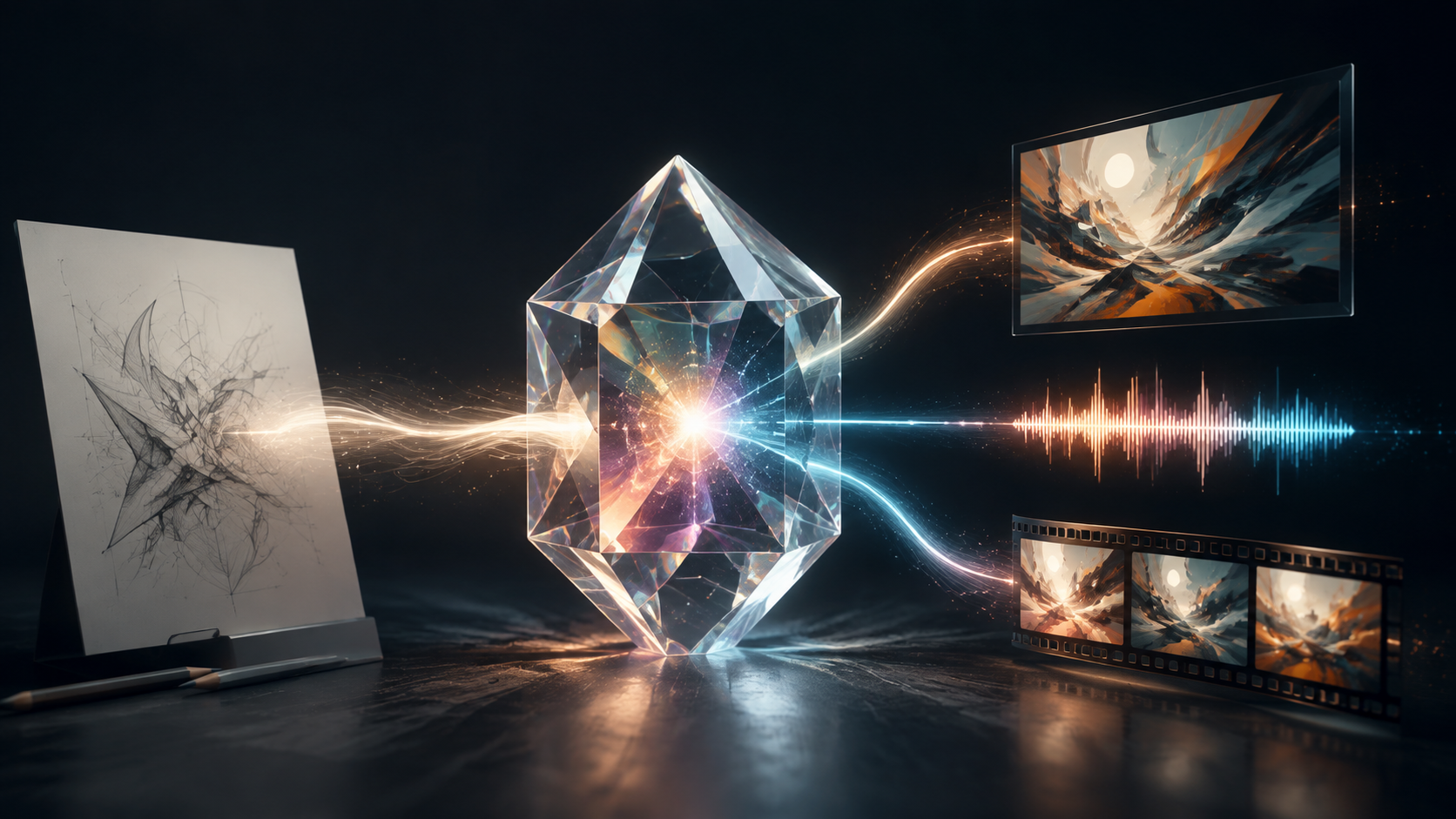
GPT-6 Astra, a sophisticated language model from OpenAI, offers advanced reasoning and understanding across various domains. For creators looking to produce multimedia content, it's essential to distinguish between Astra's native capabilities and its capacity to orchestrate external tools. As of September 7, 2026, OpenAI's official documentation confirms that GPT-6 Astra accepts both text and image as input, with its primary native output being text. Crucially, audio and video are not supported as native output modalities directly from the model itself.
However, this distinction does not diminish Astra's utility in media production. The model is designed to work in conjunction with other services. For instance, it supports an image-generation tool accessible through the Responses API. This means Astra can formulate a detailed request for an image, and a separate, specialized rendering service then generates the visual. These are compatible statements: a powerful reasoning model can plan a request and call a dedicated tool to execute it. For comprehensive details, refer to the OpenAI model documentation.
For any creator, the practical question isn't simply "Can Astra make this?" but rather, "How can Astra help me make this, and what other tools will I need?" The process involves identifying the specific media asset required, understanding Astra's role in planning and describing that asset, and then utilizing appropriate external tools for the actual generation. This approach ensures that Astra's strengths in understanding, reasoning, and textual generation are applied effectively, while specialized media tools handle the rendering of visual and auditory content.
The Multimodal Landscape: Input, Output, and Orchestration
The term "multimodal" when applied to GPT-6 Astra primarily refers to its ability to process diverse inputs—specifically text and images—and generate intelligent textual responses. This allows Astra to analyze an image, extract details, identify objects, and understand context, then communicate its findings or suggestions in text. Its native output, however, remains text.
In the context of generating images, video, or audio, Astra functions as an intelligent planner or director. It interprets your creative brief, refines it into detailed specifications, and can then, if configured, invoke a separate, dedicated tool to produce the actual media file. This "tool orchestration" paradigm extends Astra's utility beyond pure text generation, enabling it to contribute significantly to multimedia projects without natively performing the rendering itself.
Image Understanding: Analyzing Visual Information
Astra's capacity to process image input is a core feature. It can "see" and interpret the content of an image, extracting details, identifying objects, and understanding context. This capability is invaluable for tasks such as:
- Content Analysis: Describing elements within an image, their relationships, and potential narratives.
- Creative Inspiration: Generating textual ideas or prompts based on a visual reference.
- Consistency Checks: Comparing a generated image against a reference to identify discrepancies.
- Data Extraction: Identifying text within an image or categorizing visual themes.
For example, if you provide Astra with an image of an ancient, weathered map, it could describe the cartographic style, identify specific landmarks, note the condition of the parchment, and even infer a historical period. This textual understanding forms a robust foundation for subsequent creative steps, ensuring visual details are accurately captured and communicated.
Image Generation: Planning for Visuals
While Astra does not natively render images, it excels at crafting the precise textual prompts and specifications that an image generation tool requires. The typical workflow involves:
- Conceptualization: You describe your desired image to Astra in natural language.
- Detailed Prompting: Astra refines this description into a highly specific prompt, incorporating elements like artistic style, camera angle, lighting, and object details.
- Tool Invocation: Astra then passes this detailed prompt to a separate image generation service (such as the one available via the Responses API). This service, which utilizes its own GPT Image model selection, then renders the visual.
- Cost Distinction: It's important to note that the costs associated with using this image generation tool are separate from Astra's token usage. For more details, consult the OpenAI image-generation guide.
Consider a scenario where a graphic designer needs an image of a "futuristic cityscape at dawn." Instead of a simple phrase, Astra can help elaborate:
"Generate a detailed image prompt for a futuristic cityscape. The city should feature towering, bioluminescent skyscrapers interconnected by sky-bridges. Flying vehicles traverse the air. The sun is just rising, casting long, purple and orange shadows across the metallic and glass structures. A sense of quiet anticipation should pervade the scene. Focus on intricate architectural details and atmospheric lighting."
Astra can refine this into a structured prompt, ensuring specific visual elements are included. If producing the visual separately, the VideoAny text-to-image workflow can be a valuable platform to explore and generate initial concepts or variations based on Astra's detailed descriptions.
Video: Planning Is Not Rendering
Similar to images, Astra does not natively generate video files. Its primary role in video production is in the planning and scripting stages. It can help you craft:
- Detailed Scripts: From dialogue and character actions to scene descriptions and emotional beats.
- Shot Lists: Breaking down a scene into individual shots, specifying camera angles, movements, and duration.
- Textual Storyboards: Describing key frames and transitions in sequence.
- Continuity Guides: Ensuring consistency in character appearance, setting, and props across scenes.
For a short animated sequence depicting a lone explorer navigating an alien jungle, Astra could develop the narrative arc, describe the explorer's gear, and outline the unique flora and fauna. It could then generate a shot list:
"Scene 1: WIDE SHOT of the explorer, 'Kael,' trekking through a dense, phosphorescent alien jungle. Towering, glowing plants dominate the foreground. (6 seconds) Scene 2: CLOSE UP on Kael's face, sweat beading on their brow, eyes scanning the unfamiliar environment. A small, curious alien creature peeks from behind a plant. (4 seconds) Scene 3: MEDIUM SHOT of Kael activating a wrist-mounted scanner, its beam illuminating strange, iridescent spores floating in the air. (5 seconds)"
This textual plan serves as a blueprint for dedicated video generation tools. Platforms like VideoAny image-to-video could then take these detailed descriptions and generated image assets to produce the actual video clips, which would subsequently be edited together.
Audio: Textual Cues for Sound
Astra's native output is text, meaning it cannot directly produce audio files such as voiceovers, sound effects, or musical scores. However, it is an excellent assistant for all textual aspects of audio production:
- Dialogue Writing: Crafting natural and engaging conversations.
- Voiceover Scripts: Developing clear and impactful narration.
- Sound Design Cues: Describing specific sound effects, their timing, and emotional impact.
- Music Prompts: Generating textual descriptions for desired musical styles, moods, and instrumentation.
For a historical documentary segment, Astra could write the narration script, suggest ambient sound effects (e.g., "the distant clang of a blacksmith's hammer," "the murmur of a marketplace crowd"), and propose musical themes (e.g., "a somber, orchestral piece with a sense of ancient grandeur"). These textual outputs would then be fed into specialized text-to-speech, sound effect libraries, or music generation tools to create the actual audio assets.
A Comprehensive Multimedia Workflow with Astra
Integrating Astra into a multimedia production pipeline involves leveraging its strengths at each stage, from initial concept to final review.
Stage 1: Concept and Story Development
Astra can assist in defining the core idea, target audience, and overall message. This includes brainstorming diverse ideas for plots, themes, and settings, generating narrative outlines with clear acts and character arcs, and even contributing to world-building with detailed backstories and lore.
Stage 2: Character and Asset Specification
Once the story is established, Astra helps create detailed descriptions of characters, props, and environments. It can generate comprehensive character profiles covering appearance, personality, and backstory, as well as detailed briefs for key objects and settings, ensuring visual consistency.
Stage 3: Scripting and Shot Design
This stage translates the story and character details into actionable production instructions. Astra excels at generating natural dialogue, formatting screenplays, creating detailed shot lists with camera angles and movements, and describing key visual frames for textual storyboards.
Stage 4: Media Production (External Tools)
This is the point where external tools take over, using Astra's detailed textual outputs as their guide. Image generation tools create character designs, environment art, or prop visuals. Video generation platforms produce animated sequences or live-action footage based on shot lists and visual descriptions.
Stage 5: Audio Integration and Post-Production
Astra contributes by providing the textual foundation for sound. This includes finalizing narration scripts, specifying precise sound effect cues, and directing musical themes. These textual assets then guide the creation of actual audio files through dedicated tools or human performers.
Stage 6: Review and Refinement
In the final stage, Astra can aid in quality control. It can help analyze review notes, identify inconsistencies in visuals or narrative, and outline steps for revisions. By comparing feedback against the original plan, Astra helps pinpoint areas needing adjustment, ensuring the final product aligns with the creative vision.
Use Cases by Creator Type
Astra's capabilities can be adapted to various creative professionals:
- Filmmakers and Animators: Leverage Astra for script development, character consistency, detailed shot lists, and pre-visualization planning.
- Game Narrative Designers: Utilize Astra for building expansive game lore, generating branching dialogue, creating character motivations for NPCs, and developing quest structures.
- Marketing Teams: Employ Astra for campaign conceptualization, crafting compelling ad copy, developing storyboards for commercials, and generating detailed product visual descriptions.
- Content Creators (YouTubers, Podcasters): Streamline content creation by using Astra for video scripts, podcast outlines, social media captions, and ideas for visual thumbnails, freeing up time for production and performance.
Common Misconceptions
Understanding Astra's true capabilities means addressing common misunderstandings:
- "Image input means image output": While Astra can process and understand images, its native output is text. It describes, analyzes, or plans based on the image, but it does not render a new image directly.
- "The Responses API can generate an image, so Astra is an image model": The Responses API provides access to various tools, including an image generation tool. When Astra is used to generate an image, it's calling this separate tool. Astra itself is a reasoning model that produces text, not the engine that renders pixels.
- "There is a video endpoint, so this model returns video": API documentation often lists all available endpoints for a platform. The presence of a "video" related endpoint does not mean Astra natively produces video. Astra's verified modalities explicitly state no native video output.
- "A text prompt can unlock unsupported audio": Astra can write detailed descriptions for audio, but these are textual instructions. Actual audio files require dedicated text-to-speech, sound effect libraries, or music synthesis tools.
- "A good shot list guarantees a good video": A well-crafted shot list from Astra is an excellent foundation, but the quality of the final video depends on the execution by the video generation tool, the editor's skill, and the overall creative direction.
How to Write Better Media Prompts with Astra
To maximize Astra's utility in media creation, focus on clear, structured, and highly specific textual prompts:
- Define the Goal: Clearly state what you want Astra to produce (e.g., "a character description," "a shot list for a scene," "dialogue for a specific interaction").
- Provide Context: Give Astra all necessary background information: the story, characters involved, setting, and emotional tone.
- Specify Format: Request the output in a structured format, such as bullet points, a table, a screenplay format, or JSON, to make it easily digestible for the next stage of your workflow.
- Set Constraints: Define limitations or requirements, such as word count, character count, specific vocabulary to use or avoid, or stylistic guidelines.
- Iterate and Refine: Use Astra's responses as a starting point, then provide clear feedback to refine the output.
Example Prompt for a Character Description:
"Generate a detailed character description for a supporting character in a fantasy novel. Character Name: Lyra, the Whispering Merchant Role: Mysterious traveling vendor, purveyor of rare magical artifacts. Appearance: Appears ageless, draped in dark, flowing robes that obscure her form. Her face is usually hidden by a wide-brimmed hat, revealing only sharp, observant eyes that seem to shimmer with ancient knowledge. Carries a staff carved with intricate runes. Personality: Enigmatic, speaks in riddles, rarely gives direct answers. Possesses a dry wit and a keen understanding of human nature. Key Traits: Always has an item for any predicament, never stays in one place long, communicates through subtle gestures and knowing glances. Output Format: A character sheet with sections for 'Physical Description,' 'Personality & History,' and 'Quirks & Habits'."
This level of detail allows Astra to generate a comprehensive textual asset that can then inform visual artists or image generation tools.
Conclusion
GPT-6 Astra serves as a powerful reasoning engine, adept at understanding complex inputs and generating sophisticated textual outputs. While it does not natively produce images, video, or audio, its strength lies in its ability to plan, describe, and orchestrate the creation of these media types through specialized external tools. For creators, this means leveraging Astra for its intellectual heavy lifting—story development, detailed asset descriptions, scripting, and workflow planning—and then employing dedicated rendering platforms for the actual visual and auditory production. By understanding this distinction, creators can harness Astra's full potential to streamline their multimedia projects, transforming intricate creative briefs into actionable plans for finished content.
Frequently Asked Questions
Can GPT-6 Astra create images?
GPT-6 Astra does not natively create images. However, it can generate highly detailed textual prompts and specifications that are then used by a separate, dedicated image generation tool (like the one available via the OpenAI Responses API) to render the actual images.
Can GPT-6 Astra watch a video?
No, GPT-6 Astra does not natively support video input. Its current multimodal capabilities are limited to text and image input.
Can GPT-6 Astra make a video from text?
GPT-6 Astra cannot natively generate video files. It can, however, create comprehensive video scripts, shot lists, and detailed scene descriptions from text, which can then be used as a blueprint for external video generation tools.
Can GPT-6 Astra generate voiceovers?
GPT-6 Astra cannot natively generate audio, including voiceovers. It can write the script for a voiceover, which then needs to be processed by a separate text-to-speech tool or recorded by a human voice actor.
Does GPT-6 Astra understand images?
Yes, GPT-6 Astra is capable of understanding images. It can take an image as input and provide detailed textual descriptions, analyze its content, and answer questions about what it "sees."
Is tool-generated media included in token pricing?
No, the costs for tool-generated media, such as images produced by the OpenAI image generation tool, are typically separate from and additional to the token usage costs of GPT-6 Astra itself. This is because a distinct rendering service handles the media creation.