Introduction
The source article presents an adult-only cinematic trailer generator as unrestricted, anonymous, fast, private, and capable of downloadable HD output. It follows a familiar structure: why creators choose the platform, how generation works, prompt ideas, why mainstream models refuse some content, and what privacy, ownership, and safety claims are made.
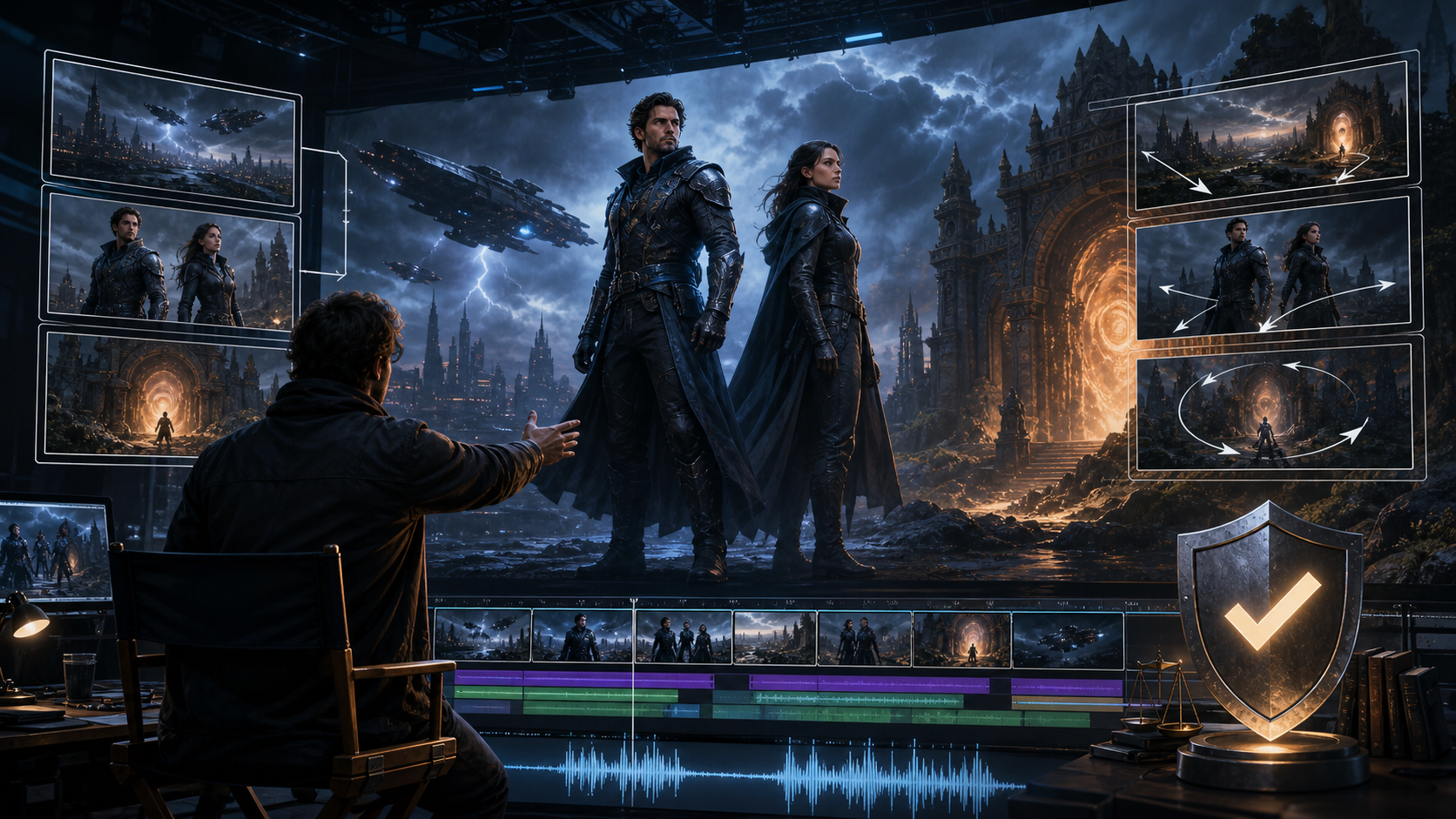
A trailer is not simply a collection of attractive shots. It is a compressed promise of a larger story, shaped by escalation, contrast, sound, and editorial timing. This guide keeps the source’s workflow and evaluation questions while turning them into a practical trailer-production system. The source platform’s uncensored-content, anonymity, billing, privacy, timing, and resolution claims are not VideoAny claims.
Adult-only boundary: use fictional adults or real adults who explicitly consented to the exact portrayal and distribution. Never create sexualized content involving a minor or a non-consenting real person.
What to Verify in an “Unrestricted” Trailer Tool
The reference page emphasizes zero censorship, anonymous use, multiple generation modes, HD output, private projects, crypto checkout, and user ownership. Verify each promise in operational terms:
- Accepted themes: Read the actual acceptable-use policy; “unrestricted” never overrides law or platform rules.
- Generation modes: Confirm whether text, images, and video references can be combined in one project or require separate tools.
- Native output: Inspect dimensions, frame rate, compression, watermarking, and maximum clip duration.
- Reference control: Test whether a fictional character, costume, set, and color palette remain stable between shots.
- Project privacy: Check retention, training use, staff access, public links, backups, and deletion.
- Rights: Read both the license you grant the provider and the license you receive for generated material.
Build the Trailer Arc Before Generating
A concise trailer usually needs a progression, even when the full project is fictional:
- Hook: One image, line, or sound that establishes tone immediately.
- World and character: Introduce the setting and central adult character with minimal exposition.
- Inciting problem: Reveal the threat, desire, mystery, or conflict.
- Escalation: Increase scale and cutting pace through short, contrasting shots.
- Turn or reveal: Present the unexpected image that reframes the premise.
- Final button: End on a memorable action, sound, or unresolved question.
Write a beat sheet with approximate durations. It is much easier to judge which shots are missing before spending credits on generation.
A Repeatable AI Trailer Workflow
The source describes a simple prompt-to-download loop. Expand it for continuity and editorial control:
- Write the logline and content boundaries. State the fictional premise, adult-only parameters, intended audience, and prohibited elements.
- Create a visual bible. Lock character traits, wardrobe, props, locations, palette, light direction, and camera language.
- Storyboard the beat sheet. Assign one purpose and one primary action to each shot.
- Generate keyframes first. Validate composition and continuity before animation.
- Animate in short passes. Leave editing handles and avoid combining multiple actions with a complex camera move.
- Create alternate coverage. Generate wide, medium, close, and detail options for major beats.
- Edit without sound first. Confirm that the visual escalation works on its own.
- Add authorized music, voice, and sound effects. Use impacts, silence, risers, and rhythm to shape the trailer rather than masking weak visuals.
- Finish titles in an editor. Generate clean imagery without embedded lettering, then add accurate typography separately.
- Review rights, disclosure, and delivery. Export the required aspect ratios and inspect each final file.
VideoAny provides general text-to-video, image-to-video, and video-to-video routes that can support authorized trailer shots. Check current models and content rules; this article does not claim an unrestricted adult trailer product.
Prompt Structure for Cinematic Shots
The source’s prompt examples combine subject, wardrobe, environment, lighting, camera, and motion. For a coherent trailer, add story function and continuity:
- Story beat: Explain whether the shot hooks, introduces, escalates, reveals, or ends the trailer.
- Adult character: Use stable fictional traits and authorized references only.
- Wardrobe and props: Repeat exact materials, colors, damage state, and carried objects.
- Environment: Name spatial landmarks that help adjacent shots feel like the same place.
- Lighting: Define direction, contrast, color, weather, and time of day.
- Camera: Specify framing, lens feel, angle, and one deliberate move.
- Action: Describe a single readable movement with a start and end state.
Save prompts and seed/reference details in a shot ledger. When continuity fails, change one variable at a time.
Why Mainstream Tools May Refuse Mature Concepts
General-purpose AI systems often restrict sexual or graphic material through model and product policies. Reference uploads may be moderated separately from prompts. A specialized provider may accept a wider range of consensual adult fiction, but it should still enforce safeguards against minors, non-consensual intimate imagery, impersonation, trafficking, and unlawful content.
Do not build a release schedule on the assumption that “unrestricted” means every prompt is accepted forever. Policies, models, vendors, and infrastructure can change.
Privacy, Ownership, and Safety
The source platform says it does not publish renders, does not require a real name, keeps libraries private by default, offers crypto checkout, and gives creators ownership. Ask:
- Are prompts, uploads, outputs, moderation records, and backups retained or used for training?
- Who can access a flagged project?
- Are preview or share URLs indexed or guessable?
- Does deletion cover thumbnails, derivatives, and backups?
- What happens to projects after cancellation?
- Does the output license cover commercial trailer use?
- Do music, voice, face, costume, artwork, and location inputs have separate rights?
No platform ownership clause can grant rights to a likeness, voice, song, performance, trademark, or source clip you did not control.
Final Trailer Checklist
Before publishing, verify adult status and consent, source rights, character continuity, trailer arc, shot variety, pacing, music and voice licenses, captions, title accuracy, synthetic-media disclosure, destination rules, and exported file settings. Review the trailer at full screen, phone size, and with audio muted.
FAQs
How long should an AI trailer be?
Length depends on the channel and concept. Start from the minimum time needed to deliver the hook, escalation, reveal, and final button.
Can a solo creator make one?
Yes, if the beat sheet is short and the creator maintains a visual bible, shot ledger, rights record, and structured review pass.
Should I generate a whole trailer in one prompt?
Usually not. Short shots provide better control over continuity, pacing, and repairs.
What should I inspect before release?
Consent, adult status, asset rights, story clarity, continuity, audio licenses, titles, disclosure, channel rules, and final exports.
Conclusion
The source article’s generate-refine-download loop is useful, but a compelling cinematic trailer begins with a beat sheet and ends with a rights-aware edit. Generate short purposeful shots, maintain a visual bible, verify every vendor promise, and keep adult consent and lawful sourcing as production requirements.