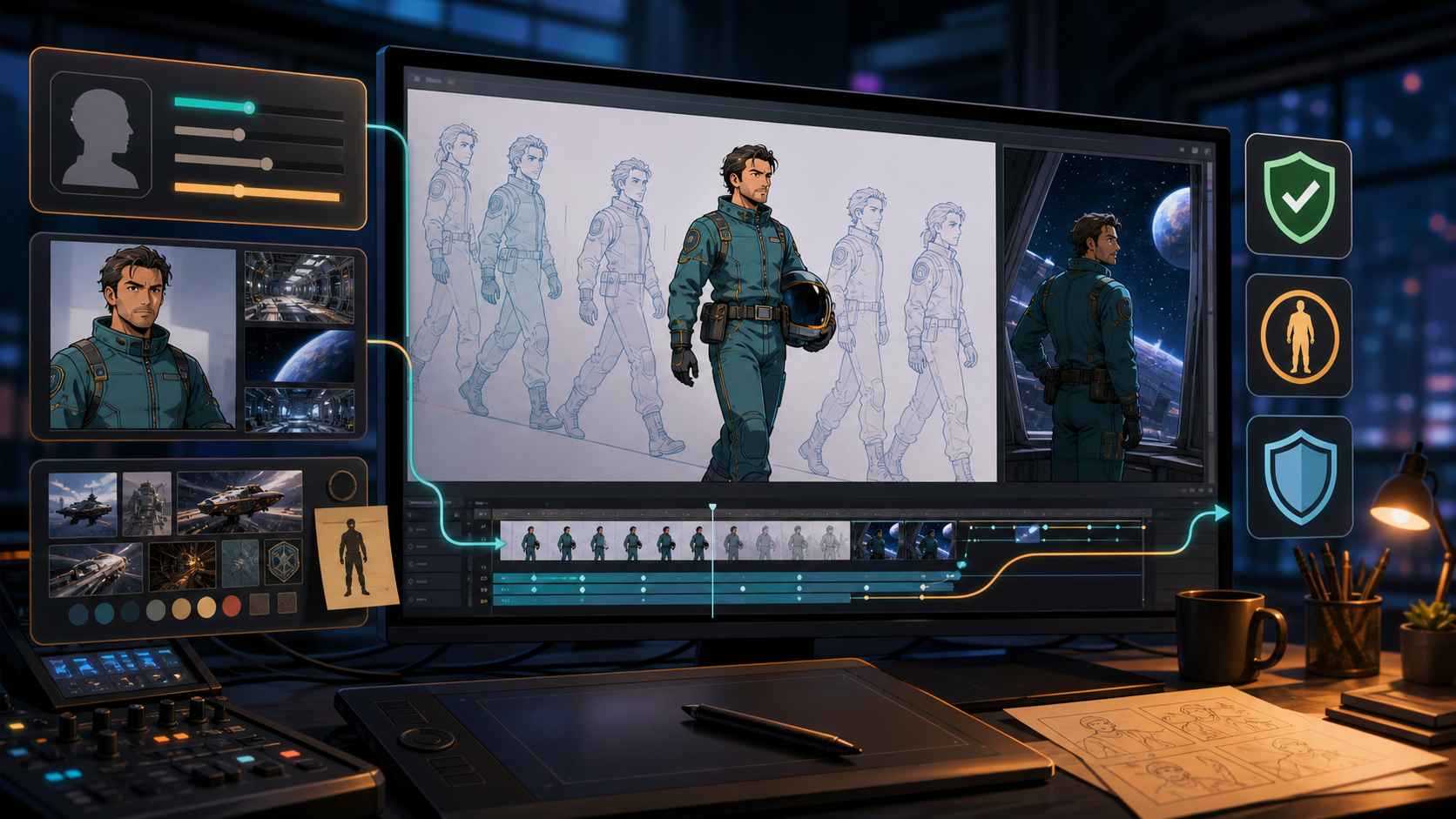
Creative control in AI anime animation is not the same as removing every boundary. It means choosing the right input, defining the look before generation, testing motion in short shots, and deciding what may change. A useful maker should help a creator explore unusual stories without turning consent, age clarity, likeness rights, or publishing rules into afterthoughts.
The reference page behind this guide presents that idea through a spectrum of text-to-video, image-to-video, reference-guided, and video-to-video creation. It then argues that broad creative latitude supports innovation, niche stories, and mature expression. The available page ends partway through its list, so the production and quality-control sections below are an original extension rather than missing material attributed to the reference.
Adult-only boundary: Mature anime must depict clearly adult fictional characters or verifiably adult, consenting participants. Never sexualize minors, childlike characters, school-age characters, or anyone whose age is uncertain. Do not create non-consensual intimate media or use a real person’s likeness without explicit authorization.
Creative freedom is a production decision
“Uncensored” is often used as a promise that a tool will never refuse a request. That is a poor way to evaluate an animation workflow. No route is outside the law, consent, platform rules, or the selected model’s behavior. A more practical definition is creative range with accountable control: the ability to test styles and themes while documenting the inputs, rights, limits, and review decisions behind the result.
That kind of freedom matters for three reasons.
It supports visual experimentation
Anime is not one look. A project may combine sharp mecha linework, soft watercolor backgrounds, graphic shadows, limited animation, or deliberately exaggerated timing. AI can help a solo creator prototype those combinations before committing to a longer sequence.
It gives niche stories room to exist
Small audiences may care about a highly specific world, character archetype, or visual rhythm. A short generated proof of concept can make that idea easier to judge and communicate. The goal is not to imitate a living artist or copy a franchise, but to describe observable traits such as palette, line weight, lighting, shot scale, and motion cadence.
It can support lawful mature storytelling
Adult themes may include romance, grief, horror, conflict, or intimacy. They still require clear adult age presentation, consent, lawful source material, and a publication destination that permits the work. Creative latitude never converts someone else’s face, artwork, or private material into a free input.
Choose the workflow from the asset you trust most
The strongest existing asset should determine the route. Do not choose a method merely because its name sounds more powerful.
| Starting point | Best first workflow | What it usually preserves | Main anime failure to inspect |
|---|---|---|---|
| A written scene idea | Text-to-video | Intent, setting, action, camera language | Character identity may drift |
| A finished drawing or keyframe | Image-to-video | Initial composition, palette, silhouette | Lines may wobble during motion |
| A character or style reference | A model with reference-input support | Selected identity or style cues | Details can be copied unevenly |
| Existing motion you own | Video-to-video | Timing, blocking, camera movement | Restyling may flicker frame to frame |
Text-to-video for open exploration
Use VideoAny text-to-video when the scene exists mainly as an idea. A useful prompt separates subject, action, setting, camera, and visual treatment. For example:
Clearly adult fictional orbital engineer in a fully covering teal flight suit, checking a damaged antenna at sunrise; medium-wide tracking shot, deliberate two-step movement, crisp cel shading, stable facial proportions, indigo shadows and amber rim light, no text or logos.
This is specific without asking the model to reproduce a named artist or copyrighted character. Generate a short shot first. If the face changes, reduce competing actions and move secondary atmosphere into a later pass.
Image-to-video for a trusted design
Use VideoAny image-to-video when the composition or character design already works. Prepare the still before upload: remove accidental tangencies, separate the silhouette from the background, and make hands and facial features legible. Ask for one primary movement—turning the head, lifting an object, or moving through a short camera push—rather than several simultaneous actions.
Some selected models accept an end frame or other controls; those options are not universal. When an end frame is available, make its costume, palette, and camera axis compatible with the opening image. A radical mismatch makes the interpolation problem harder, not more creative.
Reference-guided generation when consistency is the priority
Reference support is model-specific. Where available, use only original, licensed, or authorized material. A compact reference sheet is more useful than a collage of contradictions: front and three-quarter views, a restrained expression range, one color key, and a small set of costume details.
Do not assume a reference locks every trait. Inspect hairline, eye color, age presentation, costume closures, hand count, and signature props in every candidate. If mature content is involved, stop the workflow whenever a character becomes younger-looking or ambiguous.
Video-to-video for motion that is already solved
Use VideoAny video-to-video when the source footage already has the right performance, blocking, or camera move. Only use footage you own or are authorized to transform. A clean source with one visible subject, controlled motion blur, and stable lighting gives the restyling model a clearer problem.
Restyle short shots separately. A single prompt applied across many cuts can treat each edit as a shape change, causing flashes and identity resets. Preserve the edit rhythm in a conventional timeline and regenerate only the shots that fail.
Build a compact anime visual bible
Before generating, write a one-page visual bible. It prevents each prompt from inventing a different show.
Include:
- a one-sentence premise and the emotional target of the scene;
- an explicit adult-age statement for every mature character;
- silhouette, hair, face, costume, and prop anchors;
- three to five palette colors plus shadow and highlight behavior;
- line-weight and shading rules;
- background density and depth treatment;
- preferred shot scales, lens feeling, and camera energy;
- motion cadence, such as restrained limited animation or fluid action;
- negative constraints for recurring defects, not forbidden identities or artists.
Write observable direction. “Two-value cel shading, thin interior lines, bold outer contour, held background, eight-frame head turn” is more actionable than “make it look professional.”
Design motion before adding detail
Beautiful still frames can fail as animation. Plan the motion in layers.
Primary action
Describe one action that changes the story state: the engineer closes a hatch, the detective notices a clue, or the pilot turns toward an alarm. State its direction and tempo.
Secondary motion
Add only what supports the action: jacket fabric settling, a slow hair response, drifting dust, or a restrained light pulse. Secondary movement should lag or echo the subject rather than compete with it.
Camera behavior
Specify a hold, pan, push, orbit, or handheld feel. Avoid combining several camera verbs in a short clip. If the model cannot distinguish subject motion from camera motion, lock one and test the other.
Editable tail and head frames
Leave calm frames at the start and end when possible. They create room for transitions, audio timing, and trimming. A clip that begins and ends during maximum motion is harder to join cleanly.
An eight-step animation loop
- Write the shot contract. Define narrative purpose, duration target, aspect-ratio destination, and a single acceptance criterion.
- Clear the inputs. Record who created each image or clip, what permission exists, and whether any recognizable person appears.
- Lock adult-age clarity. For mature work, use unambiguously adult design cues and reject any candidate that reads as childlike or uncertain.
- Select the route and model. Compare its supported inputs, ratios, duration, resolution, and controls rather than assuming every model shares the same options.
- Generate a low-complexity motion test. Test the principal action before adding effects, crowds, or elaborate camera movement.
- Review hard frames. Pause on the first, middle, and final frames, then inspect the full clip for transient defects.
- Repair the smallest failing unit. Shorten, simplify, reframe, or regenerate one shot instead of restarting an entire sequence.
- Edit and document. Assemble the approved clips, add licensed audio and captions, then save prompts, model, settings, source ledger, and export notes.
This loop makes creative freedom reproducible. It also makes failures diagnosable: the creator can tell whether the problem came from the source, prompt, model, motion load, or edit.
Anime-specific quality control
Watch the result once at normal speed, once frame by frame, and once without sound.
Linework and silhouette
Look for vibrating contours, broken costume seams, facial lines that crawl, and props that merge into the body. A small crop or simpler background can be more effective than another adjective in the prompt.
Character continuity
Check face shape, apparent age, hairstyle, eye color, costume geometry, body proportions, and handed props. Continuity is not only visual polish; in an adult-only workflow, age drift is a safety failure.
Motion and anatomy
Inspect contact points, foot placement, limb count, hand-object interaction, and weight transfer. A plausible key pose does not guarantee plausible transitions.
Flicker and temporal texture
Fine patterns, jewelry, highlights, and background crowds often change rapidly. Simplify them, reduce motion, or hold a clean element in post-production when regeneration does not solve the issue.
Edit readiness
Confirm that the subject stays inside safe title and caption areas, the shot has usable handles, and the delivery frame matches its destination. Available aspect ratios and resolutions depend on the selected model; decide the destination before generation and verify the actual export.
Credits, settings, and model claims
VideoAny uses credits, but cost behavior is not one universal formula. Many video models calculate credits from duration and may also vary by resolution or settings. Other tools use fixed per-generation costs. Review the currently selected model before submitting, then record the displayed configuration with the approved clip.
The same caution applies to resolution, duration, reference support, end frames, and aspect ratios. Some models offer higher-resolution modes or a wider ratio set; others are more constrained. Do not promise blanket 1080p or 4K output, and do not stretch a completed shot to force a ratio it was not composed for.
Boundaries for mature anime projects
Use a written stop rule, not intuition alone. Reject or remove any output that includes:
- a minor, childlike figure, school-age coding, or uncertain age in a sexual context;
- coercion, incapacity, voyeurism, exploitation, or non-consensual intimacy;
- an unauthorized real person, public figure, ex-partner, acquaintance, or private image;
- deceptive identity use, harassment, blackmail, or distribution beyond the agreed audience;
- copyrighted characters, footage, music, or artwork without the rights needed for the intended use;
- illegal material or content prohibited by the chosen generation or publishing service.
A fictional style does not erase harm. Stylization can make age harder to judge, so the standard should be stronger: clearly adult in the brief and clearly adult in every delivered frame.
What to keep from the reference—and what to replace
Keep its central production insight: creators benefit from several input paths because different assets solve different parts of animation. Keep its emphasis on experimentation, niche narratives, and mature artistic themes. Those ideas become more useful when paired with a repeatable workflow.
Replace the idea that “no restrictions” is a product feature. Responsible animation still needs consent, rights, age clarity, model-specific expectations, and a destination review. Also avoid inventing missing claims from the truncated reference page. The practical steps, quality checks, and questions here are editorial additions grounded in the current VideoAny workflow.
Frequently asked questions
Is an uncensored AI anime animation maker literally unrestricted?
No. “Uncensored” is a search term, not an exemption from laws, consent, service rules, or model limits. Evaluate creative controls and permissible use instead of expecting every request to run.
Which input gives the most consistent character?
A clean original or licensed image, or a compatible reference input on a model that supports it, can provide stronger visual anchors than text alone. It still requires frame-by-frame review; no input guarantees identity or age consistency.
Should I animate a full scene in one generation?
Usually not. Build short shots around one action and one camera idea, approve them individually, and assemble them in an editor. This reduces continuity failures and makes targeted regeneration cheaper.
Can I name a favorite anime artist in the prompt?
Describe visual properties instead: line weight, palette, shading, composition, background density, and motion cadence. This produces clearer direction and avoids relying on imitation of a living artist.
Does every VideoAny model support references, end frames, and the same ratios?
No. Inputs and controls vary by model. Check the selected model’s interface before planning a shot around a reference, end frame, duration, resolution, or aspect ratio.
How do I handle mature characters whose age changes across frames?
Reject the clip. Strengthen adult design cues in the source and brief, simplify the shot, and regenerate. A written adult label cannot rescue output that looks childlike or ambiguous.
What should I archive after a successful shot?
Keep the prompt, model, settings, generation date, source-rights record, approved output, and edit notes. That package supports continuity, revision, and responsible publication.
Creative control becomes useful when it is inspectable
An AI anime maker is most valuable when it turns a specific idea into footage that survives review. Choose the route from the strongest asset, establish a visual bible, test one movement at a time, and judge continuity on actual frames. For mature work, pair that craft discipline with unmistakable adult age presentation, consent, and source rights. The result is not boundary-free creation; it is a wider creative space that remains accountable.