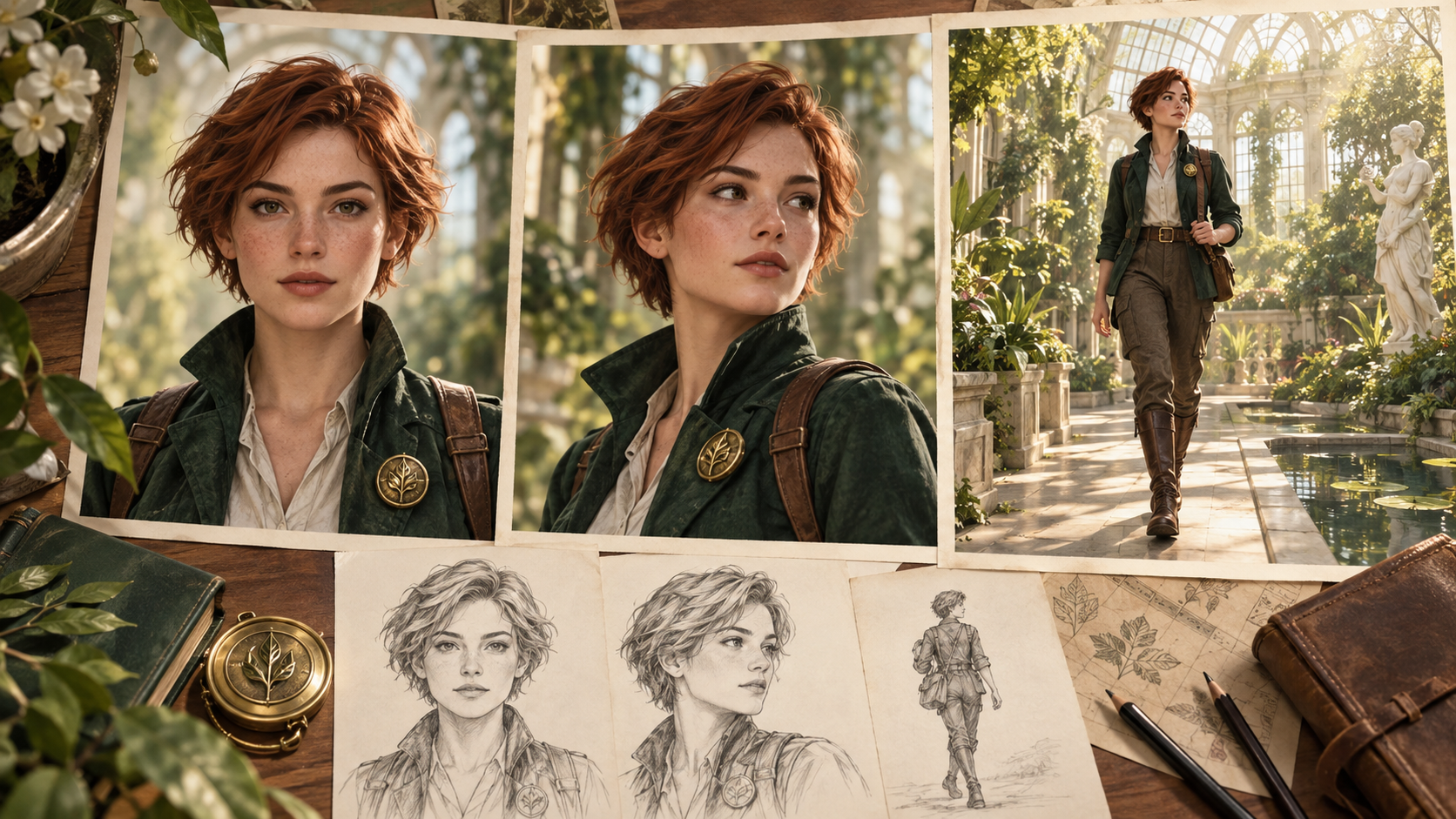
You've designed a compelling original character—a botanist named Mira who carries an amber compass through a coastal greenhouse, or a pilot with a distinctive scar and leather jacket. Now you want to animate that character across multiple shots, but every new generation drifts: her jacket changes color, the compass vanishes, or her face becomes unrecognizable. Blending longer prompts or hoping the model "remembers" rarely solves the problem. Consistent character animation requires separating identity design, performance direction, and camera treatment into distinct controllable layers, then tracking what actually appears in each accepted clip.
Design a Legible Identity Anchor Before Animation
Start with a neutral reference that prioritizes recognition over drama. Use even, diffused lighting that reveals facial structure without harsh shadows or colored gels. Dress your character in their signature outfit—Mira's moss-green field jacket, brass leaf brooch, and canvas trousers—but avoid complex patterns, reflective materials, or accessories that obscure the face. Generate or commission front, three-quarter, profile, and full-body views so you have coverage for any camera angle your story requires.
Write a concise fixed-traits specification alongside the images: approximate age and build, bone structure (angular jaw, high cheekbones), hair color and style (shoulder-length auburn in a low braid), eye color, skin tone, permanent marks (a small scar above the left eyebrow), and the core wardrobe pieces. This written record becomes your reference when a generated frame looks "off" and you need to diagnose whether the face, proportions, or clothing drifted.
Approve one version of this identity package before moving to animation. Iterating on the baseline design mid-production creates confusion about which reference is canonical and makes drift harder to detect.
Separate Permanent Identity From Temporary Scene State
Your character's face, build, and signature clothing are permanent. Wetness from rain, dirt on her jacket, the compass held in her right hand, a worried expression, and her gaze direction are temporary scene conditions. Conflating the two in a single prompt or reference image causes models to import transient details—like a held object or specific emotion—into the character's baseline identity, then reproduce them inappropriately in later shots.
Maintain a per-shot continuity ledger that records the temporary state at the end of each accepted clip:
| Shot | Action | End Pose | Gaze/Facing | Held Object | Emotion | Clothing Notes |
|---|---|---|---|---|---|---|
| 1 | Mira enters greenhouse, pauses | Standing, weight on left foot, right hand at side | Looking right, body angled 45° right | Compass in left hand, lowered | Curious, slight smile | Jacket dry, brooch visible |
| 2 | Examines orchid on right shelf | Leaning forward, both hands raised | Looking right and down at flower | Compass tucked in jacket pocket | Focused, neutral | Jacket sleeve pushed up on right arm |
| 3 | Turns toward glass wall | Mid-turn, left foot forward | Facing camera, eyes shifting left | Empty hands | Alert, eyebrows raised | Jacket sleeve still rolled |
This table lives outside your baseline identity spec. When planning shot four, you reference the shot-three ending to ensure Mira's orientation, pocket contents, and sleeve position carry forward logically.
Start With a Simple Recognition Test
Your first animated test should prioritize one question: does the character remain recognizable? Choose a restrained action—Mira lifting the compass to eye level and tilting her head slightly—and a single camera decision, such as a medium shot from the front. Avoid complex choreography, rapid movement, multiple props, or dramatic lighting in this initial test. If the character's face or clothing drifts in a simple scenario, adding more variables will only obscure the cause.
Pair the action with one camera instruction: "Medium shot, eye level, camera stationary." Combining "she spins while the camera orbits and zooms" introduces multiple points of failure and makes it unclear whether face distortion came from the rotation, the camera move, or their interaction.
Judge the Actual Result, Not the Intended Ending
After generation, review what the model actually produced. Mira might finish facing slightly left instead of directly forward, or the compass might appear in her right hand instead of her left. The next shot must continue from the accepted ending, not your original plan. If you wrote "she faces the camera" but the clip shows her profile, the following shot needs a profile-compatible starting pose or a bridging turn.
Some tools allow you to specify a reference image for the starting frame or capture the final frame of a previous clip as input. These controls are useful only when the platform you're using supports them, and they never replace manual review. A captured end frame might show motion blur, an awkward mid-blink expression, or an unintended object position. Always confirm that the exported frame matches your continuity record before using it as a reference.
Treat Style as a Separate Reference Layer
Visual style—watercolor texture, cinematic color grading, soft-focus optics, golden-hour lighting—should be controlled through its own reference image or style descriptor, not imported from a character reference. If you use a moody film-noir portrait of a different person as your style guide, the model may blend that person's facial features, age, or gender presentation into your character.
Create or source a style reference that shows the desired medium, palette, tonal range, surface finish, depth of field, and lighting quality applied to a neutral subject or abstract scene. Mira's identity comes from her face and clothing; the greenhouse's dappled sunlight and botanical watercolor aesthetic come from the style layer. Keeping these inputs separate reduces the risk of accidental identity drift.
Build a Calibration Set for Key Scenarios
Before animating your full story, generate a small test set covering the scenarios your script requires: a close-up of Mira's face, a profile view, a full-body walking shot, a clear expression change (neutral to surprised), and an interaction with her signature prop (lifting the compass, opening its cover). If any test fails—her face becomes unrecognizable in profile, or the compass morphs into a different object—change one variable and retry. Adjust the prompt phrasing, swap the reference image for a clearer angle, or simplify the action.
Generating a single variable change per retry helps you learn which inputs the model responds to. If you simultaneously change the prompt, reference image, camera angle, and lighting, a successful result won't tell you which adjustment mattered, and a failure won't indicate what to fix next.
Maintain Voice Continuity With an Authorized Profile
If your character speaks, document an authorized voice profile before recording or generating dialogue. For a real person's voice, obtain explicit consent and a signed agreement specifying allowed uses. For a synthetic or performed voice, record pronunciation preferences (how Mira says "Foeniculum vulgare"), delivery choices (measured and warm), and emotional range. Listen to each generated or recorded line in sequence to catch inconsistencies in pitch, pacing, or accent before integrating audio with video.
Before using a celebrity voice, copyrighted character design, or real-person likeness, verify that you hold the necessary permissions. Keep records of consent agreements and provenance documentation. When borrowing character designs from games, comics, or film, confirm your rights status. These practices help creators work responsibly with borrowed or real-world references.
Common Questions About Character Consistency
What makes an effective identity reference?
A neutral, evenly lit photograph showing clear facial features works best. Multiple angles—front, three-quarter, profile—help the model recognize your character from different camera positions.
Is a text prompt sufficient over multiple shots?
Text descriptions alone may produce variation across shots because models interpret language flexibly. A reference image adds visual constraint and improves consistency, though results still depend on shot complexity and angle.
Must every shot use the same reference view?
Matching your reference angle to the planned camera view when possible helps maintain consistency. If an exact match isn't available, choose the nearest angle and expect minor detail shifts.
How many representative tests before a full scene?
Generating two to four clips covering your most challenging scenarios lets you review identity consistency and technical quality before committing to a full sequence. Testing reveals issues early and saves time.
Conclusion: Structure and Review Preserve Recognition
An evenly lit identity anchor with multiple angles provides your foundation. Separate scene-state records distinguish permanent traits from temporary conditions. Simple initial tests prioritize recognition, and reviewing each accepted clip's actual ending ensures the next shot continues from verified footage. Authorized voice profiles and listening checks maintain audio continuity. Structured design decisions, state records, and frame-by-frame review give you practical control to keep your character recognizable across a complete sequence.
Experiment with character animation: If you'd like to explore animating a character from a reference image, Image-to-video generation offers picture-plus-motion-prompt input. Actual results and available settings depend on the selected model, so review each generated clip carefully and adjust your approach based on what the tool produces rather than what you intended.