Introduction
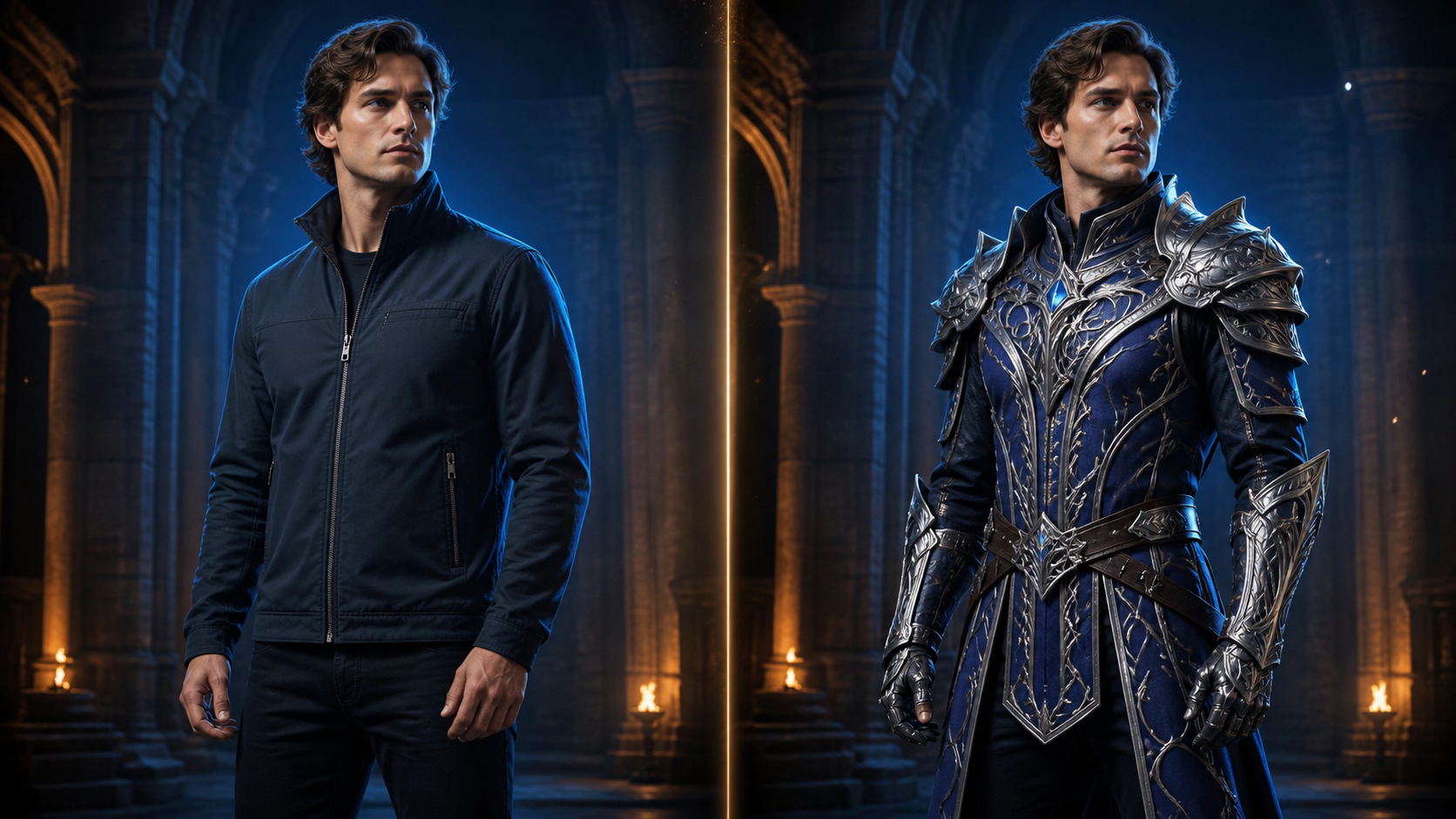
In professional production, AI tools are most effective when they function as part of a deliberate, repeatable pipeline. Transforming a modern outfit into fantasy armor is a classic creative challenge that requires more than just a prompt—it demands a strategy for preserving anatomy, mobility, and character identity. This guide outlines how to approach wardrobe changes with the precision required for high-quality visual storytelling.
The Strategic Framework
1. Define the Production Goal
Before generating, establish your constraints. Write a single sentence defining the audience, subject, action, mood, and delivery format. By listing elements that must remain constant—such as facial features or body proportions—you treat the garment change as a controlled production unit rather than a random generation.
2. Establish Acceptance Criteria
Create a "miniature acceptance test" for your project. A successful result should meet specific requirements, such as:
- Structural Integrity: Does the armor respect the character's pose and range of motion?
- Material Logic: Does the armor feature realistic joints, overlaps, and fastenings?
- Continuity: Does the character remain recognizable despite the wardrobe change?
3. Define Technical Specifications Early
Set your delivery parameters—platform, orientation, resolution, and crop—before you begin. A defined canvas acts as a creative anchor, preventing the model from drifting into formats that don't fit your final output.
Technical Execution and Refinement
Precision in Prompting
Replace vague descriptors like "premium" or "fantasy" with concrete instructions. Focus on specific silhouettes, material textures (e.g., brushed metal vs. worn leather), and lighting sources. Detailed, noun-heavy prompts reduce the likelihood of model misinterpretation.
Managing Identity and Continuity
To maintain consistency, anchor your project to a stable source asset. If your results begin to drift, revert to the last approved version rather than attempting to fix a degraded copy. When testing, change only one variable at a time—such as wardrobe or lighting—to understand exactly how your adjustments impact the final look.
Review and Localized Repair
Inspect your assets at both 100% resolution and at the final delivery size. Zoomed inspection is essential for identifying merged fingers, broken seams, or edge artifacts, while thumbnail views help you evaluate visual hierarchy. If a defect appears, name it specifically (e.g., "anatomy," "edge," or "continuity") and apply a local fix rather than regenerating the entire frame.
Production Best Practices
- Mechanical Logic: Armor is more than a costume-shaped shell. Ensure your design accounts for joints, overlap, and clearance. Recording these design decisions alongside your source assets helps maintain consistency throughout the project.
- Material Contrast: Prevent your armor from appearing as a single, flat reflective mass by incorporating diverse textures like woven underlayers or worn leather.
- Responsible Creation: Always ensure you have the necessary rights to the source photos, characters, or reference art you use. When editing recognizable individuals, obtain explicit consent. If you are creating conceptual mockups, label them clearly so viewers do not mistake them for documentary footage or official products.
Conclusion
The most successful AI-assisted workflows are those that treat the technology as an editing step within a broader system. By defining your goals, maintaining strict continuity, and reviewing your work against a clear checklist, you can turn simple clothing into complex, believable fantasy armor that serves your narrative.
Explore the VideoAny toolkit to begin your next project with precision and control.
FAQs
1) Is this workflow suitable for solo creators? Yes. By focusing on a repeatable format and keeping your asset list manageable, you can refine your process and improve the quality of your output with every iteration.
2) Should I generate first or plan first? Always plan first. A clear outline allows you to evaluate whether the AI output truly supports your final video, saving you time and resources.
3) What is the most important check before publishing? Beyond visual quality, verify that your video maintains continuity, adheres to your intended pacing, and clearly communicates your message without requiring external explanation.
4) How does VideoAny fit into this process? Use VideoAny's image-to-image workflow when visual generation or variation fits the project, then inspect and finish the selected asset in your broader editing workflow.