Introduction
The reference article frames adult lingerie video generation through a simple creator workflow, prompts that describe subject, wardrobe, environment, lighting, camera, and motion, and platform claims about few content filters, HD output, anonymous access, private libraries, crypto checkout, and user ownership.
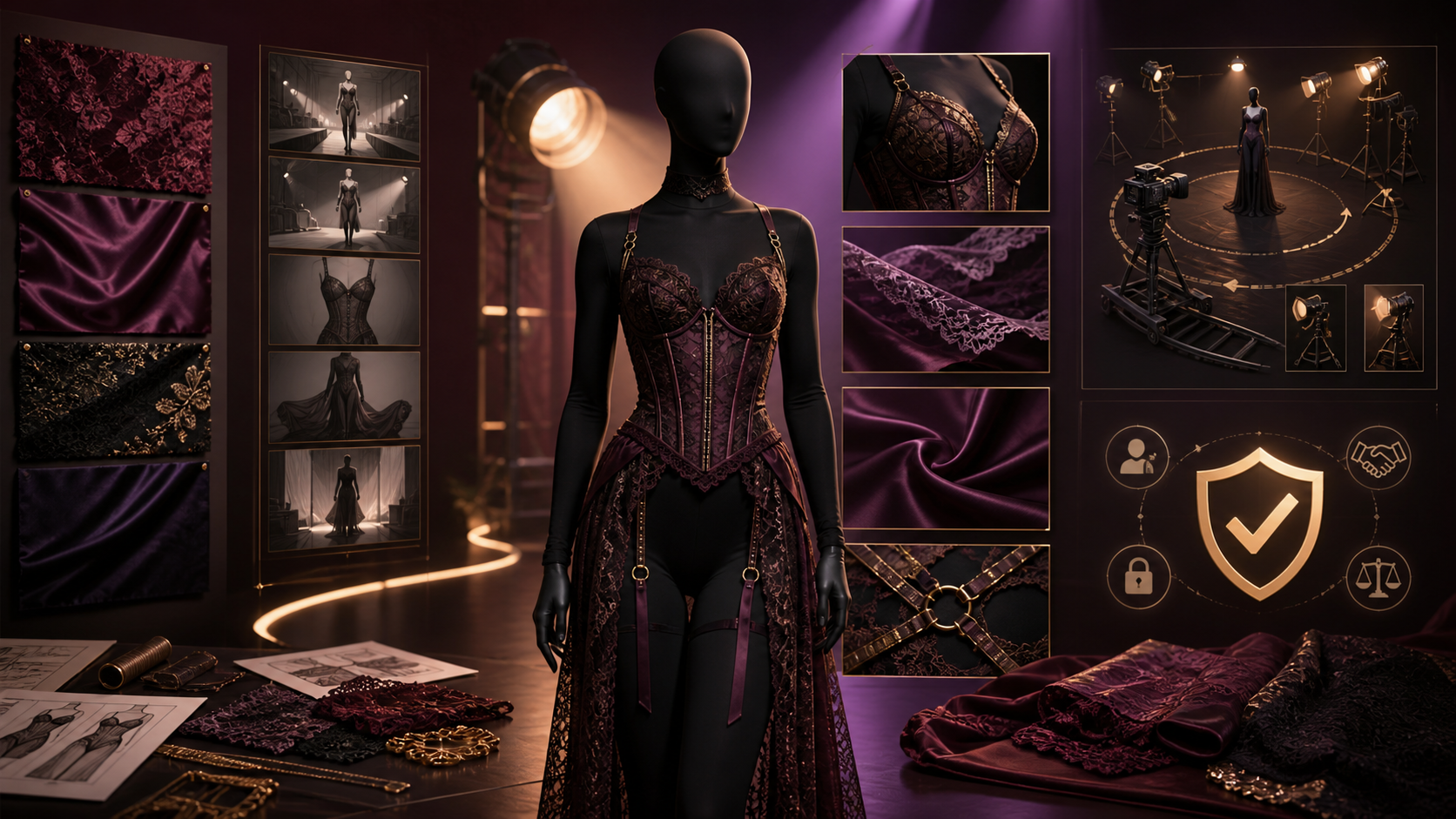
For a publishable fashion film, the garment is not a generic “wardrobe” field. Lace density, satin highlights, straps, seams, closures, transparency, support, accessories, and fabric motion must stay consistent across shots. This guide keeps the source’s prompt structure and iterative workflow while treating consent, styling boundaries, body-safe framing, and textile continuity as production requirements. The source platform’s unrestricted-content, anonymity, timing, resolution, billing, privacy, and ownership claims are not VideoAny claims.
Adult-only boundary: use a fictional adult model or a real adult who explicitly consented to the exact garment, coverage, posing, camera angles, editing, and distribution. Never create sexualized media involving minors or non-consenting real people.
Build a Garment Bible
Before generating motion, document the approved look:
- Silhouette: Bodysuit, corsetry, robe, coordinated separates, or editorial layering.
- Coverage and opacity: Record which areas must remain opaque and which materials may be sheer only if explicitly authorized.
- Materials: Lace, satin, mesh, embroidery, elastic, metal hardware, or velvet respond differently to light and motion.
- Construction: Track seam lines, strap placement, cups, boning, closures, trim, and accessories.
- Color: Save specific color descriptions and contrast relationships.
- Fit and boundary: Define the intended fit and any styling or camera treatment the model did not authorize.
Use fictional designs or garments you have permission to depict. Do not copy a brand’s distinctive design or logo without rights.
Prompt Structure for a Fashion Shot
The source’s six prompt elements remain useful when made precise:
- Adult subject: Stable fictional identity or authorized adult reference, expression, pose, and body-safe framing.
- Wardrobe: Exact garment bible details, opacity, accessories, and continuity state.
- Environment: Runway, studio, dressing room, bedroom set, or abstract stage with defined surfaces and depth.
- Lighting: Softbox, edge light, spotlight, practicals, color, contrast, and fabric-highlight behavior.
- Camera: Full-look wide, medium fashion portrait, textile detail, or moving runway shot; one move per clip.
- Motion: Walk, turn, pose change, fabric sweep, or hand gesture with a clear start and end state.
Add constraints for unchanged garment construction, stable identity, no unintended transparency, no wardrobe malfunction, coherent hands, and no camera crop outside the approved boundary.
A Lingerie Fashion-Video Workflow
The source’s fast generation loop becomes:
- Approve adult consent and styling boundaries. Record coverage, garment, posing, camera, audience, and distribution.
- Create the garment and character bible. Keep real identity data separate from visual references.
- Generate a static full-look keyframe. Validate garment construction, opacity, body proportions, and light.
- Create textile detail tests. Check lace, satin, hardware, and seams before animation.
- Animate one simple movement. Start with a turn, step, or pose transition and a locked camera.
- Inspect fabric motion frame by frame. Watch for crawling patterns, vanishing straps, transparency changes, and body intersections.
- Generate coverage within the approved angles. Wide, medium, and detail shots should match the same garment state.
- Edit and finish. Add authorized music, captions, color, and disclosure outside the generator.
- Review against consent. Reject any variation that changes coverage, pose, or framing beyond the agreement.
VideoAny offers general text-to-video, image-to-video, and video-to-video routes that can support authorized fashion concepts. Check current models and content rules; this article does not claim an unrestricted NSFW lingerie generator.
Directing Fabric and Camera Motion
Fabric motion should have a clear cause. A slow turn can reveal lace texture and satin highlights; a controlled walk can show garment structure; a light airflow can move a robe or train without changing the core outfit. Avoid combining fast choreography, strong wind, and a complex camera move in one generation.
Start with full-look framing to establish coverage. Use detail shots for trim, stitching, and material—not as a way to bypass the model’s approved camera boundaries.
Common Failure Modes
Review for changing strap count, sliding seams, disappearing closures, lace patterns that crawl, metal hardware that melts, fabric passing through the body, unintended transparency, changing identity, warped hands, inconsistent reflections, and poses that become more revealing than requested. Fix the shortest failed shot and change one variable at a time.
Why Mainstream Tools May Refuse Lingerie Prompts
General-purpose AI providers may restrict sexual content or mature reference images through model and product policies. Specialized services may accept a wider range of consensual adult fashion and fiction, but responsible safeguards should still prohibit minors, non-consensual intimate imagery, identity abuse, coercion, trafficking, and unlawful content.
“Uncensored” does not mean every reference is authorized or every generated garment state can be published.
Privacy and Ownership Questions
The source platform advertises anonymous access, private libraries, crypto checkout, no prompt sharing, and user ownership. Verify:
- whether model photos, body references, garment designs, prompts, outputs, and moderation records train models;
- retention periods for originals, previews, derivatives, and backups;
- who can access sensitive projects;
- whether share links are public or indexable;
- whether deletion covers thumbnails and failed variants;
- which licenses cover the output, model likeness, garment design, music, location, and source media.
Output ownership cannot grant rights to a person, photograph, brand design, performance, soundtrack, or location that the creator did not control.
Final Publishing Checklist
Before release, verify adult status and consent, garment and design rights, approved coverage and posing, identity consistency, textile continuity, camera boundaries, music rights, disclosure, destination rules, thumbnails, and final exports. Remove failed or unauthorized variants according to the production plan.
FAQs
Should I generate the model or garment first?
Lock both in a static full-look keyframe, then test material details before motion.
How do I prevent changing lace patterns?
Use a garment bible, stable references, short motions, controlled lighting, and frame-by-frame review.
Can a solo creator use this workflow?
Yes, with a garment bible, consent record, shot ledger, rights file, and structured quality review.
What matters most before publishing?
Adult consent and approved coverage come first, followed by garment continuity, rights, disclosure, and channel rules.
Conclusion
The source article’s prompt dimensions and iterative loop are useful foundations. A coherent lingerie fashion video depends on an approved garment bible, deliberate light, small movements, controlled camera coverage, textile review, and explicit adult consent. Verify every privacy and ownership promise before uploading sensitive model or design references.