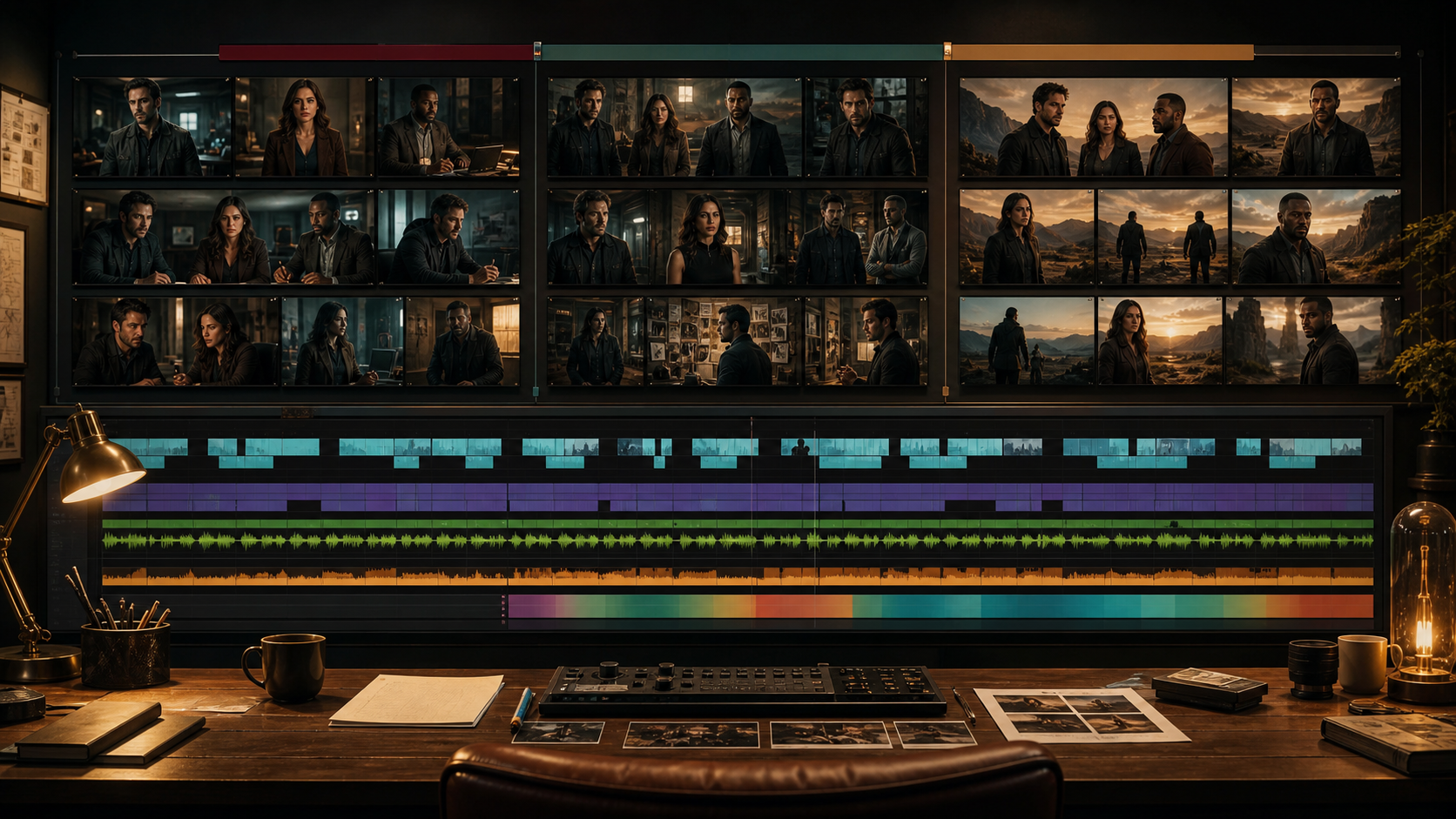
Long-Form Video Is an Editorial System
A long-form AI video is not one enormous prompt. It is a collection of scenes, shots, performances, voices, ambience, music, and transitions organized around a narrative. The generator supplies pieces; the production system makes them coherent.
The reference page markets an adult-only, unrestricted platform with text, image, and video modes; reference uploads; 1080p output; multiple aspect ratios; fast results; private storage; ownership; anonymous use; and crypto payment. These are source-platform claims, not VideoAny guarantees. Verify current capabilities, duration limits, export files, costs, privacy, acceptable-use rules, and commercial terms directly.
For mature projects, every depicted person must be clearly adult and consenting. Use original fictional identities or authorized likenesses, and document permissions for generation, performance, voice, editing, and distribution. Never involve minors or create non-consensual intimate media.
Start With the Delivery Definition
Before writing, decide:
- target duration and audience;
- narrative, educational, promotional, or atmospheric format;
- aspect ratio and delivery resolution;
- age gating and destination-platform restrictions;
- spoken language, captions, and accessibility;
- original adult cast or authorized performers;
- release territories and commercial use;
- budget for generation, editing, voice, music, and review.
“Long form” may mean a three-minute scene, a ten-minute episode, or a longer compilation. Each requires different coverage and pacing.
Write Beats, Then Scenes
Outline the story in cause-and-effect beats. A simple three-part structure can work:
- Setup: establish adult characters, objective, location, and boundaries.
- Development: complications force decisions and change relationships.
- Resolution: the central objective is achieved, rejected, or transformed.
Turn each beat into a scene with location, time, adult characters present, consent state, objective, conflict, change, and exit point. Then write a shot list. Generation should begin only after the scene has a reason to exist.
Build Production Bibles
Character bible
Adult age, face, hair, body proportions, costume states, accessories, posture, gesture, voice, motivation, and relationship boundaries.
Set bible
Floor plan, entrances, windows, furniture, prop positions, practical lights, time of day, and permitted camera axes.
Visual bible
Palette, contrast, lens family, camera support, shot sizes, texture, transitions, and rules for effects.
Continuity ledger
Costume, hair, props, character position, emotional state, lighting, time, and first/last approved frame for every shot.
Rights ledger
Source owner, likeness consent, voice license, music, fonts, logos, stock, model terms, permitted use, expiration, and deletion obligations.
Generate Coverage, Not Just Hero Shots
A scene needs editorial options:
- wide establishing shot;
- medium performance coverage;
- close-ups for emphasis and emotion;
- reaction shots;
- inserts for props and actions;
- environment cutaways;
- clean plates and room tone.
One visually impressive clip cannot cover every line or edit. Reaction shots are especially valuable because they hide continuity repairs and support dialogue pacing.
A Source-Inspired Production Loop
The source page describes choosing a mode, describing a scene, adding a reference, selecting output controls, then downloading or remixing. Use that loop at shot scale.
- Approve keyframes. Use a permitted text-to-image workflow for original adult characters and sets.
- Generate short performance beats. Use image-to-video from authorized keyframes, with one action and one endpoint per shot.
- Transform selectively. A supported video-to-video pass may align texture or style, but repeated transformations can damage identity.
- Edit immediately. Place approved takes into the scene timeline and compare them with adjacent shots.
- Record decisions. Save prompt, input, model, settings, cost, output, and approval status.
- Lock picture in stages. Approve scene assemblies before final color, audio, captions, and delivery.
These VideoAny links are general routes governed by current policies. They do not imply an unrestricted long-form adult-video generator or inherit the source’s claims about duration, speed, resolution, privacy, or ownership.
Prompt at the Shot Level
Use the source’s subject, wardrobe, environment, lighting, camera, and motion categories, but bind them to the scene bible:
Same original fictional adult investigator from the approved character pack, charcoal jacket and silver watch on left wrist, archive room from Scene 4 with shelves and amber desk lamps unchanged, medium close-up from camera side A on a natural 65 mm perspective, locked camera, investigator studies a sealed photograph, looks toward the off-screen partner, and holds the final eyeline for one second, preserve adult age, face, jacket seams, watch side, prop, shelf geometry, and light direction, no text or logos.
Long-form consistency comes from repeating approved anchors, not rewriting characters poetically in each shot.
Plan Dialogue and Lip Sync Separately
Record or generate licensed dialogue before final close-ups. Edit the scene with the voice track and temporary reaction shots. Only then create lip-sync shots for lines that genuinely need visible mouths.
Keep dialogue shots short, use natural pauses, and cut to the listener. Verify pronunciation, breath, room tone, and emotional continuity. Captions should be created from the locked mix and checked by a human.
Audio Carries the Whole Film
Picture may be generated in fragments, but audio creates continuity:
- scene-level ambience and room tone;
- character-specific footsteps and clothing;
- licensed dialogue and voice performances;
- transitions and motivated effects;
- music with documented rights and intentional structure;
- loudness, dynamics, and final delivery checks.
Do not wait until picture lock to consider sound. Important dialogue length determines shot duration and coverage.
Quality Gates
Shot gate
Adult identity, hands, props, geometry, camera, action, and endpoint pass frame review.
Scene gate
Continuity, screen direction, eyeline, performance, dialogue, pacing, and coverage work in sequence.
Film gate
Story, runtime, repetition, sound, color, captions, disclosure, age gating, rights, and platform compliance are complete.
An output that fails a lower gate should not be hidden inside the final edit.
Common Long-Form Failures
Character identity changes by scene
Use one approved character pack and continuity ledger. Return to master references instead of corrupted derived frames.
The film feels like unrelated clips
Repeat scene objectives, visual rules, character behavior, sound motifs, and transitions. Build connective shots rather than relying on montage alone.
Dialogue scenes become visually static
Plan reaction shots, inserts, changes in shot size, and motivated movement. Do not add random camera motion.
Generation costs grow without progress
Lock script and animatic, generate low-cost tests, change one variable, and stop producing variations after the scene has enough coverage.
Rights become impossible to audit
Attach every input and output to the rights ledger from the start. Do not wait until release.
Verifying Product Claims
If a service advertises 1080p, multiple ratios, long duration, or quick rendering, inspect actual dimensions, frame rate, bitrate, maximum length, generation time, and credit handling. Test whether failures are charged and whether audio is included.
For privacy and ownership, review retention, deletion, training use, gallery defaults, human review, subprocessors, and commercial rights. Crypto payment does not guarantee anonymity, and output ownership cannot cure unlicensed source media, identities, characters, voices, or music.
Final Checklist
- Every depicted person is clearly adult and consented to the full workflow.
- Script, characters, source media, voices, music, fonts, and logos are licensed.
- Story beats, scenes, animatic, and delivery format are approved.
- Character, set, visual, continuity, and rights bibles are current.
- Each scene has wide, medium, close, reaction, and insert coverage as needed.
- Picture, dialogue, ambience, music, color, and captions pass separate gates.
- Technical exports are consistent and verified.
- Disclosure, age gating, and destination-platform rules are satisfied.
FAQs
Can one prompt generate a complete long-form video?
It may produce a long clip, but coherent long-form work still needs scripting, coverage, continuity, sound, and editing.
What should be locked before generation?
Delivery requirements, story beats, adult cast rights, character and set bibles, animatic timing, and the shot list.
How do I keep costs under control?
Generate short tests, approve low-cost keyframes, change one variable at a time, and stop when the edit has sufficient coverage.
Does this article claim VideoAny is uncensored?
No. It separates the reference platform’s marketing from general VideoAny routes governed by current policies.
Conclusion
Long-form AI video is filmmaking by controlled assembly. Start with delivery and rights, write beats and scenes, build bibles, generate coverage at shot scale, and let editing and sound create continuity. The finished film is the system working—not a single lucky prompt.