Categories: AI Video, AI Image, Creator Guides
Tags: videoany, ai video, ai video generator, ai content creation, creator guide
Introduction
In the modern digital landscape, the ability to bridge the gap between static visuals and motion media is a critical skill for creators. Whether you are developing narrative projects or social media content, the transition from image to animation requires more than just a tool—it requires a structured production pipeline. This guide outlines how to integrate AI-assisted generation into your creative process, ensuring that every frame serves your storytelling goals.
Responsible use: Mature-content workflows must be limited to lawful material involving consenting adults. Never create or share content involving minors, non-consensual imagery, unauthorized likenesses, or material that violates platform terms or applicable law.
Building a Repeatable Production System
Successful AI-assisted video work relies on treating the creative process as a repeatable system. By focusing on clear inputs and controlled iteration, you can turn raw generations into polished communication.
1. Strategic Content Planning
Before generating a single frame, define your outcome. Are you creating a short ad, a narrative story scene, or a product demo? A well-defined goal dictates your choice of assets. Start by listing your requirements: reference images, character designs, storyboard frames, and audio scripts.
2. The Iterative Workflow
Avoid the "all-in-one" approach. Instead, generate and edit in small, manageable passes. By breaking a project into distinct scenes or segments, you maintain better control over continuity and pacing. This allows you to review visual clarity and motion quality before committing to a final render.
3. Review and Refinement
Before publishing, evaluate your clips against a set of professional criteria:
- Continuity: Do the visual elements remain consistent across the sequence?
- Pacing: Does the motion align with the intended narrative rhythm?
- Formatting: Is the aspect ratio and caption space optimized for your target platform?
Practical Applications for Creators
To maximize the potential of your creative studio, consider these production-focused formats:
- UGC Remake Series: Use existing high-performing content as a structural guide for your AI-generated variations.
- Narrative Mini-Series: Develop a consistent character or setting across multiple short clips to build audience engagement.
- Data-Backed Recaps: Use AI to visualize performance metrics or trends, turning static charts into dynamic, shareable video snippets.
- Seasonal Campaigns: Adapt your core visual assets for different holidays or events by modifying prompts while keeping the underlying structure intact.
Build Animation from Visual Layers
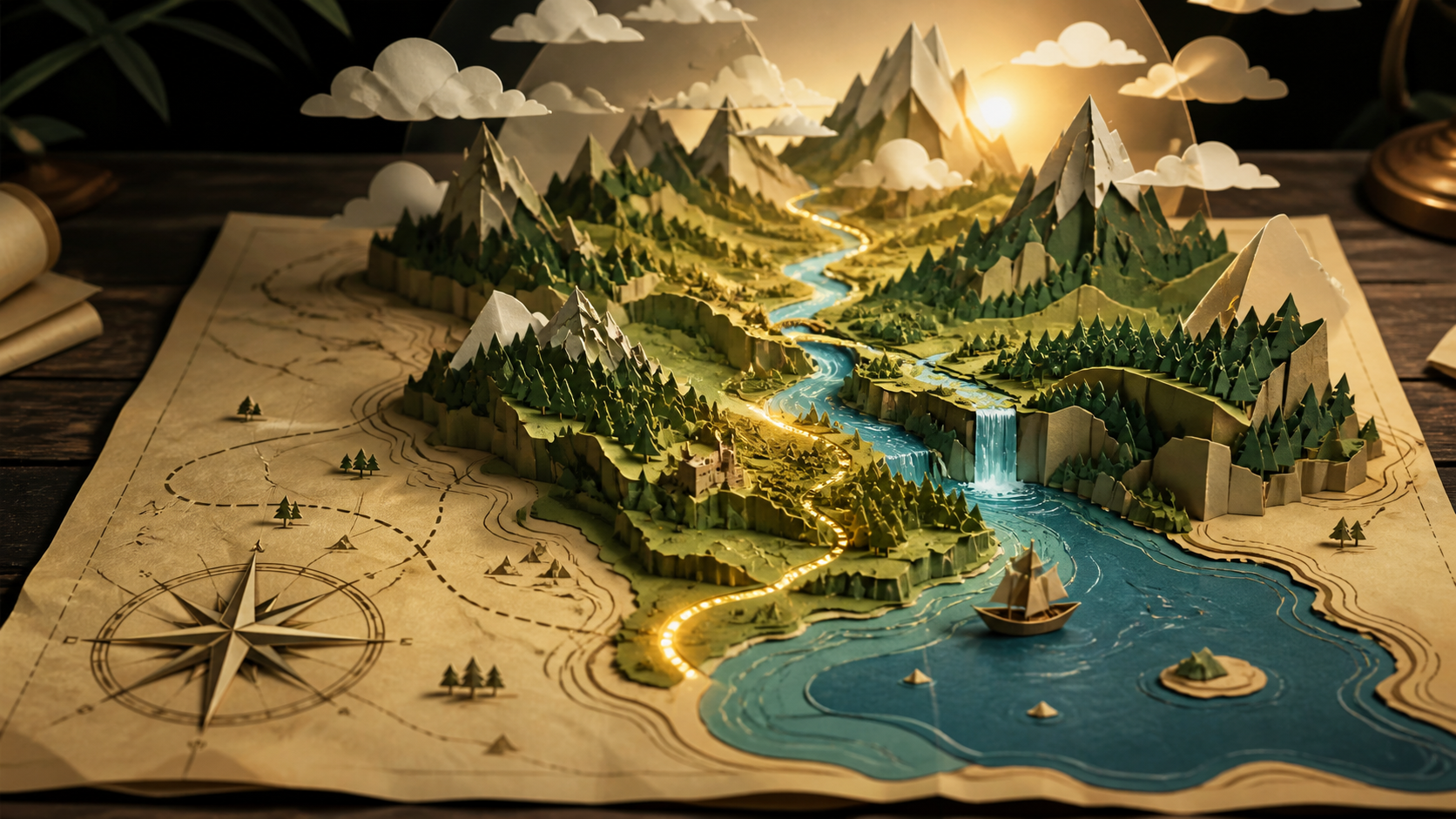
A flat map can be divided into foreground, middle ground, and background. The page edge and compass remain fixed; rivers, route light, clouds, and camera position can move; mountains and settlements should keep their geography. This layer plan creates depth without asking the model to invent a completely different world.
Write the prompt in the order the viewer experiences it: “The camera glides along the river toward the mountains; clouds drift slowly; a warm route light advances across the path; preserve coastline, mountain positions, paper texture, colors, and all map landmarks.” Avoid adding multiple cuts inside one short generation.
Review the coastline, route, mountain count, scale, shadows, and paper edges throughout the clip. Look for rivers that change direction, landmarks that migrate, or a camera path that clips through the scene. Add labels later in an editor because generative video often destabilizes small text. Save the layer plan, prompt, settings, and approved output as a reusable animation brief.
Responsible AI Creation
As you explore the capabilities of AI-assisted media, it is essential to prioritize ethical standards. Always ensure that your content creation respects the rights and privacy of others. When using tools for face swapping or voice synthesis, obtain proper consent and ensure that your work complies with all applicable laws and platform terms. Responsible creation is the foundation of a sustainable and professional creative career.
Conclusion
AI-assisted video production is strongest when it is treated as a professional system. By combining clear creative intent with structured iteration, you can produce high-quality media that resonates with your audience.
Get Started
Explore the full suite of creative tools at VideoAny to begin your next project.
FAQs
1) Can this workflow work for a solo creator?
Yes. By starting with one repeatable format and keeping your asset list organized, you can scale your output significantly without needing a large team.
2) Should I generate first or write the edit plan first?
Always write a plan first. A simple outline or storyboard helps you judge whether the AI output will effectively support your final video goals.
3) What should I check before publishing an AI video?
Check for visual continuity, motion quality, caption legibility, sound design, and whether the video effectively communicates your message without requiring extra explanation.
4) How does VideoAny fit into this workflow?
VideoAny serves as the engine for your visual generation and variation needs. Use it to create the raw assets, then combine those clips with your preferred editing software for final formatting and polish.