Categories: AI Video, AI Image, Creator Guides
Tags: videoany, ai video, ai video generator, ai content creation, creator guide
Introduction
The transition from static imagery to motion-based storytelling is one of the most significant shifts in modern digital content creation. By leveraging AI-driven tools, creators can now breathe life into still photography, transforming single frames into immersive video sequences. This guide outlines how to integrate VideoAny into your production pipeline, focusing on responsible, consent-based creation and efficient workflows.
Responsible use: Mature-content workflows must be limited to lawful material involving consenting adults. Never create or share content involving minors, non-consensual imagery, unauthorized likenesses, or material that violates platform terms or applicable law.
Building a Repeatable Production System
Successful AI video production relies on a structured approach rather than random experimentation. To maintain high quality, treat your creative process as a repeatable system.
1. Define Your Creative Outcome
Before generating, clarify your goal. Are you creating a short social media ad, a cinematic story scene, or a product demo? Defining the format early helps you select the right image-to-video parameters.
2. Asset Preparation
Gather your input materials. High-quality source images—whether they are product shots, character designs, or storyboard frames—serve as the foundation for your video. Ensure you have the necessary rights or consent for all assets used in your project.
3. Iterative Generation
Avoid the "one-and-done" mindset. Generate clips in short, manageable segments. This allows you to refine motion, lighting, and composition incrementally, ensuring the final output aligns with your creative vision.
4. Review and Refine
Review each clip for continuity, pacing, and visual clarity. Check that the motion feels natural and that the output is optimized for your target platform. If the result doesn't meet your standards, adjust your prompt or input image and iterate again.
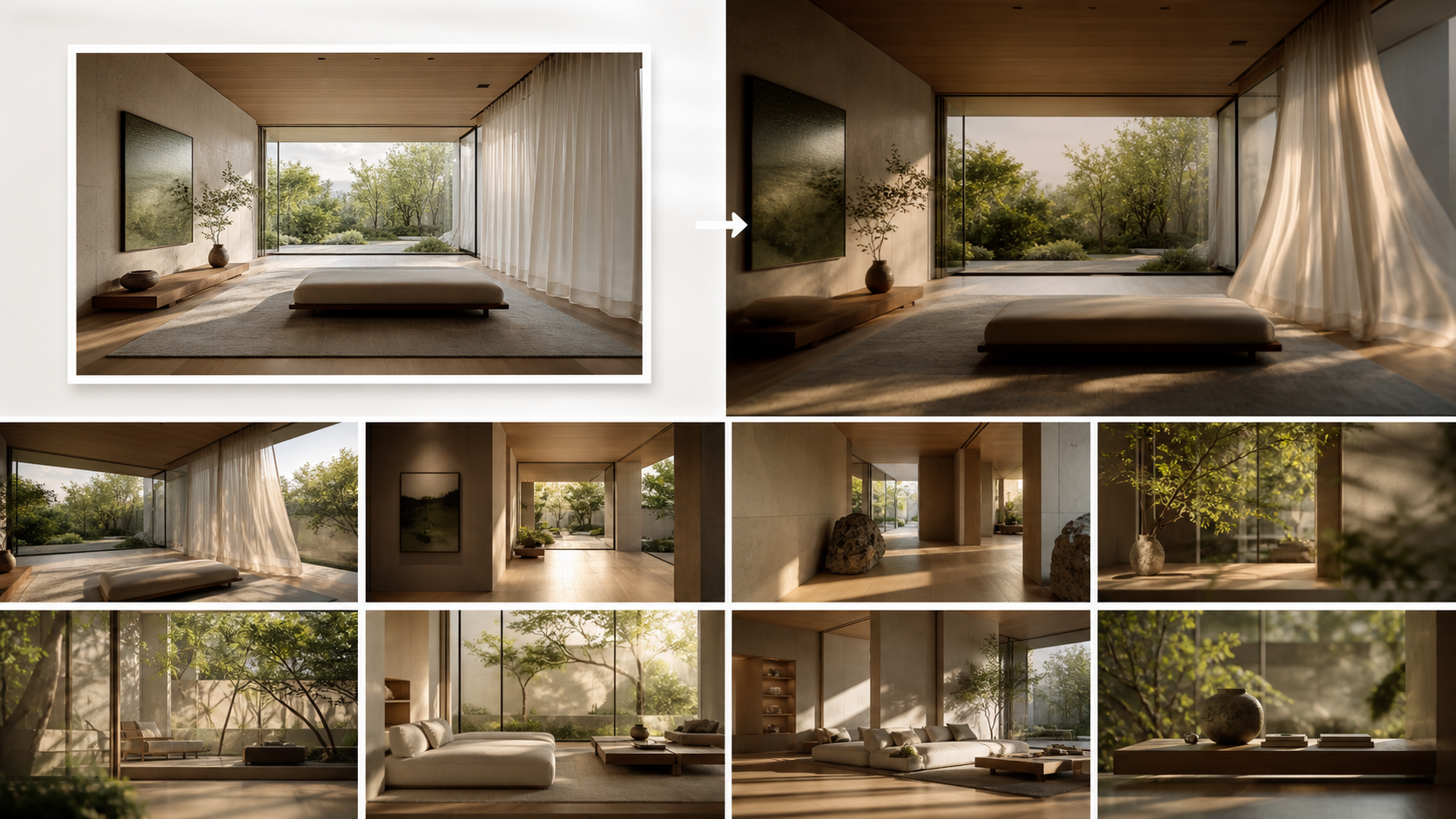
Plan Motion for Architectural Photos
An interior photograph already fixes perspective, furniture placement, and light direction. Treat those as invariants. Ask for a restrained camera move—such as a slow push toward the window—plus one environmental cue, such as a curtain moving in a breeze or sunlight shifting across the floor. Avoid combining an orbit, room redesign, moving furniture, and changing weather in one generation.
Crop close to the final aspect ratio and leave room in the direction of the camera move. If vertical lines or furniture edges are already distorted, correct them before upload; generative motion can amplify those defects. For client work, remove visible personal items and confirm permission to transform the image.
Review doorframes, windows, artwork, furniture legs, reflections, and plant leaves frame by frame. Reject clips where geometry bends, objects appear or disappear, or the camera crosses an impossible path. Finish the accepted clip in an editor, where pacing, sound, captions, and final color can be controlled without forcing another generation.
Before delivery, preview the finished sequence on both a phone and a large screen; subtle edge warping is easier to catch when the viewing scale changes.
Responsible AI Creation
At VideoAny, we believe that powerful creative tools must be paired with ethical standards. When using AI to generate human likenesses or characters, always ensure you have the appropriate consent. Our platform is designed to support creators in building professional, high-quality content while adhering to safety guidelines that protect against non-consensual or harmful media.
Practical Weekly Workflow
- Plan: Draft a short outline or storyboard to guide your generation process.
- Generate: Use VideoAny to create your base clips.
- Edit: Combine your AI-generated clips with external editing software to add music, voiceovers, or text overlays.
- Archive: Save your successful prompts and settings. This creates a library of "recipes" that you can reuse for future projects, significantly speeding up your workflow.
Conclusion
AI-assisted video production is most effective when treated as a professional system. By combining clear creative intent with iterative generation and a focus on responsible use, you can produce compelling video content that stands out in a crowded digital landscape.
FAQs
1) Can this workflow work for a solo creator? Yes. By focusing on repeatable formats and small, manageable asset lists, a solo creator can produce high-quality video content efficiently.
2) Should I generate first or write the edit plan first? Always write a plan first. A simple outline provides a roadmap, helping you judge whether the AI output supports your final narrative.
3) What should I check before publishing an AI video? Verify continuity, motion quality, aspect ratio, and pacing. Ensure the video communicates your intended message clearly and adheres to platform-specific formatting requirements.
4) How does VideoAny fit into this workflow? VideoAny serves as the engine for your visual generation. Use our tools to create motion from your static assets, then integrate those clips into your broader editing and distribution strategy.