Categories: AI Video Workflow, Creator Strategy, Production Process
Tags: videoany, ai creation studio, ai video workflow, content strategy, creator toolkit
Introduction
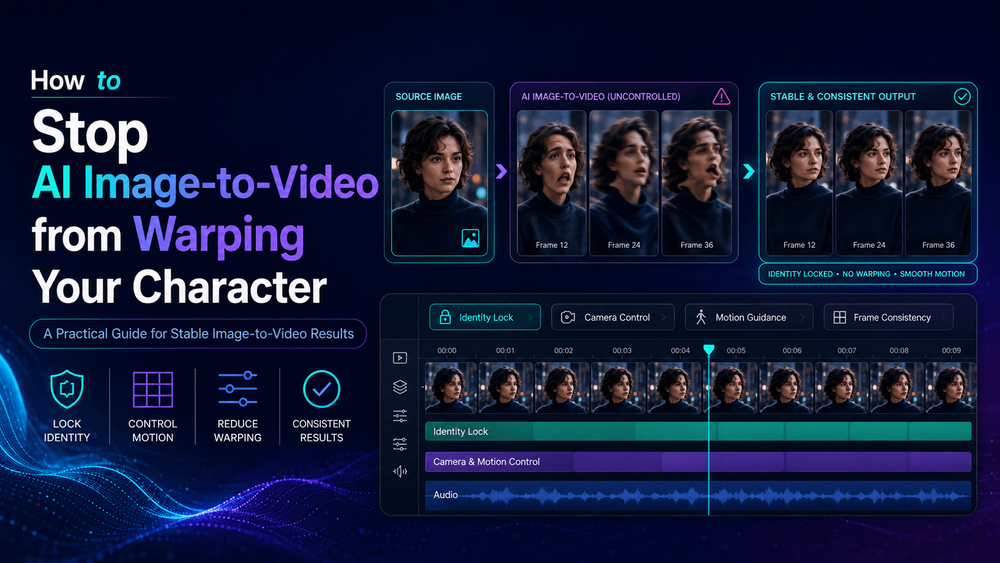
You've crafted the perfect character image: a flawless face, the ideal outfit, a clean style, and a strong pose. But when you feed it into an AI image-to-video tool, the results can be frustratingly inconsistent—faces distort, hands become monstrous, outfits change, and proportions warp. This guide from VideoAny dives deep into why these distortions occur and, more importantly, how to prevent them.
We'll explore actionable strategies, from optimizing your reference images and crafting precise motion prompts to strategic camera planning. The core principle is control: providing the AI with clear information and constraints to maintain character consistency. By understanding the underlying mechanics of AI video generation, you can achieve more predictable and professional results with VideoAny.
Why Image-to-Video Warping Happens
The fundamental reason for character warping is a common misconception: AI image-to-video tools don't simply animate your original image like a digital puppet. Instead, they generate entirely new frames based on a complex interplay of your input image, the text prompt, your motion request, and the AI model's interpretation.
This generative process means the AI has a degree of freedom. Without clear guidance, it might "creatively interpret" details, leading to distortions in critical areas like faces, hands, and clothing. Understanding this generative nature is the first step toward exerting the necessary control to prevent warping.
Start with a Video-Friendly Image
A visually stunning still image isn't always the best source for AI video generation. A "beautiful" image might contain ambiguities or complexities that become problematic when animated.
Why this helps: A clean, unambiguous source image provides the AI with a stronger, more consistent foundation. This reduces the AI's need to "fill in the blanks" or make assumptions, minimizing interpretation errors and leading to more stable character details across frames.
Use Small Motion First
One of the fastest ways to introduce warping is by requesting excessive movement. When the AI model has to generate large, complex motions, it has more opportunities to lose track of character details.
Why this helps: Limiting the degree of motion reduces the complexity of the AI's task. Subtle movements are easier for the model to maintain consistency across frames, preventing drastic changes to the character's appearance. Start with gentle actions like a slight head turn or a subtle gesture.
Separate Character Motion from Camera Motion
Many instances of AI video warping occur because the prompt simultaneously asks for significant character movement and complex camera motion. This dual demand significantly increases the AI's workload and the potential for errors.
Why this helps: Disentangling character and camera movements simplifies the AI's task. By specifying one or the other, or keeping both minimal, the AI can better focus on maintaining character integrity without being overwhelmed by managing two distinct types of complex motion.
Protect the Face in the Prompt
The face is arguably the most crucial identity marker for any character, yet it's also one of the easiest elements for AI to distort. Eyes, noses, and mouths can shift, leading to an uncanny or unrecognizable character.
Why this helps: Explicitly instructing the AI to preserve facial features minimizes its creative freedom in this critical area. Direct commands in your prompt help combat distortion, ensuring the character's identity remains intact.
Stop the Outfit from Changing
AI models can sometimes "creatively interpret" shifts in clothing during motion, leading to unintended outfit changes. A simple hoodie might transform into fantasy armor, a necklace might disappear, or a logo could be redesigned. This happens because clothing naturally shifts, and the AI may interpret these shifts as new design elements.
Why this helps: Clear prompt guidance helps the AI understand that perceived shifts in clothing during motion are not new design elements. This preserves the original outfit, preventing unwanted additions or alterations.
Keep the Background Simple at First
A busy background full of dynamic elements—neon signs, moving crowds, reflections, smoke, rain, or bright lights—forces the AI model to animate both the character and the entire environment. This significantly increases the computational load and the likelihood of character warping.
Why this helps: A less complex background reduces the overall visual and computational burden on the AI. This allows the model to prioritize character consistency, dedicating more resources to maintaining the character's integrity rather than animating a chaotic scene.
A Practical Image-to-Video Prompt Template
To achieve consistent results, adopt a structured approach to your prompts. Here's a template designed to guide the AI effectively:
“Animate the source image with subtle, controlled motion. Preserve the exact character identity, face, hairstyle, outfit, body proportions, color palette, and art style. The character [specific small action]. Camera [stable / slow push-in / slight pan].”
Why this helps: A structured template provides a consistent framework for communicating precise requirements to the AI. This leads to more predictable and less warped outputs, making your creative process more efficient.
Image-to-Video Prompt Examples
Let's look at a concrete example of a prompt designed for character consistency:
“Animate this anime character with a gentle head turn and soft blinking. Keep the same face, eye shape, hairstyle, outfit, proportions, and anime style. Hair moves slightly in the breeze. Static camera. No facial distortion, no body warping, no outfit changes.”
Why this helps: Concrete examples demonstrate effective prompt engineering in action. They offer clear models for users to adapt and achieve better character consistency, reducing trial and error.
What to Do When Warping Still Happens
Even with meticulously crafted prompts and optimized source images, some images can be inherently difficult to animate without some degree of warping. This is a reminder that image-to-video generation isn't just about pressing a button; it's about controlling transformation.
AI image-to-video warping fundamentally happens when the model has too much freedom and not enough clear, specific information. The ultimate solution is control. If warping persists, consider:
- Simplifying further: Reduce motion, simplify the background, or even simplify the character's pose in the source image.
- Iterating with micro-changes: Make small adjustments to your prompt or source image and re-generate, observing the impact of each change.
- Breaking down complex scenes: If a scene requires significant character and camera motion, consider generating shorter, simpler segments and then stitching them together.
Why VideoAny Works Well for Image-to-Video
Maintaining character consistency in AI video is less about choosing a specific model and more about workflow design. VideoAny provides the structured environment and tools necessary to achieve real stability across your AI-generated content.
VideoAny helps creators:
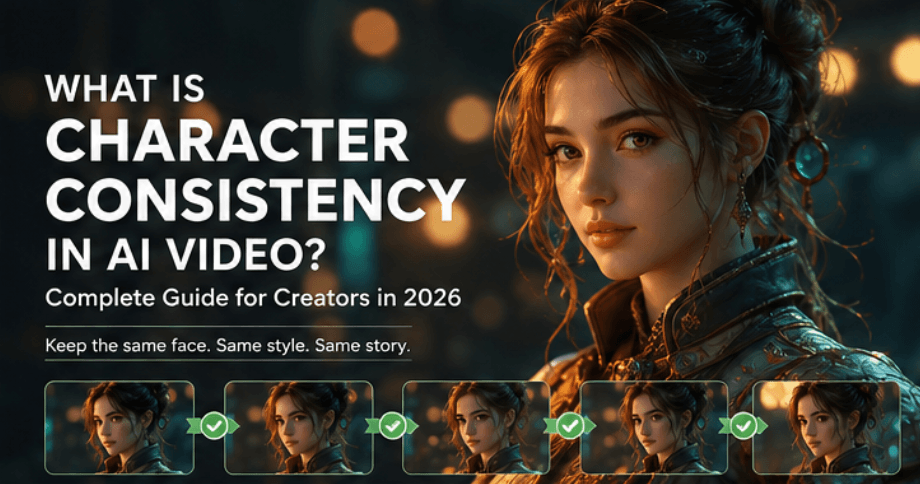
- Maintain Identity Across Scenes: Understand what character consistency truly means in AI video and implement structured workflows to keep faces, outfits, styles, and identities stable, even when characters change between scenes.
- Streamline Production: Integrate image-to-video capabilities into broader content creation workflows, from script generation and lip-syncing to music video production.
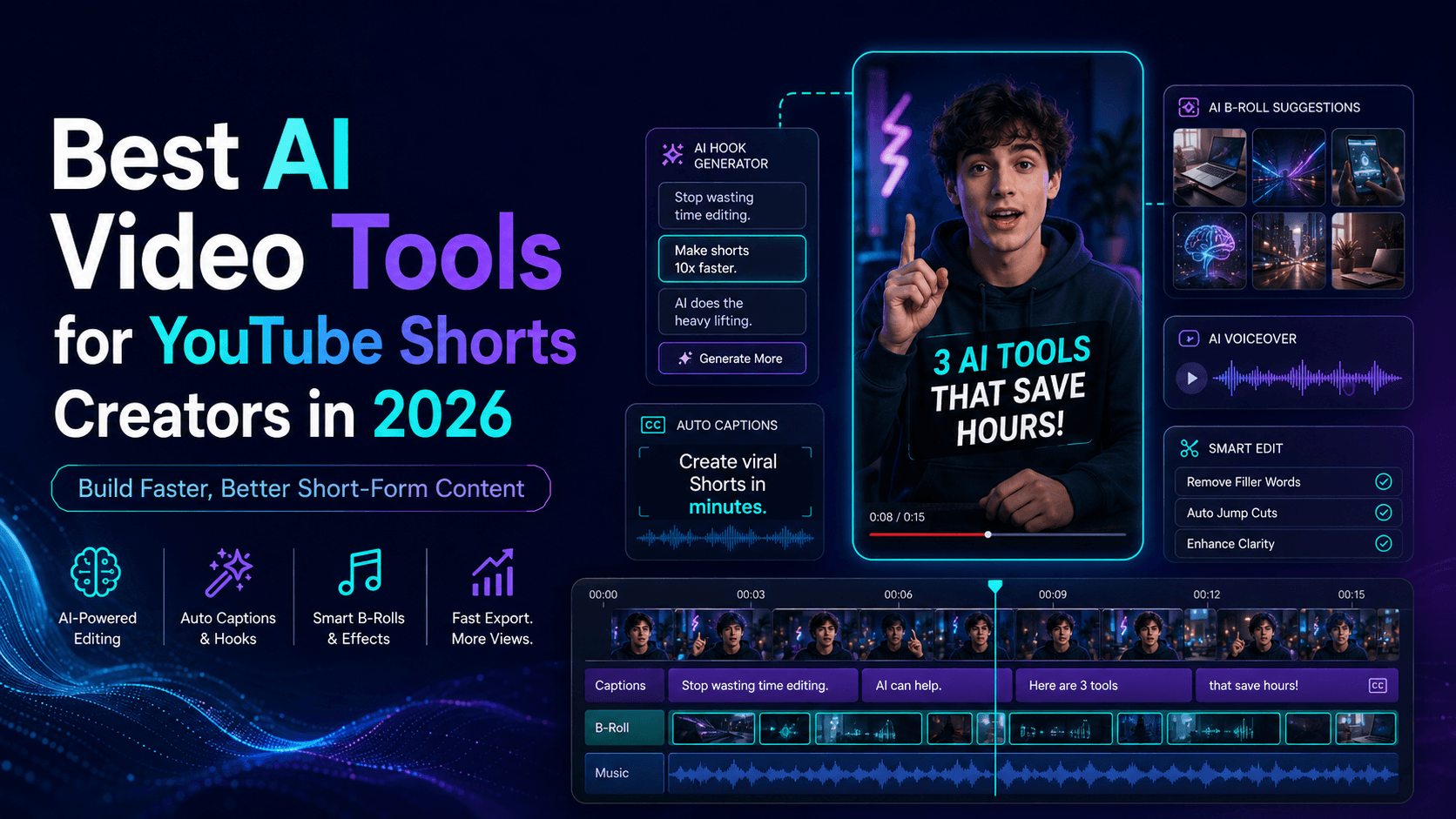
- Optimize for Specific Platforms: Discover how VideoAny supports creators building content for YouTube Shorts, enabling repeatable content workflows for high-volume production.
- Enhance Product Ads: Leverage VideoAny to turn product photos into engaging AI videos for e-commerce stores, TikTok Shop, Shopify product pages, and branded campaigns, ensuring consistent product representation.
VideoAny empowers you to move beyond simple generation to a controlled, production-level approach, ensuring your characters remain consistent and professional.
Final Thoughts
The key to preventing AI image-to-video warping lies in understanding the generative nature of these tools and exerting precise control over the process. By optimizing your source images, carefully crafting your prompts, and strategically planning motion, you can significantly reduce distortions. Remember, AI video creation is an iterative process of control and refinement, not a one-shot solution. With a structured approach, you can achieve reliable character consistency and bring your creative visions to life with VideoAny.
Next Step
Explore VideoAny workflow templates: https://videoany.io
Related Articles
- Which AI Video Model Keeps Characters Most Consistent?
- What Is Character Consistency in AI Video? A Complete Guide for Creators in 2026
- Best AI Video Tools for YouTube Shorts Creators in 2026
- Best AI Video Generators for Product Ads in 2026: What Actually Works for Brands
- How to Turn Product Photos into AI Videos for E-commerce
FAQs
1) Can this workflow work for a solo creator? Yes. Start with a small weekly scope and reuse the same production blocks.
2) How many variants should I test per post? 2 to 4 focused variants are usually enough to identify clear winners.
3) Should I prioritize trends or consistency? Use trends for reach, but keep a consistent format system for long-term brand memory.