Categories: AI Video Workflow, Creator Strategy, Production Process
Tags: videoany, ai creation studio, ai video workflow, content strategy, creator toolkit
Introduction
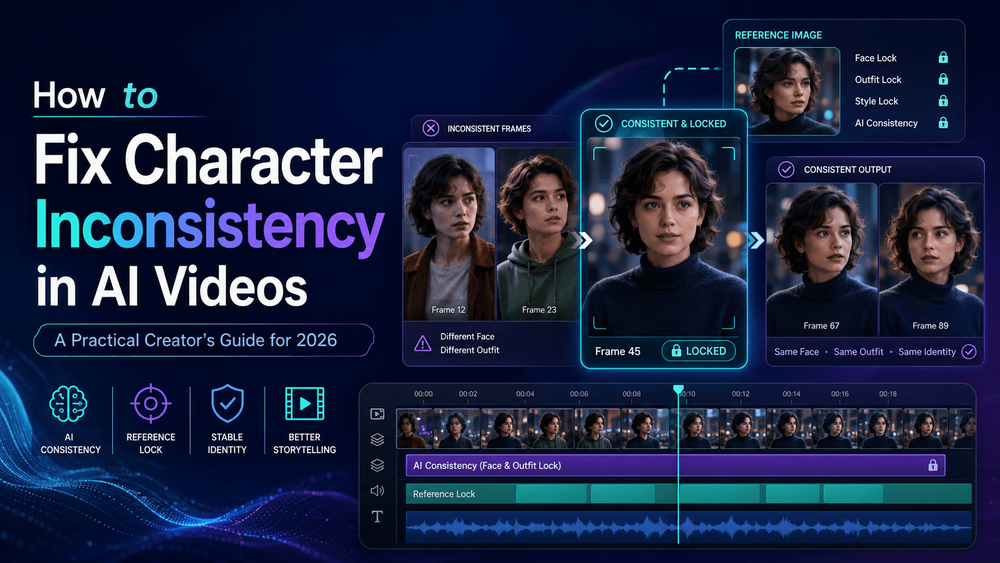
You've crafted the perfect AI video shot. Your character has the right face, the ideal outfit, the desired mood, and the exact style you envisioned. But then, in the next scene, something shifts. Suddenly, the same character has a slightly different nose, their hair is longer, their jacket changed color, or their eyes look unfamiliar. By the third scene, your "main character" has essentially become their distant cousin. This frustrating phenomenon is known as character inconsistency in AI video.
This guide will help you understand what character consistency means in AI video, why AI-generated characters often change between scenes, and how creators can keep faces, outfits, styles, and identities stable. We'll explore a structured workflow designed to maintain identity across scenes, leveraging better references, smarter prompts, and strategic scene planning, all supported by VideoAny.
Why AI Characters Change Between Scenes
The fundamental challenge lies in how AI video models interpret your instructions. Unlike a human director or animator, AI models do not possess an inherent understanding of character continuity. They don't automatically grasp that "Mira, the girl with short silver hair and a red scarf" must remain precisely the same across multiple scenes. Each prompt is often treated as a new creation request, leading to subtle or even drastic alterations in appearance. This means that character consistency isn't just a model limitation; it's a workflow problem that demands a structured approach.

Start with a Strong Character Reference
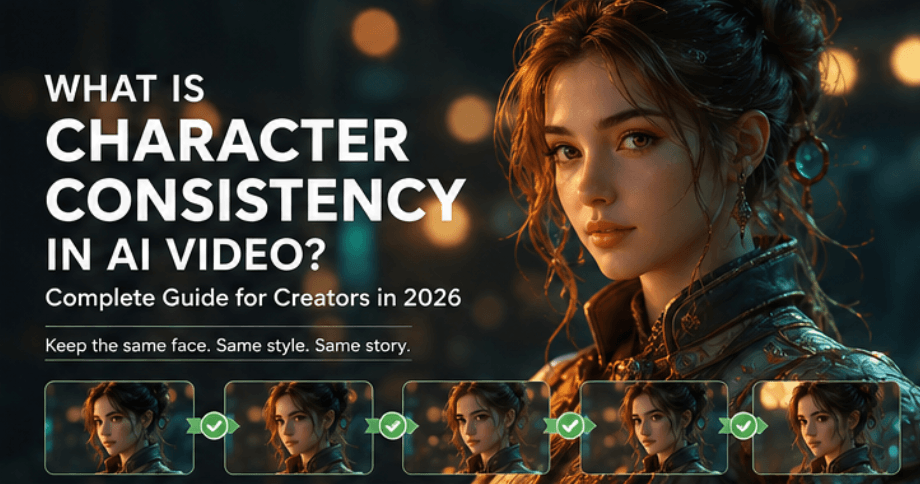
The very first step to combating character inconsistency is to establish a robust character reference. This reference serves as the single source of truth for your character's appearance. It should be detailed and unambiguous, providing the AI model with a clear visual foundation to build upon for every subsequent scene.
Use the Same Identity Block in Every Prompt
A common pitfall for many creators is inadvertently introducing inconsistency by rewriting the character description for each new scene. This leads to the AI model reinterpreting the character every time. To avoid this, use an identical "identity block" – a consistent, detailed description of your character – in every single prompt you generate. This ensures the model always refers to the same core attributes.
Avoid Style Words That Accidentally Redesign the Character
Be cautious with descriptive style words. While terms like "cinematic," "beautiful," "realistic," "cute," "Pixar-style," "anime-inspired," "fashion editorial," and "high fantasy" might seem helpful for setting a mood, they can subtly or overtly influence how a character looks. These words often carry implicit visual biases that can unintentionally redesign your character, leading to inconsistencies across scenes. Prioritize direct character descriptions over stylistic modifiers when aiming for consistency.
Keep Clothing Stable
Viewers recognize characters not only through their faces but also significantly through their clothing. A character's attire is a crucial element of their visual identity. Changing outfits between scenes without narrative justification is a quick way to break immersion and create inconsistency. Ensure your character's clothing, accessories, and overall style remain stable and consistent throughout your video unless a deliberate costume change is part of the story.
Break the Video into Short Scenes
Attempting to generate an entire story in one long video prompt is one of the fastest routes to losing character consistency. AI models struggle with maintaining complex narratives and character details over extended generations. Instead, break your video into short, manageable scenes. This allows you to apply your consistent identity block and specific scene actions more effectively, giving the AI model less room to deviate.
Use Camera Angles That Protect Identity
Certain camera angles and visual effects can inadvertently make your character harder for the AI model to preserve. Extreme top-down shots, fast spins, heavy motion blur, dark lighting, and faraway wide shots can obscure crucial facial features and outfit details. If the model cannot clearly see the face and attire, it's more likely to "invent" details, leading to inconsistency. Opt for angles and lighting that clearly showcase your character's defining features.
Use Negative Prompts Without Overloading Them
Negative prompts can be a valuable tool for refining your output and reducing unwanted elements. They can help prevent specific inconsistencies. However, they should be used judiciously and remain focused. Overloading negative prompts with too many instructions can sometimes confuse the AI model or lead to unexpected results. Use them strategically to address specific, recurring inconsistencies rather than as a broad catch-all.
A Prompt Template You Can Use
To streamline your workflow and enforce consistency, consider using a structured prompt template. This ensures all critical character details are included in every scene prompt. Here's an effective template:
"Use the same character from the reference image. Preserve the exact face shape, eye color, hairstyle, hair length, outfit, accessories, body proportions, and overall art style. The character is [short identity description]. In this scene, [specific action]."
Why VideoAny Helps with Character Consistency
Character consistency in AI video is not solely a model problem; it's fundamentally a workflow problem. Finding one "magic prompt" won't solve it. True stability comes from a well-designed production workflow that provides the AI model with stable information and directs it like a real production.
VideoAny is built to address this by offering a structured workflow that helps creators maintain identity across scenes. It provides the tools and framework for a deep, production-level analysis of AI video model character consistency, emphasizing that real stability stems from workflow design, not just model choice.
With VideoAny, creators can:
- Establish and reuse strong character references across multiple projects and scenes.
- Implement consistent identity blocks in their prompts, reducing manual errors and ensuring continuity.
- Manage complex video projects by breaking them into manageable scenes, allowing for precise control over character appearance in each segment.
- Leverage features that support stable character generation, whether for YouTube Shorts, product ads, or transforming product photos into dynamic e-commerce videos.
VideoAny empowers creators to keep faces, outfits, styles, and identities stable, transforming the challenge of character inconsistency into a manageable and repeatable process.
Conclusion
Fixing character inconsistency in AI videos isn't about chasing the latest model or finding a single perfect prompt. It's about adopting a disciplined approach: giving the AI model stable, consistent information and directing your creative process like a real production. By focusing on strong references, consistent prompting, strategic scene planning, and leveraging platforms like VideoAny, you can achieve the reliable character continuity essential for compelling AI-generated narratives.
Next Step
Explore VideoAny workflow templates and tools to enhance your AI video production: https://videoany.io