Categories: AI Video Workflow, Creator Strategy, Production Process
Tags: videoany, gpt image 2, consistent characters, ai character workflow, creator toolkit
Introduction
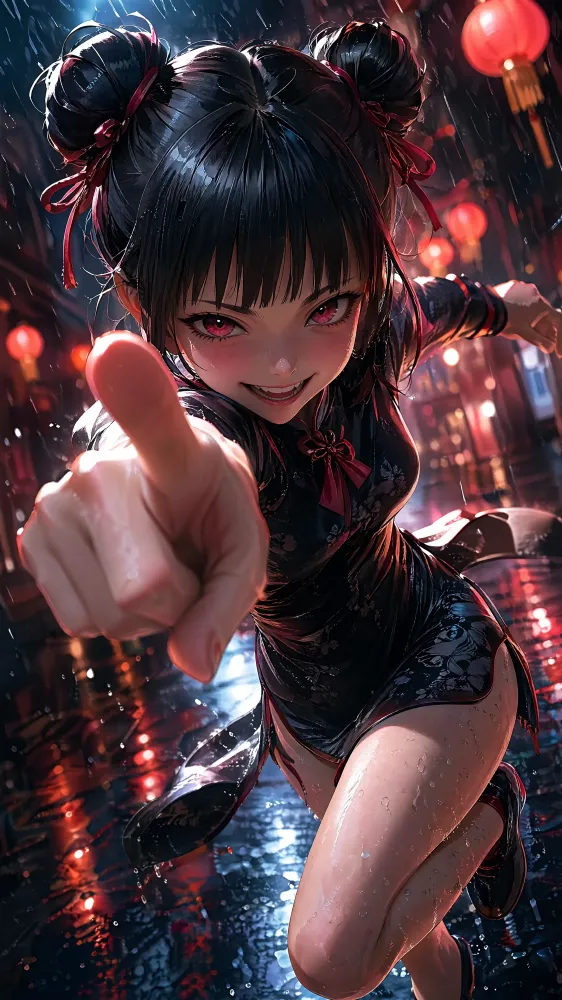
This guide addresses one of the biggest AI storytelling problems: a character changes face, clothes, or proportions from image to image. GPT Image 2 helps because it can follow identity details more reliably, especially when you use seed images, multi-shot prompts, style locks, and character-sheet workflows.
For VideoAny creators, consistency must be solved before animation. If the still images drift, the video will drift too.
Why GPT Image 2 Is Different
Older image models often treated each prompt as a new request. "Same character as before" was not enough. GPT Image 2 is better at preserving structured identity descriptions and using references, which makes it more practical for comics, storyboards, avatars, and recurring brand characters.
Method 1: Seed Image Workflow
Start with one high-quality character image. Use a neutral pose, clear lighting, visible outfit, and uncluttered background. This is the easiest method for two to five related images.
Workflow:
- Generate or select the seed image.
- Upload it as the reference.
- Ask for one new pose or scene at a time.
- Compare face, hair, outfit, and proportions.
- Reject any output that breaks identity.
Method 2: Multi-Shot Prompt
The workflow highlights the ability to request multiple images of the same character at once. This works best when your identity block is precise:
Same character in all panels: young delivery robot, rounded white shell, blue LED eyes, small scratch on left shoulder, orange backpack, friendly cautious expression.Then ask for several poses, camera angles, or moments in one generation.
Method 3: Style Lock
For larger projects, consistency is not only about face. It is also about line weight, color palette, lighting, lens, and world design. Create a style lock that says how the whole series should look. This is useful for graphic novels, mascots, YouTube avatars, and branded characters.
Real-World Test: 12-Panel Comic
The source example uses a 12-panel comic concept with a delivery robot. That is the right kind of stress test. A character may look stable in two images but drift across twelve. Review all panels together and mark every identity break.
Where to Use This Without Coding
You do not need a custom ComfyUI graph to start. The practical path is to use a tool that supports references, generate the character sheet, and then move the strongest images into VideoAny for scene animation.
Practical Workflow
- Create a character sheet seed.
- Write a stable identity block.
- Generate a small batch of poses.
- Compare outputs side by side.
- Animate only the consistent images in VideoAny.
Conclusion
Consistent characters are built through discipline, not luck. Use a seed image, repeat the same identity details, control style, and reject drift early. Once the stills hold together, VideoAny has a much stronger foundation for animated scenes.
Next Step
Explore VideoAny character workflows: https://videoany.io
FAQs
1) What is the easiest way to keep a character consistent?
Start with a clean seed image or character sheet and reuse it as reference.
2) How many poses should I generate at once?
Start small. Test three to five outputs before scaling to larger batches.
3) Can VideoAny preserve character identity?
A stable source image improves the result. Solve consistency in stills before video.