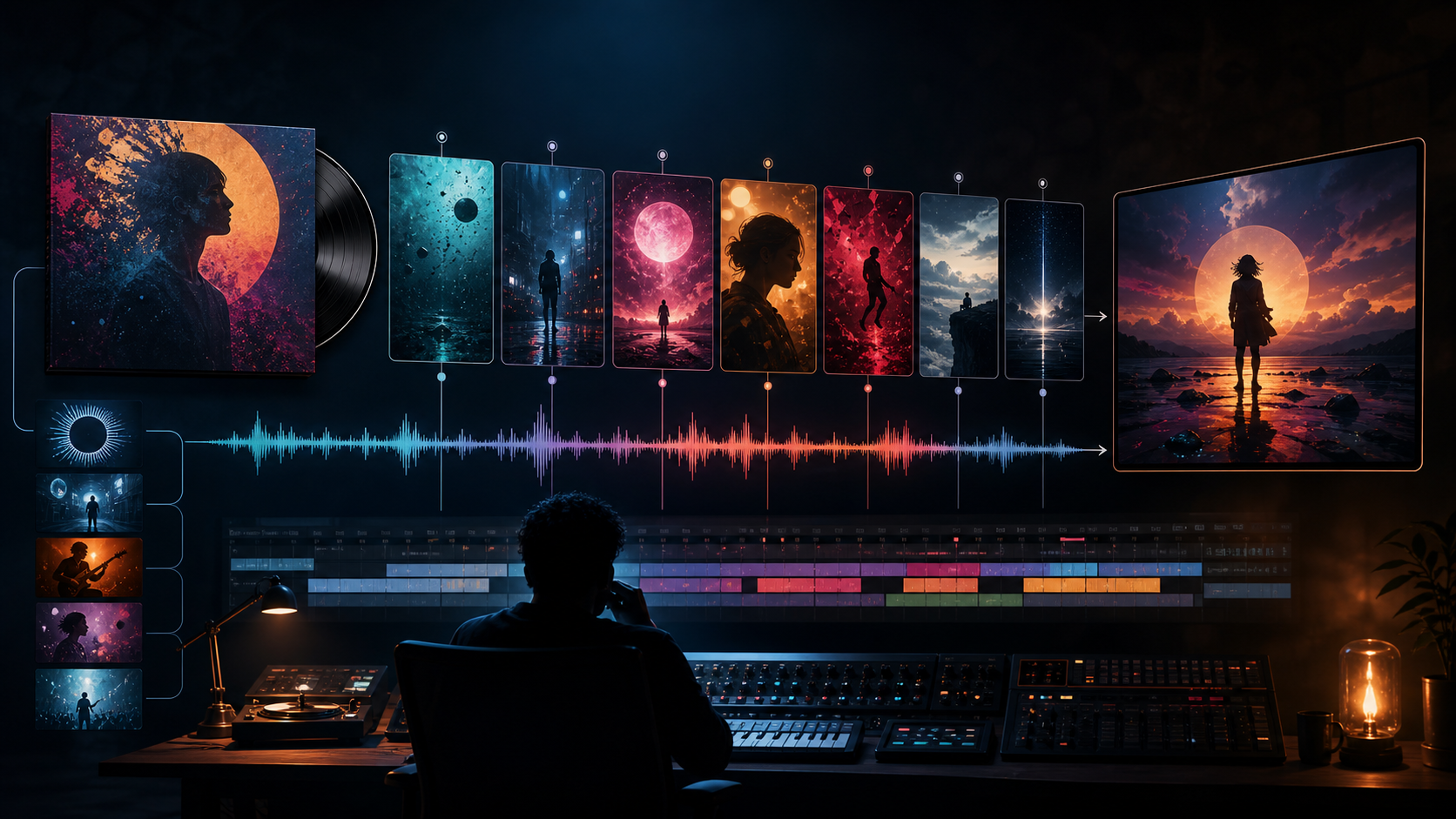
AI tools give independent musicians more ways to prototype visual accompaniments without filming every element. The available formats range from abstract visualizers to narrative scenes and short promotional clips, but generation alone does not make the result coherent.
AI can accelerate production, but the soul of a music video remains rooted in artistic intent. The strongest workflow starts with the song rather than the tool.
1. Define the Emotional Core
Before touching any generation tools, distill your song into its emotional essence. Ask yourself: Is the track euphoric, melancholic, rebellious, or chaotic? Your visuals should act as an amplifier for these feelings. A helpful framework is to complete this sentence: "This video should feel like [emotion] because the song explores [theme]." This clarity prevents the common pitfall of generating random, disconnected clips.
2. Structure Your Visuals by Song Sections
Avoid the "random clip" trap by mapping your video to your song’s structure. Each section serves a specific narrative purpose:
- Intro: Establish the world and atmosphere.
- Verse: Introduce the story or character.
- Pre-chorus: Build anticipation and visual pressure.
- Chorus: Deliver the strongest visual motif or climax.
- Bridge: Introduce contrast or a shift in perspective.
- Final chorus: Return to the central motif with greater scale or emotional force.
- Outro: Resolve the emotional journey.
For a song about a stranded astronaut, the intro could establish an empty spacecraft corridor. The verse follows the astronaut drifting alone. The pre-chorus introduces a mysterious signal. The chorus transforms the star field into memories. The bridge reveals Earth through a broken viewport, the final chorus brings the ship back to life, and the outro lingers on an empty helmet. The same emotional idea runs through every section, but each section advances it.
3. Choose the Right Music Video Format
The production plan changes with the format:
- Visualizer: Abstract motion, color, texture, and atmosphere; a natural fit for electronic, lo-fi, ambient, and instrumental tracks.
- Narrative video: A short story with an emotional arc; useful when the lyrics or concept imply characters and change.
- Performance video: A real or fictional performer on screen; identity continuity and lip sync make this the most demanding option.
- Lyric video: Visual atmosphere paired with deterministic, readable lyrics added during editing; simpler to produce and useful for YouTube releases.
- Short-form promotion: A 10–30 second clip built around the chorus or most memorable line for TikTok, Reels, or Shorts.
Select one primary format before generating. Combining every format at once usually creates an incoherent edit. A full release can still use several deliverables: a narrative main video, a lyric version, and short promotional cuts derived from the same visual system.
4. Leverage Existing Assets
You don’t need to start from scratch. Your album art is a powerful visual anchor—it already encapsulates the song’s identity. Use Image-to-Video tools to animate your cover art, expanding the world around the existing imagery to create a cohesive aesthetic.
A city cover can expand into night streets, a painted character can become a restrained performance shot, a flower can become a blooming visualizer, and a spacecraft can establish a science-fiction narrative. Preserve the cover's palette, composition, main subject, and mood. Remove album text before generation and reapply final readable typography in the edit.
5. Build a Shot List Before Generating
Do not ask one prompt to create the entire music video. Generate short shots and assemble them against the song. A 45-second chorus promotion might use six shots:
- glowing headphones in a dark room;
- an empty neon corridor;
- the performer as a silhouette rather than a demanding lip-sync close-up;
- a waveform-inspired abstract movement on the strongest beat;
- a lyric idea represented as a trail of light, with actual words added later;
- a wide city reveal that resolves the sequence.
Record the duration, song section, emotional purpose, visual subject, camera movement, and continuity reference for every shot. This makes it possible to replace one weak generation without changing the entire edit.
6. Build Prompts From a Shared Shot Card
Consistency comes from reusing the same visual decisions, not from copying one long sentence into every shot. Give each clip a compact card with these fields:
- Timing: intended duration, song section, and the lyric or musical event it supports.
- Emotional job: tension, release, intimacy, momentum, contrast, or resolution.
- Scene: subject, environment, and the one visible action.
- Rhythm: whether motion should pulse, drift, accelerate, hold, or land on a specific accent.
- Camera: fixed frame or one restrained movement with a clear start and end.
- Visual system: palette, lighting, texture, lens distance, and recurring motif.
- Continuity locks: performer or character identity, album-art shapes, costume, and other approved anchors.
- Failure limits: no face drift, extra limbs, unreadable text, style changes, or conflicting motion.
Translate the card into a short prompt for the selected generation route. Keep the shared visual-system and continuity fields stable while changing the scene and emotional job for each song section.
7. Use Lip Sync Selectively
Lip sync can add a human touch to your video, but it is technically demanding. To maintain high production standards, use lip sync sparingly—perhaps for one or two impactful close-ups during the chorus—rather than relying on it for the entire duration.
Let verse sections carry story and environment, use the bridge for abstraction or slow motion, and reserve precise mouth movement for the lyric that most needs a face. Separate reaction shots from speaking shots. This reduces the number of frames where identity, mouth shape, timing, and performance all have to succeed simultaneously.
8. Edit to the Rhythm
The final magic happens in the edit. AI-generated clips are raw materials; your job is to cut them to the beat, drum hits, or emotional shifts in the track. If your song is high-energy, use shorter, punchier cuts. For slower, ambient tracks, allow the motion to linger.
Map cuts and visual changes to tempo, song-section transitions, lyric emphasis, repetition, contrast, build-up, release, and the final image. Not every beat needs a cut. Repeating a visual motif during each chorus can be more memorable than introducing a new idea every second. Align sound accents with visible events, and use silence or reduced density before an important reveal.
9. Rights, Identity, and Disclosure
Use music, artwork, reference images, and footage you own or are licensed to use. Obtain consent before depicting an identifiable person. Do not imitate the identity of a living artist, copy a protected character, or present synthetic performance footage in a way that misleads viewers about authorship. Check the current disclosure requirements of every release platform, and keep a simple record of the sources and edits used in the final video.
Conclusion
AI-assisted video production is most effective when treated as a repeatable system. Defining the emotional core, planning shots against the song, and editing with intention gives an independent production a coherent path from concept to publishable visual story.
Explore VideoAny when you are ready to generate individual visual clips, then assemble, time, caption, mix, and approve them in the rest of your production workflow.