Categories: AI Video Workflow, Creator Strategy, Short-Form Video
Tags: videoany, ai creation studio, dance music video, ai video workflow, creator toolkit
Introduction
Dance-driven short videos work because they combine two things audiences react to immediately: motion and rhythm. Even before a viewer processes the full concept, they can tell whether the clip feels energetic, stylish, funny, dramatic, or trend-aware. That is why dance content keeps showing up across TikTok, Reels, Shorts, and music-led social campaigns.
The source article frames this as a low-friction way to create high-energy content, and that part is right. You do not need to choreograph a real shoot every time you have an idea. You can build the visual side of the concept with AI, test different styles quickly, and only keep the versions that actually look worth publishing.
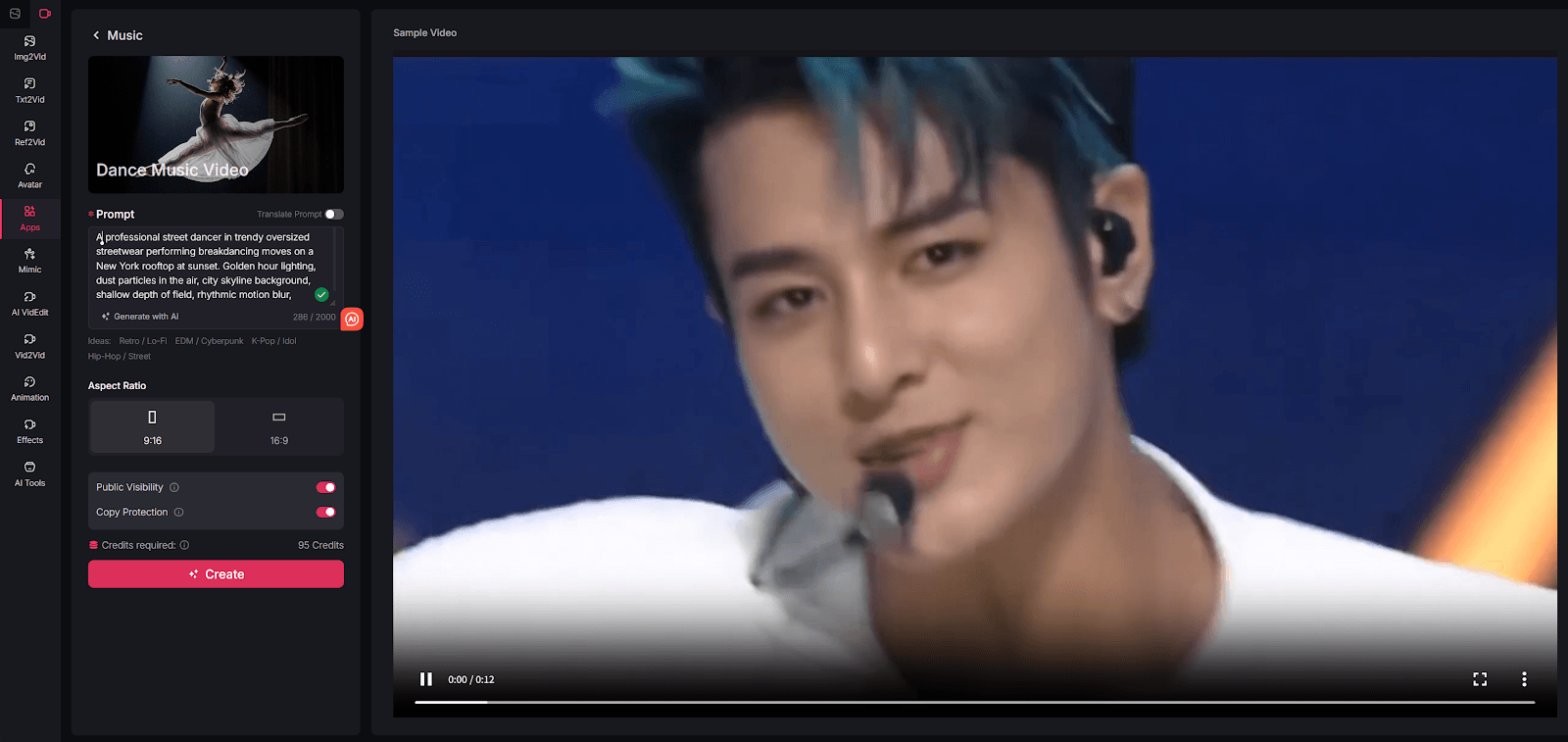
On VideoAny, the practical way to approach this is to treat an AI dance music video as a visual workflow, not a single magic button. You can use Text to Video when the concept starts from a prompt, Image to Video when you already have a character or artwork to animate, Video to Video when you want alternate looks from an existing clip, and Effects when the base render needs extra punch.
One important clarification: a dance music video is really two layers, not one. The first layer is the visual performance, camera energy, and scene design. The second layer is the soundtrack or audio track you pair with that visual. VideoAny is the production layer for the visual side. After export, you can match the result with licensed music or platform-native audio in your normal editing and publishing workflow.
What Counts as an AI Dance Music Video?
The source article describes AI dance music videos as clips generated from text prompts that turn a concept into a moving performance. That definition holds up, but it becomes more useful when you break it down into concrete inputs:
- Who or what is performing
- What kind of movement the clip should suggest
- What environment or visual world the performance happens in
- What camera behavior makes the video feel like a music clip rather than a static animation
That last point matters. A dance video is not compelling just because a subject moves. It works when the motion feels intentional. Even short clips need some sense of momentum, framing, and personality. A polished dance-style video might use dramatic lighting, stage-like composition, crowd energy, futuristic sets, street visuals, or surreal backgrounds to make the movement feel bigger than the raw prompt itself.
This is also why AI is useful here. You are not asking it to perfectly simulate a real dancer in every situation. You are using it to generate mood, motion, stylization, and visual variation much faster than a manual production workflow would allow.
Why This Format Is So Useful for Creators
The source article positions AI dance videos as a shortcut to fun, high-engagement content. That is true, but the real value is broader than novelty.
You Can Iterate Much Faster
If you had to shoot every version manually, testing different costumes, settings, lighting directions, or visual moods would be slow and expensive. With AI, one concept can become several variants quickly: neon club version, rooftop version, anime-style version, retro concert version, or comedic meme version.
The Visual Hook Is Built In
Dance content naturally has more immediate movement than many other short-form formats. That helps in crowded feeds where viewers decide within seconds whether to keep watching. If the opening frame already implies rhythm, motion, or performance, your odds of stopping the scroll improve.
You Can Build a Series, Not Just a One-Off Clip
This is one of the best takeaways from the source article. A dance concept does not need to live as a single experiment. Once you find a prompt structure that works, you can turn it into a recurring format:
- Character remixes
- Genre remixes
- Platform-specific cuts
- Seasonal or trend-based variations
- Audience-targeted versions for different communities
That makes the workflow much more useful for creators, marketers, and community pages than a one-time novelty generator.
It Lowers Production Cost Without Killing Creative Range
The source piece emphasizes how much easier it becomes to experiment when you are not paying for dancers, locations, or a full production setup every time. That logic still applies when translated to VideoAny. You can test the visual concept first, decide whether it is worth pushing further, and only invest more time once the core idea proves itself.
How to Create AI Dance Music Videos with VideoAny
The original tutorial uses a simple step-by-step sequence. That structure still works well, but on VideoAny the most honest version is a workflow built around generation, refinement, and publishing.
Step 1: Define the Performer, Style, and Scene Energy
Start with the visual idea, not with the tool UI. The most useful prompts for dance-style videos usually combine four elements:
- Subject: dancer, avatar, anime character, mascot, model, or stylized performer
- Motion direction: energetic, fluid, playful, synchronized, dramatic, fast-cut, confident
- Setting: concert stage, club, rooftop, street, cyberpunk city, spotlight studio, festival crowd
- Camera feel: cinematic, close-up, sweeping, punchy, handheld, slow push-in, wide stage reveal
If you are building the whole scene from scratch, start with Text to Video. If you already have a still image, poster, brand character, or portrait you want to animate, start with Image to Video instead. The source article is right to emphasize prompt quality here. The better the description, the easier it is to get something that feels like a music clip instead of a random motion experiment.
It also helps to think in terms of energy rather than literal choreography. You may not need to describe every body movement precisely. Often it is more effective to describe the vibe of the performance, the pacing of the shot, and the world around the performer.
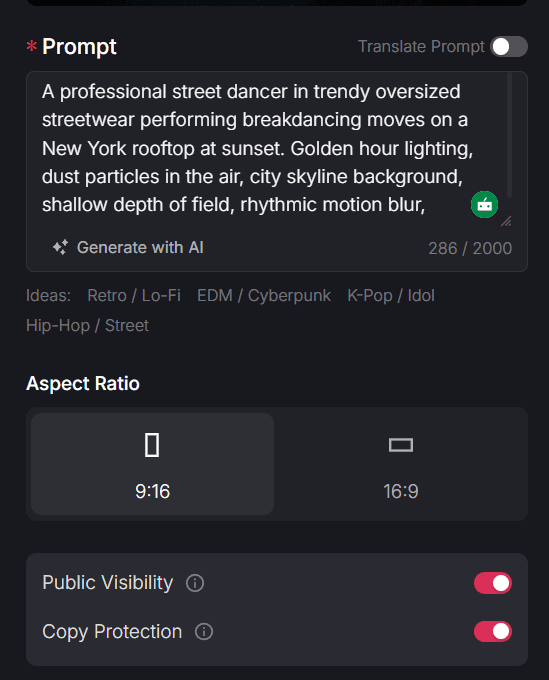
Step 2: Match the Format to the Platform You Want to Publish On
The source article includes setup options like aspect ratio and sharing control. The broader lesson is that formatting decisions should happen before you render, not after.
For dance music video content, a simple baseline is:
- Use
9:16when the goal is Reels, Shorts, or TikTok-style distribution - Use
1:1or4:5when the clip needs to sit naturally inside a main social feed - Keep early tests short so you can compare multiple hooks quickly
- Save longer sequences for concepts that need buildup before payoff
This step is where many otherwise-good AI clips lose impact. A dance idea might be strong, but if the framing is wrong for the platform, the performer feels too small, the motion reads weakly on mobile, or the scene does not land as intended.
Before you move on, decide what the clip is supposed to do. Is it built for reach, for brand personality, for a meme post, for a music teaser, or for a stylized promo? That decision shapes how dramatic the visuals should be and whether you need polished cinematic motion or faster, more playful output.
Step 3: Generate a First Version, Then Review It Like an Editor
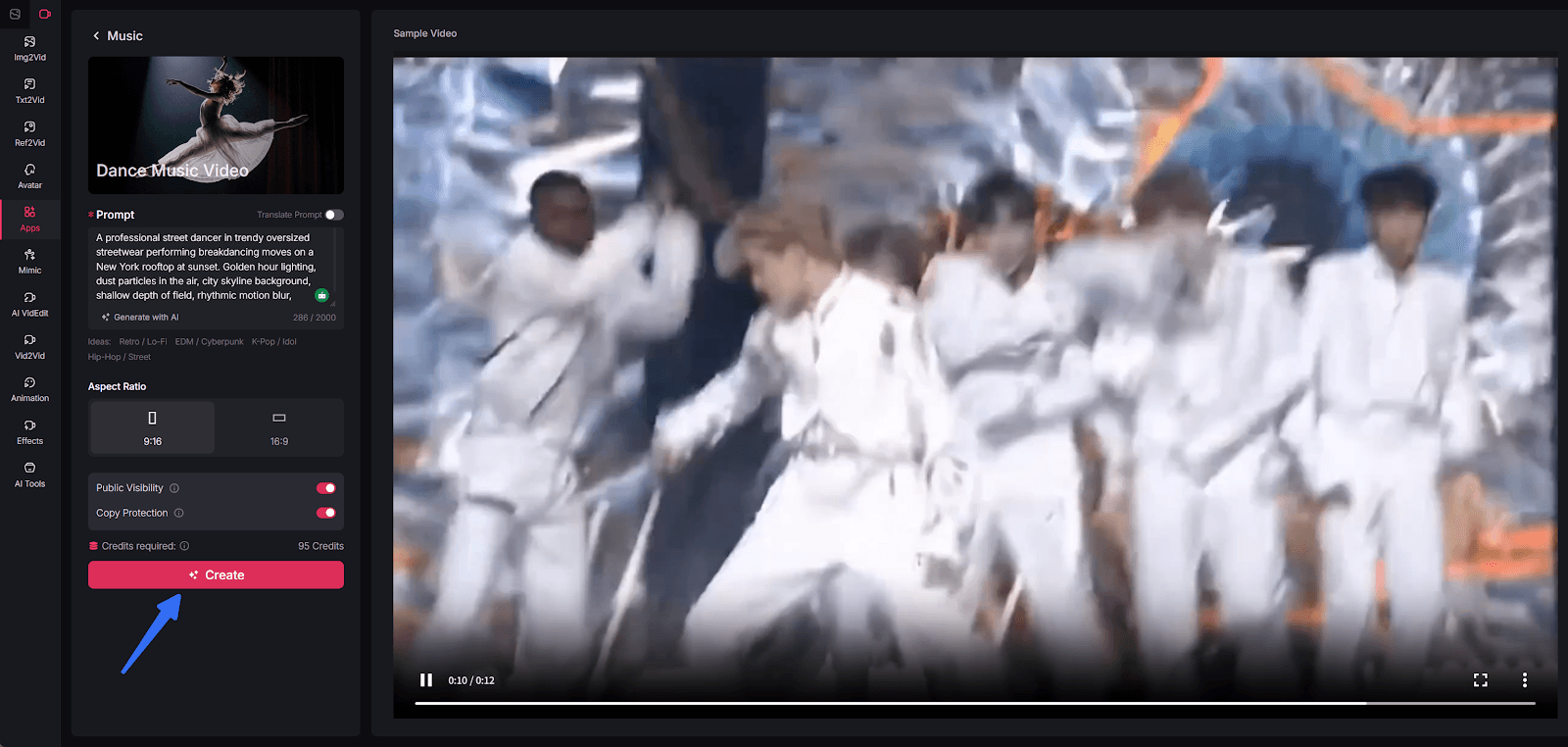
The source article treats the create button as the moment where everything comes together. In practice, generation is the midpoint, not the finish line.
Once your first render is ready, review it with a stricter lens:
- Does the clip feel energetic in the first seconds?
- Does the subject stay readable, or does the motion get muddy?
- Does the scene feel like a music-video visual, or just a generic AI animation?
- Is the camera behavior helping the concept?
- Would you actually post this version without embarrassment?
If the base render is close but not fully there, this is where VideoAny becomes more useful as a workflow system. Video to Video can help you test alternate looks from an existing base clip, while Effects can add extra style or finishing energy when the render feels too plain.
The goal is not to endlessly tweak for perfection. It is to push the result until it feels intentional enough to publish. Good dance-style content usually looks decisive. Even if the clip is playful or absurd, the visual treatment should feel like a choice rather than an accident.
Step 4: Pair It with Audio and Publish Variants
This is the part many AI blog posts skip. A dance music video is not complete until it works with sound, pacing, and platform behavior.
After exporting the visual, pair it with the soundtrack in your normal editing flow. That could mean adding licensed music in a video editor, testing trending platform audio, or cutting the clip to fit a specific beat drop. The reason to separate this step from generation is simple: it gives you more flexibility. One visual concept can work with multiple audio directions, which is useful for testing different audiences or moods.
It is also smart to make variants instead of relying on a single final file. A practical content team might export:
- One short version built around the strongest visual hook
- One slightly longer cut with more scene buildup
- One alternate style pass with a different look or effect treatment
- One version optimized for a different platform ratio
That turns a single generation session into a real publishing system.
Why VideoAny Works Well as the Visual Engine
The source article ends by positioning its own tool as an easy way to create cinematic, attention-grabbing dance content. Translated into a VideoAny workflow, the strongest argument is not that one page does everything. It is that VideoAny gives you multiple ways to approach the visual problem depending on what inputs you already have.
Prompt-First Creation
When the whole concept is still in your head, Text to Video is the fastest way to test scene ideas and performance moods without collecting source footage first.
Image-Based Animation
If you already have a character design, album-style artwork, brand mascot, or still portrait, Image to Video gives you a more controlled starting point than rebuilding the subject from scratch.
Visual Refinement Without Restarting Everything
When a clip is close but the style is off, Video to Video is useful because it lets you explore another visual direction without discarding the underlying concept entirely.
Stronger Finish for Social Publishing
Effects are useful when the base render needs a more intentional final layer. That can matter a lot with dance content, because the difference between "interesting AI output" and "actually postable social video" often comes down to finish and emphasis.
How to Turn One Dance Concept Into Multiple Posts
One reason this format scales well is that dance videos are easy to remix without feeling repetitive. Once you have a workable idea, try varying only one dimension at a time:
- Change the environment but keep the performer
- Keep the scene but change the visual style
- Keep the style but change the shot pacing
- Keep the core concept but reformat for a different platform
That gives you a cleaner testing framework than changing everything at once. It also matches one of the strongest themes in the source article: AI is most powerful when it helps you create more from a single concept rather than spending all your effort on one perfect output.
Final Thoughts
The main lesson from the source article is still useful after adapting it to VideoAny: dance-style AI video works because it is visually immediate, easy to iterate, and naturally suited to social platforms where motion wins attention.
For VideoAny users, the most practical takeaway is to separate the workflow into clear stages. First, define the performance idea and visual energy. Then generate the scene in the format the platform needs. After that, review the render critically, refine the look if necessary, and only then pair it with audio for publishing.
That process is much more reliable than chasing a single perfect prompt. It gives you a repeatable system for producing dance-focused visuals that feel deliberate, testable, and actually useful in a real content pipeline.
Explore the full workflow at https://videoany.io.
FAQs
1) Do I need source footage to make an AI dance music video?
No. You can start from a prompt with Text to Video, or from a still image if you already have artwork or a character you want to animate.
2) Does VideoAny generate the music too?
This workflow is best understood as visual generation first. Use VideoAny to create the dance-focused visuals, then pair the export with music or platform audio in your normal editing process.
3) What is the best format for publishing dance-style clips?
For most short-form platforms, 9:16 is the safest starting point. If you are publishing into a standard feed, 1:1 or 4:5 can also work well depending on the placement.