Categories: AI Video, Creator Guides
Tags: videoany, ai video, ai video generator, ai content creation, creator guide
Introduction
For creators building narratives or branded content, the ability to maintain a consistent character across multiple AI video clips is the difference between a disjointed experiment and a professional production. Achieving visual continuity requires moving beyond simple text prompts and adopting a structured, reference-based workflow. This guide explores how to leverage VideoAny to keep your characters recognizable throughout your creative projects.
Responsible use: Mature-content workflows must be limited to lawful material involving consenting adults. Never create or share content involving minors, non-consensual imagery, unauthorized likenesses, or material that violates platform terms or applicable law.
The Foundation of Character Consistency
Consistency in AI video is rarely achieved by chance; it is a result of providing the model with a clear "visual anchor." When you rely solely on text, the AI interprets your description anew for every frame, which can lead to subtle shifts in appearance. To maintain integrity, you must provide the system with a persistent visual reference.
Leveraging Reference-Based Generation
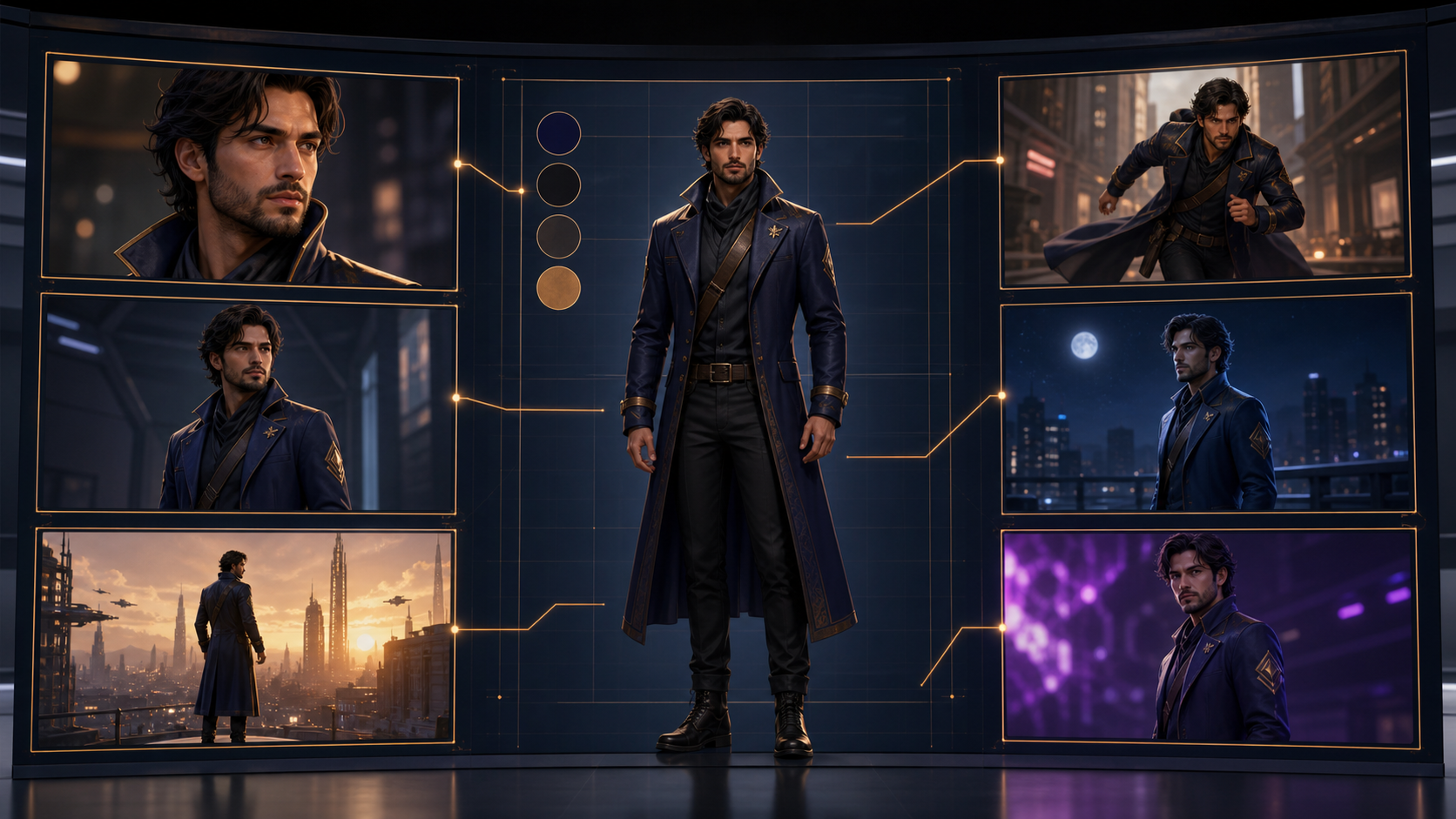
The most effective way to ensure a character remains the same across different scenes is to use a high-quality reference image. By uploading a clear portrait or full-body shot, you provide the AI with the specific facial features, clothing, and accessories that define your character.
- Image-to-Video: Start with a static portrait and animate it. This ensures that the base character design is locked in before motion is introduced.
- Reference Image Integration: When generating new scenes, use your character reference as a visual anchor. This significantly reduces the variance between clips, ensuring that your character’s identity remains stable regardless of the action or camera angle.
- Face Swap Technology: For projects where you need to place a specific character into various environments or actions, face-swapping allows you to map your established character’s features onto generated footage, maintaining a consistent look even when the background or context changes.

Workflow Strategies for Creators
To build a professional workflow, treat your AI generation as a multi-step production process rather than a single-click solution.
- Define the Visual Anchor: Before generating video, ensure you have a high-quality reference image. The quality of your output is directly tied to the clarity of your input.
- Iterative Generation: Use VideoAny to test your character in different poses or environments. If the character drifts, return to your reference image to re-anchor the generation.
- Video-to-Video Transformations: If you have existing footage, you can use video-to-video tools to apply style transfers or character modifications while keeping the underlying movement consistent. This is particularly useful for maintaining the "soul" of a performance while updating the character's appearance.

Use Cases and Creative Application
Consistent characters are essential for building a recognizable brand. Whether you are a social media creator developing a recurring mascot for your channel or a storyteller crafting a multi-part narrative, the ability to keep your character stable allows your audience to form a deeper connection with your content.
- Social Media Branding: Use consistent character designs to create recognizable shorts for platforms like TikTok or Instagram.
- Narrative Storytelling: Maintain character integrity across long-form sequences to ensure your audience stays immersed in the story.
Responsible AI Creation
As you explore these tools, it is important to remember that responsible AI creation relies on consent and ethical use. When creating content featuring recognizable individuals or specific personas, always ensure you have the necessary rights and permissions. By using AI tools ethically, you contribute to a creative ecosystem that respects the rights of others while pushing the boundaries of what is possible in digital media.
Frequently Asked Questions
Q: How does VideoAny help maintain character consistency? A: By utilizing reference images, face-swapping, and structured prompting, you provide the AI with a clear visual anchor, which helps the model reproduce the same features across different scenes.
Q: Can I use my own character images? A: Yes. Uploading your own reference images is the recommended method for achieving the highest level of consistency.
Q: What is the best way to start a consistent character project? A: Begin by creating a high-quality reference image, then use that image as the primary input for your VideoAny projects to ensure the character's appearance is preserved from the start.
Q: How do I handle character drift in long videos? A: If you notice the character changing over time, break your video into smaller segments and re-apply your reference image at the start of each new clip to "reset" the visual anchor.
Explore more tools and start your project at VideoAny.