Introduction
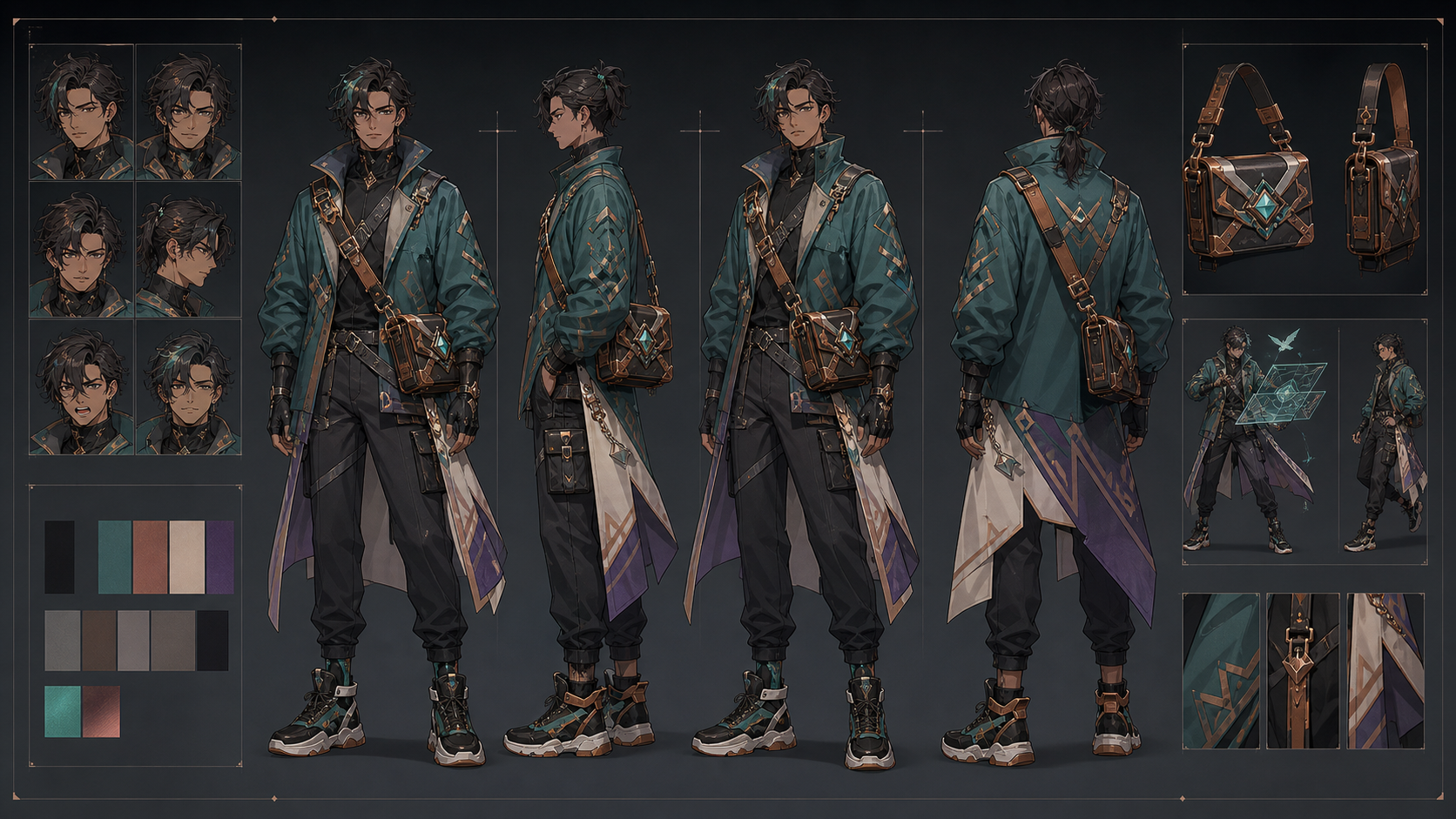
In professional animation and digital art, a character sheet is more than just a drawing—it is a production manual. When using AI to generate these assets, the goal is to move beyond random results and toward a controlled, repeatable system. This guide outlines how to structure your workflow to ensure your character remains consistent across multiple views, expressions, and costumes.
1. Define Your Production Scope
Before generating a single pixel, define your creative brief in one sentence. Include the audience, subject, action, mood, and final delivery format. By treating your character as a "production unit" rather than a prompt-testing experiment, you minimize the risk of stylistic drift.
Establish your "acceptance test" early. A successful sheet should resolve ambiguity regarding hair layers, footwear, back-of-costume construction, and accessories. If the AI output doesn't pass this checklist, refine your approach rather than generating more variations.
2. Strategic Composition and Hierarchy
Where will your character appear? A design optimized for a mobile screen requires different visual hierarchy than one intended for print. Lock your aspect ratio and safe crop early to avoid composition issues later.
When writing prompts, use concrete visual facts. Specify shape, material, construction, and lighting. Avoid subjective adjectives like "beautiful" or "amazing," which offer the model no structural guidance. Instead, use descriptive anchors: "ivory linen shirt, rolled sleeves, soft window light."
3. Maintaining Identity Continuity
Identity drift is the most common challenge in AI character design. To combat this, create a "master" reference asset.
- Establish Anchors: Define the face shape, hair style, color palette, and signature details.
- Iterative Refinement: If a new generation drifts from your original vision, return to the last stable asset. Do not attempt to fix a "drifted" image by prompting it further; you will only compound the errors.
- Batch Control: Change only one variable at a time—such as camera angle or wardrobe—to isolate what works and what doesn't.
4. The Anatomy of a Character Sheet
A complete sheet should include front, three-quarter, side, back, expression, and costume-detail views only when they serve a specific production purpose.
- Review at Scale: Always inspect your results at 100% zoom. This is the only way to catch merged fingers, broken seams, or edge artifacts.
- The "Defect" Method: When you spot an error, name it specifically (e.g., "anatomy," "continuity," or "text"). Correct the defect at the smallest practical scale. If the error is systemic, revert to your last approved reference.
5. Practical Production Workflow
For creators looking to integrate these stills into motion, the transition from static to dynamic requires a clear hand-off. You can build your core character sheet using Text to Image tools, then use those approved frames as the foundation for Image to Video workflows.
The Workflow Checklist:
- Define: Set the goal and format.
- Anchor: Create a neutral, high-quality reference image.
- Test: Generate small, controlled batches to verify structural consistency.
- Review: Check for anatomy and edge artifacts at full resolution.
- Refine: Lock successful regions and iterate on one category at a time.
6. Responsible Creation
Professional AI media creation relies on transparency and consent. Only use source photos, logos, or reference art that you own or have explicit permission to use. If you are creating conceptual mockups, label them clearly to avoid confusion with real-world products or documentary footage. Always review the platform's terms of service and relevant copyright or publicity laws before moving to commercial release.
Conclusion
Building a character sheet is an exercise in system design. By focusing on repeatable anchors and a disciplined review process, you can transform AI generation from a hit-or-miss activity into a reliable part of your creative pipeline.
Explore more tools for your production workflow at VideoAny.
FAQs
How do I keep my character consistent across different scenes?
Always return to your primary reference asset. Use consistent descriptive language for your character’s core features in every prompt.
Should I generate the whole sheet at once?
It is often more effective to generate individual views or expressions and assemble them, ensuring each piece meets your quality standards before moving to the next.
What is the most important check before finishing?
Review your assets at 100% scale. Many issues, such as doubled accessories or edge artifacts, are invisible in thumbnail view but ruin the final production quality.
How does VideoAny support this process?
VideoAny provides a suite of tools to help you move from static character sheets to Image to Video and Video to Video workflows, allowing you to bring your consistent designs to life.