Categories: AI Video, AI Image, Creator Guides
Tags: videoany, ai video, ai video generator, ai content creation, creator guide
Introduction
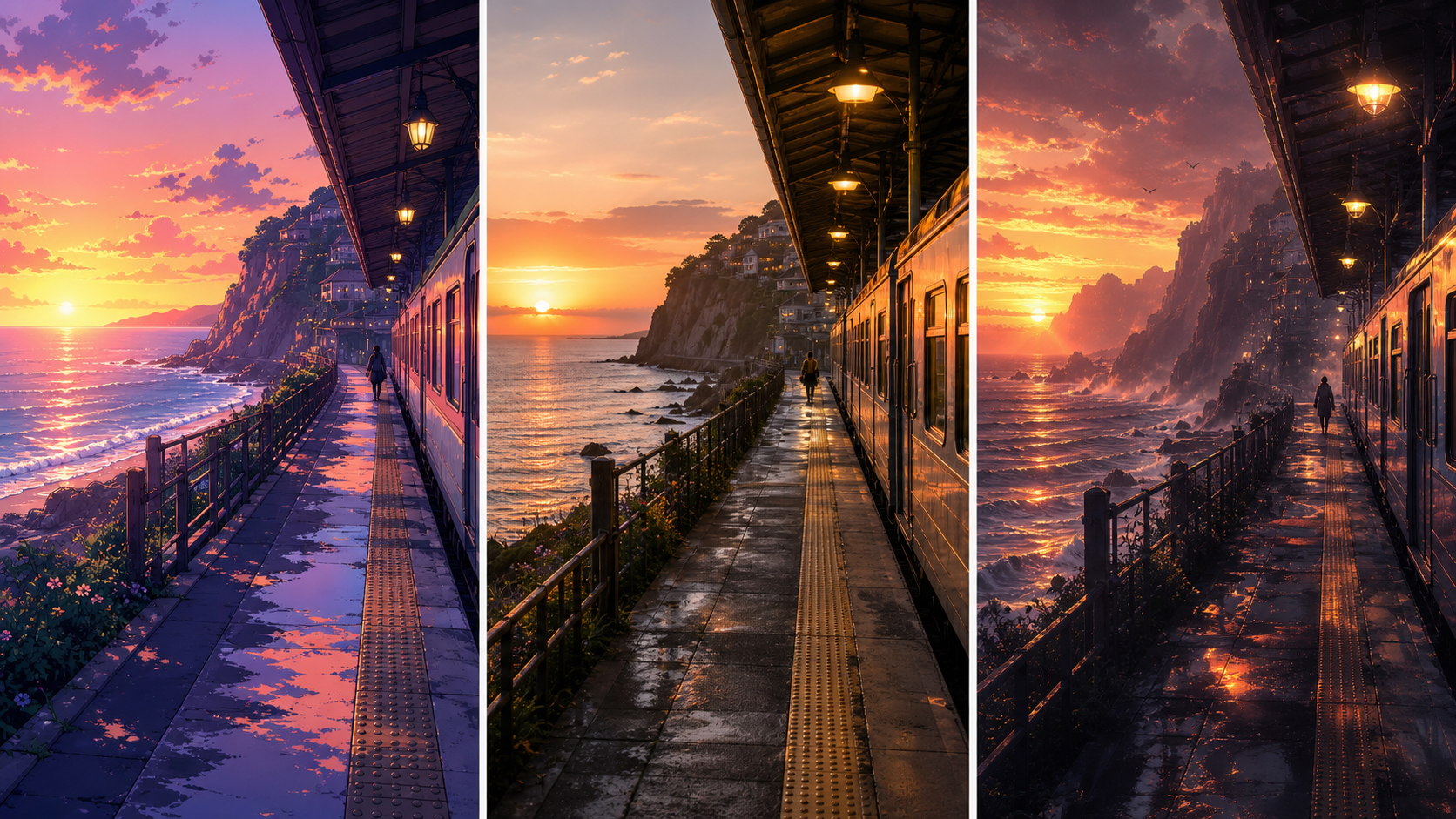
In the world of AI-assisted media, the visual style you choose is just as important as the prompt itself. Style defines the mood, the audience's emotional response, and the overall production quality of your work. Whether you are building a narrative scene or a stylized social post, understanding the nuances between anime, photoreal, and cinematic styles is essential for a professional result.
This guide breaks down these three core aesthetics to help you make informed decisions in your creative workflow using VideoAny.
Understanding the Three Core AI Styles
1. Anime
Anime-inspired styles are highly stylized and expressive. They are particularly effective for character-driven narratives where you want to emphasize emotion through exaggerated features or vibrant color palettes. One of the primary advantages of this style is its flexibility; it is generally more forgiving of minor anatomy quirks, making it a favorite for fan creators and those focusing on stylized storytelling.
2. Photoreal
When your project requires a grounded, realistic look, the photoreal style is the industry standard. This aesthetic prioritizes accurate skin textures, realistic lighting, and the faithful representation of real-world materials. It is the ideal choice for boudoir photography, professional portraits, and lookbooks where detail and authenticity are paramount.
3. Cinematic
The cinematic style bridges the gap between reality and art. It utilizes a photoreal base but applies film-grade color grading, professional framing, and dramatic lighting techniques. This style is best suited for stills or video sequences that need to feel like high-budget movie frames. It transforms standard imagery into a cohesive, atmospheric experience.
Switching Styles Mid-Project
Consistency is key to a professional-looking project. If you decide to pivot your aesthetic, the most effective approach is to keep your core prompts and reference assets identical while swapping only the style tag. This allows you to see how the same composition translates across different visual languages without losing the structural integrity of your scene.
Best Practices for Responsible Creation
When working with AI-generated media, especially for mature or character-focused projects, it is vital to prioritize responsible and consent-based creation. Ensure that your content adheres to platform safety guidelines and respects the rights and privacy of others. By focusing on creative expression that is lawful and consensual, you contribute to a healthy and sustainable AI creator community.
Practical Workflow for Creators
To get the most out of your AI video generation process, follow this repeatable system:
- Define the Outcome: Start by identifying your goal—whether it is a short social clip, a narrative scene, or a product showcase.
- Prepare Inputs: Gather your prompts, reference images, and character designs before you begin generating.
- Iterative Generation: Work in small, controlled passes. Refine your output step-by-step rather than attempting to generate a final product in a single go.
- Review and Refine: Check your clips for continuity, pacing, and visual clarity. Use VideoAny to iterate on variations until the output matches your vision.
- Archive: Save your successful prompts and settings so you can easily replicate your style in future projects.
FAQs
1) Can this workflow work for a solo creator? Absolutely. By establishing a repeatable format and keeping your asset list organized, you can maintain high production standards even as a solo creator.
2) Should I generate first or write the edit plan first? Always write a plan first. A simple outline or storyboard helps you judge whether your AI-generated assets will actually serve the final narrative.
3) What should I check before publishing an AI video? Review your work for continuity, motion quality, caption accuracy, and sound design. Ensure the video communicates your intended message clearly.
4) How does VideoAny fit into this workflow? Use VideoAny as your primary engine for visual generation and variation, then integrate your clips into your broader editing pipeline for final assembly and polish.
For more tools to elevate your creative projects, visit VideoAny.