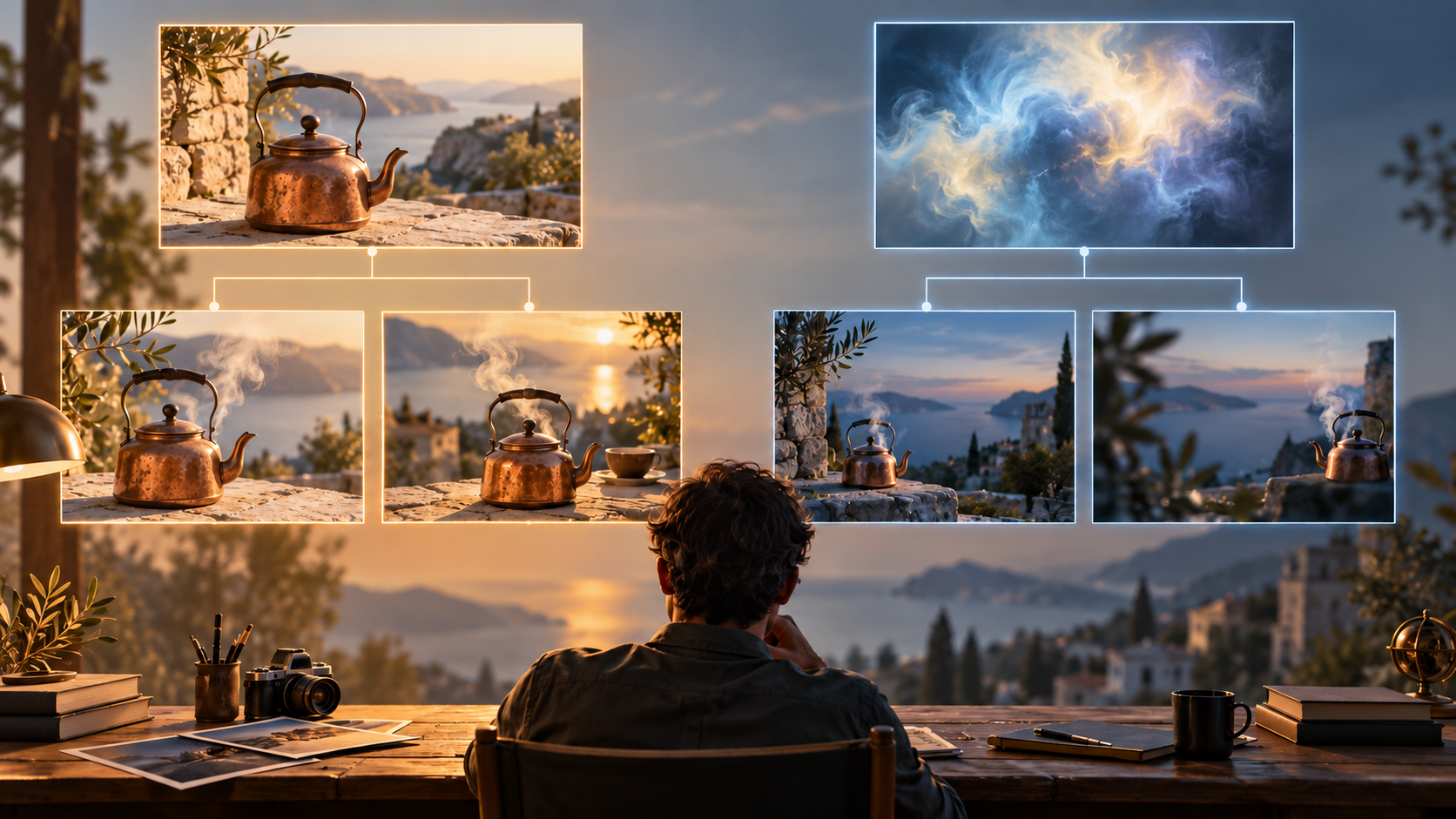
When planning motion sequences for a narrative project, creators face a recurring decision: should each shot begin with a written description or a prepared still frame? Neither approach wins universally. The choice depends on which visual facts require approval before animation and which can remain exploratory. Understanding the strengths and limitations of prompt-led and reference-led workflows helps match the input method to the storytelling need.
How Each Input Method Shapes the Shot
Text-to-video generation synthesizes subject, environment, action, camera movement, and style from a written description. The model interprets the prompt and constructs the scene from scratch, often including synchronized sound. This method excels at conceptual exploration, atmospheric coverage, and non-recurring shots where exact identities, wardrobe details, props, or geography can vary. A prompt revision may produce an entirely new composition rather than refining a specific design, making it well-suited for discovery and mood-driven sequences.
Image-to-video generation begins with a selected visual state—a photograph, illustration, or rendered frame—and animates motion from that starting point. This approach is useful when approved characters, products, costumes, locations, or boarded framing must remain consistent. However, awkward poses, tight crops, or missing sides in the reference can constrain plausible motion. A reference frame provides guidance rather than an identity or motion guarantee, and support for end-frame control varies by model and mode.
Comparing Setup and Control Dimensions
| Dimension | Text-to-Video | Image-to-Video |
|---|---|---|
| Setup | Write focused description; iterate prompt | Prepare or select reference frame; confirm framing |
| Visual anchoring | Composition emerges during generation | Composition locked at start |
| Ideation flexibility | High; easy to explore different concepts | Lower; constrained by reference design |
| Identity consistency | Variable; same prompt may yield different appearances | Stronger anchor, though not guaranteed |
| Large rotation risk | Model invents unseen sides | Model invents unseen sides from partial view |
| Style consistency | Depends on prompt clarity and model behavior | Inherits reference style; motion may introduce drift |
| Detail correction | Requires new prompt or post-generation edit | Correct in still before animation |
Evaluate total preparation, retry, review, and edit time rather than raw generation speed or assumed cost savings. A prompt-only shot may require multiple attempts to achieve the desired composition, while a reference-led shot may need careful frame preparation but fewer retries once the design is approved.
Discovery Stage: Exploring Concepts and Locking Designs
During early development, try a few substantially different moving concepts using text prompts. This phase prioritizes speed and variety over pixel-perfect control. When a generated shot reveals useful camera angles, lighting, or layout decisions, preserve those elements in an approved still frame. Adjacent shots that require the same design—such as a dialogue exchange or product demonstration—can then use that reference to maintain visual continuity.
For example, a fantasy sequence might begin with prompts like:
- "A cloaked figure walks through a misty forest at dawn, soft golden light filtering through ancient trees, slow forward dolly"
- "Stone archway covered in glowing runes, camera orbits left revealing a hidden courtyard, twilight atmosphere"
Once a particular forest aesthetic or archway design proves effective, capture that frame and use it as the reference for subsequent shots in the same location.
Commitment Stage: Preparing References and Refining Prompts
When moving from exploration to final production, prepare reference frames in the intended framing with adequate room for motion. Ensure that needed limbs, props, and background elements are visible and plausible. Confirm the selected mode and available controls—some models support end-frame guidance, while others animate only from the start state.
Describe the change from start to end rather than rewriting the visible appearance already present in the reference. For instance, if the reference shows a character standing in a workshop, the motion prompt should specify the action: "turns head toward the window, reaches for a tool on the bench" rather than re-describing the workshop itself.
Avoid forcing a reference into an incompatible action. A tight closeup cannot easily become a full-body action shot; choose a new source composition instead. Similarly, a profile view with one arm visible will struggle to animate a two-handed gesture convincingly.
Hybrid Workflows: Matching Input to Shot Priority
Most narrative projects benefit from a hybrid approach. Use text-to-video for discovery, atmosphere, and non-recurring coverage where identity and composition can vary. Use image-to-video for hero shots, product close-ups, dialogue sequences, and any moment where approved design or character consistency is critical.
Label each shot by its primary constraint:
- Identity-critical: Recognizable character, branded product, or specific performer
- Composition-critical: Storyboarded framing, approved layout, or precise spatial relationship
- Motion-critical: Complex action, choreography, or camera movement
- Atmosphere-critical: Mood, lighting, or environmental tone
- Transition-critical: Match cut, continuity, or seamless edit point
Simplify tests by using the input method that addresses the shot's strongest need. When multiple constraints apply, prioritize the one that is hardest to correct in post-production.
Original Shot Plan: Mixed-Input Sequence
Consider a short narrative sequence combining both methods:
Opening wide (text-to-video): "Abandoned train station at dusk, pigeons scatter as wind blows through broken windows, slow crane up"—establishes mood without identity requirements.
Character entrance (image-to-video): Reference frame shows the protagonist in costume, standing at the platform edge, facing away. Motion prompt: "turns slowly toward camera, takes two steps forward, stops"—the reference anchors the approved design, though the turn and steps require review for identity drift.
Reaction close-up (image-to-video): Reference frame is a medium shot of the character's face, neutral expression. Motion prompt: "eyes widen, slight head tilt left, breath visible in cold air"—the reference guides the face and expression; review needed for identity and expression continuity.
Environment detail (text-to-video): "Rusted ticket machine, faded posters peeling from concrete wall, camera pushes in slowly"—atmospheric detail without identity needs.
Transition out (image-to-video): Reference frame shows the character walking away down the platform. Motion prompt: "continues walking, fades into shadow at far end"—prepares for the next scene cut.
This plan uses text prompts for exploratory and atmospheric coverage, reserving reference frames for moments where character identity and approved framing matter most.
Output Review: What to Check in Each Shot Type
Text-led shots require careful review of design consistency, geography, and object plausibility. Check whether the generated environment, character appearance, and props align with the narrative. Verify that camera movement and action match the intended storytelling beat. Since composition emerges during generation, confirm that framing supports the edit point.
Image-led shots need attention to drift, texture consistency, and unseen-side invention. Watch for subtle changes in lighting, color, or style that may occur during animation. Check whether motion reveals parts of the subject or environment not visible in the reference—these invented details may introduce inconsistencies. Verify that the action remains plausible given the starting pose and framing.
Both methods require independent sound review. Examine the final second of each generated clip: the last pose, screen direction and prop state must support the following shot. Trim or repair mismatches before assembly. Generated audio often fails to align across cuts, so dialogue and effects typically need separate recording or editing to preserve continuity. Use only reference material you have permission to use, and obtain consent when incorporating identifiable real faces or voices. These steps help manage technical and ethical considerations without assuming legal outcomes.
Frequently Asked Questions
Do reference frames guarantee character consistency?
Reference frames provide a stronger identity anchor than text prompts alone, but they do not guarantee pixel-perfect consistency. Motion may introduce subtle drift, and unseen sides will be invented by the model. For critical identity work, review each generated clip carefully and be prepared to iterate or use additional controls if the selected mode supports them.
Does fewer setup steps mean faster accepted clips?
Not necessarily. A text prompt may require multiple generation attempts to achieve the desired composition, while a carefully prepared reference may produce an acceptable result in fewer tries. Total workflow time includes preparation, generation, review, and any necessary corrections. Evaluate the full cycle rather than counting initial steps.
Can storyboards be used directly as reference frames?
Only if the storyboard is a clear, plausible source frame that the selected mode can interpret. Rough sketches, abstract layouts, or incomplete drawings may not provide sufficient visual information. If using boards, render them into finished frames with complete subjects, lighting, and framing before animation.
Does anime or stylized content benefit more from one method?
Designed anime and stylized projects often benefit from reference guidance when maintaining character models, costumes, and specific visual styles across shots. However, exploratory or non-recurring stylized shots—such as dream sequences or abstract transitions—can use text prompts effectively. Match the method to the consistency requirement of each shot.
Conclusion: Approve Constraints, Select Inputs, Judge Results
No single input method suits every shot. Approve the essential constraints—identity, composition, motion, atmosphere, or transition—and select the input that addresses the primary need. Text-to-video offers flexibility and exploration; image-to-video offers design control and consistency anchors. Judge each generated clip in the context of the actual edit, and adjust the workflow as the project evolves.
For creators ready to experiment with reference-led motion, image-to-video tools provide a starting point for testing how prepared frames translate into animated sequences.