Categories: AI Video, AI Image, Creator Guides
Tags: videoany, ai video, ai video generator, ai content creation, creator guide
Introduction
Achieving visual consistency is often the most challenging hurdle in AI image and video generation. Whether you are building a character for a short film, a series of social media posts, or a digital story, the ability to keep a character recognizable across different scenes is essential. This guide outlines a professional workflow for maintaining character identity using reference-based generation and iterative refinement.
Note: When creating AI-generated characters, always ensure you have the necessary rights or consent for the likenesses you produce. Responsible AI creation involves respecting intellectual property and adhering to platform safety guidelines.
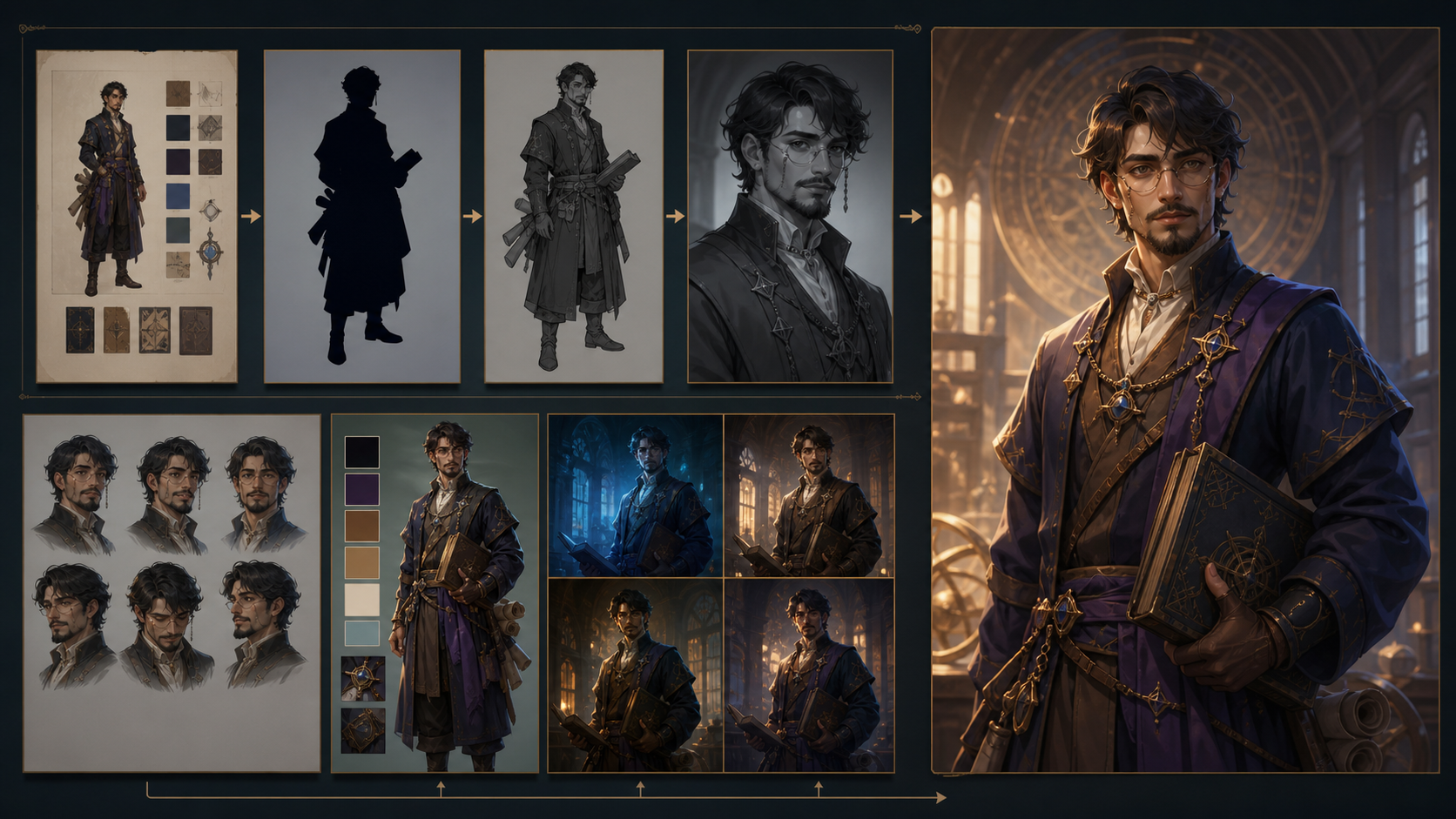
The Four-Step Consistency Workflow
To move beyond random results, adopt a structured approach to your generation process. By treating your character as a persistent asset rather than a one-off prompt, you can maintain quality and continuity.
1. Lock a Face Reference
The foundation of any consistent character is a high-quality "anchor" image. Generate one strong, clear portrait that captures the specific features, expression, and style you intend to use. Once you have a result that matches your vision, save this image. Use it as your primary reference for every subsequent generation to ensure the core identity remains stable.
2. Lock a Body and Wardrobe Brief
Consistency isn't just about the face; it’s about the silhouette and the details. Once your character’s identity is established, define a "wardrobe brief"—a set of descriptive keywords that define the character's clothing, build, and accessories. By reusing these specific descriptors in every prompt, you prevent the AI from drifting into different styles or outfits.
3. Iterate on Scene Only
With the identity and wardrobe locked, your prompt engineering should focus exclusively on the environment. Change the lighting, camera framing, and background settings while keeping your character reference and wardrobe brief constant. This allows you to place your character in diverse settings—from a sunlit park to a dimly lit office—without losing the visual continuity of the character themselves.
4. Save Winning Prompts
Treat your successful prompts as production assets. Keep a record of the specific phrasing, modifiers, and reference configurations that yielded the best results. By building a library of "winning" prompts, you create a repeatable system that makes future generations faster and more predictable.
Practical Production Planning
Before diving into generation, treat your project as a professional production. A clear plan prevents wasted time and helps you manage your creative output effectively.
- Define the Outcome: Identify your goal—whether it is a short social media clip, a product demo, or a narrative scene.
- Collect Inputs: Gather your reference images, script notes, and style guides before you begin.
- Small-Pass Generation: Instead of attempting to generate an entire sequence at once, work in small, manageable passes. This makes it easier to spot inconsistencies early.
- Review and Refine: Evaluate each clip for continuity, pacing, and visual clarity. If a shot doesn't match your established character, adjust the reference or the prompt and try again.
Conclusion
AI-assisted media creation is most effective when treated as a systematic production workflow. By combining clear input assets, controlled iteration, and a rigorous review process, you can transform raw AI generations into cohesive, professional-grade visual storytelling.
Next Steps
Ready to start your project? Explore the tools available at VideoAny to begin building your consistent character library.
FAQs
1. Can this workflow work for a solo creator? Yes. By focusing on a repeatable format and maintaining a library of reference assets, a solo creator can produce high-quality, consistent content efficiently.
2. Should I generate first or write the edit plan first? Always write a plan first. Even a simple outline helps you determine whether your AI-generated assets will actually support the final narrative or visual goal.
3. What should I check before publishing an AI video? Review your work for continuity, motion quality, caption accuracy, sound design, and platform-specific formatting. Ensure the video communicates your intended idea clearly.
4. How does VideoAny fit into this workflow? Use VideoAny to generate and refine your visual assets, then integrate those clips into your broader editing pipeline to add audio, captions, and final polish.