What “POV” Means in AI Video
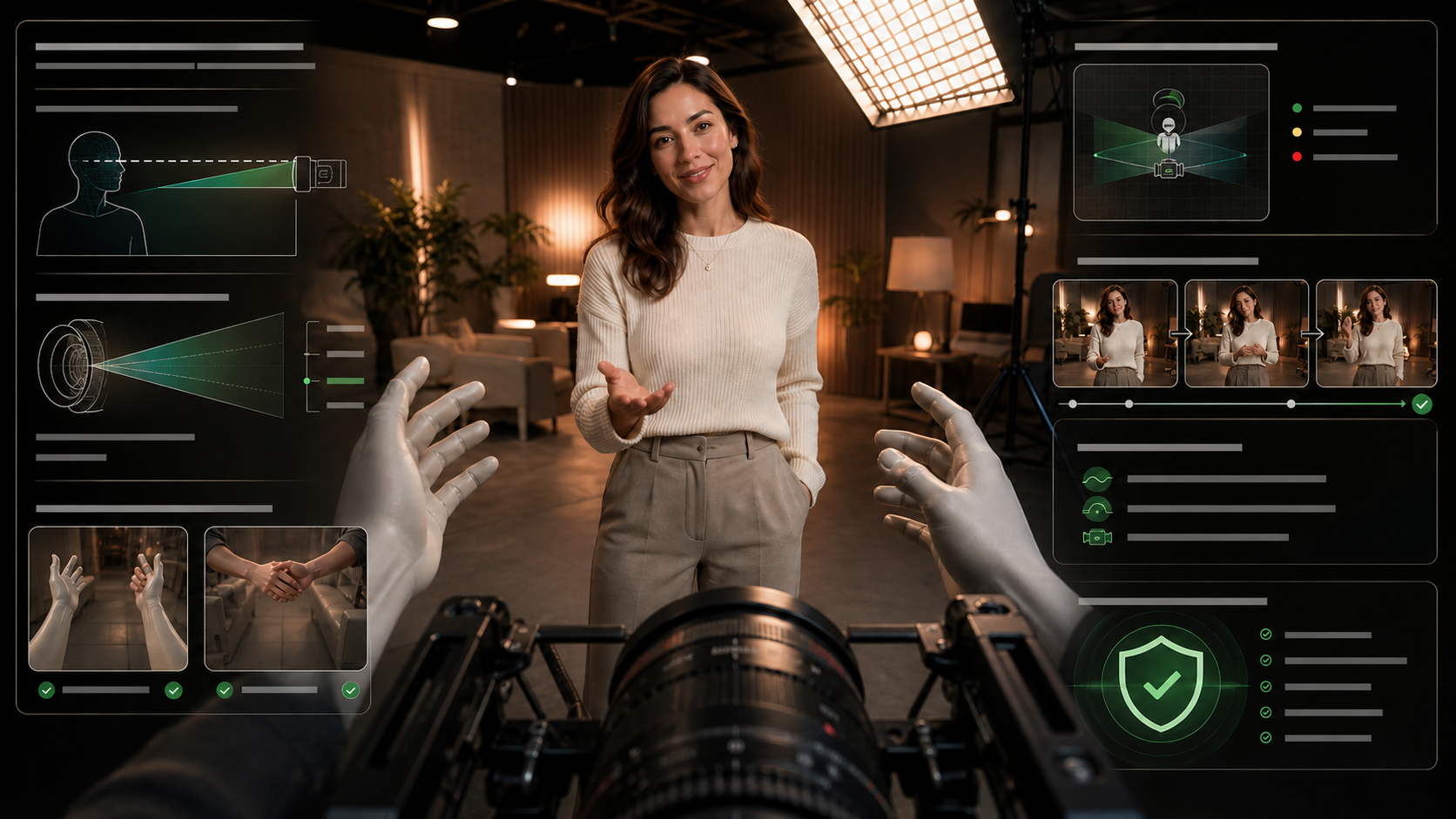
POV video places the camera where a character’s eyes would be. That sounds simple, but a convincing result depends on more than adding “first-person view” to a prompt. The performer must look toward the lens, foreground hands must enter from believable positions, camera height must remain stable, and every movement must preserve the same spatial relationship.
The reference page presents an adult-only, unrestricted POV generator and organizes the topic around creator benefits, a short generation workflow, prompt ideas, mainstream-tool limitations, and privacy and ownership. Those are useful editorial categories, but its promises about unrestricted output, anonymity, resolution, speed, billing, ownership, and privacy belong to the source platform. They should not be read as VideoAny capabilities or guarantees.
For intimate or identity-sensitive work, use only consenting adults and assets you created or are licensed to use. Never use a real person’s likeness without explicit permission, never involve minors, and never create deceptive or non-consensual material.
Why POV Shots Are Hard to Generate
A traditional shot lets viewers see the actor and camera relationship from the outside. A POV shot hides the camera operator, so small inconsistencies become unusually visible:
- Eyeline: the on-screen subject should address the lens, not a point beside it.
- Camera height: a sudden vertical shift makes the unseen viewer appear to change size.
- Foreground anatomy: hands and arms need plausible scale, direction, and occlusion.
- Lens behavior: an extreme field of view can stretch faces and room edges.
- Motion: walking, turning, or leaning should feel motivated rather than like a floating drone.
- Continuity: clothing, props, lighting, and the subject’s identity must survive from shot to shot.
Treat POV as camera choreography. The best result usually comes from several short, controlled clips rather than one long generation packed with actions.
A Practical POV Production Workflow
1. Confirm rights and boundaries
Document that every depicted person is an adult, that likeness and source-media permissions are clear, and that the intended use is allowed by the chosen service and publishing platform. Decide what must remain off-camera before writing the first prompt.
2. Write one beat per shot
Describe a single visible action: the subject approaches the camera, passes an object toward the lens, steps into a light, or turns toward a sound. Avoid asking for a location change, costume change, dialogue exchange, and complicated movement in the same clip.
3. Establish the point of view
Lock the unseen viewer’s approximate height, lens, distance, and movement style. A useful shot note might specify “adult eye level, natural 40 mm perspective, stable handheld breathing, subject two meters from camera.” Reuse those anchors across shots.
4. Generate a neutral test
Test the character, wardrobe, set, eyeline, and camera language with a safe, non-sensitive shot. This reveals identity drift and framing problems before time is spent on a full sequence.
5. Build in short passes
Use a text-led shot for broad exploration, an authorized still when character appearance must stay stable, or a licensed video reference when motion is the priority. VideoAny provides general text-to-video, image-to-video, and video-to-video routes for supported concepts. Check the current model and content rules before uploading or generating; these links do not imply an unrestricted adult-content service.
6. Review frame by frame
Inspect the first and last frames as well as the motion between them. Check fingers, wrists, eye contact, horizon level, prop contact, shadows, reflections, and whether the camera seems to pass through objects. Reject clips with unexplained identity or geometry changes.
7. Finish outside the generator
Arrange selected clips in an editor, trim unstable frames, match color, add licensed audio, and include disclosure where the destination platform expects AI-generated media to be labeled.
A Reliable POV Prompt Structure
The source guide usefully breaks prompting into subject, wardrobe, environment, lighting, camera, and motion. Keep those six controls, but make them precise and non-contradictory:
Consenting fictional adult performer in a fully described wardrobe; compact studio apartment at dusk; warm practical lamps with soft window fill; first-person camera at adult eye level, natural perspective, steady handheld movement; performer maintains lens eyeline and slowly offers a sealed letter toward the camera; realistic hands, stable background geometry, no text or logos.
This structure works because it separates appearance from cinematography. Add negative constraints only for recurring faults—such as duplicate hands, extreme fisheye distortion, sudden cuts, unreadable text, or camera collision—instead of creating an enormous blacklist.
Prompt Ideas That Test the Camera, Not the Filter
The reference page emphasizes that POV can support many adult-oriented fantasies. A safer way to evaluate any generator is to begin with neutral scenarios that exercise the same technical problems:
- a performer hands a ticket to the viewer at a theater entrance;
- a dance instructor demonstrates a step while maintaining lens eyeline;
- a costumed character guides the viewer through a practical set;
- a bartender slides a glass across a counter toward the lens;
- a performer walks beside the camera through a neon-lit corridor.
These tests expose camera height, hand geometry, proximity, reflections, and motion comfort without relying on sensitive material. Once the visual grammar is stable, keep later work within consent, rights, and platform-policy limits.
Common POV Failures and Fixes
The subject looks past the viewer
Specify “direct lens eyeline” and reduce head movement. If the model still drifts, choose a shorter clip or begin from an authorized reference image with the correct gaze.
Foreground hands look oversized or detached
Remove the hands unless they are essential. When they matter, request one simple gesture, keep them near the bottom edge, and avoid fast crossing motion in front of the face.
The camera floats or causes motion sickness
Replace vague instructions like “dynamic camera” with a measurable move: slow 20-degree pan, gentle one-step push-in, or locked tripod at eye level. Stabilize or discard clips with abrupt acceleration.
The room bends around the subject
Use a natural field of view, fewer foreground objects, and a simpler path. Check door frames, mirrors, table edges, and repeating patterns for warping.
Identity changes at close range
Reuse the same approved character reference, shorten the clip, and keep lighting direction consistent. Do not solve identity consistency by borrowing an unlicensed face.
Why Mainstream Tools May Refuse a Request
The source article treats safety filters mainly as a creative obstacle. In practice, services restrict certain requests because intimate deepfakes, non-consensual sexual imagery, child sexual abuse material, harassment, and privacy violations cause real harm and legal risk. A refusal is not proof that a tool is defective.
Before selecting a service, read its current acceptable-use rules, upload retention policy, deletion controls, commercial-use terms, and identity requirements. Do not assume that “private,” “anonymous,” or “you own everything” is true without checking the provider’s actual terms. Payment method alone does not establish privacy.
Final POV Checklist
- All depicted people are consenting adults, and all source assets are authorized.
- The camera height, lens feel, and movement style stay consistent.
- The subject maintains a believable eyeline to the lens.
- Foreground hands and props make physically plausible contact.
- Reflections and shadows do not reveal contradictory geometry.
- Each shot contains one clear action and has stable start and end frames.
- Music, voices, logos, and reference footage are licensed.
- The export matches the destination’s aspect ratio, disclosure rules, and content policy.
FAQs
Does adding “POV” guarantee a first-person result?
No. Models may interpret it as a close over-the-shoulder shot. Reinforce the perspective with lens eyeline, eye-level camera height, foreground-hand placement, and a specific camera move.
Should I use text, an image, or a video reference?
Use text for exploration, an authorized image for appearance consistency, and licensed video for motion or framing guidance. Choose the minimum amount of identity-bearing source media needed for the shot.
Can one generation produce a complete POV scene?
It can, but shorter shots are easier to control. Generate individual beats, select stable takes, and assemble them in an editor.
Is this an endorsement of “uncensored” generation?
No. This article analyzes the source page’s POV workflow and translates it into a consent-first production method. Tool availability and permitted content depend on current provider policies and applicable law.
Conclusion
Effective AI POV video is a cinematography problem before it is a generation problem. Define the viewer’s position, control the eyeline, simplify each action, verify every source asset, and inspect motion frame by frame. That discipline produces more credible first-person storytelling while keeping consent and identity rights at the center of the workflow.