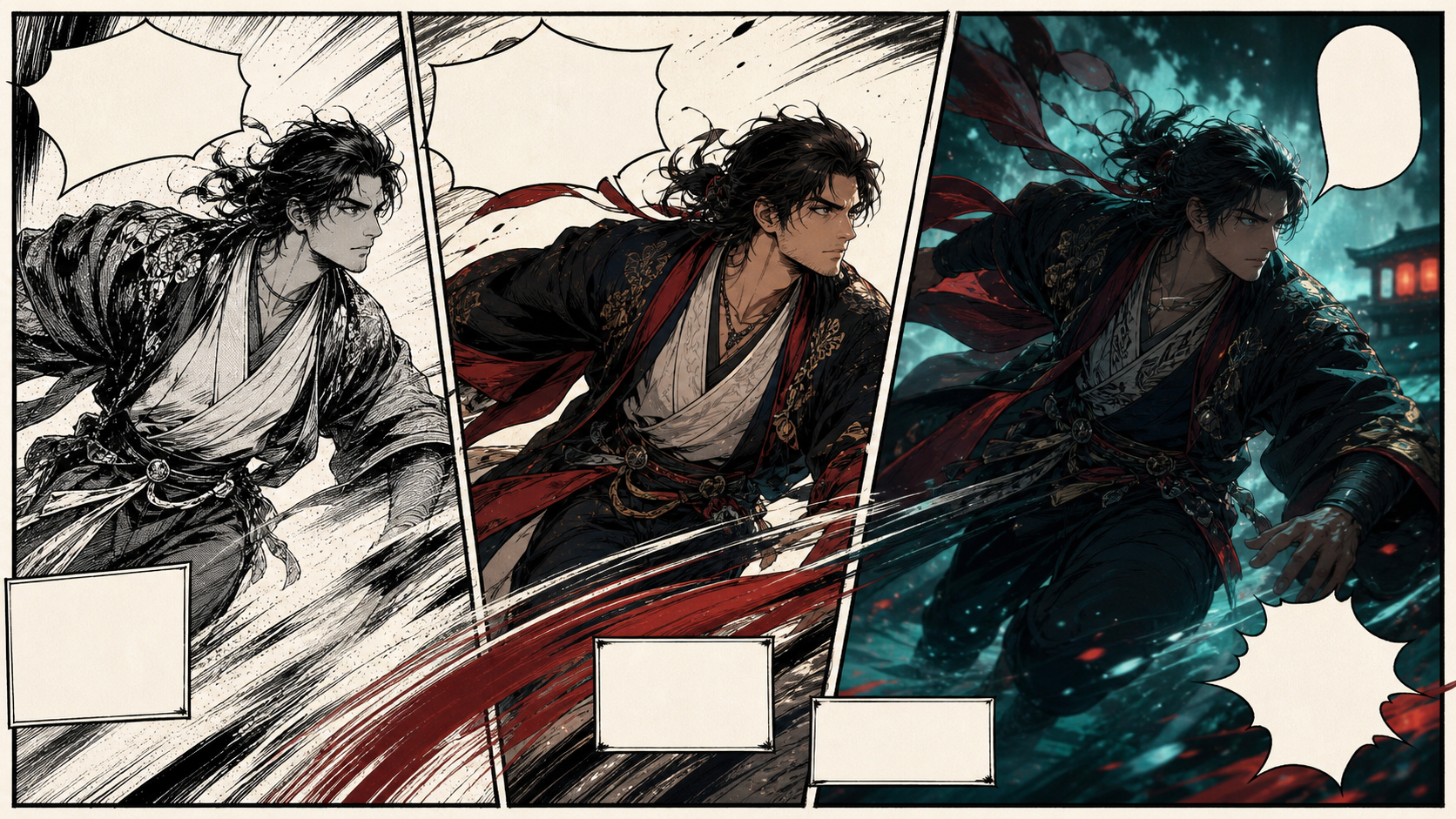
Manga-to-Video Is an Adaptation, Not a Moving Page
A manga panel compresses time into one designed image. Motion video must unpack that image into a beginning, middle, and end while preserving the artist’s character, composition, and intent. Simply asking an AI model to “animate this manga” often produces drifting faces, wobbling line art, invented limbs, changing costumes, or camera motion that destroys the original panel’s focus.
The reference page frames manga-to-video as an adult-only, unrestricted creation service. It highlights text, image, and video generation modes; optional references; 1080p downloads; multiple aspect ratios; fast output; private storage; and crypto payment. These are source-platform marketing claims, not VideoAny guarantees. Verify current policies, technical output, pricing, privacy, and commercial terms directly before relying on them.
Use only manga you created or have licensed for adaptation. All depicted people in mature work must be clearly fictional adults or consenting adults whose likeness is authorized. Never animate intimate material involving minors or non-consenting real people.
Start With Rights and a Panel Inventory
Before generation, identify who controls the rights to the drawings, characters, script, logos, fonts, and any planned music or voices. Owning a printed book or image file does not grant adaptation rights. Fan art and recognizable franchise characters may still be protected even when redrawn by AI.
Then catalog each panel you intend to animate:
- panel number and story purpose;
- character names and adult ages;
- costume and prop continuity;
- foreground, middle ground, and background layers;
- implied action before and after the captured moment;
- camera distance and angle;
- text, sound effects, and speech balloons to rebuild later in editing;
- elements that must remain static.
Remove lettering before motion generation when possible. AI video models tend to distort text frame by frame; dialogue and sound effects are more reliable when composited after animation.
Choose the Right Kind of Motion
Not every panel needs full character animation. Select the least complex method that serves the beat.
Layered camera move
Separate foreground, character, and background, then apply a slow push, pan, or parallax move. This preserves line work and is ideal for establishing shots, reactions, and dramatic reveals.
Environmental loop
Keep the character mostly still while hair, fabric, rain, smoke, sparks, or reflected light moves. A restrained loop can feel more intentional than an unstable full-body performance.
Character micro-action
Animate one blink, breath, head turn, or hand movement. Short micro-actions reduce identity drift and make it easier to match the next panel.
Full action bridge
Generate the missing movement between two panels only when the story needs it. Define the start pose, end pose, screen direction, and duration. Complex fights or transformations should be split into several beats.
A Source-Inspired Manga-to-Video Workflow
The source page uses a short five-step loop: select a generation mode, describe the scene, add a reference, choose output settings, then download or remix. For sequential art, expand that loop as follows.
1. Build a clean keyframe
Use the licensed panel as a composition guide, then prepare a clean version without speech bubbles, page numbers, or printing artifacts. If the original is monochrome, decide whether the final video will preserve ink or introduce a controlled palette.
2. Write a continuity card
Record the adult character’s face, hair, costume, accessories, line weight, color palette, and left-right details. Note what cannot change across adjacent shots.
3. Describe one motion beat
Use the source’s prompt categories—subject, wardrobe, environment, lighting, camera, and motion—but keep the motion minimal. One character action plus one camera action is usually enough.
4. Generate a short test
VideoAny offers general image-to-video tools for supported source material. Start with the shortest useful duration. Check whether ink contours, facial proportions, hands, and background geometry remain stable. This reference does not imply an unrestricted adult-manga service.
5. Correct only the failing layer
If the composition is right but the character drifts, repair the still first with an authorized image-to-image workflow. If motion is good but style shifts, a conservative video-to-video pass may help on supported material. Avoid repeatedly transforming the whole frame, which can compound artifacts.
6. Rebuild typography and sound
Add dialogue, captions, sound effects, music, and voices in the editor. Use licensed audio and readable type, and preserve safe margins for the target aspect ratio.
Prompt Structure for Manga Animation
A practical prompt separates fixed visual anchors from motion:
Original fictional adult swordsman with tied black hair, layered black-and-ivory robe and red sash, preserve face and costume across all frames, hand-inked manga line work with restrained crimson accents, rain-dark temple courtyard, cool moonlight with warm lantern rim, slow side-tracking camera as the character turns and takes one step, cloth and hair follow naturally, stable anatomy and background, no text, no logos.
If the line art dissolves, shorten the shot and reduce camera movement. If color changes, name a small palette. If the model invents a second action, remove adjectives before adding more negative prompts.
Translating Panels Into a Shot List
Suppose a three-panel sequence shows an adult character noticing a threat, reaching for a prop, and exiting frame. A workable shot plan might be:
- Reaction close-up: two-second hold, slight push-in, one blink, background rain loop.
- Hand insert: one-second controlled reach, fixed camera, prop stays on the same side.
- Medium action: two steps toward screen right, coat and hair trailing, camera pans only enough to keep framing.
- Transition: cut on motion to the next panel’s established direction.
This approach respects manga timing while giving the model small, testable tasks. It also makes failures cheaper to replace.
Common Problems and Fixes
Faces change between panels
Use the same approved face reference and character card. Keep lighting direction consistent and avoid switching between extreme profile and frontal views in one generation.
Line art crawls
Reduce motion, increase edge contrast in the keyframe, and use a locked or very slow camera. Apply final line stabilization after selecting the take.
Speech bubbles melt
Remove them before generation and recreate them as graphic overlays. Keep balloon tails, reading order, and accessibility in mind.
Clothing details switch sides
Document asymmetric features and inspect every shot for accidental mirroring. Screen direction and character handedness should also remain consistent.
The result looks like a slideshow
Add one motivated environmental motion or a short character micro-action. Do not compensate with constant zooming; camera movement should express story emphasis.
Verifying “Uncensored,” Privacy, and Ownership Claims
The source page says it permits broad adult content, keeps libraries private, does not share prompts, does not require a real name, grants ownership, supports crypto payment, and blocks minors and non-consensual real people. Treat each statement as something to verify, not as a universal property of AI tools.
Read the current acceptable-use policy, data-retention terms, training-use rules, gallery defaults, deletion controls, and commercial license. “Ownership” may not resolve copyright in underlying manga or guarantee that an output is exclusive. Crypto checkout also does not eliminate account or network logs.
Final Adaptation Checklist
- Manga, characters, and lettering are original or licensed for adaptation.
- Every mature character is unambiguously an adult.
- Likeness consent covers generation and distribution.
- Character face, costume, handedness, and accessories remain consistent.
- Each shot contains one clear motion beat.
- Line weight, palette, screen direction, and lighting match adjacent shots.
- Dialogue, fonts, voices, music, and sound effects are licensed.
- AI disclosure, age gating, and destination-platform rules are satisfied.
FAQs
Can I animate any manga page I find online?
No. You need the relevant adaptation and character rights. Public availability is not permission.
Should I keep speech bubbles in the source image?
Usually not. Remove them for generation and rebuild them afterward so text remains stable and readable.
Is full-body motion always better?
No. Parallax, environmental loops, and micro-actions often preserve artwork more faithfully. Choose the smallest motion that communicates the beat.
Does this article claim VideoAny is uncensored?
No. It uses the source page’s workflow as a reference and presents a rights-aware production method. VideoAny features and permitted content depend on its current rules.
Conclusion
Successful manga-to-video work respects both sequential art and motion design. Clear the rights, inventory the panel, separate layers, animate one beat at a time, and rebuild text and sound in post. The result will feel less like a page being distorted and more like an intentional adaptation.