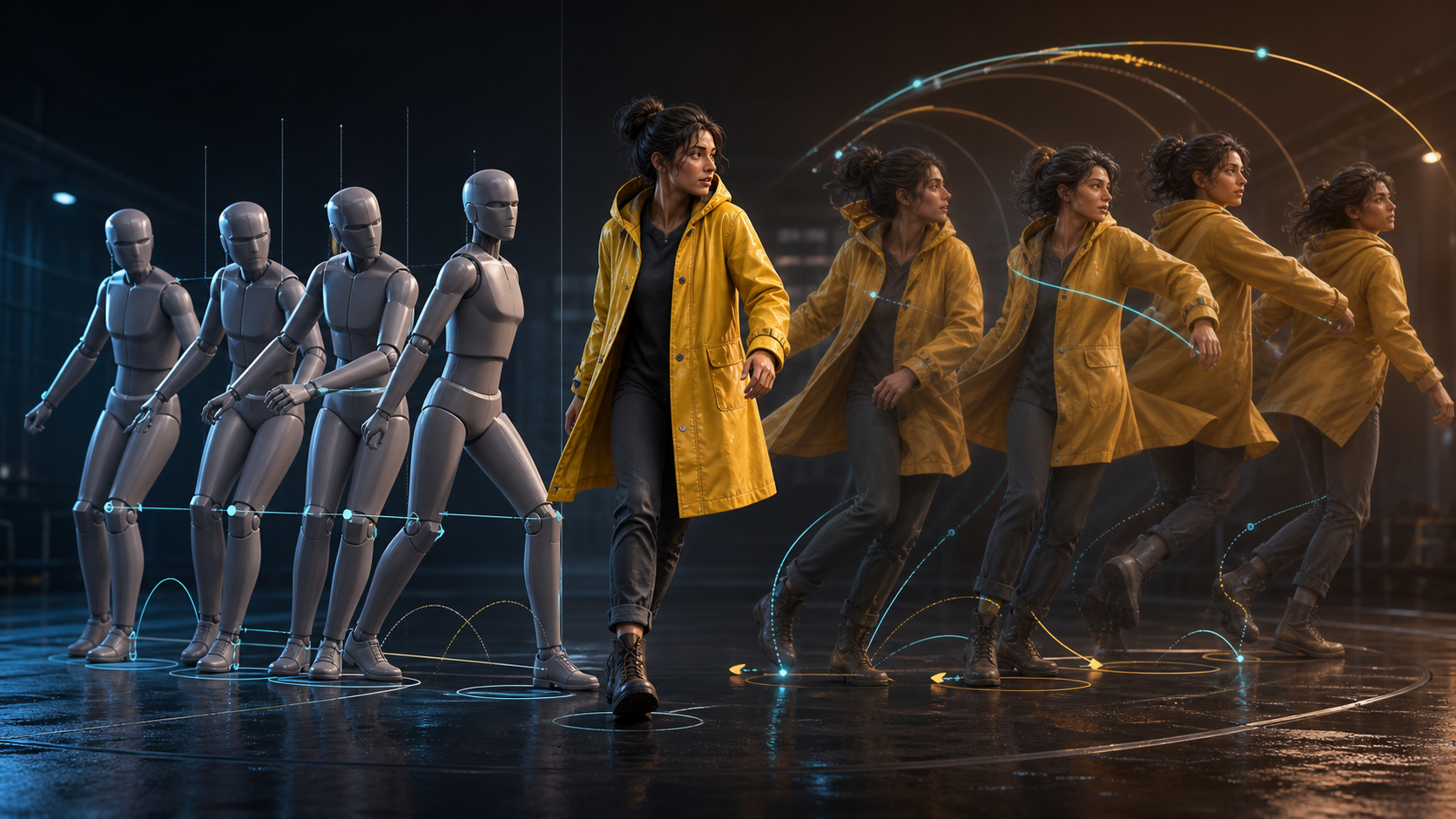
AI-generated video can look convincing in a still frame and fall apart as soon as the subject moves. “Plastic motion” is the uncanny result: a person slides instead of walking, facial expressions change without motivation, arms move independently of the torso, clothing stays rigid, or the camera drifts without purpose.
The problem is not simply resolution. Motion feels believable when it communicates weight, timing, continuity, and intention. No generation workflow can guarantee perfect movement every time, but a strong reference, one main action per shot, controlled camera work, limited secondary motion, and disciplined selection can materially improve the percentage of usable footage.
What Makes Motion Feel Fluid?
Fluid movement usually includes several connected cues:
- anticipation before the main action;
- acceleration and deceleration rather than constant-speed sliding;
- coordinated movement through the eyes, head, shoulders, torso, and limbs;
- stable contact with the ground or a handled object;
- hair and clothing reacting slightly after the body;
- a face and body that remain the same character;
- camera movement that supports rather than competes with the action;
- enough duration for the movement to begin, develop, and settle.
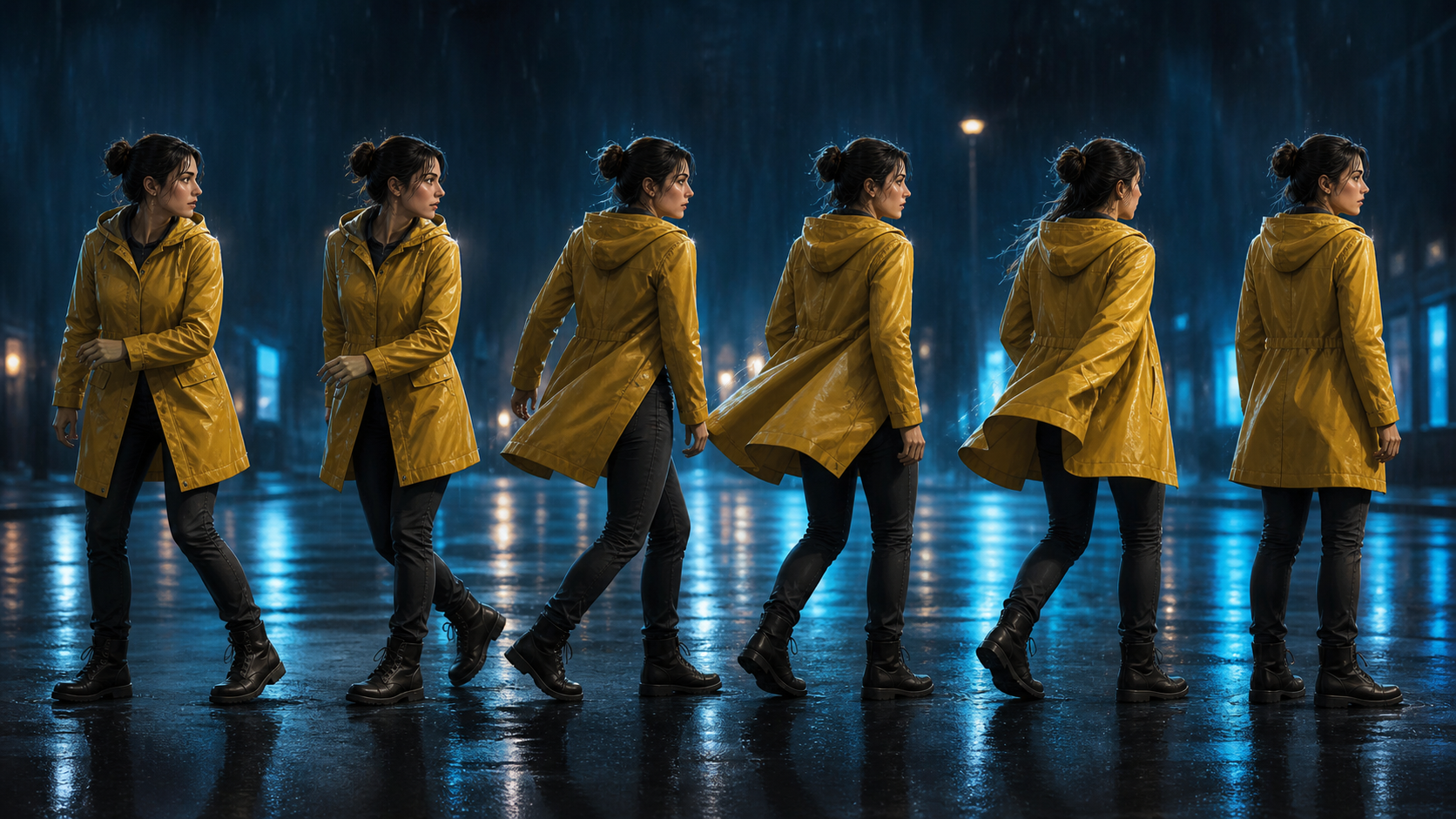
Think about a character turning toward a sound. The eyes move first, the head follows, the shoulders rotate by a smaller amount, the coat and hair lag behind, and the body settles into a new pose. If every element snaps at once, the scene feels mechanical even when each frame is sharp.
Start With a Reference That Can Support the Action
A reference image should make the requested motion physically plausible. Check that the subject is clear, the body structure is readable, important limbs are not heavily occluded, the frame leaves motion space, and the lighting fits the target scene. The starting pose should naturally lead into the requested action.
A half-body crop is a poor source for a full-body walk because the missing hips, legs, and ground contact must be invented. A hidden hand is a weak starting point for a detailed hand interaction. An awkward pose will pass its imbalance into the animation.
Relevant still-to-motion work can begin with VideoAny image to video, but the reference and motion brief still determine what the model has to solve. Use source material you own or are allowed to animate, and obtain consent for identifiable people.
Ask for One Main Action per Shot
Do not request “walk into the room, turn, pick up a cup, drink, smile, wave, and sit down” as one generation. Break the sequence into separate shots:
- the character enters the room;
- the character notices the cup;
- the hand approaches and makes contact;
- the character takes one sip;
- the character lowers the cup and smiles.
Each shot now has a readable beginning and end. A failed hand interaction can be replaced without losing the walk or reaction. This also gives the edit natural cut points.
Describe the Sequence of Motion
Appearance words do not explain how a body moves. Write the action as a sequence: the eyes shift, the head turns, one shoulder follows, weight transfers to the forward foot, the coat reacts a fraction later, and the motion eases into the final pose. Useful direction includes “take one grounded step,” “turn naturally from the shoulder,” “pause before reacting,” “keep both feet planted,” or “reduce the hand gesture.”
Separate identity constraints from animation allowances. A character brief might freeze the face, eye shape, hairstyle, clothing design, proportions, palette, and rendering style while allowing the eyes, head, shoulders, hair tips, and coat hem to move.
Balance Character Motion and Camera Motion
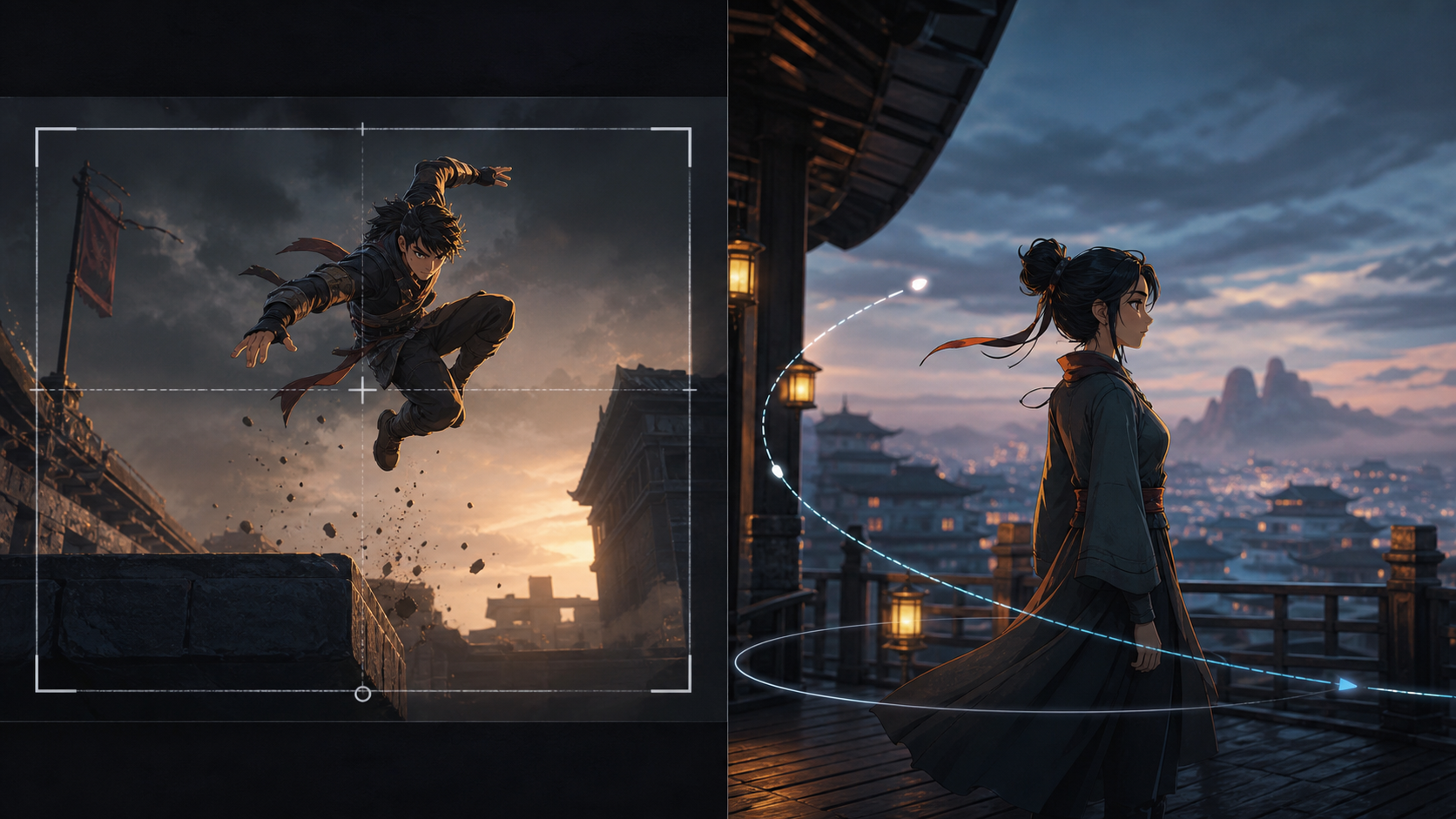
Complex subject movement usually needs a simple camera. A jump, turn, or detailed object interaction is easier to read with a locked frame or restrained track. A nearly still subject can support a more expressive push-in, orbit, or lateral reveal.
Avoid stacking an orbit, zoom, tilt, handheld shake, and fast character action in the same prompt. Even if the model produces movement, the viewer may lose spatial orientation. Choose the one camera decision that best supports the story beat.
Add Only One or Two Secondary Motions
Secondary motion makes a shot feel alive when it follows the primary action. Hair can trail a head turn, a coat can settle after a step, rain can respond to movement, or a background light can flicker. Select one or two of these details. Asking for moving hair, cloth, rain, smoke, dust, reflections, lights, ears, tail, and camera shake at once increases the chance that none of them behaves coherently.
The same principle applies to duration. A five-second generation may contain three excellent seconds. Keep the strongest stable interval rather than forcing the entire output into the edit. Judge candidates by motion logic, identity stability, and usable duration—not by which one is most spectacular at first glance.
Match the Motion Language to the Artwork
Motion should fit the visual medium. A flat manga panel may benefit from restrained anime motion or limited animation. A webtoon can use layered parallax and selective effects. An illustrated cinematic frame may support broader camera depth. Soft 3D and realistic product imagery can tolerate different physics from hand-drawn 2D timing.
Useful style directions include “restrained anime motion,” “limited animation,” “webtoon movement,” “hand-drawn 2D timing,” “illustrated cinematic motion,” “soft 3D,” or “realistic product movement.” These phrases are not guarantees; they simply make the intended movement vocabulary explicit.
Add Sound After the Visual Motion Is Stable
Do not use audio to hide an unstable action. First approve the visible movement, then align sound with the event: a footstep at ground contact, an impact at the action peak, or a cloth movement after the turn. Add music, ambience, or lip sync only when the underlying shot already passes identity and motion review.
A Nine-Step Fluid-Motion Workflow
- Define the shot in one sentence.
- Choose a reference close to the target pose and composition.
- Record the identity details that must remain fixed.
- Describe the action in temporal order.
- Limit the camera to one supporting decision.
- Add no more than one or two secondary motions.
- Generate several controlled variations.
- Select and trim the most stable usable interval.
- Add audio and edit the clip with neighboring shots.
This process treats AI output as raw production material rather than a finished guarantee. It also avoids unsupported performance promises: a claim such as “40% smoother” has no meaning without a defined test set, scoring method, and repeatable comparison.
A Reusable Prompt Card for Fluid Motion
Build the prompt from separate decisions so each failure can be diagnosed:
- Identity lock: the face, body proportions, hairstyle, clothing design, palette, and rendering style that must remain fixed.
- Single action: one physical action with a clear beginning and final pose.
- Anticipation: the small cue that prepares the viewer, such as an eye shift, breath, crouch, or hand pause.
- Main movement: the ordered body sequence, including weight transfer and any object contact.
- Settle: how the body eases into the last pose rather than stopping abruptly.
- Secondary motion: one or two delayed reactions in hair, cloth, rain, dust, or a held object.
- Camera limit: locked frame or one restrained move that supports the action.
- Contact rule: feet stay on the ground, the hand remains attached to the object, or another required physical constraint.
- Negative constraints: no sliding, limb distortion, face drift, rigid cloth, unexplained camera shake, or background warping.
For a simple turn, the card might direct the eyes toward an off-screen sound, pause, rotate the head and shoulders, keep both feet planted, let the coat hem follow slightly later, and ease into a stable three-quarter pose while the camera remains fixed. Change the action fields from shot to shot, but reuse the identity lock across the sequence.
Final Review
Before publishing, inspect ground contact, weight transfer, limb coordination, hair and cloth follow-through, identity, camera intent, and whether the action has time to settle. Compare the first and last frames at full resolution. If a problem is local, regenerate or trim the affected section rather than reopening every successful decision.
Fluid AI animation is less about requesting “smooth motion” and more about reducing the problem into physically understandable decisions. Strong references, one action, ordered movement, controlled cameras, limited secondary motion, and honest human selection create clips that feel directed instead of accidental.