Categories: AI Video, AI Image, Creator Guides
Tags: videoany, ai video, ai content creation, creator guide
Introduction
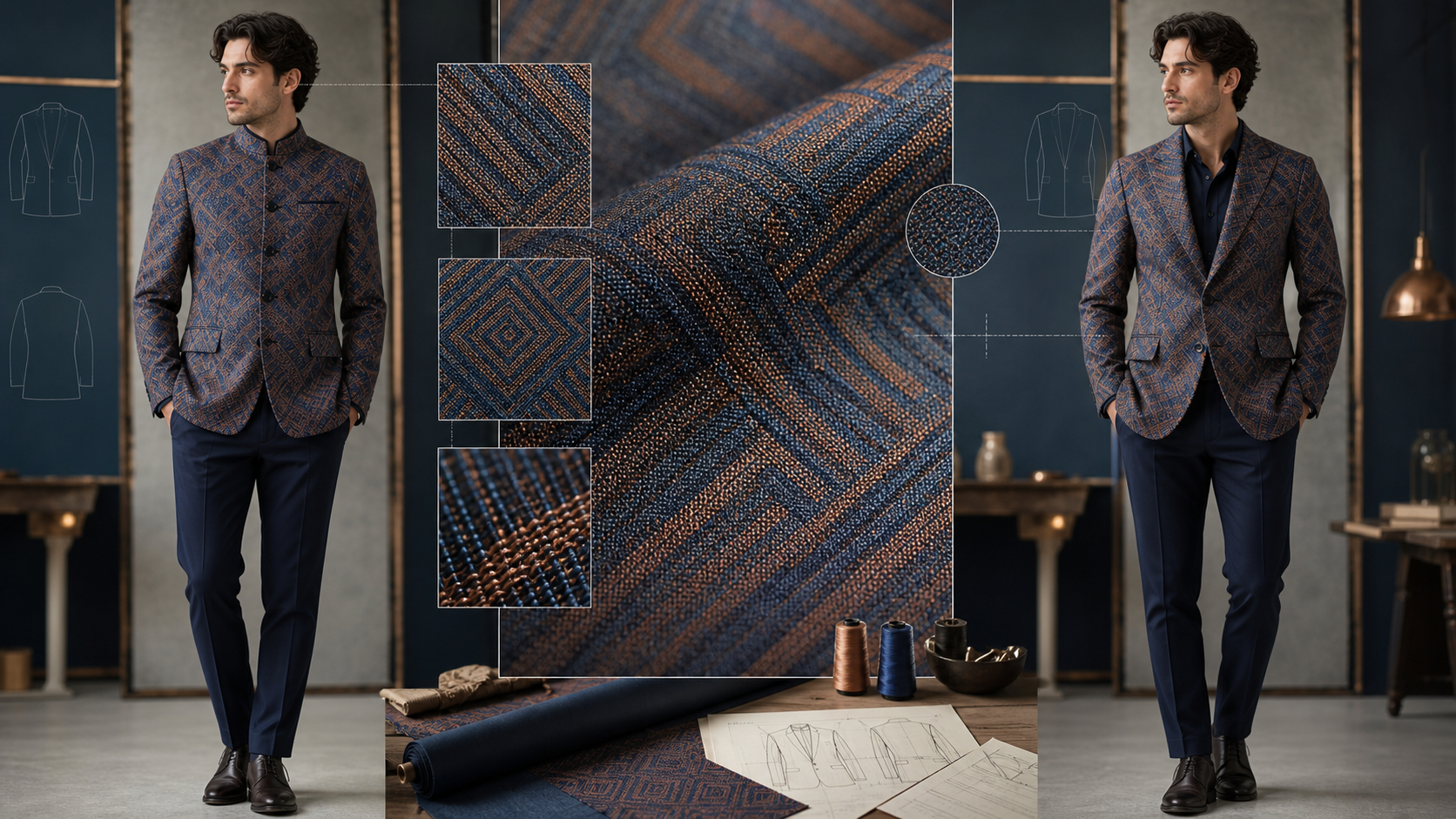
Effective AI-assisted production is defined by control, not just speed. When modifying wardrobe elements in an image or video, the challenge lies in maintaining the integrity of complex textures—such as plaid patterns, intricate embroidery, and specific fabric weaves—without losing the identity of the subject. This guide outlines a systematic approach to wardrobe editing, ensuring that your final output remains consistent and professional.
Defining the Production Goal
Before you begin, separate your exploration phase from your production phase. Exploration is for testing concepts, while production is for ensuring those concepts survive the final edit.
Create a "miniature acceptance test" before generating. A successful result should be measurable: can a viewer clearly identify the sleeve construction, the fabric's drape, and the pattern alignment? If your prompt is too broad, you lose the ability to verify these details. Define your goals by the specific garment features you need to preserve, rather than using vague descriptors.
The Technical Workflow
To maintain high-quality fabric and pattern details, follow these production steps:
- Set the Stage: Determine your output format early. A mobile-first video requires different composition and detail density than a high-resolution print. Lock your aspect ratio and crop before you start generating to avoid later distortion.
- Establish a Master Reference: Treat your first successful, approved asset as the "master." If an iteration drifts from this reference, discard it rather than trying to correct it in the next prompt.
- Iterative Testing: Change only one variable at a time. By isolating variables—such as testing the garment fit separately from the pattern scale—you can identify exactly where a generation fails.
- Local Repairs: Avoid regenerating the entire frame if only one section is incorrect. If the face and pose are perfect but the sleeve pattern is misaligned, use local editing tools to fix only the affected area. This preserves the "foundation" of your work.
Handling Patterns and Texture
Patterns like plaid or houndstooth require specific attention to scale, orientation, and repeat behavior. Simply prompting for "plaid" is rarely enough; you must define how that pattern aligns across seams.
When working with embroidery, focus on the stitch direction and the raised texture of the thread. These elements provide the visual cues that make a garment look authentic. If you are working with logos or specific prints, ensure you have the rights to the design and that the AI output accurately renders the edges and lettering. If the AI cannot maintain the fidelity of a complex logo, it is often better to apply that detail in a post-production compositing pass.
A Realistic Example
Consider a scenario where you are transforming a character’s simple jacket into a formal fantasy uniform.
- Preserve the Foundation: Keep the face, hair, pose, and body proportions locked.
- Define the Components: Instead of a generic prompt like "fantasy clothes," specify the construction: "structured wool coat, high collar, fitted trousers, metallic trim."
- Review and Refine: Generate several candidates and reject any that show broken geometry at the wrists or waist. Select the best version and perform local refinements on the fabric texture.
Responsible Creation and Provenance
As you integrate AI into your workflow, treat consent and provenance as essential production requirements.
- Rights and Consent: Never use private portraits or another artist’s work without explicit permission.
- Transparency: Disclose the use of synthetic or conceptual imagery where it might cause confusion, especially in commercial or professional contexts.
- Rights Records: Maintaining a brief log of your assets and their origins makes the approval process significantly easier for future projects.
Conclusion
The most effective AI-assisted workflows are those that treat generation as a repeatable system. By defining clear inputs, controlling your variables, and applying rigorous review standards, you can ensure that your final assets maintain the quality and detail required for professional publication.
Next Steps
Explore the tools available at VideoAny to begin refining your own production pipeline.
FAQs
1) Can this workflow work for a solo creator?
Yes. By focusing on one repeatable format and keeping your asset list organized, you can build a professional-grade workflow that scales as your projects grow.
2) Should I generate first or write the edit plan first?
Always write a plan first. A clear outline allows you to judge whether the AI output is actually serving your creative vision or merely adding unnecessary complexity.
3) What should I check before publishing an AI video?
Review for continuity, motion quality, caption readability, sound design, and whether the visual elements align with your intended message.
4) How does VideoAny fit into this workflow?
Use VideoAny for targeted generation and variation tasks, then integrate those assets into your broader editing workflow for final assembly and polish.