Categories: AI Video Workflow, Creator Strategy, Production Process
Tags: videoany, ai creation studio, ai video workflow, content strategy, creator toolkit
Introduction
This review offers a practical look at OpenArt World, a new AI 3D world generator. We'll explore its capabilities for building explorable scenes with enhanced continuity and camera control, assessing its current quality and practical applications for creators.
What OpenArt World Is Trying to Do
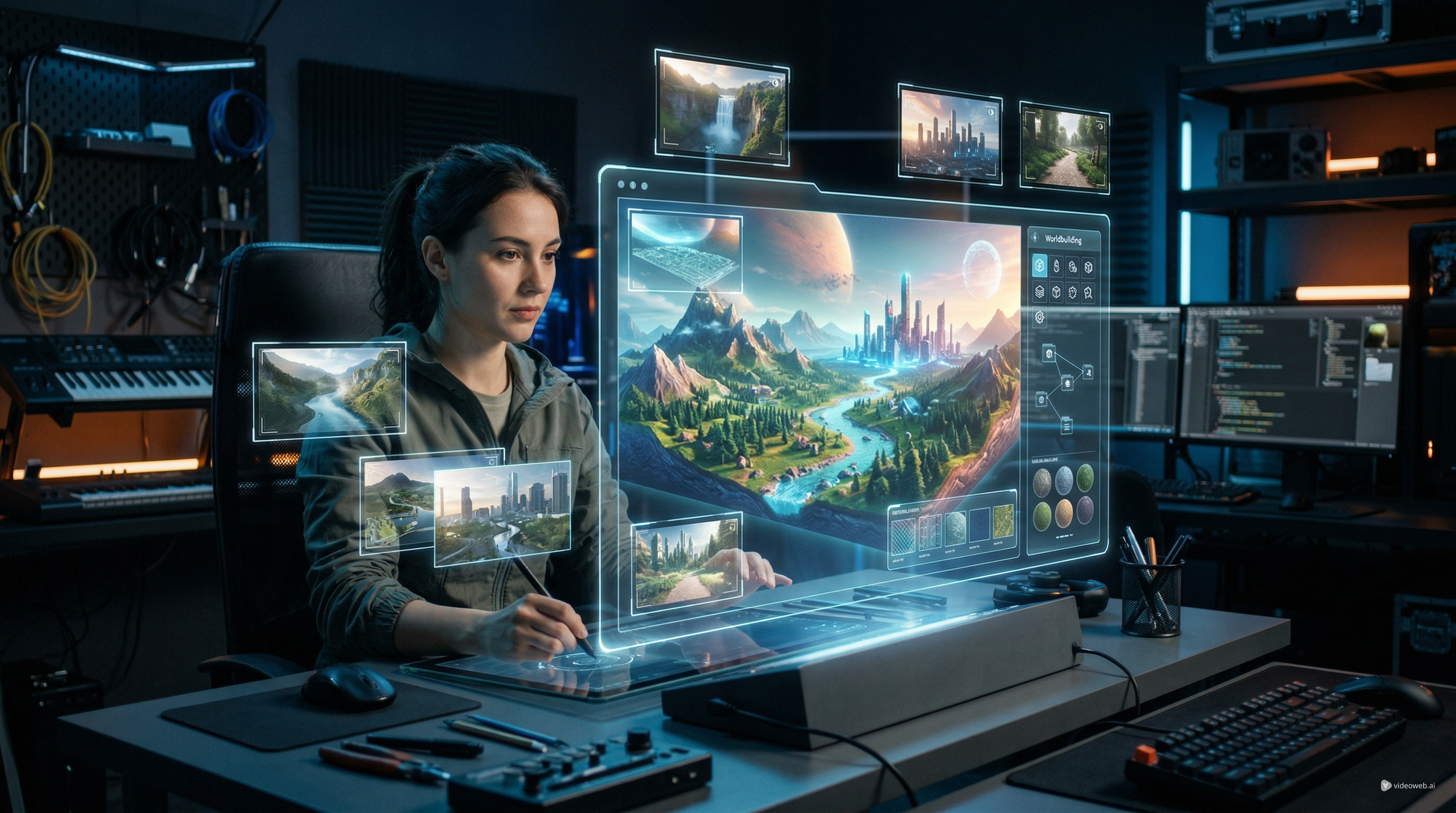
OpenArt World aims to address a common limitation in many AI image models: the lack of scene persistence. Traditional models often generate a new scene with every prompt adjustment, making it difficult to maintain continuity across different angles or shots. OpenArt World seeks to overcome this by allowing users to create an explorable 3D environment that remains consistent, enabling better camera control and narrative flow.
What the Quality Looks Like So Far
The most significant strength of OpenArt World lies in its scene persistence, rather than minute detail fidelity. While sharp textures and dramatic lighting are often sought after, the ability to maintain a consistent environment across various perspectives is what truly adds value to this tool. This feature allows creators to generate multiple shots from the same virtual set, ensuring visual continuity.
Where the Tool Still Has Limits
While OpenArt World presents an impressive concept and promising output, it's important to approach it with realistic expectations. It should not be considered a full replacement for professional 3D production. The quality, while good for AI generation, may not yet match the intricate detail and precision achievable with dedicated 3D software and expert artists.
Who Should Use It
OpenArt World is particularly well-suited for creators who prioritize speed and continuity in their projects. If your workflow benefits from quickly generating consistent virtual environments for explorable scenes, this tool could be a valuable addition to your toolkit. It's ideal for those looking to iterate rapidly on visual concepts without the overhead of traditional 3D modeling.
How to Use OpenArt World
The most effective way to use OpenArt World is to adopt a director's mindset rather than simply chasing prompts. Begin by either providing a prompt or a source image. Focus your prompt on spatial and environmental descriptions, emphasizing place, mood, and structure. Clearly define the world's location, style, era, lighting, scale, and atmosphere, rather than overloading it with action details.

Tips for Better Results
Once your scene is generated, resist the urge to immediately capture. Treat the initial output as your virtual set. Explore it, move through it, and test if the layout supports the shots you envision. This is where OpenArt World offers a practical advantage: you can shift the camera to discover optimal compositions. Experiment with wide establishing shots, medium framing, and dramatic angles. A scene that appears average from one perspective might become compelling from another. If you plan to add objects, characters, or lights, do so after the environment feels right. This sequential approach typically leads to a cleaner process than trying to define everything simultaneously. Build your stage first, then direct the action.
Final Verdict
The smart approach to using an AI 3D world generator like OpenArt World is to view it as a reusable creative asset, not a one-off novelty. Save various shots from the same environment for different moments, edits, or content pieces. Prioritize environments that naturally benefit from atmospheric qualities, such as fantasy streets, sci-fi interiors, ancient ruins, surreal landscapes, or cinematic urban scenes. These types of settings are likely to yield more rewarding results than subjects requiring strict real-world precision.
Recommended Workflow Extension
To maximize the utility of OpenArt World, consider integrating it into a broader creative workflow. After generating and refining your 3D environment, you can use platforms like VideoAny to further enhance your creations. VideoAny offers tools for AI video and image generation, allowing you to extend your scenes with dynamic elements, apply stylistic transformations, or even generate complementary visual assets. This combination allows you to leverage the persistent environments of OpenArt World as a foundation for more complex and engaging multimedia projects.
Media References
- https://cdn.videoany.io/blog/openart-world-review-a-practical-look-at-this-new-ai-3d-world-generator/20260327103613-uuqjkqa2.webp
- https://cdn.videoany.io/blog/openart-world-review-a-practical-look-at-this-new-ai-3d-world-generator/20260327103614-xfk5os3r.jpg
- https://cdn.videoany.io/blog/openart-world-review-a-practical-look-at-this-new-ai-3d-world-generator/20260327103618-7slgzh6p.jpeg
- https://cdn.videoany.io/blog/openart-world-review-a-practical-look-at-this-new-ai-3d-world-generator/20260327103623-7eqaolyi.jpeg
- https://cdn.videoany.io/blog/openart-world-review-a-practical-look-at-this-new-ai-3d-world-generator/20260327103624-z7llva0l.jpeg
- https://cdn.videoany.io/blog/openart-world-review-a-practical-look-at-this-new-ai-3d-world-generator/20260327103626-hr65bv2g.svg
Discover Video & Image AI Tools in VideoAny
Explore a range of AI tools for video and image creation on VideoAny.
- Video AI: Generate videos from text, images, or other video inputs.
- Image AI: Create stunning images, edit photos, and apply artistic styles.
- Music AI: Generate soundtracks or sound effects to complement your visuals.
Conclusion
OpenArt World offers a compelling solution for generating consistent, explorable 3D environments, addressing a key challenge in AI-driven content creation. By understanding its strengths and limitations, and adopting a strategic approach to its use, creators can leverage this tool to enhance their visual storytelling and streamline their production workflows.
Next Step
Explore VideoAny workflow templates: https://videoany.io
FAQs
1) Is OpenArt World a full replacement for professional 3D software? No, while impressive, OpenArt World should not be treated as a full replacement for professional 3D production. It excels in speed and continuity but may not match the intricate detail of dedicated 3D software.
2) What kind of environments work best with OpenArt World? Environments that benefit from atmosphere, such as fantasy streets, sci-fi interiors, ruins, surreal landscapes, and cinematic urban scenes, tend to yield the most rewarding results.
3) How can I get better results when using OpenArt World? Think like a director: focus prompts on spatial and environmental descriptions. Explore the generated scene thoroughly before capturing, and add objects or characters after the environment feels right.