Categories: AI Video, AI Image, Creator Guides
Tags: videoany, ai video, ai video generator, ai content creation, creator guide
Introduction
Modern AI video workflows are designed to streamline production, allowing creators to focus on narrative and visual storytelling rather than complex technical editing. For creators interested in producing adult-oriented content, the barrier to entry has lowered significantly. This guide outlines how to leverage AI tools to build a professional production pipeline, emphasizing responsible, consent-based creation.
Responsible use: Mature-content workflows must be limited to lawful material involving consenting adults. Never create or share content involving minors, non-consensual imagery, unauthorized likenesses, or material that violates platform terms or applicable law.
Essential AI Production Tools
To produce high-quality content, it is important to understand the specific AI functions that drive the creative process. By utilizing these tools, creators can maintain control over their artistic vision while automating the labor-intensive aspects of video production.
Text-to-Video: Narrative Visualization
Transforming written concepts into dynamic scenes is the foundation of AI-driven storytelling. By providing descriptive prompts, creators can generate specific scenarios, allowing for rapid prototyping of scenes that would otherwise require extensive filming or animation expertise.

Image-to-Video: Animating Stills
Static assets can be brought to life through AI animation. This process allows creators to upload existing images and apply motion, expressions, or full-sequence transformations. It is an ideal method for maintaining visual consistency across a project.
Reference-Based Control
For creators who require specific aesthetics, reference images are invaluable. By combining a reference image with a text prompt, you can guide the AI to match the composition, style, and subject matter of your original vision, ensuring the final output aligns with your creative goals.

Video-to-Video and Face Swap
Video-to-video tools allow for the stylistic transformation of existing footage, enabling creators to experiment with different artistic interpretations. Additionally, face swap technology provides a way to maintain character identity across various scenes.
Note: When using face swap or character-based AI tools, always ensure you have the necessary consent and rights to the likenesses being used. Responsible creation is the cornerstone of ethical AI content production.
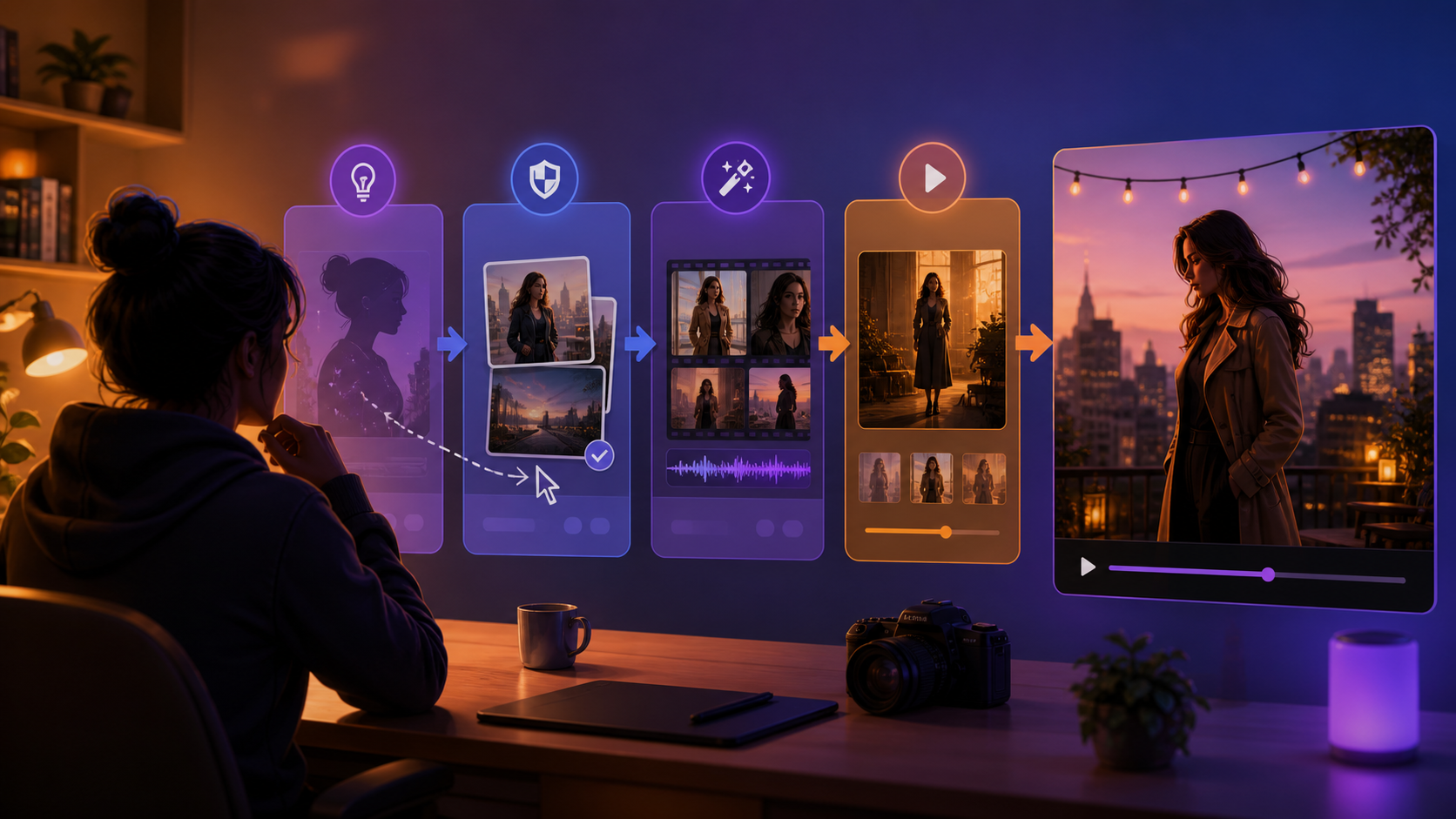
Practical Weekly Workflow
- Define the Outcome: Determine the scope of your project—whether it is a short social clip, a narrative scene, or a character-focused sequence.
- Prepare Inputs: Gather your scripts, reference images, and character designs before starting the generation process.
- Iterative Generation: Work in small, manageable passes. Generate short clips and refine them rather than attempting to create a final, long-form video in a single attempt.
- Review and Refine: Check each clip for continuity, pacing, and visual clarity. Use this stage to identify where additional adjustments are needed.
- Finalize: Once the clips meet your standards, assemble them into your final project, ensuring the formatting is optimized for your target platform.
Conclusion
AI-assisted video production is most effective when treated as a structured, repeatable system. By combining clear creative intent with a disciplined workflow, creators can produce professional-grade content efficiently. Always prioritize ethical practices and ensure your content adheres to platform guidelines regarding consent and safety.
Next Steps
Explore the full range of creative tools at VideoAny.
FAQs
1) Can this workflow work for a solo creator? Yes. By focusing on a repeatable format and keeping your asset list organized, a single creator can manage the entire production cycle effectively.
2) Should I generate first or write the edit plan first? Always write a plan first. A clear outline helps you evaluate whether the AI output effectively supports your narrative goals.
3) What should I check before publishing an AI video? Review for continuity, motion quality, pacing, and platform-specific formatting. Ensure the final video clearly communicates your intended message.
4) How does VideoAny fit into this workflow? VideoAny serves as the engine for visual generation and variation. Use it to create the core assets, then combine these with your preferred editing software for final assembly.
Media References:
- https://cdn.videoany.io/blog/make-nsfw-ai-videos-without-skills/20260818122839-2v5wzjsi.png
- https://cdn.videoany.io/blog/make-nsfw-ai-videos-without-skills/20260818122841-31ky1s1d.png
- https://cdn.videoany.io/blog/make-nsfw-ai-videos-without-skills/20260818122841-tg3thdc7.png
- https://cdn.videoany.io/blog/make-nsfw-ai-videos-without-skills/20260818122842-pqvqlfqk.png