Categories: AI Video, AI Image, Creator Guides
Tags: videoany, ai video, ai video generator, ai content creation, creator guide
Introduction
In an evolving digital landscape, AI video generation tools are opening new avenues for creators, including those in the adult content space. VideoAny offers advanced AI capabilities designed to help creators explore their artistic visions. This guide delves into how AI video tools can be utilized for adult content creation, emphasizing practical applications and the importance of responsible, consent-based media production. Whether you're an established creator, a social media influencer exploring new artistic expressions, or a hobbyist, understanding these tools can enhance your creative workflow.
It is crucial to remember that all content created must adhere to applicable laws, platform terms of service, and ethical guidelines, particularly regarding consent and the involvement of adults. VideoAny is committed to promoting responsible AI media creation.
Responsible use: Mature-content workflows must be limited to lawful material involving consenting adults. Never create or share content involving minors, non-consensual imagery, unauthorized likenesses, or material that violates platform terms or applicable law.
Key Features for AI Video Creation
VideoAny provides a suite of powerful features designed to offer flexibility and control in AI video production. These tools empower creators to generate diverse visual content, enabling them to realize their creative concepts effectively.

Creating AI-generated videos with VideoAny is designed to be intuitive. The platform streamlines the process, making powerful AI tools accessible.
How VideoAny Works: A Step-by-Step Approach
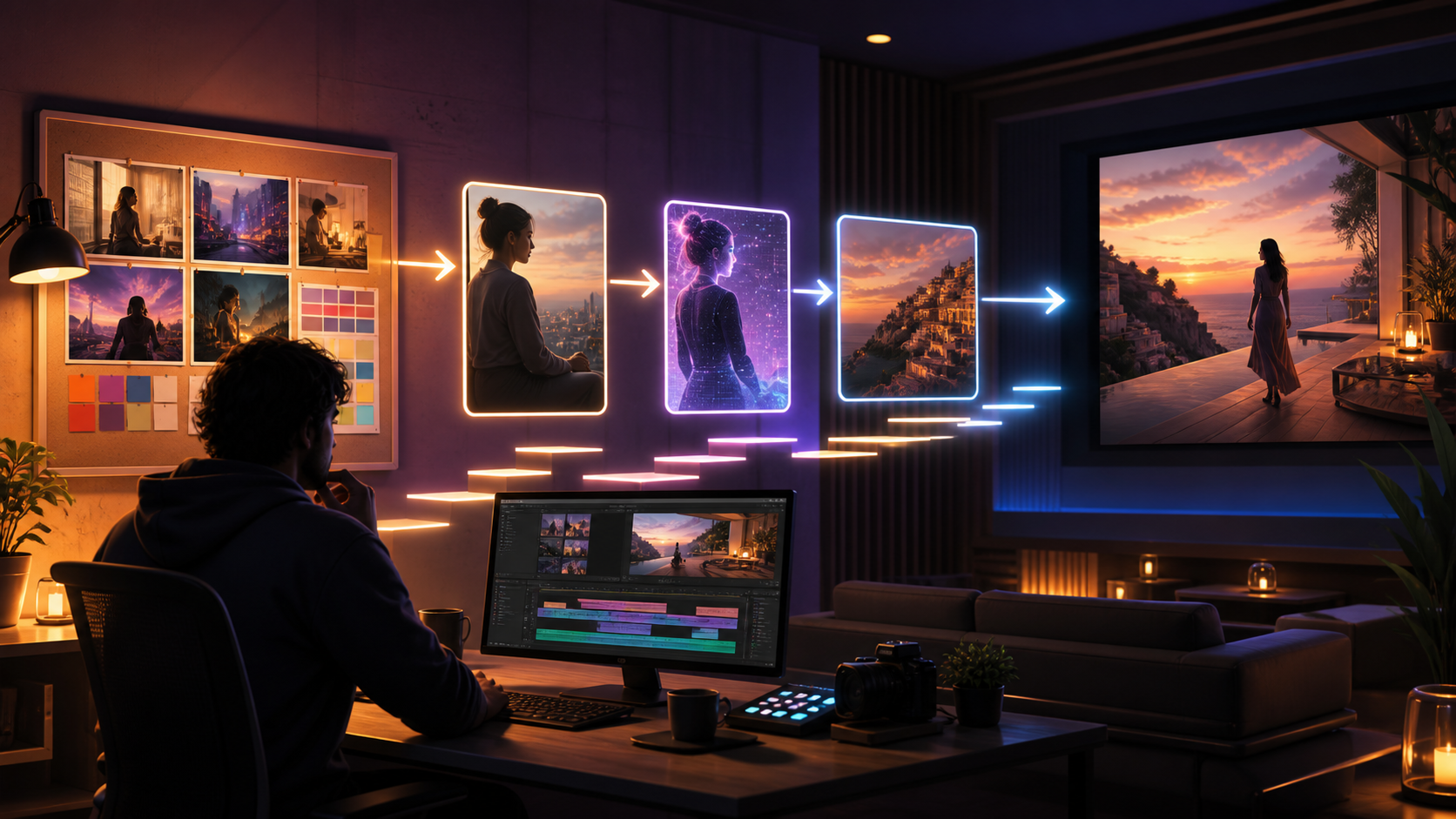
The process of generating AI videos typically involves a few straightforward steps, putting advanced AI capabilities directly into your hands. While specific steps may vary by tool, the general workflow often includes:
- Inputting your creative vision: This could be a text prompt describing your scene, an image you want to animate, or an existing video you wish to modify.
- Selecting parameters: Adjusting settings such as aspect ratio, style, and duration to match your project's needs.
- Generating content: The AI processes your inputs to produce video clips.
- Review and refine: Evaluating the generated output and making further adjustments or generating new iterations as needed.
Ready to explore your creativity? Start creating your AI videos today at VideoAny.io.

Use Cases for Adult AI Video Generation
The applications for AI video generation are broad and varied, empowering a diverse range of creators across many niches. For adult content, AI tools can assist in visualizing narratives, creating unique artistic expressions, and developing engaging visual content. This can include, but is not limited to, conceptual art, suggestive narratives, and mature themes. These tools serve as a means to bring complex visual ideas to life.
It is essential that all content created respects the privacy and consent of individuals, and adheres to all applicable laws and ethical standards.
Pricing Considerations for AI Video Tools
Many AI video generation platforms operate on a flexible, usage-based system. This often involves a credit system where creators pay for the resources consumed during video generation. The goal is typically to provide transparent and value-driven pricing, allowing users to manage costs based on their project scale and output requirements. Specific pricing structures, credit costs, and payment methods vary by platform.
Navigating the AI Content Landscape
The landscape of AI platforms often includes varied content policies and moderation practices. While some services may have strict restrictions, others aim to provide tools for a broader spectrum of creative expression. Creators often encounter platforms that employ:
- Automated content filters
- Keyword blacklists
- Human moderation teams
- Community guidelines that restrict certain themes
VideoAny focuses on providing advanced tools for creative expression. We encourage all users to understand and comply with our platform's terms of service and content policies, as well as all relevant legal and ethical guidelines, especially concerning consent and adult content. Our aim is to support creators in bringing their complex narratives to life responsibly.
Frequently Asked Questions About AI Video Creation for Adult Content
What kind of adult content can AI video tools assist with?
AI video tools can assist in visualizing a wide range of adult content concepts, limited only by creative imagination and adherence to ethical and legal standards. This can include, but is not limited to, conceptual art, suggestive narratives, and mature themes. All content must be lawful, involve consenting adults, and comply with platform guidelines.
How do AI platforms handle content moderation?
AI platforms typically implement various content moderation strategies, which may include automated filters, keyword analysis, and human review, to ensure compliance with their terms of service and legal requirements. Creators should always familiarize themselves with the specific policies of any platform they use.
How are AI video generation costs typically structured?
Costs for AI video generation are often structured on a usage-based model, such as a credit system. Users typically pay for the duration or complexity of the generated video content. Specific pricing details, including credit costs and available payment methods, vary by provider.
Can I use my own images or videos to generate content?
Yes, many AI video platforms, including VideoAny, offer features like Image-to-Video and Video-to-Video that allow you to upload your own source material. This enables you to integrate your pre-existing assets into AI-generated content, creating personalized and unique visuals. Tools like Face Swap can also be used to modify existing media.
What aspect ratios are commonly supported?
Most AI video platforms support various aspect ratios to accommodate different display needs. Common aspect ratios include 16:9 (widescreen), 9:16 (vertical/portrait), and 1:1 (square), allowing creators to tailor their videos for various platforms and devices.
Do I need technical skills to use AI video generators?
Generally, no. Platforms like VideoAny are designed with intuitive user interfaces, making them accessible for creators regardless of their technical expertise. Many systems are prompt-based, allowing you to describe your desired video content in natural language.
Is my generated content private?
VideoAny prioritizes user privacy and content ownership. We encourage users to review our privacy policy for detailed information on how generated content is handled.
Practical Weekly Workflow
AI-assisted video production is most effective when approached as a repeatable system. While creative vision remains paramount, a structured workflow ensures efficiency and quality.
- Define the Content Outcome: Clearly identify the purpose of your video—whether it's a short advertisement, a narrative scene, a tutorial, a music visual, a product demonstration, or a social media post.
- List Required Inputs: Gather all necessary assets, such as text prompts, reference images, product shots, character designs, storyboard frames, scripts, or audio files.
- Generate and Edit in Passes: Work in small iterations. Instead of trying to complete the entire video in one go, generate short clips or sections and refine them before moving on.
- Review and Refine: Critically evaluate each clip for continuity, pacing, visual clarity, potential caption space, audio needs, and compatibility with your target platform's format.
- Save Project Details: Document your prompts, source assets, and export settings. This makes it easier to reproduce variations or revisit projects in the future.
Conclusion
Integrating AI into your video workflow can significantly enhance creative possibilities and production efficiency. By treating AI tools as part of a systematic production process—with clear inputs, iterative refinement, and a thorough review—creators can transform raw generations into polished, impactful visual stories.
Next Step
Explore VideoAny's creative tools when you are ready to test this workflow.
FAQs
1) Can this workflow work for a solo creator? Yes. Start with one repeatable format, keep the asset list small, and improve the workflow after each published clip.
2) Should I generate first or write the edit plan first? Write a short plan first. Even a simple outline helps you judge whether the AI output supports the final video.
3) What should I check before publishing an AI video? Check continuity, motion quality, captions, sound, aspect ratio, pacing, and whether the video communicates the intended idea without extra explanation.
4) How does VideoAny fit into this workflow? Use VideoAny where visual generation or variation is needed, then combine the resulting clips with editing, captions, audio, and platform-specific formatting.
Media References