Categories: AI Video, AI Image, Creator Guides
Tags: videoany, ai video, ai video generator, ai content creation, creator guide
Introduction
In modern digital content creation, the ability to breathe life into a static image is a game-changer. Whether you are looking to add depth to a social media post or create cinematic movement for a narrative project, AI-driven motion tools have streamlined the process. This guide explores how to integrate image-to-video workflows into your creative pipeline, focusing on planning, execution, and responsible production standards.
When working with AI media, it is essential to prioritize ethical creation. Always ensure you have the necessary rights or consent for the imagery you animate, and respect the privacy and autonomy of any individuals depicted.
Responsible use: Mature-content workflows must be limited to lawful material involving consenting adults. Never create or share content involving minors, non-consensual imagery, unauthorized likenesses, or material that violates platform terms or applicable law.
Building a Repeatable Motion Workflow
To move beyond simple experiments, you need a structured approach to production. By treating your AI generation as a repeatable system, you can maintain consistent quality across your projects.
1. Defining the Creative Goal
Before you begin, clearly define the outcome. Are you creating a short promotional clip, a background element for a video essay, or a stylized music visual? Knowing your end goal helps determine the type of motion required—whether it is subtle camera movement, character animation, or environmental effects.
2. Preparing Your Inputs
The quality of your output is heavily dependent on your input assets. High-resolution, well-composed images provide the best foundation for AI motion models. Ensure your source images are clear and that the subject matter is well-defined.
3. Iterative Generation
Rather than attempting to generate a perfect clip in one go, work in small passes. Use Image-to-Video tools to test different motion intensities. By generating short segments, you can maintain better control over the final pacing and visual continuity.
Production Checkpoints for Creators
To ensure your content is ready for publication, apply these checkpoints to every project:
- Continuity Check: Does the motion feel natural? Ensure that the movement does not distort the subject in a way that breaks immersion.
- Pacing and Timing: Does the speed of the animation match the mood of your project? Adjust the frame rate or duration to suit your narrative needs.
- Technical Quality: Review the output for visual artifacts. If the motion is too aggressive, consider reducing the intensity or refining the prompt.
- Platform Readiness: Ensure the aspect ratio and resolution are optimized for your target platform, whether it is a vertical mobile feed or a widescreen cinematic display.
Motion Planning for Mechanical Subjects
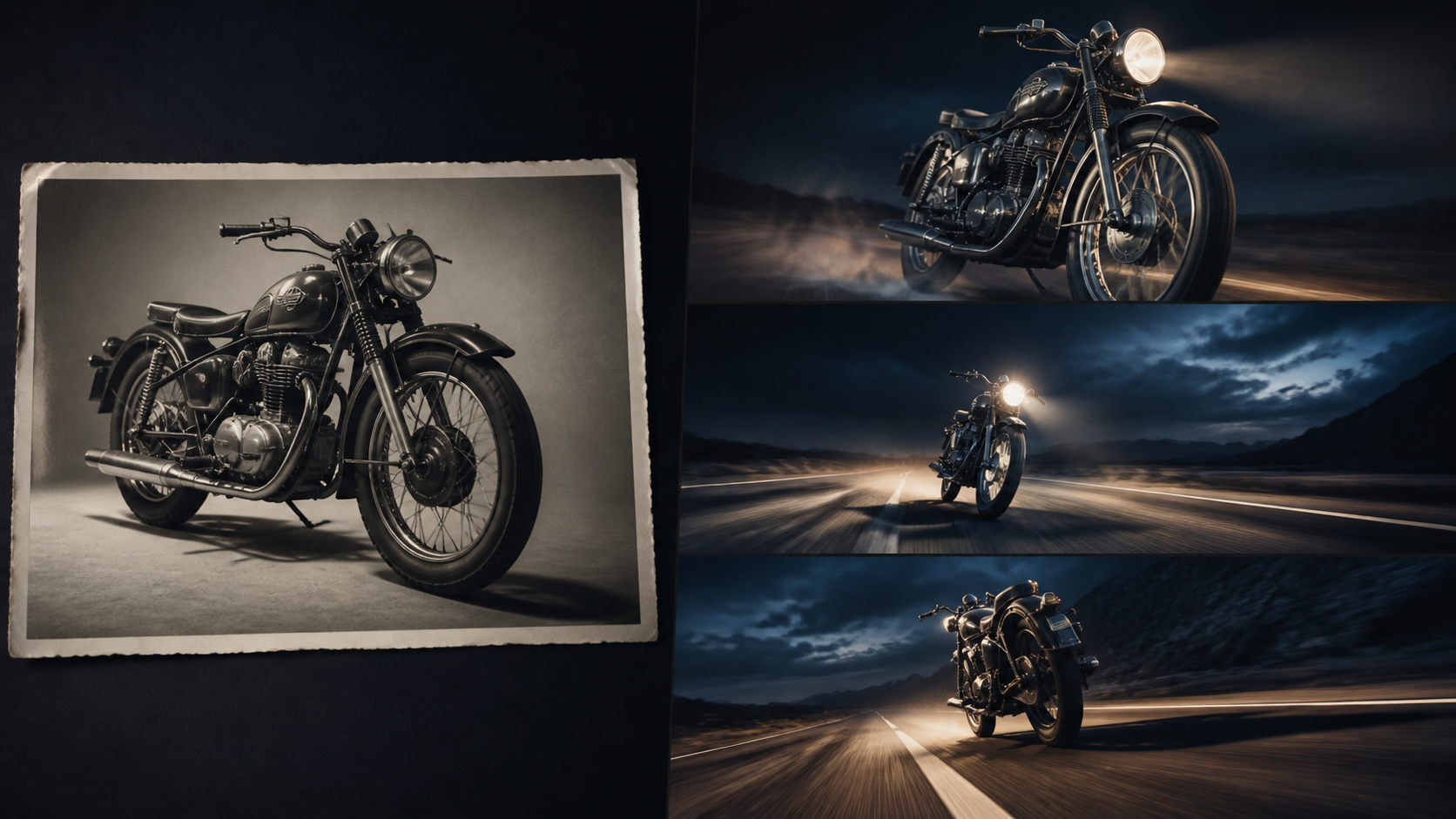
A motorcycle, watch, appliance, or other engineered object exposes errors quickly because viewers understand how its parts should connect. Establish what is allowed to move before generation: the camera may track forward, the wheels may rotate, and dust may trail behind, but the frame, fork, engine, and exhaust must retain their geometry. Ask for one camera move and one physical action per pass rather than combining acceleration, a full orbit, changing weather, and a transforming background.
Review circular parts and repeating details first. Wheel spokes should remain attached, tires should contact the road, reflections should follow the light, and badges or controls should not multiply. A stationary studio photograph can also use a restrained lighting sweep instead of simulated driving. That simpler motion often produces a cleaner product shot and keeps the original design recognizable. Compare several short takes side by side, select for structural stability, and add speed ramps or camera shake later in an editor where those choices remain reversible.
Practical Weekly Workflow
- Plan: Outline your scene and identify the necessary assets.
- Generate: Use VideoAny tools to create initial motion passes.
- Refine: Edit the clips in your preferred software, adding transitions or audio to enhance the final product.
- Review: Evaluate the clip against your original goal and make adjustments as needed.
- Archive: Save your prompts and settings to build a library of successful styles.
Conclusion
AI-assisted video production is most effective when treated as a disciplined creative process. By combining clear inputs with controlled iteration and a critical review step, you can transform static imagery into compelling, professional-grade video content.
Next Steps
Explore the full suite of creative tools at VideoAny and start building your motion library today. For more information on our capabilities, visit our models page.
FAQs
1) Can this workflow work for a solo creator? Yes. By focusing on repeatable formats and small, manageable asset lists, solo creators can produce high-quality content efficiently.
2) Should I generate first or write the edit plan first? Always write a plan first. Even a simple outline helps you determine if the AI output will effectively support your final video's narrative.
3) What should I check before publishing an AI video? Check for visual consistency, motion quality, pacing, and whether the content aligns with your intended message. Always ensure your content adheres to platform guidelines and legal standards.
4) How does VideoAny fit into this workflow? VideoAny serves as the engine for your visual generation. Use it to bridge the gap between static concepts and dynamic video, then combine those clips with your own editing, audio, and storytelling expertise.