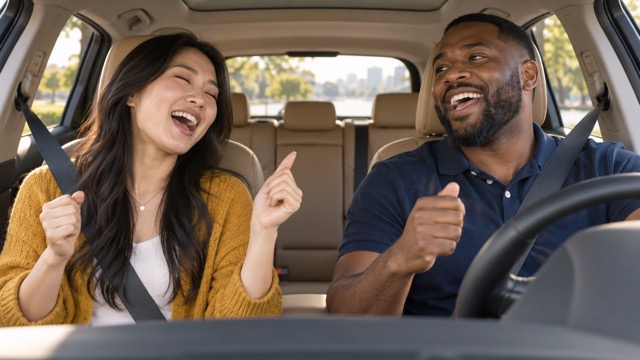
External visual reference from SuperMaker. Not a VideoAny-generated result.
A carpool karaoke clip is a small shared moment: dashboard framing, sunny windows, relaxed shoulder movement and people mouthing a cheerful chorus. For an AI version, the important starting material is a clear view of the people, rather than a real car interior.
AI Carpool Karaoke on VideoAny uses one photo as an identity reference and constructs a new driving scene. The preset creates a 5-second, 720p, 16:9 video with Seedance 2.5 for 568 credits. The output is silent; it does not include a song, vocals or song-specific lip sync.
1. Choose one photo with one or two clear faces
For a solo clip, upload a photo of one person. For a duet, use one photo containing both people. This effect has a single upload slot, so two separate portraits are not the same input as one shared image.
Choose evenly lit faces with eyes and mouths visible. If there are two people, keep both reasonably large and similarly sharp. A close foreground face beside a tiny background face gives the model uneven information. Avoid overlapping faces, strong beauty filters, masks and dark sunglasses.
An upper-body picture is useful for the outfit reference. You do not need to be sitting in a car or holding a steering wheel. The preset is designed to place one person in the driver’s seat, or two distinct people as driver and passenger, while using their faces, hair and clothing as references. Exact likeness and fine outfit details can still vary.
2. Check the landscape preset before generating
Open the effect, sign in and select Click to upload. Choose a JPG or PNG up to 20 MB and inspect the photo preview before continuing. Check that you have uploaded the intended solo or two-person picture.
The page shows Landscape · 16:9, Seedance 2.5 · 720p, 5-second clip and 568 credits. The output stays 16:9 even if the reference photo is vertical. There is no need to write a custom scene prompt or select a song; the performance is built into the preset.
Once the upload is ready and your balance covers the displayed cost, select Generate once. Processing may take several minutes. If the page cannot check progress, look in generation history before submitting again.
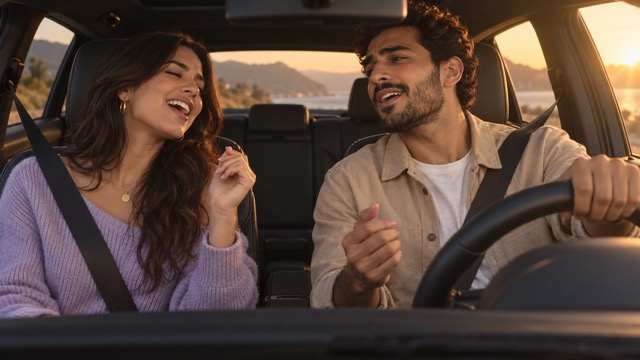
External visual reference from SuperMaker. Not a VideoAny-generated result.
3. Review the people and the driving action
Watch the entire five seconds at normal speed, then pause near the largest smile or head movement. The clip is designed around small, relaxed movements rather than an energetic dance.
- For a solo upload, check that an unintended passenger has not appeared.
- For a two-person upload, confirm that the faces remain distinct and do not merge when either person turns.
- Watch the driver’s hands on the wheel and look for fused fingers, a disappearing wheel or hands passing through it.
- Check that the driver looks mainly toward the road and that both people fit the dashboard view.
A convincing mouth movement can support the sing-along joke without matching a particular lyric. Do not choose a take solely because one frame happens to resemble a word in your chosen song.
4. Match the edit to the generated performance
If one face drifts, try a photo with more even lighting and two equally clear faces. If the framing feels crowded, use a picture with separated shoulders and less overlap. These input changes are more useful than trying to add instructions to a fixed preset.
When the result is ready, use Download video. Add a track separately in your editing or publishing app, then align a short musical phrase with the shoulder movement or smile. The full-width 16:9 shot preserves both seats; preview any vertical crop carefully before posting a duet. Keep captions clear of faces and the steering wheel, and identify the scene as AI-generated. This is an independent car sing-along effect rather than an official television segment.