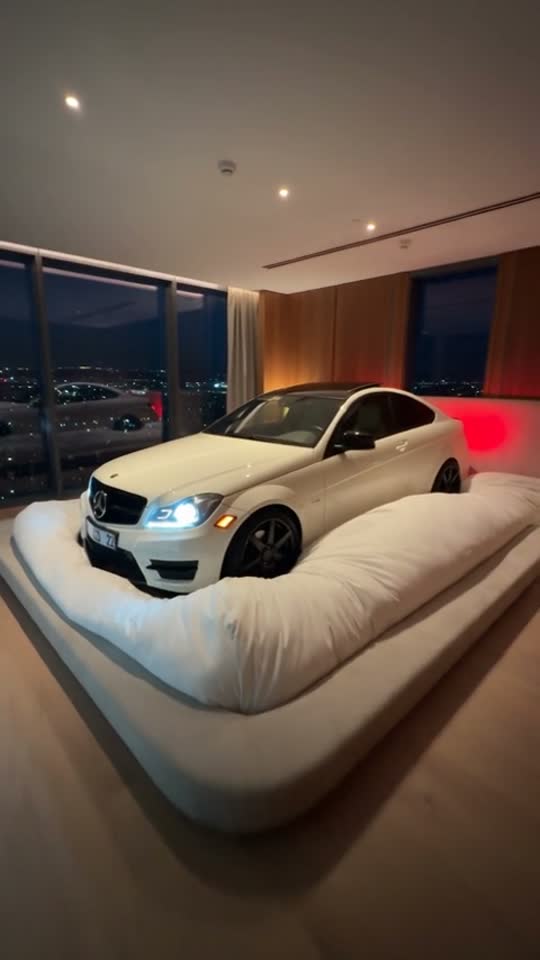
External visual reference from Talkpix. Not a VideoAny-generated result.
The sleeping-car joke treats a vehicle like a drowsy baby: a giant duvet, dim headlights, a little stir and a gentle pat back to sleep. The familiar shape and color of your own car make the oversized bedroom scene feel more personal.
Don’t Wake My Baby on VideoAny creates a 5-second, 720p video with Seedance 2.5 for 568 credits. It takes one car photo, follows that photo’s aspect ratio and produces a silent clip. Upload the vehicle you want to feature; this effect does not need a person or baby portrait.
1. Choose a car photo that shows its character
Use one sharp photo of a single car, ideally from the front or a three-quarter angle. Show the whole vehicle with a little space around it. Visible headlights are especially useful because their brightness supplies part of the sleepy expression.
Daylight can reveal the paint color, roofline and front-end shape clearly, even though the generated scene becomes a warm nighttime bedroom. Avoid a car cut off at the bumper, very dark parking-garage images or a showroom photo with several equally prominent vehicles.
Strong reflections, an open bonnet or a large object blocking the body can make the car’s outline harder to interpret. A straightforward parked-car image is a better reference than a motion-blurred driving shot. You do not need to photograph the car beside a real bed.
The uploaded image is the opening frame. The preset develops the giant bed and duvet around the vehicle while using its design and color as references. Fine details can change. Crop before uploading if you want a specific output shape; this effect follows your photo’s aspect ratio.
2. Upload the vehicle and check the fixed settings
Open the effect and sign in. Select Click to upload, choose a JPG or PNG up to 20 MB and inspect the preview. Confirm that the correct car is visible, then wait for uploading to finish.
Read Seedance 2.5 · 720p, 5-second clip, the photo-based aspect ratio and 568 credits. The bedroom, duvet, headlight changes and gentle pat come from a fixed preset. There is no second-photo slot for a hand or a separate prompt to write.
Select Generate once when your input and balance are ready. Processing may take several minutes. If progress checking fails or times out, check generation history before starting another task.
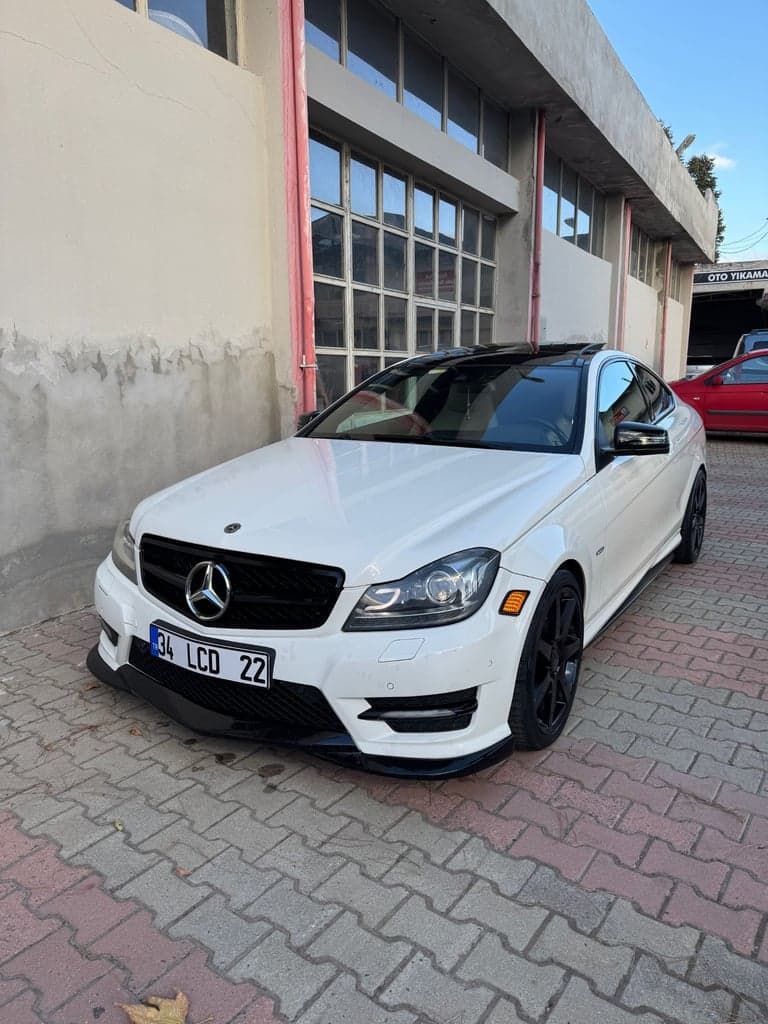
External visual reference from Talkpix. Input-photo reference. Not a VideoAny-generated result.
3. Review the car before the bedtime details
Watch the transition from the source photo into the bed scene. The intended action is a small body movement and brief headlight brightening, followed by a gentle roof pat and a return to dimmer lights. These are visual cues; the generated file has no engine or lullaby audio.
Inspect four details:
- Car likeness: compare the paint color, roofline, bonnet and headlight arrangement with the source.
- Duvet contact: the bedding should drape around the vehicle rather than melt through the roof or bonnet.
- Hand placement: the hand should pat the roof gently, without crushing the body or turning into extra fingers across the windscreen.
- Ending: the car should settle so the last beat feels sleepy rather than like the start of a driving scene.
The model may invent bedroom details. A recognizable vehicle and readable settle-back-to-sleep action matter more than exact furniture placement.
4. Choose the next photo from the visible problem
If the car becomes a different shape, try a sharper three-quarter image with the full body visible. If the headlights are unclear, choose an angle where both can be seen. If the bedding hides almost everything, leave more room around the vehicle in the source crop.
The preset is built around cars. A motorcycle, truck or unusually shaped vehicle gives it a different outline to interpret, so a conventional single-car photo is the clearest starting point.
5. Download and add the bedtime sound separately
Use Download video when the result appears. Add a soft sound effect, lullaby or meme track separately in your editor if desired. Keep the caption short and away from the headlights and roof pat. Preview the post without sound to check that the sleeping-car joke still reads, then identify the scene as AI-generated.