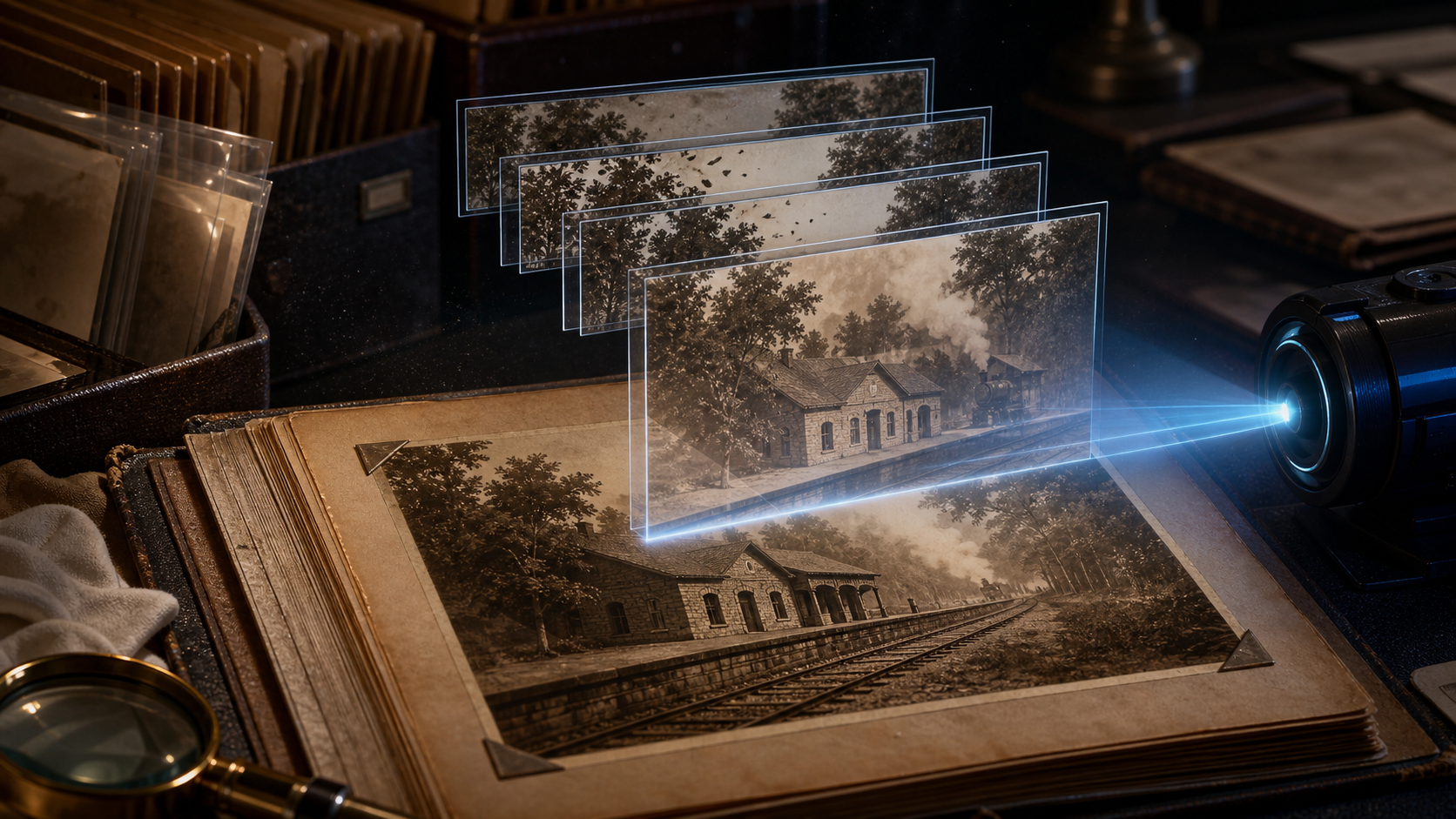
Creators may search for ways to “animate old photos with unrestricted AI,” but the goal should not be to make a historical image appear more “real” than it was. The goal is to create a clearly labeled interpretation within platform rules while protecting the original record.
That distinction matters. A gentle movement in trees or a slow camera push can help an audience engage with a family archive. Invented speech, an altered uniform, a younger-looking face, or an action that never occurred can rewrite the meaning of a photograph. The more personal or historically important the image, the more conservative the animation should be.
This preservation-first guide follows a five-step image-to-video process and the original range of uses—from family memories and social clips to archival B-roll and historical brand material. It also separates photo restoration from motion generation, because VideoAny animates images but is not presented here as a dedicated scratch-repair, colorization, or archival-restoration tool.
Responsible-use baseline: Use photographs you own or are authorized to process. Seek consent from living recognizable people and follow applicable archive, estate, cultural, and privacy rules. Mature treatments must involve consenting adults only; never sexualize a minor or age-ambiguous person, create non-consensual intimate imagery, fabricate compromising conduct, or misuse an unauthorized likeness.
Preserve the Original Before You Animate
Do not make the only scan your working file. Begin with an archival master:
- Handle the physical photograph carefully and scan or photograph it at the highest practical quality.
- Save an untouched master in a lossless or high-quality archival format.
- Create a separate restoration copy and another animation copy.
- Record the owner, date, location, people shown, known photographer, rights status, and any uncertainty.
- Store the original and generated assets under different filenames.
This chain keeps a synthetic interpretation from replacing the historical source. If the image comes from a library, museum, newspaper, studio, or family collection, follow its reproduction and transformation terms. “Old” does not automatically mean public domain.
For a family photograph, ask relatives to help identify the people and context before generation. A misidentified subject can lead to an inappropriate prompt even when the visual animation seems harmless.
Separate Restoration From Animation
Restoration and animation solve different problems.
Restoration can include crop correction, dust removal, scratch repair, contrast balancing, or careful reconstruction of damaged areas. It should produce a stable still and document what changed.
Animation synthesizes new frames and movement from that still. It can add camera motion, environmental movement, a restrained facial action, or a stylized effect.
If the photograph needs restoration, complete that work in a suitable image editor or dedicated restoration workflow before uploading the approved copy to Image to Video. Keep both the untouched scan and restored still. Do not imply that a generated animation is evidence of the subject's actual movement, voice, expression, or behavior.
Colorization is also interpretation. If you colorize before animation, retain the monochrome master and label the color choices as reconstructed unless they are supported by records.
Choose a Motion Level That Fits the Photograph
The source examples range from subtle movement to dynamic transformation and fantasy. Turn that range into a motion ladder:
Level 1: Archival Micro-Motion
Use a locked or very slow camera, shifting light, drifting dust, leaves moving, fabric breathing slightly, or a minimal blink in a rights-cleared adult portrait. This level keeps attention on the photograph and works best for fragile family or historical material.
Level 2: Expressive but Plausible Motion
Add a small head turn, a faint smile, a train beginning to move, or a gentle background pan. The result is more engaging but also more interpretive. Check identity and period detail frame by frame.
Level 3: Stylized Historical Interpretation
Introduce clearly artistic elements: a sepia knight's armor shimmering, a drawn aura around an object, or paper layers moving in depth. Make the fictional framing obvious so viewers do not mistake the result for recovered footage.
Level 4: Transformative Remix
Large actions, new environments, face replacement, or dramatic restyling move farthest from the historical record. Use this only when rights and context support an artistic remix, and label it prominently. For most family or archival projects, a lower level is more respectful and more stable.
There may not be a universal “motion strength” slider. Controls differ by VideoAny model. Express the intended level through prompt language, duration, camera cues, and whatever settings the selected model actually provides.
Five Steps to Animate an Old Photo
Step 1: Open the Creation Studio
Choose an image-to-video model and inspect its current duration, aspect ratio, resolution, and credit controls. Different models offer different combinations. Do not build a project around a universal 1080p or fixed-duration promise.
If you already have lawfully controlled moving footage that needs a period style, Video to Video addresses a different task. For a single historical still, remain in the image-to-video workflow.
Step 2: Upload the Working Copy
Upload the restored or prepared copy, never your only archival master. Confirm orientation and crop. Remove scan borders only if the project does not need them as historical context.
Look closely at faces, hands, uniforms, signage, jewelry, architecture, and objects. Generation may amplify an existing defect or turn an indistinct detail into a confident but false one.
Step 3: Write the Prompt and Select Settings
Describe what moves, what stays fixed, and how interpretive the animation may be:
gentle tree movement and faint steam near the station; slow camera push toward the platform; keep the building geometry, track layout, sepia tone, and photographic grain stable; restrained archival interpretation
Then select a model-supported duration and aspect ratio. Common choices include 16:9, 9:16, and 1:1, but availability varies. A wide group or street scene often suits landscape; a single standing portrait may suit vertical; a centered object or character can suit square.
If a selected workflow supports an optional end frame or multiple references, use them only when you have the necessary rights and they materially clarify the motion. Do not assume these inputs exist on every model.
Step 4: Generate a Short Test
Generate a short, conservative version first. If the subject changes identity, clothing, age, or expression, reduce motion and simplify the prompt. Alter one variable at a time so you know which instruction affects the result.
Generation time varies by model, settings, and service conditions. Treat the result as a draft, not a recovered historical moment.
Step 5: Review, Download, and Archive
Preview the full clip and inspect individual frames. Download only a version that passes both visual and historical review. Save:
- the untouched scan;
- the restored still, if one was created;
- the exact animation input;
- prompt, model, ratio, duration, and resolution;
- the generated clip;
- an edit master and published export;
- a note explaining that the motion is AI-generated.
This package allows another person to distinguish record from interpretation years later.
Four Prompt Patterns for Old Photos
These examples preserve the original range from natural motion through fantasy and mature archival material while adding clear boundaries.
Subtle Landscape Motion — 16:9
A scanned sepia railway-station photograph; tree leaves move gently and a small plume of steam shifts behind the platform; locked architecture; slow cinematic push-in; retain the original grain, contrast, and track geometry.
This suits a family-history video, exhibition screen, or documentary bridge where the location matters more than character performance.
Expressive Adult Portrait — 9:16
An authorized grayscale studio portrait of a confirmed adult; one natural blink and a very slight change in gaze; locked camera; keep facial proportions, hairstyle, clothing, lighting, and photographic texture stable; respectful archival interpretation.
Use only when the living subject consents or the appropriate rights holder permits the project. A blink is invented motion and should be labeled as such.
Fantasy Artifact — 1:1
A sepia illustration of an antique suit of armor; a faint reflected light travels across the metal and tiny dust particles drift; centered square composition; locked camera; preserve every engraved pattern and paper texture.
This is clearly stylized and avoids implying that a historical person performed an undocumented action.
Mature Archival Material — Model-Supported Ratio
A rights-cleared vintage editorial photograph depicting a confirmed adult; subtle fabric and ambient light movement only; stable pose and identity; no new exposure or action; preserve the original styling and film grain.
Mature material requires verified adult status, provenance, context-specific consent or lawful rightsholder authorization, and a destination that permits the result. Never apply this pattern to a person of uncertain age.
Check Historical and Identity Drift
An ordinary motion review asks whether frames look consistent. An archival review also asks whether the generated details change the record.
Face and Apparent Age
Check whether the person becomes younger, older, or resembles someone else. If age is ambiguous, do not use the image for any mature treatment. For family-memory work, avoid a dramatic expression that contradicts the known occasion.
Clothing and Period Detail
Watch buttons, medals, insignia, uniforms, hairstyles, tools, vehicles, and architecture. A model may replace an indistinct object with a modern or historically inaccurate detail.
Invented Speech or Action
Do not present lip movement as authentic speech or claim that the subject said words not recorded. Do not animate a handshake, embrace, gesture, or event as documentary fact when it is only a generated possibility.
Borders, Damage, and Grain
Decide whether scratches, fading, and paper edges are part of the artifact or defects to remove. Preserve the archival master either way. If the animation erases grain in one frame and restores it in the next, the surface will flicker.
Cultural and Memorial Context
Some photographs involve sacred ceremonies, conflict, death, forced displacement, or communities with specific cultural protocols. Seek contextual expertise and permission. A technically possible animation can still be inappropriate.
Uses for Animated Historical Images
- Family archives: create a clearly labeled memory montage with gentle environmental or portrait motion.
- Museums and educators: use a subtle interpretive clip as an exhibit transition while showing the original nearby.
- Social storytellers: introduce a location, object, or era with a short animated still and transparent disclosure.
- Historical brands: animate company imagery only after confirming trademark, archive, employee, and advertising rights.
- Meme and GIF creators: remix public-domain or licensed images without targeting a private person or rewriting traumatic events.
- Filmmakers: use animated photos as B-roll, flashback texture, or a memory device—not as undisclosed documentary footage.
- Artists and hobbyists: create visibly stylized experiments that retain a provenance record.
- Adult archivists or creators: work only with confirmed adults and lawful, consented, rights-cleared materials.
The purpose determines the acceptable motion level. A surreal art piece can transform more than a memorial video, but both need honest labeling.
Credits and Output Choices
VideoAny uses credits, but cost depends on the model, duration, resolution, and settings. Many models calculate credits per generated second; some configurations use a fixed amount per generation. Review the live estimate and pricing options instead of importing a third-party flat rate.
Resolution and aspect ratio are also model-specific. Select models support 1080p or higher, while others have lower limits. A larger file does not make an interpretation more historically accurate. Test a short, lower-cost version first, then render the approved motion at the delivery quality the project requires.
Creative Freedom With Archival Accountability
A restricted-versus-unrestricted comparison is too simple for old photographs. The useful questions are whether a tool accepts the lawful material, offers suitable model controls, exposes credit use, and lets the creator review the result without promising that invented motion is authentic.
VideoAny provides multiple image-to-video choices for creative exploration, but no tool can grant missing rights or recover consent from an unknown context. Broad creative options should increase editorial care, not reduce it.
Frequently Asked Questions
Does VideoAny restore scratches or colorize old photos?
This guide does not claim a dedicated VideoAny restoration or colorization feature. Prepare a restored working copy separately, keep the untouched scan, and use image to video for motion generation.
How much movement should I add?
Begin with Level 1 micro-motion. Increase only when the purpose supports a more interpretive result and identity or period details remain stable.
Can I animate a photograph of a deceased relative?
Rights, privacy, estate, cultural, and ethical expectations vary. Consult the appropriate family members or rights holders, use a respectful motion level, and label the result as AI-generated.
Can I animate a historical photo that includes children?
For family or educational material, follow guardian, archive, privacy, and destination rules. Never place a minor or age-ambiguous person in mature, sexualized, exploitative, or deceptive content.
Is 1080p available for every model?
No. Duration, aspect ratio, resolution, and credits depend on the selected model. Check the current controls before generating.
Preserve the Record, Label the Interpretation
To animate old photos with unrestricted AI responsibly, begin outside the generator: protect the original, document the context, separate restoration from animation, and decide how much interpretation the photograph can bear.
Upload a working copy, prompt one restrained motion level, generate a short test, and review identity and historical details frame by frame. Archive the input beside the output and label the clip as AI-generated. Done well, animation can invite viewers into a memory without pretending to replace the evidence that memory rests on.