Vintage Is More Than Grain
Adding scratches and sepia color does not automatically create a convincing vintage video. A period look comes from production design, clothing construction, hair and makeup, lens behavior, lighting ratios, camera movement, editing rhythm, and the limitations of a particular film or television process.
The reference page markets an adult-only, unrestricted AI video service. It lists text, image, and video generation modes; optional references; 1080p exports; multiple aspect ratios; fast results; private storage; ownership; anonymous use; and crypto payment. These are claims from the source platform, not VideoAny guarantees. Verify the current interface, export files, content rules, pricing, privacy policy, and commercial license before relying on them.
For mature projects, every depicted person must be a consenting adult and every likeness must be authorized. Never use a real historical or living person to fabricate intimate media, never involve minors, and never treat an “old” aesthetic as a way to conceal unethical source material.
Choose a Specific Era and Medium
“Vintage” can mean radically different things. Pick a production context before writing prompts:
- 1920s silent cinema with orthochromatic contrast and locked framing;
- 1940s studio melodrama with sculpted black-and-white lighting;
- 1950s color negative with saturated wardrobe and polished sets;
- 1960s 16 mm documentary with handheld movement and available light;
- 1970s warm interiors with zoom lenses and practical lamps;
- 1980s analog video with softer detail, electronic noise, and interlaced motion.
Research the chosen period using licensed or public-domain references. Do not copy a specific photographer, film, performer, poster, or living artist. Extract general production principles instead.
Build a Period Art-Direction Sheet
Wardrobe and grooming
Describe silhouette, fabric, tailoring, accessories, hair shape, and makeup appropriate to the period. Avoid modern seams, fasteners, watches, or styling unless the concept intentionally mixes eras.
Set and props
List furniture materials, wall treatments, practical lamps, cameras, telephones, glassware, and other visible objects. Check that props belong to the same decade and region.
Color system
For color work, choose three or four production colors and define their relationship. Film stocks do not merely place a tint over the image; skin, fabric, highlights, and shadows respond differently.
Camera grammar
Specify focal length, camera support, framing, and movement. A slow dolly, controlled pan, or locked composition often reads as more period-authentic than modern gimbal movement.
Texture
Define grain size, halation, gate weave, flicker, contrast, bloom, dust, and damage separately. Most should be subtle. Apply severe scratches only when the story calls for a distressed archive print.
A Source-Inspired Workflow
The source page proposes choosing a generation mode, describing a scene, supplying an optional reference, selecting duration and aspect ratio, then downloading or remixing. Use that loop with stronger historical controls.
- Create a clean period still. Use an original fictional adult, fully defined wardrobe, one set, and neutral action. VideoAny’s general text-to-image route can support permitted concepts; it is not presented here as an unrestricted NSFW product.
- Check anachronisms. Review clothing, props, architecture, lighting fixtures, and grooming before animation.
- Animate one performance beat. Use image-to-video on authorized material for a small gesture, glance, or camera move. Keep identity and wardrobe stable.
- Separate look from damage. Generate a coherent clean shot first. Add film texture in post so grain and scratches do not mutate facial features.
- Test a restrained style pass. If the motion works but color does not, a controlled video-to-video pass may help on supported content. Compare skin tone, edge detail, and costume continuity.
- Finish with editorial rhythm. Use era-appropriate shot length, transitions, licensed music, and sound design.
Check current VideoAny rules before generating or uploading. The source’s claims about unrestricted adult output, speed, privacy, ownership, and resolution do not transfer to these routes.
Prompt Anatomy for a Vintage Shot
The source recommends subject, wardrobe, environment, lighting, camera, and motion. Add era, medium, and texture:
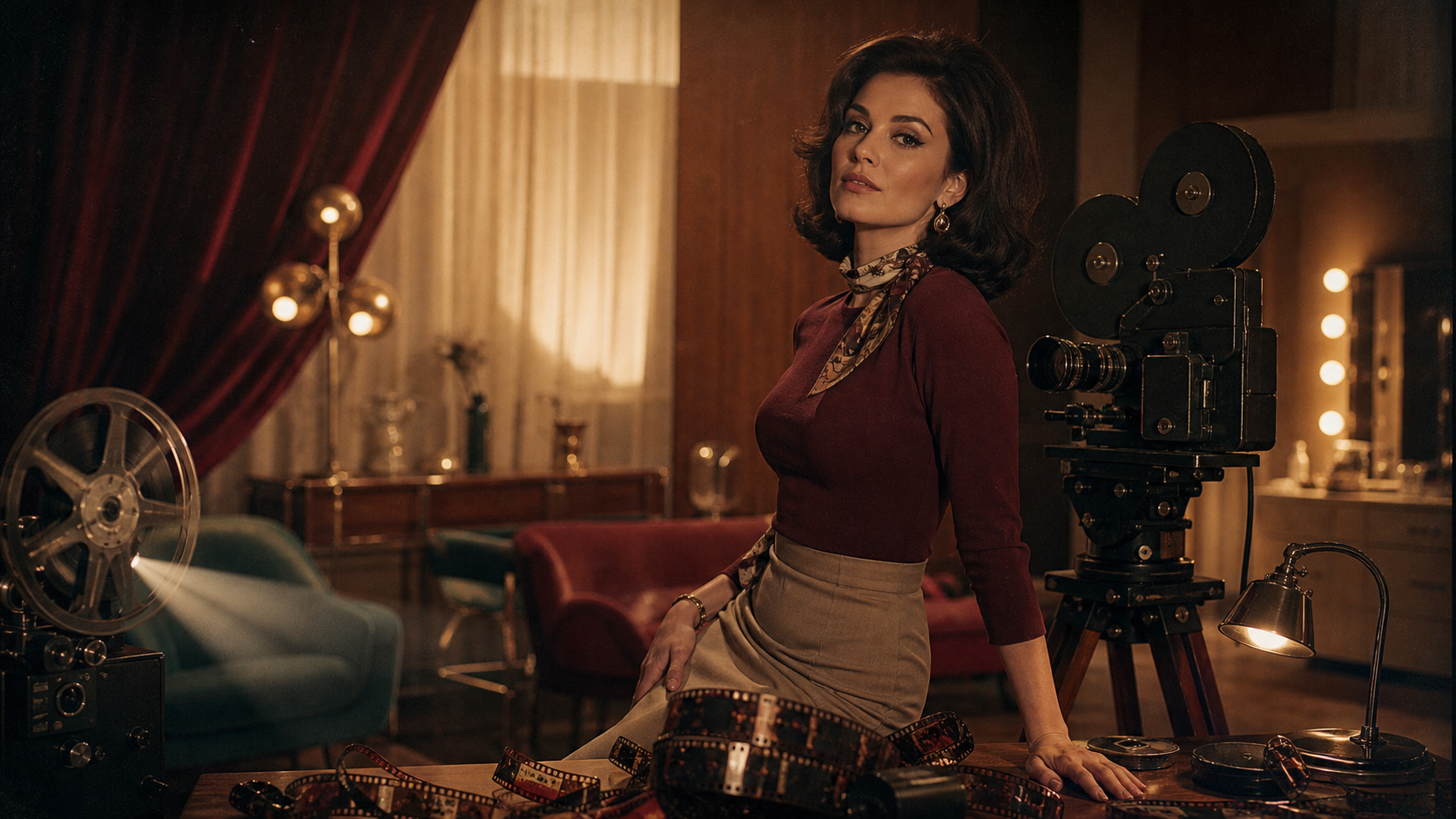
Original fictional adult performer in a tailored burgundy knit top, cream high-waisted trousers, and silk neck scarf, elegant late-1960s interior with walnut furniture, warm tungsten practicals and soft window fill, 16 mm color-negative look, natural 50 mm lens, locked medium shot as the performer turns toward camera and rests one hand on a film reel, subtle grain and halation, stable anatomy and set, no text or logos.
Avoid stacking incompatible cues such as silent-film speed, 1970s zooms, 1980s tape noise, and modern shallow-focus gimbal motion in one prompt.
Film Artifacts: Use Them Deliberately
- Grain should change with exposure and apparent stock speed, not cover the frame uniformly.
- Halation belongs near bright highlights, not every edge.
- Gate weave is a slight positional drift, not random shaking.
- Flicker should be gentle enough to avoid discomfort.
- Dust and scratches appear on the film plane and should not follow people or objects.
- Vignette reflects lens and format behavior; heavy dark corners often look like a preset.
- Color fading changes channels unevenly and can reduce contrast.
Apply these effects after the creative edit whenever possible. That keeps the underlying faces and motion reviewable.
Common Vintage Failures
The clip looks like modern cosplay
Research garment construction, set materials, posture, and grooming. Remove modern devices and choose camera movement appropriate to the period.
The filter hides generation defects
Review a clean version first. Grain cannot fix changing hands, unstable faces, or bending furniture.
Every shot has the same sepia cast
Build color from lighting and production design. Reserve sepia for a historically or narratively justified monochrome treatment.
The era changes during motion
Keep a fixed art-direction sheet and shorten the shot. Complex camera moves reveal invented props and wardrobe changes.
Privacy, Ownership, and Historical Likeness
The source claims private libraries, no prompt sharing, no real-name requirement, full ownership, and crypto checkout. Verify retention, deletion, training use, gallery defaults, human review, subprocessors, and commercial rights in current policies. Crypto payment does not automatically create anonymity.
Copyright status also varies by asset and jurisdiction. “Vintage” does not mean public domain, and an output license cannot grant rights in a protected film, photograph, song, costume design, trademark, or person’s likeness.
Final Checklist
- All depicted people are consenting adults, and likeness rights are documented.
- Era and capture medium are explicitly chosen.
- Wardrobe, props, set, grooming, and camera grammar belong together.
- Film texture is subtle and applied after identity review.
- No protected performer, poster, film frame, or living artist is copied.
- Downloaded resolution, bitrate, and aspect ratio match the intended delivery.
- Music, fonts, logos, and archival references are licensed.
- Age gating, disclosure, and platform content rules are satisfied.
FAQs
Which vintage cue matters most?
Lighting and production design usually matter more than grain. A coherent set and camera grammar sell the period before texture is added.
Should film damage be generated with the scene?
Usually not. Add it in post so it stays consistent and does not interfere with faces or motion.
Can I use a classic movie star as the character?
Do not fabricate intimate media of a real person without explicit rights and consent. Use an original fictional adult instead.
Does this article claim VideoAny is unrestricted?
No. It distinguishes the source page’s marketing claims from general VideoAny routes governed by current policies.
Conclusion
A credible vintage video begins with historical choices, not an effect preset. Select an era and medium, design the frame, direct one controlled performance beat, and add film artifacts with restraint. Consent, original characters, and verified rights should remain as visible in the process as the grain on the final image.