Introduction
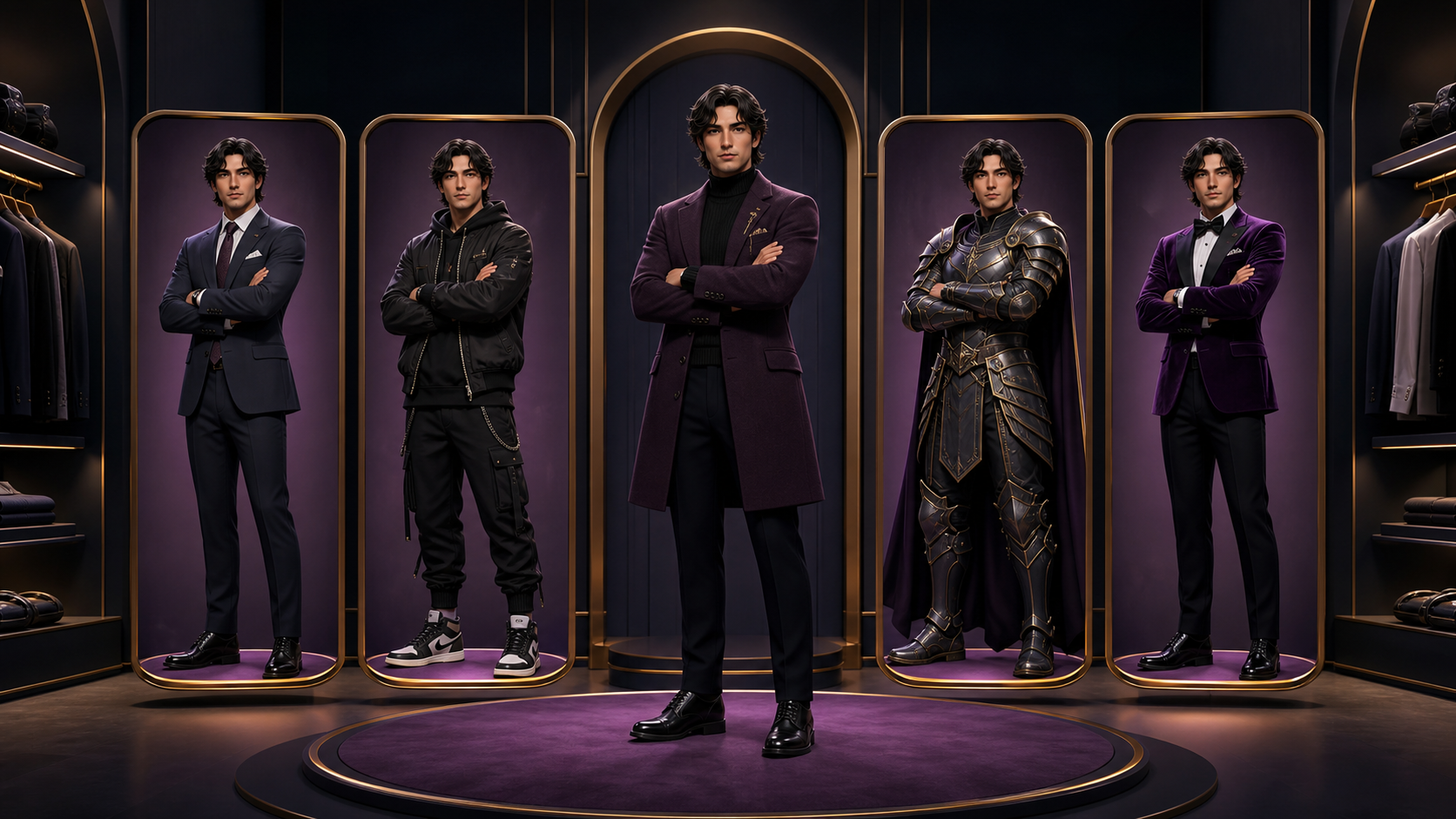
Effective AI video production relies on more than just high-quality generation; it requires a structured approach to consistency. When creating multiple looks for a single avatar, the challenge is maintaining the character's identity while swapping garments. This guide outlines a professional workflow for managing avatar wardrobes, ensuring that your character remains recognizable across different scenes and styles.
Separating Exploration from Production
A common pitfall in AI media creation is blurring the lines between creative exploration and technical production. Exploration is about finding a direction, while production is about ensuring that direction holds up under the scrutiny of animation, cropping, and framing.
Before you begin, define your "acceptance test." Ask yourself: Does this garment work in a vertical social format? Does it leave room for text overlays? Is the pose stable enough for the intended motion? By answering these questions first, you avoid the trap of generating endless variations that lack the structural integrity required for a final project.
The Strategic Workflow
- Work Backward from the Final Use: Determine your output format—whether it’s a wide banner or a mobile-first social post—before generating. This prevents composition issues that arise when you try to force a square image into a different aspect ratio later.
- Translate Taste into Instructions: Avoid vague descriptors like "premium" or "stylish." Instead, use concrete nouns and specific technical details. Define the silhouette, the material, the lens distance, and the lighting. The more specific your prompt, the less room there is for the model to misinterpret your vision.
- Establish a Master Reference: Once you have an approved base image, treat it as your "source of truth." Identify the key traits that make the character recognizable and ensure these remain locked in subsequent iterations. If a new generation causes "identity drift," discard it rather than trying to fix it.
- Iterate with One Variable: Change only one element at a time—such as the jacket or the accessories—while keeping the anatomy and pose constant. This makes it easier to identify what went wrong if a specific generation fails.
Managing Garment Construction
When swapping outfits, focus on the construction of the clothing rather than abstract concepts. Describe the fit, the collar style, the trim, and the fabric type. If you are moving from a casual look to a formal fantasy uniform, preserve the face, hair, and body proportions while defining the new garments as distinct, structured pieces.
To maintain a professional set, create a "wardrobe system." Define your base colors, accent colors, and recurring accessories. Recording these decisions alongside your source assets helps you maintain a consistent look across an entire collection of clips.
Quality Control and Responsible Creation
Always inspect your candidates at two scales: full resolution to check for anatomy, masking, and texture defects, and the final publishing size to ensure the character's action and reading order are clear. If you spot a defect, name it—whether it is an issue with identity, edge continuity, or composition—and correct it at the smallest possible scale.
Finally, treat consent and provenance as essential production requirements. Only use images you have the rights to edit, and be mindful of trademark or franchise policies if you are creating fan-oriented content. Transparency regarding synthetic imagery is a hallmark of professional production.
Practical Weekly Workflow
- Define the Outcome: Identify the specific content goal (e.g., a tutorial clip or a character-driven social post).
- Prepare Inputs: Gather your reference images and design notes.
- Execute in Passes: Generate and refine in small, manageable steps rather than attempting a full scene in one go.
- Review and Archive: Check for continuity and pacing, then save your prompts and settings to make future iterations faster and more reliable.
Conclusion
AI-assisted video creation is most effective when treated as a repeatable system. By focusing on clear inputs, controlled iterations, and rigorous review, you can transform raw AI generations into a cohesive, professional avatar wardrobe.
Explore the tools available at VideoAny to start building your consistent character library.
FAQs
1) Is this workflow suitable for solo creators? Absolutely. By focusing on a repeatable format and keeping your asset list organized, you can maintain high production standards even when working alone.
2) Should I plan the edit before I start generating? Yes. A simple outline or storyboard helps you verify that your AI-generated assets will actually serve the final video’s narrative.
3) What are the most important checks before publishing? Always verify continuity, motion quality, aspect ratio, and whether the visual elements effectively communicate your intended message.
4) How does VideoAny support this process? VideoAny provides the generation capabilities needed for visual variation, which you can then integrate into your broader editing, captioning, and audio workflows.