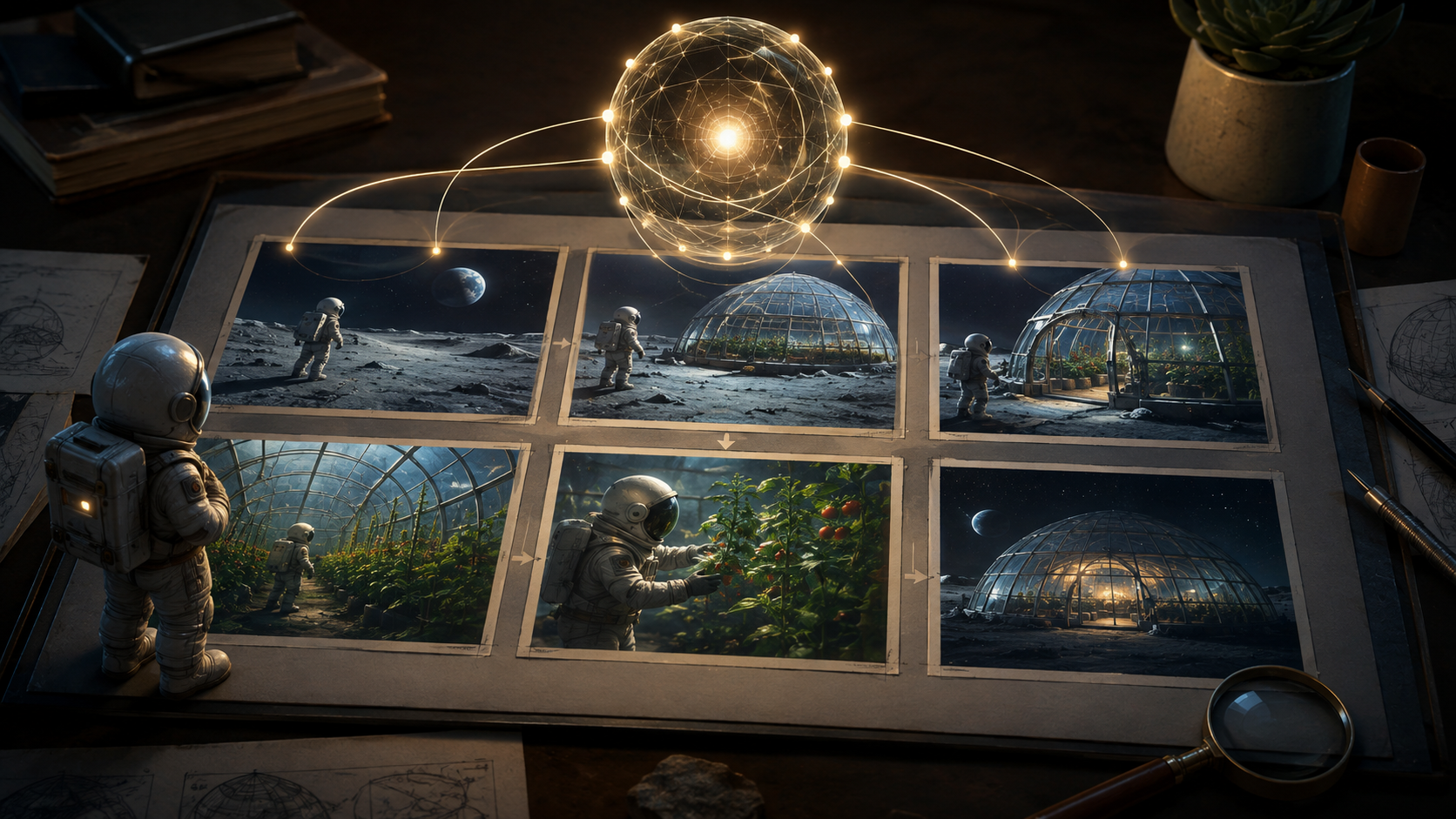
A collection of visually appealing images does not automatically constitute a functional storyboard. If a critical element, such as a door, inexplicably shifts its position between frames, or a character reacts to an event before it's visually presented, the sequence suffers from fundamental planning flaws, regardless of how polished each individual image appears. The true value of a storyboard lies in its ability to communicate a coherent narrative and visual plan, ensuring consistency and logical progression.
An AI storyboard agent is best understood as a sophisticated planning assistant designed to aid in the preparation and iterative refinement of a visual narrative. Its most valuable outputs extend beyond mere images, encompassing detailed shot descriptions, consistent character and location references, explicit continuity requirements, and precise briefs for subsequent media generation. The designation "AI storyboard agent" does not inherently guarantee that a product will flawlessly preserve every detail or produce a final video sequence without the need for human oversight and review. Instead, its utility lies in streamlining the complex process of pre-visualization and ensuring a solid foundation for production.
To illustrate the practical expectations for such a planning assistant, consider an original fictional scenario: astronaut Edda, during a lunar expedition, discovers an illuminated greenhouse. As she approaches a sealed door, she observes a plant moving inside, leading her to the realization that someone has recently tended to it. This invented scene provides a concrete framework for evaluating what a robust AI planning assistant should deliver at each stage of the creative process.
Prioritizing a Decision Document Over Immediate Visuals
Before requesting any visual panels, the initial interaction with an AI planning assistant should focus on establishing a clear decision document. This document should capture the scene's intended outcome and all the essential information required for the audience to understand it. In Edda's discovery, the narrative hinges on three core facts: the greenhouse must appear unattended from the outside, the plant inside must show clear evidence of recent care, and Edda must perceptibly notice and interpret this evidence.
The planning assistant should be prompted to propose various ways these narrative facts can be visually conveyed. For instance, it might suggest depicting a neglected exterior for the greenhouse, followed by a close-up of a recently filled watering vessel beside the plant, culminating in a reaction shot from Edda. It is crucial to review these proposals critically before adopting them. While a watering vessel might offer a more unambiguous clue than a subtly moving plant, such a choice fundamentally alters the visual event and should be a deliberate storytelling decision, not an incidental outcome of the AI's interpretation.
The primary deliverable at this stage is a document that clearly identifies essential narrative information, distinguishes optional decorative elements, and highlights any unresolved questions. This approach prevents the assistant from making silent, unapproved narrative decisions under the guise of merely arranging camera angles. It ensures that the core story beats are established and agreed upon before visual execution begins.
Maintaining a Detailed Record of Elements and Their States
Effective storyboarding requires meticulous tracking of elements within the scene. Beyond just generating images, a planning assistant should help maintain a simple, evolving record of what exists where. For our lunar greenhouse example, this might involve drawing a basic location plan: placing the entrance on the near side of the greenhouse, a workbench immediately beside it, and the significant plant positioned at the far window. These are arbitrary design choices for this specific example, but once established, they become shared constraints that must be respected throughout the visual development.
Crucially, the assistant should also track changes in the state of objects and characters, not just their static locations. For instance, Edda's helmet light might begin switched off and then be deliberately activated as she approaches the glass. If a subsequent panel depicts the light off again without explanation, the plan requires either a correction or a narrative justification for the change.
A structured table can be an invaluable tool for this purpose, exposing potential contradictions early in the planning phase, before detailed images are created and become resistant to change.
| Shot | Audience Information | Continuity Requirement | Open Planning Question |
|---|---|---|---|
| Exterior approach | The greenhouse is isolated and appears abandoned. | Entrance remains on the established near side. | How much surrounding lunar landscape is needed to convey isolation? |
| View through the glass | Somebody recently cared for the plant. | Workbench and plant maintain their relative positions. | Which specific clue (e.g., watering can, fresh soil) is most readable without text? |
| Edda's reaction | She understands the implication of the clue. | Helmet-light state matches the previous shot (e.g., now on). | Does her eyeline clearly point toward the clue? |
| Final wider view | The discovery belongs to the same established location. | Door, window, and interior layout agree with previous shots. | Should the sequence end with uncertainty or a clear resolution of Edda's realization? |
Such a table serves as a living document, allowing creators to identify and resolve inconsistencies before investing time and resources into generating detailed visuals.
The Importance of Continuity in Visual Storytelling
The challenge of maintaining continuity across visual narratives has become a significant area of research in AI. CANVAS, for example, is a research framework specifically designed to plan and manage continuity for elements such as characters, backgrounds, and spatial relationships within a story. Its authors have published evaluations of their approach on various storyboard benchmarks, as detailed in the CANVAS paper.
The key takeaway from such research for practical production workflows is the necessity of inspecting continuity categories separately. A benchmark result from a research paper, while informative, does not guarantee identical performance in a commercial tool, with a different artistic style, or for a specific project. Nor does the existence of advanced planning research imply that an image generator will automatically remember and apply every detail of an entire production without explicit guidance.
In Edda's scenario, for instance, her character appearance might remain perfectly stable across shots, while the geographical layout of the greenhouse could subtly shift. A single, aggregated "consistency" score would mask this critical difference. Therefore, maintaining separate review processes for character appearance, the state of objects, and spatial relationships is essential for robust planning. This granular approach allows for precise identification and correction of continuity errors.
Exporting Clear and Actionable Shot Briefs
Once the overall plan is approved, the next step is to prepare a detailed brief for each individual shot, rather than attempting to generate the entire discovery sequence with one monolithic prompt. Each brief should clearly identify the starting state of the shot, any visible changes that occur within it, its intended ending state, any necessary reference assets, and the specific narrative or visual reason for its inclusion.
Here is an original example for the brief of Edda's window view:
Show the interior of the fictional lunar greenhouse from Edda's established position outside the observation window. The workbench remains near the entrance, and the important plant remains at the far window. Reveal a clearly visible watering vessel beside the plant as the clue of recent care. Keep the composition readable enough that a following reaction shot can refer back to this object. Do not introduce another person or move the established doorway. The lighting should suggest an artificial, contained environment.
This brief is designed to be adaptable to various generation models and interfaces. While tools like Seedance, Kling, or Veo might be used for the actual generation, a model-independent planning record ensures that the core creative intent and constraints are preserved, even if specific controls or reference inputs need to be translated for different systems.
For exploring individual planned visuals, you can use a platform like VideoAny's text-to-image page. It's important to remember that the shot record and its revision history should ideally be maintained within your external planning system, as this destination is for media asset creation and does not establish an integrated storyboard agent.
Testing Revision Behavior with Consequential Changes
A critical test for any AI planning assistant is its ability to handle revisions that have cascading effects. For instance, ask the planner to move the crucial clue (the watering vessel) from the far window to the workbench. A truly useful response should not merely generate a new image for that specific shot. Instead, it should identify all affected shots—the window composition, Edda's eyeline in her reaction shot, and the final wider view—and explain which requirements remain unchanged while proposing necessary updates to others.
A less effective response would simply produce another attractive panel for the revised shot, leaving the rest of the sequence contradictory. To avoid this, you can test the revision process without immediately committing to a paid generation batch. First, request a change-impact list from the assistant, compare it against your continuity table, and only accept the proposed updates once you're confident in their coherence. It's also good practice to preserve the previous approved plan, allowing for easy rollback if a revision proves to be problematic.
Evaluating Products by Inspectable Handoffs
When considering commercial tools that claim to assist with storyboarding, it's essential to evaluate them based on their tangible outputs and the clarity of their handoff mechanisms. Utopai, for example, describes PAI 2.0 as a system that combines a creative agent with a production workspace on its official PAI page. This should be treated as a vendor description to be rigorously investigated against a small, practical assignment like Edda's discovery, rather than an assumption of flawless continuity or integrated capabilities.
Similarly, when examining other names that arise in discussions about storyboarding, such as YeeZo and WorkRally, it is crucial to verify the current state of their products, their accessibility, and their export behaviors directly. Do not infer launch dates, adoption figures, or a complete feature set from comparison articles alone.
Instead, pose the same practical questions to each candidate: Can I easily inspect the generated shot list? Is it possible to replace a single reference image or asset without disrupting the entire plan? Can the system clearly indicate which panels are affected by a specific revision? And, most importantly, can the planning decisions be exported in a format that another person or a different production tool can readily understand and utilize? A conversational interface, while convenient, is only truly useful if its accepted decisions remain recoverable and transparent throughout the production pipeline.
Performing a Silent Read Before Final Generation
Before moving to the final generation of video clips, a crucial step is to perform a "silent read" of the storyboard. Arrange the rough panels without any accompanying written scene description and ask an impartial reviewer what Edda discovers. Then, ask them to identify the location of the greenhouse entrance and the important clue. Any mismatch between their interpretation and your intended narrative reveals areas where the visual plan needs refinement.
Only after this critical review should you proceed to move approved material into a dedicated image-to-video workflow and evaluate the motion and timing separately. The primary role of the storyboard is to make the intended sequence inspectable and coherent. The generated video clips must then independently prove that the visible action, references, and editing choices effectively support that well-established plan.